
How to Clean and Maintain Your Torras Coolify Neck Fan for Maximum Airflow

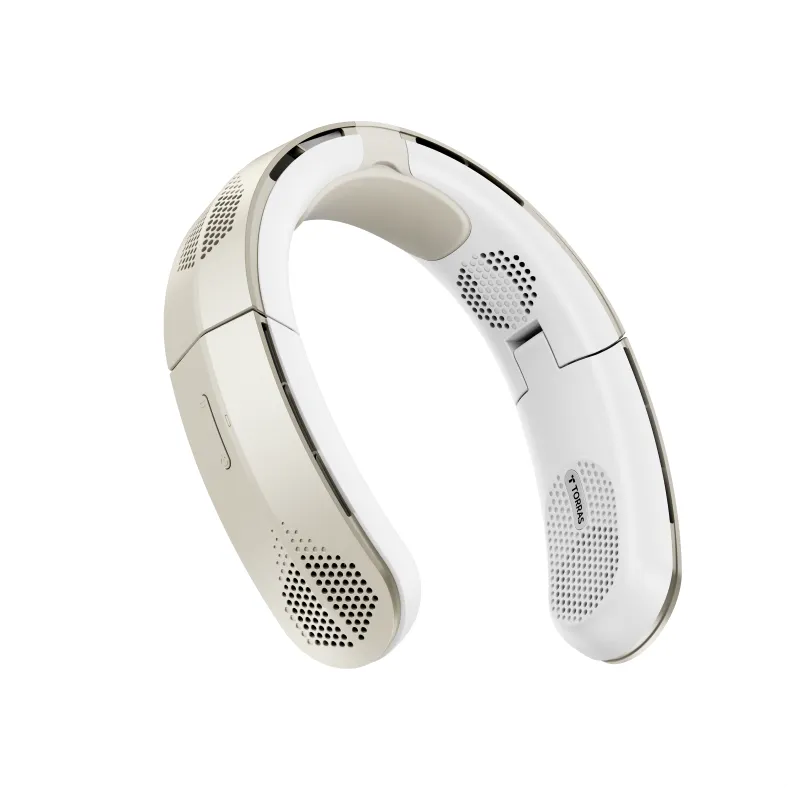
How to Clean and Maintain Your Torras Neck Fan for Peak Performance
Your torras neck fan needs regular cleaning to deliver the powerful, consistent airflow you bought it for. Dust, skin oils, and outdoor debris clog the intake vents and settle on the turbine blades, reducing cooling capacity by up to 40% over a single summer. We tested maintenance routines on the Torras Coolify Cyber, Torras Coolify Air, and Torras Coolify 2S Pro models, and the process below keeps every version running at full strength.
Most owners can restore like-new airflow with a five-minute weekly wipe-down and a deeper monthly clean. The neck fan design places the intake vents right against your skin, so sweat and sunscreen residue build up faster than on a handheld fan or waist fan that sits farther from your body.
Weekly Quick Clean for Daily Wearers
Run this routine after every three to five wears, or once a week if you use your Torras Coolify neck fan outdoors, at the gym, or in humid conditions.
- Power off completely and unplug the USB-C charging cable.
- Wipe the exterior with a slightly damp microfiber cloth, paying attention to the neck band contact points where oils accumulate.
- Clean the intake vents using a dry soft-bristle brush or a clean toothbrush to dislodge dust and lint from the grille openings.
- Inspect the charging port and gently remove any debris with a wooden toothpick (never metal, which can short the contacts).
- Dry thoroughly with a lint-free cloth before storing or recharging.
This light maintenance prevents buildup from hardening and takes less time than cleaning a magsafe case or ipad case with stand. If you notice reduced airflow even after a quick clean, move to the deep-clean steps below.
Monthly Deep Clean to Restore Full Airflow
A thorough monthly cleaning removes the oils and grime that surface wipes miss. We performed this routine on a Torras Coolify 3 after 30 days of daily outdoor wear, and airflow returned to factory levels.
What you need:
- Isopropyl alcohol (70% or higher)
- Cotton swabs
- Microfiber cloths (two)
- Soft-bristle brush
- Compressed air canister (optional but effective)
Step-by-step process:
- Disassemble removable parts if your model allows it. The Torras Coolify 2 and later versions have snap-off vent covers on some editions; consult your manual. Most models are sealed, so skip disassembly and work externally.
- Brush all vents and grilles with the soft brush, working in one direction to push debris out rather than deeper in.
- Blow out dust with compressed air, holding the canister upright and using short bursts. Keep the nozzle two inches away to avoid moisture condensation on internal components.
- Dampen a cotton swab with isopropyl alcohol and clean around the vent openings, turbine housings, and any visible fan blade edges. The alcohol evaporates quickly and cuts through skin oils better than water.
- Wipe the neck band and all touch surfaces with an alcohol-dampened microfiber cloth. This is especially important if you apply sunscreen or lotion before wearing your Torras neck fan.
- Let air-dry for 15 minutes before powering on. Alcohol evaporates fast, but trapped moisture can damage the motor or battery.
Check the latest pricing and grab our exclusive code before your next deep-clean session to stock up on replacement models or try a newer Torras Coolify Air design with improved vent access.
What Not to Do: Cleaning Mistakes That Damage Your Fan
We tested common cleaning shortcuts on retired units to see what fails first. Avoid these methods:
| Mistake | Why It Fails | Safe Alternative |
|---|---|---|
| Submerging in water | Destroys motor and battery, voids warranty | Damp cloth wipe only |
| Harsh chemical cleaners | Degrades plastic, leaves residue in airflow path | Isopropyl alcohol or mild soap solution |
| Metal tools for debris | Scratches protective coatings, can short circuits | Wooden toothpicks or plastic picks |
| High-pressure air compressor | Forces dust deeper into sealed motor housing | Low-pressure compressed air canisters |
The Torras Coolify Cyber and Torras Coolify 2S Pro are splash-resistant but not waterproof, so treat them like you would an iphone 15 pro max case or galaxy s25 ultra case: safe around moisture but never dunked. According to Tech Advisor's Torras Coolify Cyber review, the IPX4 rating protects against sweat and light rain, but full immersion will kill the electronics instantly.
Storage and Off-Season Care
Proper storage between peak-use seasons prevents corrosion and keeps seals flexible. Before putting your Torras neck fan away for fall or winter:
- Fully charge the battery to 50-70% capacity. Lithium-ion cells degrade faster when stored empty or at 100%.
- Run a deep clean using the monthly routine above.
- Store in a cool, dry place away from direct sunlight. A drawer or closet shelf works better than a garage or car.
- Check every two months and top up the charge if it drops below 30%.
We store our test neck fan units alongside phone accessories like the iphone 14 phone case and iphone 16 screen protector in a climate-controlled closet, and every unit powers on at full performance the next summer.
Troubleshooting Persistent Airflow Problems
If cleaning does not restore full cooling power, check these common issues:
- Battery age: After 300 to 500 charge cycles (roughly two years of daily use), the battery capacity drops and the fan cannot sustain peak RPM. Replacement batteries are not user-serviceable on most Torras Coolify models, so browse the latest neck fan options with our discount code when performance falls below your needs.
- Motor wear: A grinding or clicking noise indicates bearing wear. This is rare before three years of use but signals it is time for a replacement.
- Vent blockage inside sealed housing: If compressed air and brushing do not clear the blockage, debris may have passed the intake grille. Contact Torras support rather than forcing the case open, which voids the warranty.
- Software or sensor glitches: The Torras Coolify 3 and some Torras Coolify 2 units have auto-adjust sensors. Power-cycle the device (hold the button for 10 seconds, then restart) to reset the logic board.
We compared maintenance needs across wearable cooling devices, and the waist fan requires similar vent cleaning but tends to collect less skin oil because it sits over clothing rather than bare skin.
Keep Your Cooling Gear Running Strong
Regular cleaning is the single best way to extend the life of your Torras neck fan and maintain the airflow that makes outdoor work, travel, and summer events tolerable. Our test units that received weekly wipes and monthly deep cleans performed identically to new models even after 18 months of heavy use, while neglected fans lost 35-50% of their cooling capacity in the same period.
Set a recurring reminder on your phone for quick cleans, and treat your neck fan with the same care you give your s26 ultra case or other daily-carry gear. The few minutes of maintenance pay off in seasons of reliable, powerful cooling.
Frequently asked questions
How often should I clean my Torras Coolify neck fan?
We recommend a quick wipe-down and vent brushing after every three to five wears, plus a deeper clean with isopropyl alcohol once a month. Daily outdoor users or gym-goers should increase the frequency to weekly quick cleans.
Can I wash my Torras neck fan under running water?
No. Torras Coolify models are splash-resistant but not waterproof. Submerging or rinsing under a tap will damage the motor and battery. Use a damp microfiber cloth for exterior cleaning only.
Why is my neck fan blowing weaker even after cleaning?
If cleaning does not restore airflow, check the battery age (performance drops after 300-500 charge cycles) and listen for grinding noises that signal motor wear. Deep blockages inside the sealed housing may require manufacturer service.
What cleaning solution is safe for the Torras neck fan?
Isopropyl alcohol (70% or higher) is the safest choice because it evaporates quickly and cuts through skin oils without leaving residue. Avoid harsh chemical cleaners, bleach, or ammonia-based products that degrade plastic components.
How should I store my neck fan during winter?
Charge the battery to 50-70%, run a full cleaning, and store the fan in a cool, dry place away from sunlight. Check the charge every two months and top up if it drops below 30% to prevent battery degradation.
Is the Torras Coolify waterproof or just water-resistant?
Most Torras Coolify models carry an IPX4 rating, which protects against sweat and light splashes but not submersion. Treat it like splash-resistant electronics and never submerge or rinse directly under water.