
FantomTec Remote Not Working? Common Setup And Battery Checks Before You Replace It

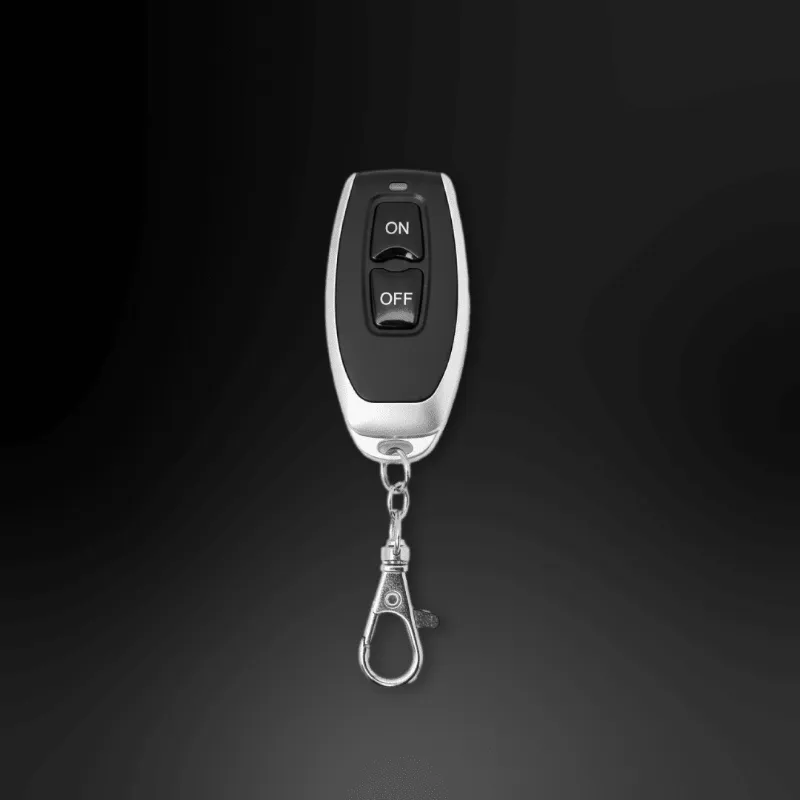
FantomTec remote issues are often fixable without buying a replacement, especially if the problem is a weak battery, a lost pairing, or a power problem elsewhere in the setup. Before you replace the FantomTec remote, work through a few simple checks on the remote, the receiver, and the wiring that powers your plate system. If you plan to buy parts or want the current store offer, grab the code before you order.
Start with the fastest FantomTec remote checks
If the remote suddenly stops responding, the first goal is to figure out whether the fault is in the handheld remote or in the vehicle-side hardware.
Run through these basics first:
- Stand closer to the vehicle and try again. Distance, body position, and even a low battery can cut effective range.
- Press each button firmly and more than once. Sticky buttons or light contact can make a working remote seem dead.
- Look for obvious damage such as a cracked shell, missing battery cover, corrosion, or moisture.
- If you have more than one remote, test the second one before ordering parts.
- Confirm the plate cover or switch mechanism is not physically jammed.
This matters most if your setup includes a motorized plate product or accessories around it, such as a tinted license plate cover or custom accessories license plate protector. A remote cannot fix a mechanical obstruction, so rule that out early.
For general background on the brand and how the product category works, Fantomtec's Remote Control License Plate Cover is a helpful overview.
Check the battery before you assume the remote failed
A drained or poorly seated battery is the most common reason a handheld remote stops working. We recommend treating the battery as the first real troubleshooting step, not the last.
Use this quick process:
- Open the remote carefully and note the battery orientation before removing it.
- Check the battery contacts for dirt, oxidation, or bent metal tabs.
- Reseat the battery and test again.
- If the remote still fails, install a fresh battery of the same type.
- Test the remote near the receiver after replacing the battery.
While you have the remote open, inspect for:
- White or green corrosion on the contacts
- A battery that feels loose inside the case
- Broken solder joints at the button or contact points
- Water intrusion or residue
If a fresh battery does not help, stop assuming the remote is the only problem. The issue may be in the receiver power feed, switch wiring, or a loose connection somewhere in the vehicle.
Verify power to the plate system and related wiring
A healthy remote will not do anything if the vehicle-side system is not getting power. This is where many replacement purchases happen too soon.
The most likely hardware points to inspect are:
- The main power lead
- Any inline fuse or connector in the circuit
- The receiver module connection
- Any added switch or extension wiring
- Ground connections that may have loosened over time
If your installation has been extended or modified, pay close attention to add-on parts like the Battery Power Cable, Motorcycle Extension Cable 6 Feet, or a Motorcycle Switch. These parts are useful, but every extra connection adds another place where power loss can happen.
A simple way to narrow the fault is to compare symptoms:
| Symptom | Most likely cause | Best next step |
|---|---|---|
| No response at all | Dead battery or no system power | Replace remote battery, then inspect power and ground |
| Remote light works but plate does not move | Receiver or wiring issue | Check receiver connections and power feed |
| Works intermittently | Loose connection or weak battery | Reseat battery and inspect cables and connectors |
| Mechanism tries to move but stops | Mechanical bind or low power | Check plate assembly and wiring load |
If the wiring looks worn, pinched, or patched together from an older install, it may be smarter to refresh the system with the Vehicle Full Replacement Wiring Kit instead of chasing one bad connection at a time. If you are pricing parts, check the latest price rather than relying on outdated listings.
Look at the mounting hardware and any mechanical interference
Not every remote problem is electronic. Sometimes the system powers on correctly, but the plate assembly binds because of alignment, fastener tension, or accessory fitment.
Check these areas carefully:
- Plate frame alignment against the vehicle mounting surface
- Screws that may be over-tightened or backing out
- Added covers or protectors rubbing the moving assembly
- Dirt, road salt, or debris around pivoting parts
Small hardware can create big issues. If a set screw has loosened or shifted, the assembly may fail to move smoothly even when the electronics are fine. That is where a part like the M4 x 5mm Cup Point Set becomes relevant. Use the correct hardware for the system rather than forcing a substitute screw that may not seat properly.
This is also the point where style accessories matter. A blackout license plate, cover, or protector can change thickness, fit, or the way the assembly closes. If the problem started right after adding an accessory, temporarily remove it and test the system in its simplest configuration.
When replacement makes sense and when it does not
A new remote is worth buying when you have already confirmed the system has power, the mechanism is not jammed, and a fresh battery did not restore function. In that situation, replacing the handheld unit is a logical next step.
A replacement may not solve the problem if:
- The receiver is not getting power
- The wiring is damaged
- The plate assembly is binding
- A switch or extension cable is failing
- The remote was never the issue
Use this rule of thumb:
- Replace the remote first if the old one is physically damaged, corroded, missing buttons, or still dead after a battery swap.
- Replace wiring first if the system cuts in and out, only works when you wiggle a cable, or recently had electrical work done.
- Recheck fitment first if the problem began after installing a cover, protector, or different license plate hardware.
If you have reached the point where replacement is justified, the official product page for the FantomTec remote is the cleanest place to start. And if you want the current offer before buying, see our FantomTec code here.
Who this troubleshooting process is best for
This checklist is best for buyers who already have a FantomTec setup installed and want to avoid replacing good parts. It is especially useful if your vehicle includes add-ons like a plate cover, protector, separate switch, or extended wiring run.
It is also a good process if you are maintaining a more customized install built around products such as a tinted license plate cover, custom accessories license plate protector, or a blackout license plate. The more customized the setup, the more important it is to isolate the fault instead of guessing.
If you want more brand background, FantomTec USA is another useful reference. Our advice is simple: start with the battery, confirm power, inspect the mechanics, and only then replace parts. That approach saves the most time and avoids buying a new remote when the real issue is somewhere else in the system.
Frequently asked questions
How do I know if my FantomTec remote needs replacing or just a new battery?
Start with a fresh battery and test the remote close to the vehicle. If the remote still does nothing after that, and you have confirmed the system has power, replacement becomes more likely.
Can bad wiring make the remote seem broken?
Yes. If the receiver or plate mechanism is not getting stable power, the remote can appear dead even when the handheld unit is fine. Check the power cable, ground, fuse, and any extension wiring.
Will a tinted license plate cover or custom accessories license plate protector affect operation?
It can if the added part changes fitment or creates rubbing around the moving plate assembly. If the issue started after installation, remove the accessory temporarily and test again.
Should I replace the remote or the Vehicle Full Replacement Wiring Kit first?
Replace the remote first only if the old one is visibly damaged or still fails after a battery change and power checks. Choose the wiring kit first if the system works intermittently or the wiring looks worn, pinched, or unreliable.
Can I use any small security screw if the plate assembly feels loose?
It is better to use the correct hardware for the setup. An incorrect screw can cause poor alignment or binding, which may make the system look like it has an electronic fault.