
Gaming Chair vs. Gaming Setup: Why a Mat and LED Chair Matter

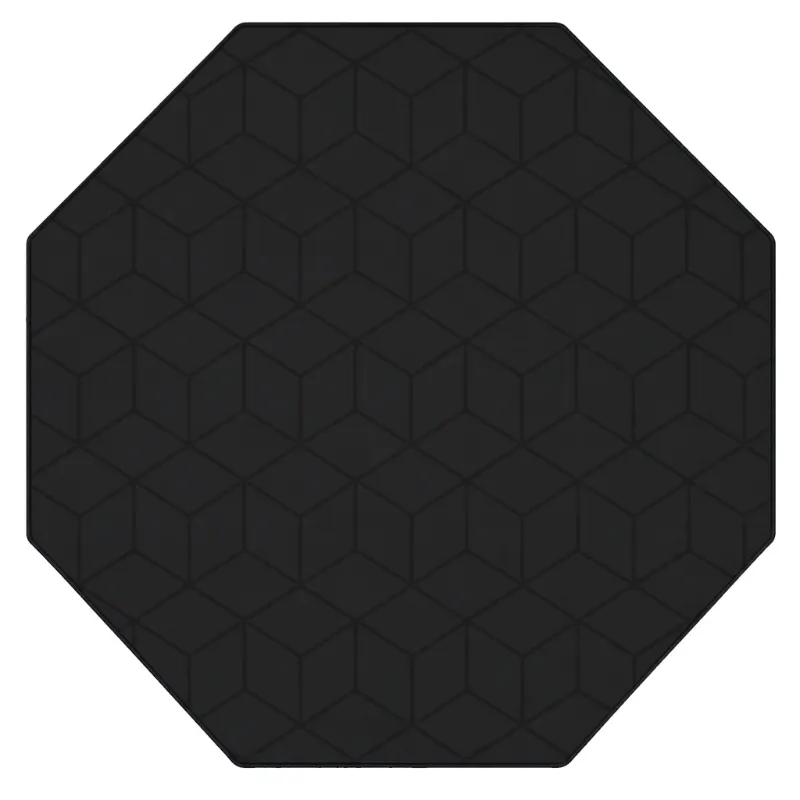
The phantom LED gaming chair matters more to your setup than most of the RGB gear behind it, because it is the one part your body stays in contact with for hours at a time. A monitor, a desk, and lighting all shape how your space looks, but the chair and the floor under it decide how the space actually feels after a five-hour session. In this guide we break down why a proper LED chair and a gamer chair mat belong at the center of your build, how the two work together, and what to check before you buy.
Why the phantom led gaming chair is the core of your setup
Every gaming setup has two layers: the part you look at and the part you sit in. Most people spend their budget on the first layer and get it backwards. We have tested plenty of builds where the desk looked incredible and the chair was a dining room seat, and the result is always the same: sore back, bad posture, sessions cut short.
The phantom LED gaming chair solves two problems at once:
- Comfort and support. A real gaming chair gives you lumbar support, a reclining backrest, and armrests at the right height, so long sessions stop punishing your lower back.
- Lighting that matches your rig. Built-in LED accents tie the chair into the rest of your RGB setup, so the seat stops looking like an afterthought in a neon room.
If the phantom model is out of budget, the led gamer chair delivers the same basic formula, LED trim plus ergonomic shape, at a friendlier price, and the futuristic gaming chair leans further into the bold, race-seat styling that suits heavy RGB builds.
Chair first, or everything else first?
If you are building from scratch, this ordering works every time:
- Chair. It has the longest lifespan of any part of your setup and the biggest impact on how you feel.
- Chair mat. Small cost, huge effect on both your floor and how the chair moves.
- Desk and monitor. Once your seating height is fixed, you can set the desk surface at the right level.
- Lighting and accessories. The fun layer that ties everything together.
Skipping the chair order usually means buying twice: a cheap seat first, then a proper one later, with the cheap one never quite leaving the room.
What a gamer chair mat actually does
A chair mat looks like the most boring purchase in gaming, and it quietly does the most work:
- Protects hard floors and carpet. Caster wheels grind into hardwood and tile, and they slowly tear up carpet fibers. A mat takes that abuse instead.
- Makes the chair glide. On carpet especially, a mat turns a sticky, effortful roll into a smooth one, which reduces strain on your wrists when you reach for the mouse.
- Keeps the chair stable. No more wheels sinking into soft spots or catching on carpet edges mid-match.
- Defines the battle station. A gamer chair mat frames the chair visually, which makes even a modest setup look deliberate.
Pair a mat with a chair that has smooth-rolling casters, like the phantom LED gaming chair, and you will notice the difference on day one.
How to match the chair and mat to your space
Measure first, buy second.
- Check the space between your desk and the wall. You need room for the chair to roll back fully without hitting anything.
- Measure the chair's full recline footprint, not just its width. A chair that reclines needs clearance behind it.
- Size the mat to cover that full movement area, including where the casters sit when you push back.
Match the lighting, not just the color. LED accents on the chair look best when they echo your existing lighting temperature. If your room runs cool whites and blues, the LED trim on the phantom LED gaming chair or the futuristic gaming chair will blend in naturally. If your setup runs warm tones, consider how the chair's lighting reads next to it.
Think about the floor material. Hard floors need a mat with a smooth side down and a grip surface up. Low-pile carpet works with most mats. Thick carpet needs a heavier mat designed to sit on top without flexing.
LED gaming chair vs. standard gaming chair
Here is how the two categories compare in real use:
| Feature | LED gaming chair | Standard gaming chair |
|---|---|---|
| Ambient lighting | Built-in accents sync with your rig | None, relies on room lighting |
| Night sessions | Chair stays visible and easy to find | Chair disappears into a dark room |
| Ergonomics | Same support levels as standard chairs | Often identical designs, minus LEDs |
| Best for | RGB builds, streamers, dark rooms | Minimalist or daylight-heavy spaces |
The honest takeaway: an LED chair is not more ergonomic than a well-made standard chair. The value is visual and practical at night, when the chair becomes part of the room's lighting instead of a black shape you trip over.
Care tips so both last for years
- Vacuum the mat weekly. Dust and grit under the casters act like sandpaper on both the mat and the floor.
- Wipe LED strips dry, never wet-clean them. A barely damp cloth around the trim is fine; avoid spraying the chair directly.
- Check caster wheels every few months. Hair and fibers wrap around them and stop the smooth roll that a mat enables.
- Re-tighten bolts after the first month. Every chair we have set up loosens slightly as the foam and frame settle.
- Keep the chair out of direct sun if possible, since UV fades upholstery faster than hours of use ever will.
Where to buy the phantom LED gaming chair
We keep this simple: check the store page for the current price and availability of the phantom LED gaming chair, then grab the code before checkout, since there is currently a 4% off sitewide offer that applies to chairs and mats alike. If you are pricing out a full station, the same code works on the led gamer chair and the gamer chair mat, so you can check the latest price on the whole bundle in one visit.
Our bottom line
Spend on the seat before you spend on the spectacle. The phantom LED gaming chair gives you the ergonomic base your body needs, and the gamer chair mat protects your floor and makes the whole station feel smooth under you. Everything else, monitors, lights, accessories, sits on top of that foundation. Get the chair-and-mat pairing right first and the rest of the build almost assembles itself.
Frequently asked questions
What makes the phantom LED gaming chair different from a normal gaming chair?
It pairs ergonomic support with built-in LED lighting, so the chair becomes part of your RGB setup instead of a plain black seat. You get lumbar support, a reclining backrest, and ambient accents that suit dark rooms and night sessions.
Do I really need a gamer chair mat if I have carpet?
On hard floors it protects the surface from caster wear, and on carpet it lets the chair roll smoothly and sit level. It also keeps grit away from the wheels, which extends their life.
How big should my chair mat be?
Cover the full range of motion, including where the casters sit when you push back or recline. Measure the gap behind the desk and size the mat to that area.
Which is better for an RGB setup, the futuristic gaming chair or the led gamer chair?
The futuristic gaming chair leans into bold race-seat styling that suits heavy RGB builds, while the led gamer chair offers the same LED-plus-ergonomics formula at a friendlier price. Check the store pages for current pricing and availability.
Can I use a discount code on both the chair and the mat?
Yes, the sitewide discount code applies to chairs and mats alike, so you can apply it to a full station order. Check the coupon page before checkout for the current offer.
How do I keep my LED gaming chair and mat in good condition?
Vacuum it weekly to keep grit away from the casters, check the chair's wheels for wrapped fibers every few months, and wipe LED trim with a barely damp cloth rather than spraying it.