
Is The Insta360 Flow 2 Pro Worth It If You Already Have Good Phone Stabilization? What Buyers Should Know

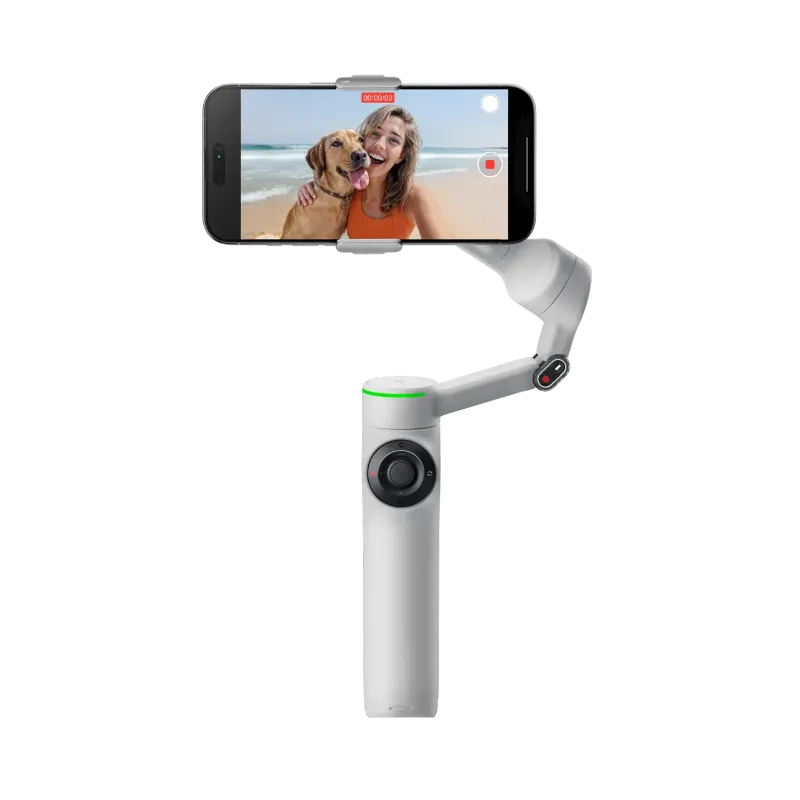
The Insta360 Flow 2 Pro is worth considering even if your phone already has good stabilization, because a gimbal solves different problems than software stabilization alone. If you mostly shoot quick clips while standing still, you may not need it, but if you film yourself walking, track kids or pets, or want smoother camera movement, it can be a meaningful upgrade.
That is the short answer. The better question is whether you need what a gimbal adds beyond what your phone already does well. If you are close to buying, it is smartest to check the latest price and then judge it against how often you actually shoot moving video.
When your phone stabilization is already enough
Modern phones are surprisingly good at removing small shakes. For a lot of people, that means a separate stabilizer is unnecessary.
You can probably skip a gimbal if you mostly:
- film short clips for social media
- stand in one spot while recording
- shoot in good light with a wide lens
- do not need the camera to follow a subject
- rarely edit footage beyond trimming and posting
In those situations, built-in optical and electronic stabilization often gets you close enough. The footage may not look perfectly cinematic, but it can still look clean, usable, and more than good enough for everyday sharing.
This is especially true if your phone already handles:
- minor hand shake well
- horizon correction reasonably well
- smooth footage while walking slowly
- decent stabilization in your preferred camera app
If that sounds like you, the money may be better spent on lighting, audio, or storage.
Where the Insta360 Flow 2 Pro adds something your phone cannot
The main reason people buy a gimbal is not just shake reduction. It is controlled movement.
A phone can stabilize an image, but it cannot fully replace the feel of a camera that is physically guiding motion. That matters when you want:
- smooth follow shots while walking
- more stable pans and tilts
- easier self-filming
- active subject tracking
- less arm fatigue during longer recording sessions
- a more purposeful shooting grip than holding a bare phone
This is where the Insta360 Flow 2 Pro starts to make sense. If you create travel videos, vlogs, product demos, real estate walk-throughs, or family videos with lots of movement, the benefit is usually less about raw stabilization and more about consistency.
A good way to think about it is this:
- phone stabilization fixes rough footage after movement happens
- a gimbal helps shape smoother movement from the start
That difference is why creators often feel the upgrade even when their phones already have strong stabilization.
Gimbal vs phone stabilization: what changes in real use
Here is the practical difference most buyers care about.
| Situation | Good phone stabilization | Dedicated gimbal |
|---|---|---|
| Standing and talking to camera | Usually good enough | Slightly more polished, but not essential |
| Walking shots | Can still show bounce or drift | Usually smoother and easier to control |
| Tracking a moving subject | Limited by app and framing | Better for keeping subjects centered |
| Longer filming sessions | Handholding gets tiring | More comfortable and deliberate control |
This is also why owner feedback tends to split. Some buyers feel a gimbal is transformational, while others feel it sits in a drawer after the novelty wears off. That gap usually comes down to shooting style, not product quality.
If you want more buyer perspective, the discussion at Should I buy Insta360 Flow 2 Pro? : r/videography is useful because it shows how working shooters weigh convenience against real-world need.
Who should buy it, and who should skip it
The Insta360 Flow 2 Pro is easiest to justify for buyers who record moving footage every week, not just once in a while.
It is probably a smart buy for:
- solo creators who need help framing themselves
- parents filming sports, pets, or active kids
- travel creators who want smoother walk-and-talk clips
- anyone who shoots a lot of B-roll with pans, reveals, and tracking shots
- users who dislike filming on a naked phone for long stretches
It is probably not the best value for:
- people who mainly take photos, not video
- casual users who shoot only occasional clips
- buyers who already avoid carrying extra accessories
- anyone who is happy with their phone footage today
- shoppers who want the smallest possible setup
If you are price-sensitive, it is also worth comparing the standard and Pro versions before deciding. This comparison video, Insta360 Flow 2 vs Flow 2 Pro - Which Should You Buy?, can help you see whether the step up matches how you shoot.
And if you are already leaning toward buying, this is the stage where it makes sense to grab the code instead of paying full price.
How to decide before you spend money
A quick self-test can tell you whether you will actually use a gimbal.
For your next three videos, ask yourself:
- Did I wish my framing was easier to control?
- Did walking footage still look bouncy or uneven?
- Did I struggle to keep a person or subject centered?
- Did my hand get tired during longer takes?
- Did I avoid recording because setting up felt awkward?
If you answer yes to several of those, a gimbal is solving a real problem for you.
If not, your phone may already be enough.
Another useful rule is to match the tool to the outcome you want:
- If you want "good enough" clips fast, stick with your phone.
- If you want smoother, more intentional motion, a gimbal helps.
- If you want hands-off subject tracking, a gimbal becomes much more compelling.
We also recommend being honest about carry friction. Any accessory only helps if you bring it with you. A great stabilizer that stays at home is less useful than a phone you are happy to pull out instantly.
Our bottom line
For most casual users with a newer phone, buying a gimbal is not an automatic yes. But for creators who shoot moving video regularly, the Insta360 Flow 2 Pro can absolutely be worth it because it improves control, tracking, and the overall shooting experience in ways phone stabilization alone does not.
So our take is simple:
- buy it if you want smoother motion and easier subject tracking
- skip it if your current phone footage already meets your needs
- compare it carefully if you only shoot occasionally and value a lighter setup
If you are still undecided, the safest move is to review the latest bundle or promo and check the current deal here before you commit.
Frequently asked questions
Does a gimbal still help if my phone already has optical or electronic stabilization?
Yes. Phone stabilization mainly reduces shake in the image, while a gimbal also controls camera movement, framing, and panning. That matters most when you walk, track subjects, or want more polished motion.
Who will notice the biggest upgrade from this gimbal?
Creators who film themselves, record moving subjects, or shoot longer clips usually benefit most. Casual users who mostly capture short static clips may not see enough improvement to justify buying another accessory.
Is the Pro model better than a cheaper stabilizer for everyone?
Not always. The Pro model makes more sense if you care about tracking, ease of use, and a more complete shooting setup. If you just want occasional help smoothing video, a simpler option may be enough.
Can I get similar results just by using my phone's camera app?
Sometimes, especially in bright light and for short clips. But if you need consistent framing, steadier walking shots, or more controlled movement, a dedicated gimbal usually gives you more reliable results.
Should I compare the standard Flow 2 and the Pro before buying?
Yes. If you are deciding mainly on value, comparing both models is smart because the standard version may cover your needs. The Pro is easier to justify when you know you will use its extra convenience and tracking features regularly.