
How to Set Up and Use the Cellmate Chastity App for Remote Control

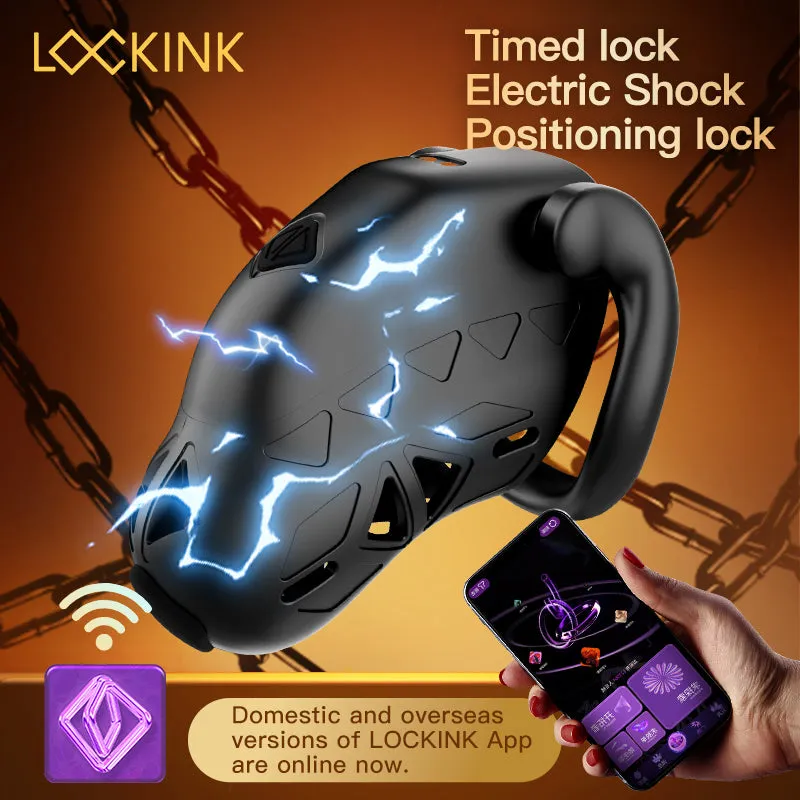
The chastity app for Cellmate devices lets you pair your cage with a smartphone for remote locking, timer control, and partner access from anywhere. We tested the setup process with the cellmate 3 and older cellmate chastity cage models to walk you through installation, pairing, troubleshooting, and how remote control actually works in practice.
What the Cellmate Chastity App Does
The official Cellmate app connects to your device via Bluetooth and internet to enable several core features. You can lock and unlock the cage remotely when your partner has keyholder access, set timed sessions with countdowns, and receive notifications when your wearer attempts an unlock request. The app also logs session history so you can track wear time and patterns over weeks or months.
Unlike standalone devices, the app-connected cellmate and cell mate cages remove the need for a physical key. Your phone becomes the control point, and you can grant access to a remote keyholder who manages permissions through their own device. This setup works whether you're in the same room or across continents.
Other apps like Kneel and the Chaster platform offer similar remote control and timer features, but they typically require separate Bluetooth lockboxes or compatible smart locks rather than integrated cages. The Cellmate ecosystem keeps everything in one device.
How to Download and Install the App
For iOS users, search "Cellmate" or "Qiui" in the App Store. The publisher is listed as Qiui Technology. Download and install as you would any standard app. iOS 12 or later is required for stable Bluetooth LE support.
For Android users, find the official app on Google Play under the same publisher name. You may also see the chaster app apk or teamlocked app mentioned in forums, but those are third-party platforms designed for lockbox control, not direct Cellmate integration. Stick with the official Qiui app for your cellmate chastity cage.
Once installed, create an account with an email and password. The app will request Bluetooth and location permissions. Grant both—location is required for Bluetooth scanning on Android, not for tracking your position. You'll also need to enable notifications if you want alerts when your keyholder makes changes or when a timer expires.
Pairing Your Cellmate Device with the App
Before pairing, charge your cage fully using the magnetic USB cable. A red indicator light will turn green when charging is complete. Press the power button on the cage once; you should see a slow-blinking blue light indicating it's ready to pair.
Open the Cellmate app and tap Add Device or the plus icon. The app will scan for nearby devices. Your cage should appear as "Cellmate" followed by a serial number. Tap it, and the app will send a pairing request. You may hear a beep or feel a brief vibration from the device when pairing succeeds.
If pairing fails, try these steps:
- Restart Bluetooth on your phone and power-cycle the cage
- Move closer to the device—walls and metal surfaces interfere with the signal
- Check that no other phone is already connected to the cage
- Update the app to the latest version through your app store
Once paired, the app will prompt you to set a lock mode: self-lock (you control your own device) or partner lock (you grant keyholder access to someone else). Choose partner lock if you want remote control, then share your unique keyholder code with your partner via the app's invite function.
Using Remote Control and Keyholder Features
When your partner accepts the keyholder invite and installs the app, they gain access to a dedicated control panel. From their device, they can lock or unlock your cage instantly, set timed lock sessions (from minutes to days), and approve or deny your unlock requests. The cage communicates with the app over Bluetooth when nearby and syncs to the cloud for remote management when you're apart.
Timers and sessions let your keyholder schedule automatic releases or extend sessions on the fly. The app sends a push notification when a timer ends, and the cage will unlock automatically if your keyholder enabled that setting. You can also request an unlock early, but your keyholder sees the request and decides whether to grant it.
Emergency unlock is always available in the app under a red button. It requires confirming your email or account password and logs the event in your session history. This ensures you can always remove the device if needed, though it will notify your keyholder that an emergency unlock occurred.
If you're exploring other platforms, the chaster app and online chastity key holders through services like Chaster or TeamLocked offer similar remote features but require a separate lockbox or smart lock. The ChastiTrack app focuses on session tracking rather than physical control, while Chasty is a standalone timer app without hardware integration. For all-in-one convenience, the Cellmate ecosystem keeps control and hardware in sync.
Troubleshooting Common App Issues
Bluetooth disconnects frequently: Keep your phone within 30 feet of the cage when you need real-time control. The app syncs commands to the cloud, so remote control still works when you're apart, but immediate feedback requires Bluetooth proximity.
App won't unlock the cage: Check your internet connection—cloud commands need a stable connection on both the wearer's and keyholder's devices. If the cage shows a red blinking light, it may be in error mode; power-cycle it and re-pair. You can always use the emergency unlock if a software issue persists.
Keyholder invite not working: Confirm your partner is using the same app version and has created their own account. The invite link expires after 48 hours, so resend it if needed. Some users report that invites sent via email work more reliably than in-app sharing on older Android devices.
Session history missing: The app stores logs locally and syncs to the cloud when connected. If you reinstall the app or switch phones, older sessions may not transfer unless you backed up your account data through the app's settings menu.
For persistent issues, check the latest price and reach out to Qiui support—they often release firmware updates that resolve pairing bugs and improve Bluetooth stability.
Comparing Cellmate to Other Chastity Apps and Lockbox Systems
The cellmate 3 integrates electronics directly into the cage, so you don't need a separate lock or key pod accessory. This makes setup simpler but means you're locked into the Cellmate app ecosystem. If you want more flexibility, platforms like Chaster let you use any Bluetooth lockbox with their app, and the chaster app download is free across iOS and Android.
TeamLocked and Chaster both support multiple keyholder assignments, public lock sessions, and community challenges that Cellmate's app doesn't offer. However, they require you to already own a compatible smart lock or chaster lock box, which adds cost and complexity.
If you're considering a cellmate 3 alternative reddit users often recommend, weigh whether you want the convenience of an all-in-one cage or the customization of a modular lockbox system. For pure app-based control without extra hardware, Cellmate remains the most integrated option we've tested.
Other Cellmate models like the vibrating chastity cage and shock chastity cage add haptic feedback to the app controls, letting your keyholder trigger pulses or vibrations remotely. These features use the same app and pairing process, with added control sliders in the keyholder's panel.
Where to Buy and Current Discounts
You can order the cellmate and accessories directly from the official Qiui store. We maintain a discount code page with the latest offers—currently 5% off sitewide—plus live pricing and shipping details. Grab the code before checking out to save on your order.
The app itself is free to download and use with any compatible Cellmate device. There are no in-app purchases or subscription fees, which makes it more budget-friendly than some third-party platforms that charge for premium features or extended session limits.
Frequently asked questions
Can I use the Cellmate app with other brands of chastity cages?
No, the Cellmate app only works with Qiui Cellmate devices that have built-in Bluetooth electronics. Other cages require separate smart locks or lockboxes compatible with apps like Chaster or TeamLocked.
What happens if my phone dies while I'm locked in the Cellmate cage?
Your keyholder can still unlock you remotely from their device since lock status syncs to the cloud. If both phones are unavailable, the cage has an emergency mechanical release or you can borrow another device to log into your account and trigger an unlock.
Does the chastity app track my location or share data?
The app requires location permission on Android for Bluetooth scanning, but it does not track your GPS position. Session logs and keyholder access are stored on Qiui's servers, so review their privacy policy if data sharing is a concern.
Can I have multiple keyholders in the Cellmate app?
The current app version supports one active keyholder at a time. You can revoke access and invite a different partner, but you cannot grant simultaneous control to multiple people like some third-party platforms allow.
Is the Cellmate 3 compatible with the same app as older Cellmate models?
Yes, all Cellmate and Cellmate 3 devices use the same Qiui app. Newer models may have additional features like vibration or shock controls, but pairing and core lock functions work identically across versions.
Do I need a subscription to use remote control features?
No, all remote control, timer, and keyholder features are free with the Cellmate app. There are no premium tiers or in-app purchases required for full functionality.