
SUNLU S4 Vs E2 Vs S2 Filament Dryer: Which One Fits Your Filament Setup Best?

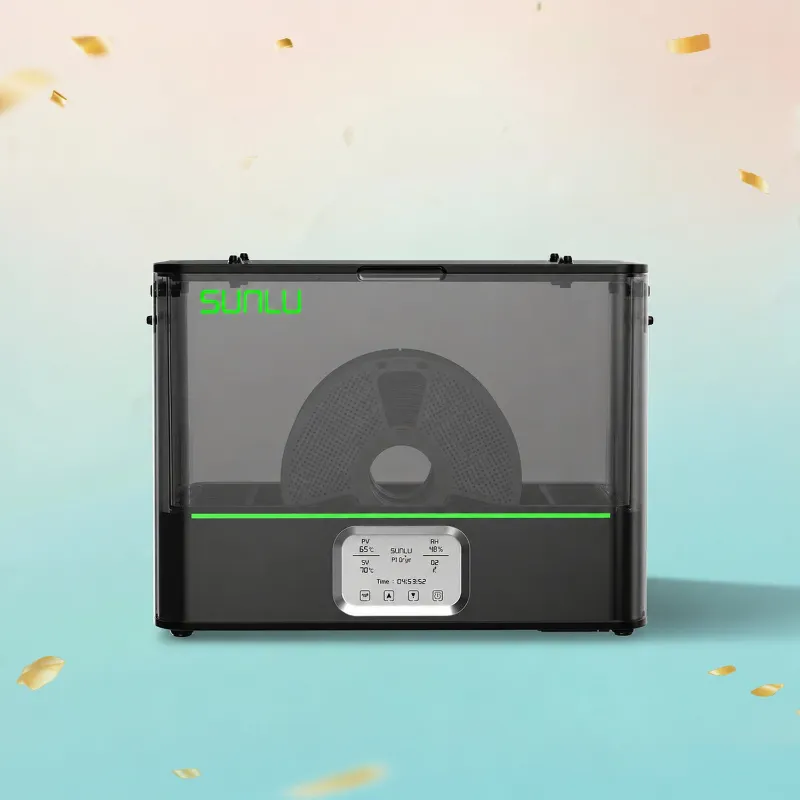
The sunlu s2 filament dryer is the best fit if you print one spool at a time and want a simple, lower-footprint way to keep common materials dry. If you are deciding between it, the sunlu s4, and the sunlu e2, the real question is not which one is universally best, but which one matches your spool count, material type, and printing routine.
For most hobby users, the S2 is the straightforward pick. The S4 makes more sense for multi-spool throughput, while the E2 is the one to examine closely if your material choices are more demanding. If you want the current deal before you buy, grab the code.
sunlu s2 filament dryer vs S4 vs E2 at a glance
Here is the short version before we get into materials and use cases.
| Model | Best for | Why it stands out |
|---|---|---|
| S2 | Single-spool home setups | Compact, simple, easy for everyday PLA and PETG use |
| S4 | Multi-spool printing | Better fit when you run several spools or print more often |
| E2 | More demanding materials | Worth considering when your workflow includes tougher filaments |
If your printer sits on a desk and you mostly run one roll at a time, the S2 is usually the sensible place to start. If you are managing several rolls for continuous printing, the S4 is easier to justify. If you regularly use technical materials, the E2 may better suit that workflow.
Which dryer fits your filament setup best
The right pick depends on how you actually print, not on marketing names.
- Choose the S2 if you print one spool at a time and want a dedicated dryer beside a compact printer like sunlu lite.
- Choose the S4 if you keep several colors or materials ready and do not want to rotate spools through a single dryer all day.
- Choose the E2 if your prints lean more toward engineering filaments and moisture control is a bigger part of success.
A lot of buyers search for a sunlu s2 filament dryer review because they want to know whether a single-spool unit is enough. In our view, it is enough for many users, especially if your main goals are fewer failed starts, better layer consistency, and less hassle with everyday materials.
Best match by material: PLA, PETG, and nylon blends
Your filament matters just as much as capacity.
For common PLA lines such as sunlu pla 2.0, SUNLU PLA Galaxy 1KG, or Matte PLA 3D Printer Filament, a compact dryer is often all you need. PLA is usually more forgiving than technical materials, but it can still benefit from being kept dry if it has been sitting out.
For PETG, including sunlu petg, drying becomes more important because moisture often shows up quickly in print quality. If PETG is your main material and you print often, the S2 can still work well for a one-spool routine, while the S4 is easier if you rotate between multiple PETG colors or keep backup rolls ready.
For nylon or carbon-filled options such as sunlu pa6-cf or petg cf, moisture management usually matters more. That is where capacity and intended use become more important than entry-level convenience. If those are your core materials, the E2 deserves stronger consideration than the average PLA user might give it.
For background on how owners use the S2 in practice, the community discussion at Sunlu S2 Filament Dryer - Other topics is useful, and this outside look at the SUNLU S2 Filament Dryer: Moistureless 360° Surround Heating gives more context on the product itself.
What to expect from the S2 in daily use
The S2 appeals to buyers who want drying to feel automatic rather than like another machine to manage. It is typically the model we would point to for:
- A first dedicated dryer
- Smaller workspaces
- One-printer desks
- Users printing mostly PLA and PETG
- People who want a simpler alternative to juggling old storage boxes and desiccant
That is also why searches like sunlu s2 filament dryer manual are common. Buyers want to know whether setup is simple. In practical terms, the S2 is attractive because it is easy to understand in a normal home workflow: load a spool, dry it, then print without redesigning your entire station.
If you are building a modest setup around a Matte PLA 3D Printer or another compact machine, the S2 feels proportionate. It does not ask you to build a production line just to solve moisture issues.
When the S4 is the better buy
The S4 is not automatically better than the S2. It is better when your workflow is larger.
That usually means:
- You print more often than occasionally
- You keep several active spools open
- You switch materials or colors during the week
- You do not want to wait for one spool to finish drying before preparing the next one
If that sounds like your setup, paying attention only to the single-spool convenience of the S2 may be shortsighted. The check the latest price step matters here because the bigger model can make more sense when the gap is small enough to justify the extra capacity.
A good rule is this: if your printer downtime is often caused by spool prep, step up to the S4. If your downtime is mostly caused by occasional moisture on one active roll, stick with the S2.
When the E2 makes more sense than either S2 or S4
The E2 stands apart when your material demands are higher than a casual PLA workflow. This does not mean every user needs it. It means the choice should be driven by what you print.
The E2 is worth a harder look if:
- You use nylon-based or carbon-filled filaments often
- Your failed prints cost real time or expensive material
- Drying is part of a repeatable process, not an occasional fix
- You care less about compact size and more about material readiness
If your cart already includes a generic filament dryer and you are wondering whether it is enough, be honest about your material mix. For standard home printing, maybe yes. For more sensitive filaments, it is usually smarter to compare the E2 carefully and check the current offer before deciding.
Our practical recommendation
For most readers, the decision is simple.
- Buy the S2 if you want an everyday single-spool solution for PLA and PETG.
- Buy the S4 if your workflow regularly involves multiple open spools.
- Buy the E2 if engineering materials are a meaningful part of your printing.
That is why the S2 remains the easiest recommendation for the average hobbyist. The S4 and E2 are not overkill if your needs justify them, but they solve different problems. Start with your real setup, your real materials, and how often you print, and the right SUNLU dryer usually becomes obvious.
Frequently asked questions
Is the SUNLU S2 a good choice for everyday PLA and PETG printing?
Yes, for many home users it is a practical fit because it keeps the setup simple and compact. If you mostly print standard materials like PLA or PETG one spool at a time, it is often the easiest place to start.
When should I choose the SUNLU S4 instead of the S2?
Choose the S4 if you regularly dry multiple spools at once or want a dryer that better suits a busier printing workflow. It makes more sense for higher volume printing than a single-spool setup.
Who is the SUNLU E2 best for?
The E2 makes the most sense for users who print engineering materials more often and want a machine aimed at tougher drying jobs. If your work includes more demanding filaments, it is worth a closer look.
Can the sunlu s2 filament dryer help with brittle or stringy filament?
It can help when moisture is the cause, which is common with filament that has been left out too long. Drying will not fix every print issue, but it often improves consistency before you start changing slicer settings.
Do I need to dry PLA, PETG, and nylon the same way?
No. PLA is usually the least demanding, PETG benefits from more consistent drying, and nylon-based materials are generally the most moisture-sensitive. Always match your drying routine to the filament type and the maker's guidance.