
Troubleshooting Common Kukirin Electric Scooter Error Codes

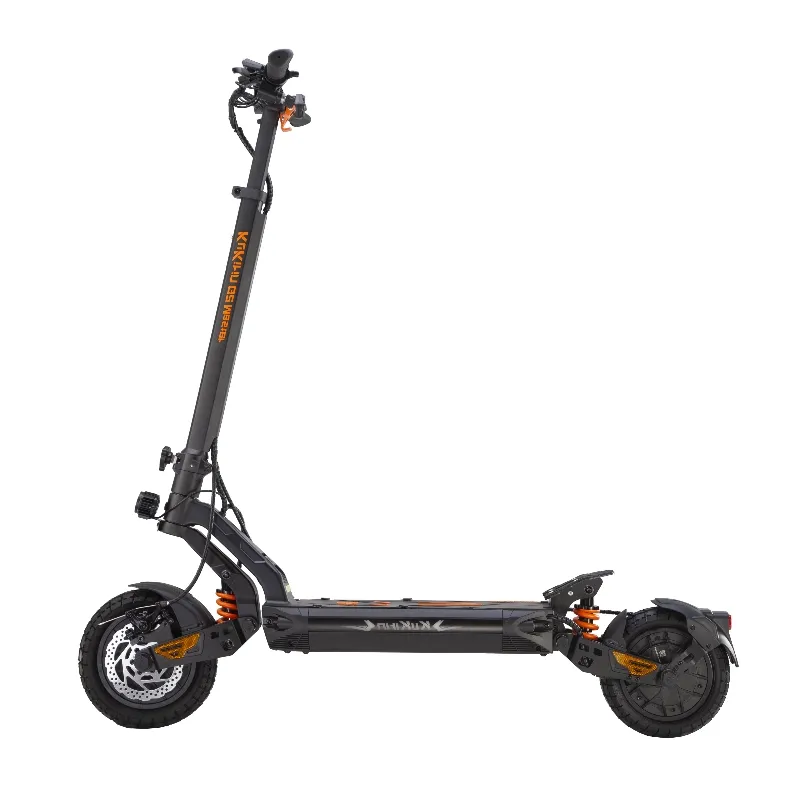
The kukirin g2 and other Kukirin electric scooters display error codes on the LCD dashboard to help you quickly identify and resolve performance issues. Whether you own a kukirin g2, kukirin g2 max, or kukirin g2 pro, understanding these diagnostic codes saves you time and often eliminates the need for expensive repair visits.
Understanding Kukirin Error Code Basics
Kukirin scooters use a simple numeric error system that appears on the display when the onboard controller detects a fault. These codes typically flash or remain steady alongside a warning icon, and the scooter may limit power or refuse to start until you address the underlying issue.
Most error codes fall into four categories: battery problems, motor and controller faults, brake sensor issues, and throttle malfunctions. The kukirin g2 master and other G-series models share the same core diagnostic framework, though some advanced features on models like the kukirin g4 max may trigger additional codes.
Common Kukirin G2 Error Codes and Fixes
Error 07 - Throttle Fault
This appears when the controller detects an abnormal throttle signal. The scooter won't accelerate or may accelerate erratically.
- Turn off the scooter completely and wait 30 seconds
- Check that the throttle returns fully to the resting position
- Inspect the throttle cable connection under the handlebar deck cover
- If the throttle feels sticky, clean around the mechanism with compressed air
- Test by turning on the scooter without touching the throttle
Error 08 - Motor Hall Sensor Issue
Hall sensors inside the motor help the controller track rotor position. When one fails, you'll notice jerky acceleration or complete power loss.
- This often requires motor cable inspection or hall sensor replacement
- Check that the motor phase wire connector is fully seated and free of corrosion
- Try disconnecting and reconnecting the motor cable to the controller
- If the error persists after cable checks, the motor may need professional service
Error 10 - Brake Sensor Fault
Kukirin scooters cut power when you pull the brake lever. Error 10 means the controller isn't reading the brake sensor properly, which can leave you without motor cutoff protection.
- Inspect the brake lever sensor wire for damage or disconnection
- Adjust the brake lever so the sensor engages cleanly
- Clean the magnetic sensor area if your model uses a magnet trigger
- Test each brake lever separately to isolate which side is faulting
Error 21 - Battery Communication Error
The controller can't communicate with the battery management system (BMS). You'll see this after a firmware update, battery swap, or if the BMS has shut down for protection.
- Power off and remove the battery if your model allows
- Wait two minutes, then reseat the battery firmly
- Check the battery contact pins for dirt or oxidation and clean with isopropyl alcohol
- Charge the battery to at least 30 percent, as some BMS units go into deep sleep mode below critical voltage
- If you recently updated firmware, power cycle the scooter three times in succession
Error 30 - Controller Overheat
Sustained high-current draw (climbing steep hills, carrying heavy loads, aggressive acceleration) can overheat the controller, triggering a thermal shutdown.
- Stop riding and let the scooter cool for 15 to 20 minutes in a shaded area
- Avoid blocking the controller vent slots with cargo or accessories
- Reduce your kukirin g2 speed on long climbs to minimize heat buildup
- If this happens frequently, check that the controller heat sink isn't clogged with debris
Battery and Charging Error Codes
Error 22 - Battery Overvoltage
Rare but serious, this occurs if the charger or a faulty BMS cell balancing circuit pushes voltage above safe limits.
- Disconnect the charger immediately
- Do not ride the scooter until voltage normalizes
- Use only the original Kukirin charger or a verified replacement
- If the error appears without charging, the BMS may need replacement
Error 23 - Battery Undervoltage
The battery has dropped below the minimum safe discharge threshold. The BMS cuts power to prevent cell damage.
- Charge the battery immediately with the original charger
- Do not attempt to jump-start or bypass the BMS
- If the battery won't accept a charge, it may have entered protection mode and require a BMS reset or replacement
Error 24 - Charging Fault
The scooter detects an issue during the charging cycle, such as temperature extremes or current imbalance.
- Ensure you're charging in an environment between 50°F and 95°F
- Check that the charging port is dry and free of debris
- Try a different outlet to rule out power supply issues
- Inspect the charger LED; if it's not glowing or behaving abnormally, the charger itself may be faulty
Check the latest price and grab our exclusive discount code before tackling any repairs that require new parts.
Motor and Speed Limiter Errors
Error 25 - Motor Overcurrent
The motor is drawing more current than the controller allows, usually due to a mechanical obstruction, binding brake, or internal short.
- Lift the scooter and spin the rear wheel by hand; it should turn freely with only slight magnetic resistance
- Check for debris wrapped around the motor axle or in the wheel hub
- Inspect brake pads to ensure they're not dragging
- If the wheel spins freely and the error persists, the motor winding may have a short
Error 26 - Speed Limiter Active
Not always an error, this code appears when the scooter enforces a speed cap due to regional firmware settings or a user-selected eco mode.
- Check your display settings for speed mode (Eco, Standard, Sport)
- Some markets lock the kukirin g2 top speed to comply with local regulations
- If you didn't change settings and the scooter suddenly limits speed, power cycle to reset the mode
The kukirin g2 pro and kukirin g4 pro offer user-adjustable speed profiles that can sometimes trigger this code if toggled mid-ride.
When to Reset vs. Seek Professional Help
Many error codes clear automatically once you fix the underlying issue. After your repair, turn the scooter off for at least 60 seconds, then power it back on. If the code is gone and performance is normal, you're good to ride.
Try a factory reset if:
- Multiple codes appear simultaneously
- The scooter behaves erratically even after clearing the fault
- You've recently updated firmware and codes appeared
Consult your owner's manual for the reset procedure, which typically involves holding the power button and brake lever in a specific sequence.
Seek professional service if:
- Error codes reappear immediately after a reset
- You see smoke, smell burning plastic, or hear unusual motor noises
- Battery errors persist after trying multiple chargers
- You lack the tools or confidence to open the scooter casing safely
For ongoing issues across models like the kukirin x1 or other variants, Kukirin's official support documentation provides additional model-specific guidance.
Preventing Future Error Codes
Regular maintenance reduces the chance of error codes appearing in the first place.
- Inspect all cable connections monthly and reseat any that feel loose
- Keep the charging port covered when not in use to prevent moisture intrusion
- Avoid submerging the scooter in water, even if it has an IP rating
- Store the battery at 50 to 70 percent charge if you won't ride for more than two weeks
- Update firmware only when necessary and always follow the official procedure
We test every scooter we recommend, and proper diagnostics keep your ride smooth for years. Before ordering replacement parts, grab the code to save on your next Kukirin purchase.
Most error codes signal fixable issues rather than catastrophic failures. With this troubleshooting guide, you can diagnose problems quickly, restore your scooter's performance, and get back on the road with confidence.
Frequently asked questions
What does error code 07 mean on my Kukirin G2?
Error 07 indicates a throttle fault, meaning the controller detects an abnormal signal from the throttle. Turn off the scooter, check that the throttle returns fully to rest, and inspect the throttle cable connection under the handlebar.
Why does my Kukirin scooter show error 21 after charging?
Error 21 is a battery communication fault between the controller and BMS. Power off, remove and reseat the battery, clean the contact pins, and ensure the battery is charged above 30 percent to wake the BMS from deep sleep mode.
Can I ride my scooter with error code 30 showing?
No, error 30 means the controller has overheated and needs to cool down. Stop riding, let it rest for 15 to 20 minutes, and avoid blocking the controller vents to prevent future overheating.
How do I fix a motor hall sensor error on my Kukirin?
Error 08 points to a motor hall sensor issue. Check that the motor cable is fully connected and corrosion-free, then disconnect and reconnect it. If the error remains, the motor may need professional repair or sensor replacement.
What should I do if error codes keep coming back after I clear them?
Recurring error codes after resets suggest a persistent hardware fault or damaged component. At that point, contact Kukirin support or take the scooter to a certified repair shop for diagnostics.
Will a firmware update fix my Kukirin error codes?
Firmware updates can resolve software-related glitches but won't fix hardware problems like faulty sensors or damaged cables. Only update firmware if Kukirin releases a patch specifically addressing your error code.