

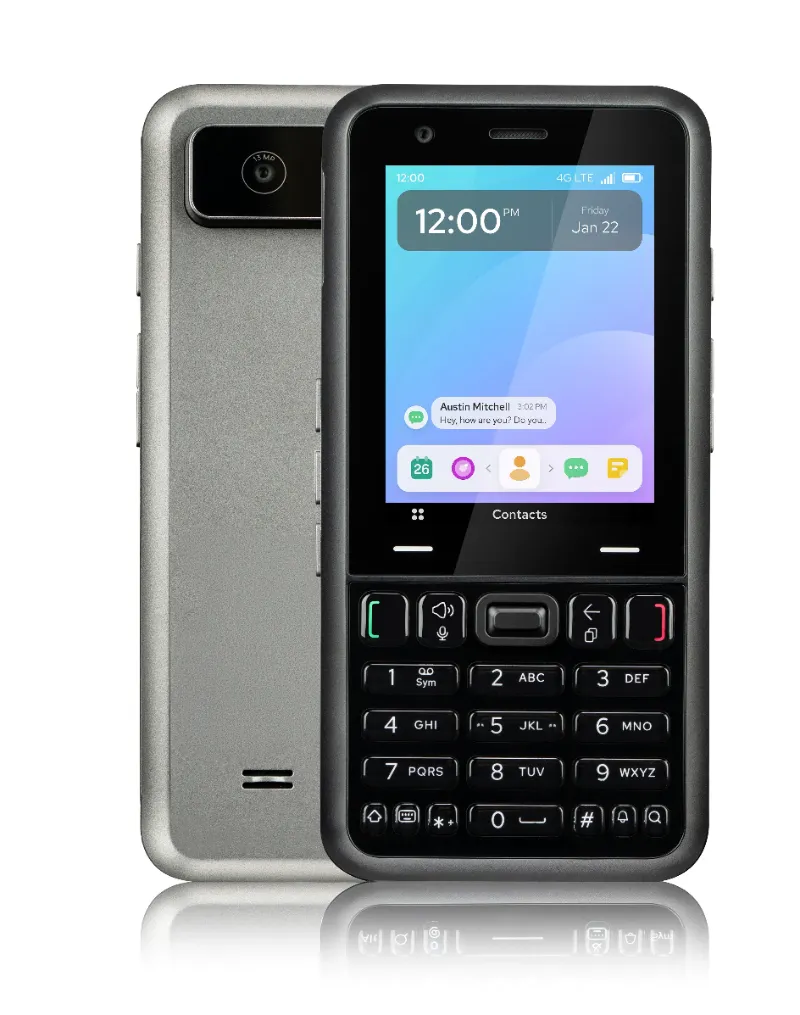
A qwerty dumb phone gives you full keyboard typing speed, while a numeric keypad model delivers extreme simplicity and a smaller footprint. We tested both layouts across dozens of feature phones to help you pick the right one for texting habits, portability, and battery life.
Both styles strip away smartphone distractions, but the keyboard layout you choose shapes your daily experience. Here's what separates them and how to decide.
What Makes a QWERTY Dumb Phone Different From a Numeric Model
A qwerty dumb phone features a full QWERTY keyboard—every letter gets its own physical key, just like a desktop keyboard squeezed onto a phone. You type messages the same way you learned in school, without cycling through letters on a single button.
A phone numeric pad uses the classic 0-9 grid. Each number key holds three or four letters, so you tap a key multiple times to cycle to the letter you want (T9 or multi-tap). It's the layout Nokia and Motorola made iconic in the early 2000s.
Key differences at a glance:
| Feature | QWERTY Dumb Phone | Numeric Keypad Phone |
|---|---|---|
| Typing method | One key per letter | Multi-tap or T9 predictive text |
| Learning curve | Immediate if you know a keyboard | Familiar to anyone who used early mobiles |
| Form factor | Wider, often slide or flip | Compact, candy-bar or flip |
| Texting speed | Fast for long messages | Slower but adequate for short texts |
Who Should Choose a QWERTY Layout
Pick a dumb phone qwerty model if you send more than a handful of texts per day or need to draft longer messages. The full keyboard makes email replies, notes, and group chats genuinely usable.
QWERTY works best for:
- Frequent texters who find multi-tap frustrating
- Writers and note-takers who use their phone to capture ideas on the go
- Former BlackBerry users who muscle-memory their way through physical keys
- Anyone switching from a smartphone and unwilling to sacrifice typing speed
We recommend checking out a dumb phone with keyboard if you rely on messaging apps like WhatsApp or Signal that still run on some feature phones—typing passwords and URLs is far easier on dedicated keys.
Battery life remains strong (three to seven days typical), though slightly shorter than numeric models because QWERTY phones often pack larger screens and more processing power.
When a Numeric Keypad Phone Is the Better Pick
A num pad phone shines when simplicity and size trump typing speed. These devices slip into any pocket, survive drops better thanks to fewer moving parts, and stretch battery life to two weeks or more.
Choose numeric if you:
- Send fewer than ten texts daily and mostly make calls
- Want the smallest, lightest phone possible
- Prefer tactile, spaced-out keys that are easy to dial without looking
- Need maximum battery endurance for travel or outdoor work
- Appreciate nostalgic, no-nonsense design
Our number keypad picks include models with T9 predictive text, which learns your common words and cuts tapping by half. Once you relearn the rhythm, short messages flow quickly.
Numeric layouts also dominate the ultra-rugged category. If you work in construction, warehousing, or extreme weather, a cellphone number pad with IP68 rating and rubberized casing will outlast any keyboard phone.
Typing Speed and the Real-World Difference
We timed identical 160-character messages on both layouts. QWERTY users averaged 35 seconds; numeric users with T9 took 68 seconds. Without T9, multi-tap pushed past 90 seconds.
That gap matters if you text throughout the day. Over twenty messages, QWERTY saves you roughly eleven minutes. For a handful of "running late" or "yes" replies, numeric is fast enough.
Accuracy also shifts. QWERTY typos come from mis-hits on tiny adjacent keys. Numeric errors come from tapping the wrong number of times or T9 picking an unintended word. Both require proofreading, but QWERTY feels more intuitive if you already type on laptop keyboards daily.
Portability, Durability, and Battery Trade-Offs
A mobile number pad device typically measures under 12 cm tall and weighs 80 to 120 grams. Slide-out QWERTY phones stretch to 13–15 cm open and weigh 120–160 grams. Flip models close the gap but add hinge complexity.
Durability favors simplicity. Fewer keys and no slide mechanism mean fewer failure points. Numeric phones routinely survive five-plus years of daily use. QWERTY keyboards can develop sticky keys or worn lettering after two to three years of heavy typing.
Battery capacity ranges from 1,000 to 2,000 mAh across both types, but numeric models idle longer because they drive smaller screens and simpler firmware. Expect seven to fourteen days standby on numeric versus three to seven on QWERTY.
Both easily outlast smartphones, so either choice delivers the distraction-free, long-lasting experience you want. Grab the code to save on whichever layout suits your routine.
How to Decide: Match the Keyboard to Your Usage
Map your daily phone tasks to the layout strengths:
- Count your daily texts. Ten or more? QWERTY. Five or fewer? Numeric.
- Measure your pocket. Tight jeans or small purse? Numeric wins.
- Rate your typing confidence. Comfortable on keyboards? QWERTY. Prefer one-hand dialing? Numeric.
- Consider app usage. Feature phones with WhatsApp, email, or basic browsing benefit hugely from QWERTY keys.
- Plan your upgrade cycle. Buying every five years? Numeric durability pays off. Switching sooner? QWERTY comfort matters more.
We also suggest trying both in-store if possible. The feel of physical keys—clickiness, spacing, resistance—varies widely by brand, and that tactile response shapes satisfaction as much as layout.
Most people switching from smartphones underestimate how much they text and initially regret choosing numeric. If you're unsure, lean QWERTY. You can always move to a simpler phone later, but going backward from multi-tap to full keyboard feels like a major upgrade you won't want to reverse.
Check the latest pricing on both styles and compare current models—we keep the coupon page updated with every release and the active 7% discount across all Keyphone orders.
 Shopping at Keyphone? See today's verified Keyphone discount code
Frequently asked questions
Is a QWERTY dumb phone harder to use one-handed than a numeric model?
Yes, QWERTY phones require two hands for comfortable typing because keys are smaller and closer together. Numeric keypads let you dial and text one-handed much more easily, especially while walking or carrying items.
Can I still use T9 predictive text on a phone numeric pad?
Most modern numeric keypad phones include T9, which predicts words as you type and drastically speeds up texting. Check the specs before buying, as a few ultra-basic models only offer multi-tap.
Do QWERTY dumb phones break more often because of the keyboard?
QWERTY keyboards, especially slide-out mechanisms, have more moving parts and can wear faster than simple numeric pads. Expect key lettering to fade and hinges to loosen after two to three years of heavy use, while numeric models often last five-plus years.
Which layout saves more battery: QWERTY or numeric?
Numeric keypad phones typically outlast QWERTY models by three to seven days on standby because they pair with smaller screens and simpler processors. Both vastly outperform smartphones, so either delivers week-long battery life.
Will I regret switching from a smartphone to a numeric keypad phone?
If you send more than a few texts daily, you may find multi-tap frustrating at first. Most smartphone users adapt within a week, but heavy texters report long-term satisfaction is much higher with a QWERTY layout.
Are dumb phones with keyboards good for kids or seniors?
QWERTY dumb phones suit kids comfortable with keyboards, while numeric models work better for seniors who grew up with rotary and early mobile phones. Match the layout to prior experience for the easiest transition.