

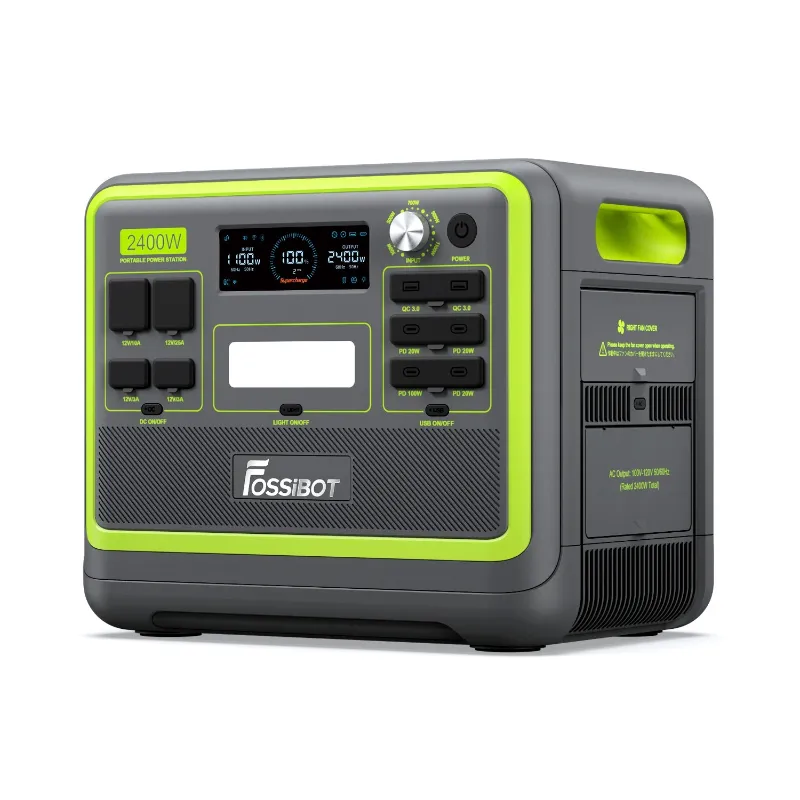
If your 2400 watt solar generator will not charge, work through four things in order: the unit's power state, the charging source, the cable and connector, then the battery temperature. In our testing, the fault lands in one of those four places almost every time, and you can rule them all out in about twenty minutes without tools.
Below is the exact sequence we run on the 2400 watt solar generator before we bother opening a support ticket.
Check the power state before you touch the panels
A station that will not charge sometimes is not a station that cannot charge. It is a station that is not awake.
- Wake the display and confirm the unit is actually powered on. Check your manual for the correct press pattern, since it varies between models.
- Make sure the charge indicator on the screen changes when you connect a source. If nothing changes, the input is the problem. If it flickers or shows a fault icon, the unit sees power but is rejecting it.
- Turn AC and DC outputs off while you test. Charging into a running load can mask a slow input.
- Look for an error code on screen and note it down before you reset anything. Support will ask for it.
If the screen stays completely dark with a known-good charger connected, stop here. That is a hardware conversation, not a settings one.
Solar panel pairing is where most charge failures start
This is the single most common reason a solar input does nothing. Panels and stations have to agree on voltage and current, and a mismatch produces silence, not an error message.
- Voltage window. Panels wired in series add voltage. Panels wired in parallel add current. If your array's open-circuit voltage falls below the station's solar input threshold, it will not start charging even in full sun.
- Over-voltage risk. Going the other way is worse. Exceeding the maximum solar input voltage in your manual can damage the input permanently, so check the panel spec sheet before you string them together.
- Polarity. Reversed MC4 adapters are easy to build and produce exactly zero charging. Test the adapter on a multimeter if you own one.
- Shade on a series string. One shaded panel can drag the whole string under the threshold. Test the array in direct sun, at midday, with nothing casting a shadow on the glass.
- Rating versus reality. A panel rated at 100W rarely delivers 100W in real conditions. Budget for that gap when you size the array.
Test wall and car charging separately
Splitting the sources tells you whether the fault lives in the station or in your solar kit.
| Source | Most common fault | Quick test |
|---|---|---|
| Solar panels | Voltage below threshold, reversed polarity, shaded string | Test one panel alone in full sun |
| Wall charger | Wrong brick, failed cable, dead outlet | Swap cable and outlet one at a time |
| Car 12V socket | Low voltage with the engine off, long thin cable | Retest with the engine running |
| USB-C or adapter input | Underpowered adapter | Use the charger the manual specifies |
If wall charging works and solar does not, the array is the fault. If neither works, move on to the station itself.
Temperature, BMS protection, and long storage
Modern power stations protect themselves, and that protection looks identical to a dead unit from the outside.
- Lithium cells will refuse a charge when they are too cold. If the station has been in a cold garage, van, or shed, bring it indoors, let it reach room temperature, then retry. Charging a frozen pack is exactly what the BMS is there to prevent.
- After months in storage at very low charge, the battery management system can go into a protective state. A long, slow wall charge is the usual way back.
- Heat is the other end of the range. A unit that has been sitting in direct sun or a hot car may decline a charge until it cools.
- If the unit accepts a charge for a few minutes and then stops repeatedly, note the pattern. Intermittent cutouts point to the BMS or the input board.
Resets, cables, and firmware
Before you ship anything, do the boring parts properly.
- Inspect every connector for corrosion, scorched pins, or melted plastic. A partially melted MC4 or barrel plug will pass enough current to look alive and too little to charge.
- Swap one cable at a time, never all of them. Otherwise you learn nothing.
- Check the manufacturer's app and firmware notes for your model. Charging bugs do get fixed.
- Photograph the display, the serial label, and the connector before you contact support. It shortens the process considerably.
When it is a repair, not a setting
If the station fails on wall and solar, in a normal temperature range, with known-good cables, you are past troubleshooting. That is a warranty and repairs conversation.
Buy from the official store rather than a marketplace listing you cannot verify. Gray-market units are a real problem with power stations, and product authenticity is the first thing support will check. Keep your order confirmation, and use order tracking so you know exactly when the unit landed and when your coverage started. Returns and refunds follow the store's window, so do not sit on a failing unit for months before reporting it.
Which unit actually fits your load
The same solar kit that struggles to feed one station may be perfect for another. If you are regularly running a fridge, power tools, or a work setup off solar, look at the larger units in the line, the fossibot 7200w and the f7200, instead of adding a second mid-size station to the same array. If your loads are laptops, lights, and a router, the mid-size unit is the right tool and the problem is almost always the panels.
The rest of the ecosystem matters too. Pairing the station with a fossibot phone or a rugged handset like the f109 makes app monitoring and firmware updates far easier, and the f106 pro is the one we take outdoors when the station travels with us.
Before you buy any of it, grab the code so the discount applies at checkout rather than after. Discount codes apply at the payment step, so if a code is not showing, check that you have not stacked it with another offer, and confirm the cart is on the US store before you pay.
One last thing worth saying plainly: most "won't charge" cases we see end with a panel array that was never matched to the input, not a broken generator. Test the array before you box anything up.
 Shopping at FOSSiBOT US? See today's verified FOSSiBOT US discount code
Frequently asked questions
Why does my 2400 watt solar generator charge from the wall but not from solar panels?
That pattern almost always means the array, not the station. Check that your panel string's voltage sits inside the station's solar input window, that the MC4 polarity is correct, and that no panel is shaded. If the array checks out, test the cable run itself.
How many solar panels can I connect to the Fossibot solar generator?
Follow the maximum solar input voltage and current in your model's manual rather than a panel count, because series and parallel wiring change both numbers. Exceeding the voltage limit can damage the input permanently, so do the maths on the panel spec sheet first.
Can I charge a power station in freezing weather?
No. The battery management system blocks charging outside the safe temperature range, which is why a cold unit looks dead. Bring it indoors, let it reach room temperature, then charge it.
Does the FOSSiBOT discount code work on cables and solar panels too?
The current 5% off all orders offer is described on the store coupon page, which is the best place to confirm what it covers before checkout. Codes are applied at the payment step, so check the order total after entering it.
How do I know if my unit is covered for warranty and repairs?
Coverage runs from the purchase date on your official store order, so keep the confirmation email and use order tracking to see the delivery date. For returns and refunds, report faults inside the store's stated window rather than waiting.
Is the f7200 or the 2400 watt solar generator better for running a fridge?
Match the unit to the surge and running draw of what you are powering, not to the number on the box. For heavier continuous loads, the larger f7200 and fossibot 7200w give you more headroom than a mid-size station.