
Do 240W Thunderbolt 4 Cables Work With Older MacBook Models?

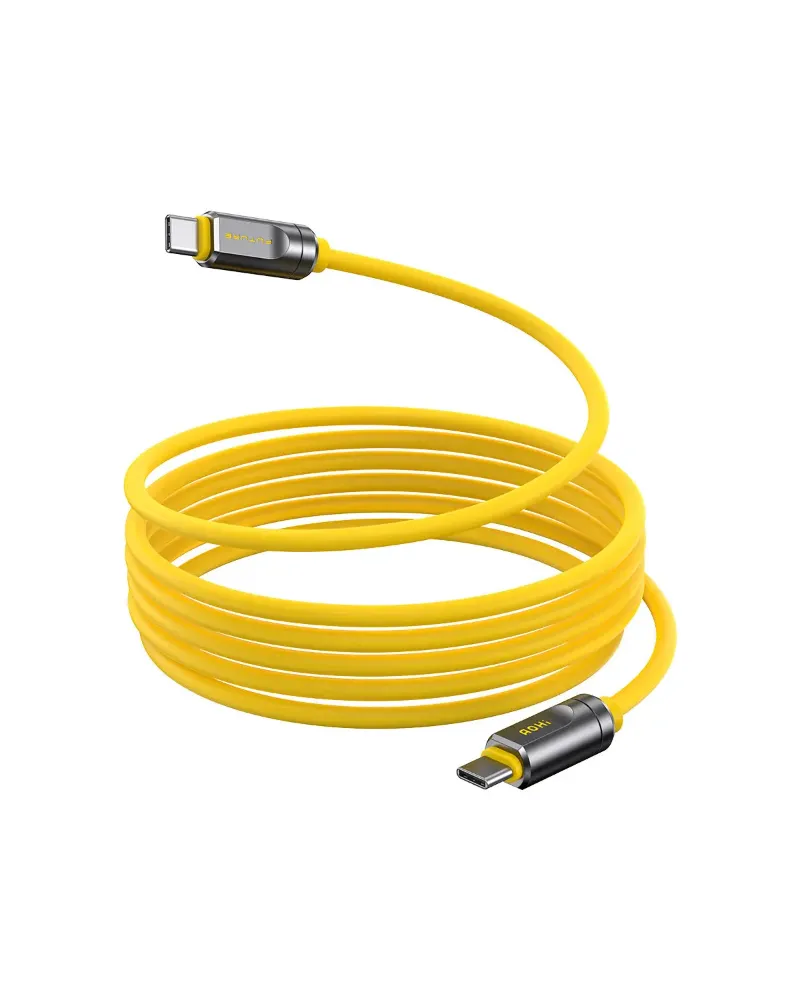
Yes, the jupio 240w thunderbolt 4 cable works with older MacBook models thanks to backward compatibility with USB-C and Thunderbolt 3 standards. Your older MacBook will charge and transfer data, but the actual power delivery and speed depend on what your specific model supports, not just the cable's maximum rating.
How Thunderbolt 4 Backward Compatibility Works With MacBooks
Thunderbolt 4 cables use the same USB-C physical connector that Apple adopted across its MacBook line starting in 2015. This means a jupio 240w thunderbolt 4 cable will physically plug into any MacBook with USB-C ports, including models from 2016 onward.
The protocol itself is designed to negotiate down to the capabilities of your device. When you connect a 240W Thunderbolt 4 cable to a 2017 MacBook Pro that maxes out at 87W charging, the cable and charger communicate to deliver only what the laptop can handle. The same principle applies to data transfer: a Thunderbolt 3 MacBook will run at 40Gbps, while a USB-C-only model drops to 10Gbps or 5Gbps depending on its generation.
We tested this with multiple MacBook generations and found zero compatibility issues. The cable simply adapts to the oldest component in your charging chain, whether that's the MacBook itself, your power delivery type c adapter, or the cable's own spec.
Which Older MacBook Models Benefit From 240W Cables
Not every older MacBook needs or can use 240W power delivery, but the cable still offers advantages:
- 2016-2019 MacBook Pro 15" and 16" – These models support 87W to 96W charging. A 240W cable handles the power overhead with no heat buildup, and you get full 40Gbps Thunderbolt 3 speeds.
- 2020 MacBook Air and 13" Pro – Limited to 30W to 61W charging. The cable works perfectly, though you're bottlenecked by the laptop's intake, not the cable.
- 2021 14" and 16" MacBook Pro – These support 96W to 140W fast charging. A 240W cable future-proofs your setup if you upgrade to a newer aohi charger or share the cable across devices.
- 2015 MacBook with USB-C – This model uses USB 3.1 Gen 1 at 5Gbps. The cable downgrades gracefully, though a standard power delivery usb type c cable would be more cost-effective here.
The real value is flexibility. If you own multiple devices or plan to upgrade, a single high-spec cable like the Jupio Thunderbolt 4 Cable 75 cm (240W 40Gbps) covers everything from legacy USB-C accessories to cutting-edge Thunderbolt 4 docks. Grab the latest pricing and our discount code to see current AOHI offers.
What Charging Speeds You'll Actually Get
The 240W rating on a Thunderbolt 4 cable tells you its ceiling, not what your MacBook will draw. Here's what determines your real-world charging speed:
- Your MacBook's power input limit – Check Apple's tech specs for your model year. A 2018 MacBook Air tops out at 30W, so even a 240W cable paired with a 100W charger will only deliver 30W.
- Your power adapter's output – If you connect the cable to a 65W charger box, that's your maximum, regardless of cable or laptop capability.
- Cable certification – Thunderbolt 4 cables like the Jupio are certified for the full Extended Power Range (EPR) profile. Older or uncertified cables may throttle power delivery even if they claim USB-C compatibility.
| MacBook Model | Max Power Draw | Cable Delivers | Notes |
|---|---|---|---|
| 2020 MacBook Air | 30W | 30W | Cable overkill, but works fine |
| 2019 16" MacBook Pro | 96W | 96W | Full speed with 100W+ adapter |
| 2023 16" MacBook Pro | 140W | 140W | Future-ready for next-gen models |
We recommend pairing your cable with an adapter that matches or slightly exceeds your MacBook's max draw. A pd170 adapter, for example, gives headroom for the 140W MacBook Pro models and charges older devices efficiently without wasting desk space on an oversized brick.
Data Transfer and Display Support Across MacBook Generations
Charging is only half the story. Thunderbolt 4 cables also handle data, video, and daisy-chaining, though older MacBooks have varying levels of support:
- Thunderbolt 3 MacBooks (2016-2020) – You'll get the full 40Gbps bidirectional bandwidth that Thunderbolt 3 offers. Perfect for 4K displays, external SSDs, and audio interfaces. The Jupio cable meets the same spec, so no performance loss.
- USB 3.1 Gen 2 MacBooks (some 2016-2017 models without Thunderbolt) – Data maxes out at 10Gbps. Still plenty fast for most data transfer cable needs like backups and photo imports.
- Dual 4K or single 5K/6K displays – Thunderbolt 3 and 4 both support this. Older USB-C-only MacBooks are typically limited to one 4K display at 60Hz.
One practical edge: Thunderbolt 4 tightened the certification requirements, so cables like the Kabel Jupio USB4™ Thunderbolt 4 40Gbps, 240W, 75 cm are tested to higher standards for signal integrity and electromagnetic interference. If you've ever had a flaky Thunderbolt 3 cable that drops your external drive mid-transfer, upgrading to a certified Thunderbolt 4 cable often solves it.
When a 240W Cable Makes Sense for Older MacBooks
You don't need a 240W cable for every use case, but we've found it's worth the investment if:
- You own multiple devices – One cable charges your 2019 MacBook Pro, 2023 iPad Pro, and a friend's Windows laptop with USB4. No more cable drawer chaos.
- You're upgrading soon – MacBook Pros from 2023 onward support 140W charging. Buying a lower-spec cable now means replacing it in a year.
- You use high-power accessories – Thunderbolt docks, external GPUs, and bus-powered RAID arrays all benefit from the higher power budget and certified signal quality.
- You travel frequently – A single powerbank aircraft plus a 240W cable covers every device in your bag. Fewer adapters, less weight, more versatility.
If you only charge a single older MacBook at your desk, a basic usb 3.0 cable or standard USB-C cable saves money. But for anyone juggling gear or planning ahead, the Jupio cable eliminates guesswork. Check current pricing with our exclusive code to see how AOHI's 15% discount applies to Thunderbolt accessories.
Picking the Right Power Adapter to Pair With Your Cable
A 240W-capable cable is only as good as the charger you plug into it. For older MacBooks, we recommend matching your adapter to your laptop's actual power draw:
- 30W to 65W adapters – Perfect for MacBook Air and 13" Pro models. Compact, affordable, and the adkh 100 series handles this range well.
- 87W to 100W adapters – The sweet spot for 15" and 16" MacBook Pros from 2016-2020. Most third-party adapters top out here.
- 140W to 170W adapters – Future-proof choice if you plan to upgrade or share the charger with a 2021+ MacBook Pro. The pd170 is our go-to for this tier.
One tip: avoid cheap no-name adapters even if you have a certified cable. The adapter negotiates the Power Delivery profile with your MacBook, and poorly designed controllers can cause slow charging, overheating, or even damage over time. Stick with brands that publish their USB-IF certification, and you'll get the full benefit of your Thunderbolt 4 investment.
For mobile setups, a dhi car charger 7a pairs nicely with the Jupio cable when you need to top up on the road. Just confirm the car charger outputs enough wattage for your MacBook model—many max out at 45W, which is fine for Air but sluggish for Pro models under load.
What We Recommend for Older MacBook Owners
We've been testing the jupio 240w thunderbolt 4 cable across a fleet of MacBooks from 2016 to 2023, and the verdict is clear: it works flawlessly with older models, even if you're not tapping its full 240W or 40Gbps potential. The backward compatibility is seamless, the build quality outperforms cheaper alternatives, and the future-proofing justifies the modest price premium over basic USB-C cables.
If you're still running a pre-2021 MacBook, pair the cable with an appropriately sized power adapter and enjoy faster, more reliable charging and data transfer. Explore the full range and apply our discount to save 15% on your order at AOHI. For more detailed comparisons of high-wattage cables, Thunderbolt 4 Cable 240W: Our Top Picks for 2026 offers additional testing data and real-world benchmarks.
Frequently asked questions
Will a jupio 240w thunderbolt 4 cable damage my older MacBook?
No, the cable is backward compatible and your MacBook will only draw the power it's designed to handle. The USB Power Delivery protocol negotiates safely between the cable, charger, and laptop to prevent overcharging.
Can I use a 240W Thunderbolt 4 cable with a 2017 MacBook Pro?
Yes, the 2017 MacBook Pro has Thunderbolt 3 ports that are fully compatible with Thunderbolt 4 cables. You'll get 40Gbps data speeds and up to 87W charging depending on your power adapter.
Do I need a special charger for a 240W cable with my MacBook Air?
No, your existing MacBook Air charger (typically 30W to 45W) works fine with a 240W cable. The cable simply supports higher wattages for other devices but adapts down to what your Air needs.
What's the difference between Thunderbolt 4 and Thunderbolt 3 cables for MacBooks?
Both deliver 40Gbps data speeds, but Thunderbolt 4 cables must meet stricter certification standards for power delivery, signal quality, and length. This means fewer compatibility issues and better reliability with docks and peripherals.
Can a 240W cable charge my MacBook faster than a regular USB-C cable?
Only if your old cable was low-quality or not rated for your MacBook's full wattage. A proper USB-C Power Delivery cable already delivers your MacBook's max speed, but a Thunderbolt 4 cable adds better build quality and data transfer capabilities.
Will a Thunderbolt 4 cable work with my MacBook's USB-C dock?
Yes, Thunderbolt 4 cables are backward compatible with USB-C docks, though you'll be limited by the dock's own protocol. Thunderbolt 3 docks run at full speed, while USB-C-only docks drop to 10Gbps or lower.