
How to Use SVG Files for Cricut and Silhouette Cutting Machines

Using bluey svg files with your Cricut or Silhouette machine unlocks endless crafting possibilities for birthdays, decor, and personalized gifts. SVG files are scalable vector graphics that cutting machines read to create precise designs on vinyl, cardstock, iron-on, and more. We'll walk you through everything from downloading files to loading them into Design Space or Silhouette Studio, so you can start cutting character designs like bluey svg, taylor swift svg, and fortnite svg with confidence.
What Makes SVG Files Ideal for Cutting Machines
SVG files store designs as vector paths rather than pixels, which means they scale to any size without losing sharpness. Cricut Design Space and Silhouette Studio both recognize SVG format natively, making it the standard for crafters who want clean cuts on intricate shapes like character outlines, layered birthday designs, or detailed text. Unlike PNG or JPEG, an SVG preserves every curve and corner, so your lego svg or moana svg will cut just as crisply at 2 inches as it does at 12 inches.
Other benefits include:
- Editable layers – change colors, ungroup elements, or remove parts before cutting
- Small file size – easy to store and share hundreds of designs
- Compatible across machines – the same file works in both Cricut and Silhouette software
Most premium SVG packs also include PNG versions for printing, but the SVG is what your machine needs for cutting.
How to Upload and Prepare Bluey SVG Files in Cricut Design Space
Once you've downloaded your bluey svg for cricut file, open Cricut Design Space and click Upload in the left panel. Select Upload Image, then browse to your SVG file. Design Space will preview the design; click Save to add it to your library.
Next, click Insert Images and choose your uploaded design. It will appear on the canvas as a grouped layer. Here's how to prepare it for cutting:
- Resize – drag corner handles or type exact dimensions in the toolbar (most birthday shirts work well at 8 to 10 inches wide)
- Ungroup if needed – click Ungroup to edit individual layers or change colors for multi-layer vinyl
- Attach layers – for multi-color iron-on, use Attach to keep spacing locked when the mat feeds through
- Set material – tap Make It, select your material (vinyl, iron-on, cardstock), and adjust pressure if your machine supports it
Design Space will show you a cut preview with each color on a separate mat. Load your material, press the flashing button, and let the machine work. For complex designs like bluey and bingo svg free scenes, a fine-point or deep-point blade gives the cleanest result.
Using SVG Files in Silhouette Studio for Cameo and Portrait
Silhouette Studio handles SVG files just as smoothly. Go to File > Open and select your downloaded file, or drag it directly onto the canvas. Studio imports each layer as an editable object, so you can recolor, resize, or delete elements before cutting.
Key steps for Silhouette users:
- Check cut lines – switch to the Send panel and confirm all paths show as cut lines (red outlines)
- Group for registration – if your design has multiple layers that need to align (like a cinderella svg with dress and face details), group them and use registration marks
- Material settings – choose your media type in the Send panel; Studio will adjust blade depth and speed automatically
- Test cut – always run a small test square first, especially with intricate files like dragon ball z svg
Studio's trace function also lets you convert a raster image to SVG, but starting with a true vector file like the ones from Crafty SVG saves time and guarantees sharp cuts.
Choosing the Right SVG Design for Your Project
Not every SVG suits every project. Here's how we match design complexity to material and use case:
| Project Type | Best SVG Style | Example |
|---|---|---|
| Birthday shirts | Bold outlines, 2–3 colors | bluey birthday svg, moana svg |
| Car decals | Single-layer, no tiny detail | baseball mom svg free, godzilla svg |
| Layered cards | Multi-layer with offset shadows | witchcraft svg, lego svg |
| Stickers | Simple fills, thick strokes | fortnite svg, taylor swift svg |
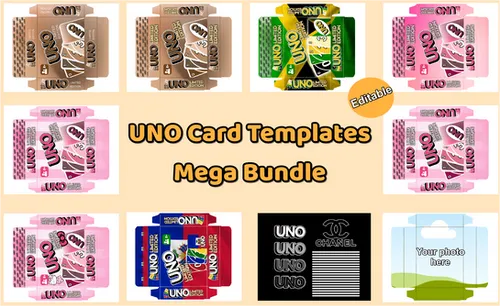
For beginners, bluey svg black and white versions are easier to weed because they eliminate multi-color alignment. As you gain confidence, try layered iron-on designs or printable templates like uno template cards and barbie box template that combine SVG cutting with inkjet printing.
You'll also find free SVG files across the web, including 112 Bluey Characters design SVG for Cricut and 7 Bluey SVG & PNG Files for Crafting, but premium packs from Crafty SVG typically offer cleaner paths, better layering, and commercial-use licensing.
Common SVG Cutting Issues and How to Fix Them
Even with a perfect file, cutting can go wrong. Here's how we troubleshoot the most frequent problems:
- Mat not feeding straight – clean your mat with a lint roller and let it dry fully before reloading
- Design cuts off-center – in Design Space, click the grid icon and enable Snap to Grid; in Studio, use the alignment tools under Object > Align
- Vinyl not sticking after weeding – increase pressure by one notch or try a fresh blade
- Intricate details tearing – slow down the cut speed in material settings, or simplify tiny paths by ungrouping and deleting the smallest elements
If your bluey svg files free downloads include a "weld" or "simplify" layer, those versions are pre-optimized to avoid micro-cuts that snag during weeding.
Where to Find Quality SVG Files and Save with Our Code
We test SVG packs from dozens of stores, and Crafty SVG consistently delivers designs that import cleanly, scale without distortion, and cut on the first try. Their library covers trending themes like bluey svg, fortnite svg, and seasonal characters, plus niche categories like witchcraft svg and sports mom designs.
Right now you can grab our exclusive 5% discount code to save on any bundle. That code stacks with their regular bulk pricing, so it's worth checking the latest promotions before you buy.
For inspiration and free samples, browse 15+ Bluey SVG Free, Bluey Family svg, Bluey Birthday svg collections on Pinterest. Many designers offer a single free file per pack so you can test compatibility with your machine before committing to a full set.
Tips for Organizing and Reusing Your SVG Library
Once you've downloaded a few dozen files, organization becomes essential. We create folders by theme (birthdays, holidays, sports) and name each file with keywords like "bluey-birthday-svg-layered" so we can search quickly in Design Space or Studio. Both apps also support tagging and favorites, which speeds up repeat projects.
For files you use often—like a go-to baseball mom svg free for team orders or a lego svg for party favors—save a Design Space or Studio project with your preferred size, material, and color settings. That way you only set it up once, then duplicate the project and swap in a new name or date each time.
Frequently asked questions
Can I use bluey svg files for commercial projects?
It depends on the license. Most premium SVG packs from Crafty SVG include a small-business commercial license, but always check the terms before selling finished items. Free downloads often restrict commercial use.
Do SVG files work with both Cricut and Silhouette machines?
Yes. SVG is a universal vector format, so the same file uploads to Cricut Design Space, Silhouette Studio, and other cutting software without conversion.
What's the difference between bluey svg and bluey PNG files?
SVG files are vector paths that scale infinitely and cut cleanly on machines. PNG files are raster images best for printing. Most bundles include both so you can cut vinyl and print matching tags or invitations.
Why won't my SVG file upload to Design Space?
Check that the file ends in .svg (not .zip or .png). If it's still blocked, try opening it in a free editor like Inkscape, re-save it as Plain SVG, then upload again. Some files include unsupported features that need to be flattened first.
How do I resize a bluey svg without distorting the design?
Always drag from a corner handle while holding Shift, or lock the aspect ratio in the toolbar. SVG files scale proportionally by default, so you won't lose quality at any size.
Where can I find free bluey svg files for Cricut?
Several craft blogs offer free single-file downloads, and Pinterest boards often link to limited freebies. For full character sets and layered designs, premium packs from Crafty SVG give you cleaner paths and reliable licensing.