

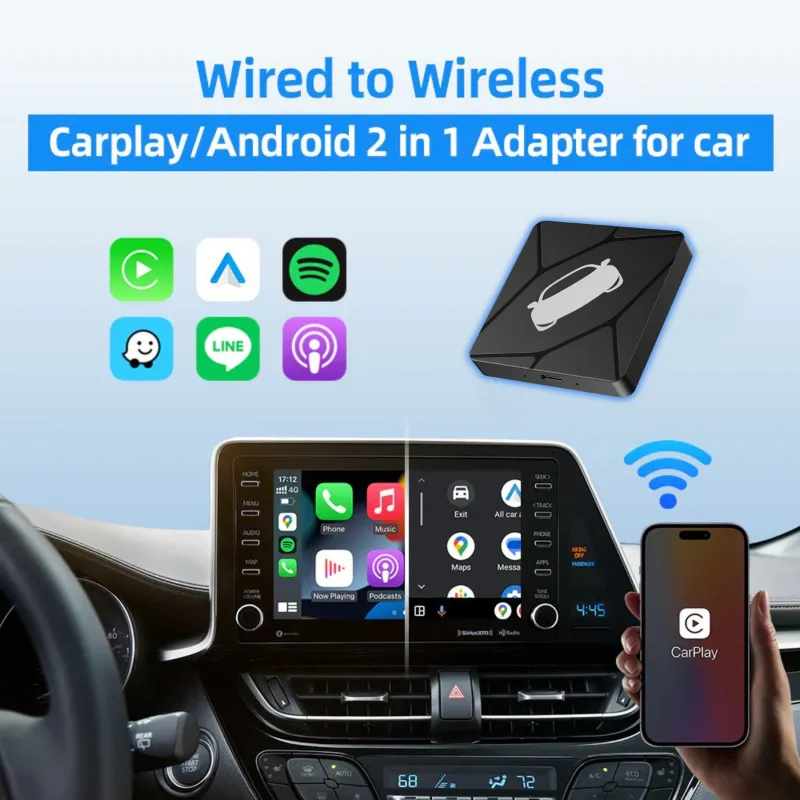
A wired to wireless carplay adapter is worth it for daily driving if your car already has factory wired CarPlay and you plug in every single trip, because it removes the cable ritual without touching your head unit. We have tested these dongles across commutes, road trips, and short errand runs, and the verdict is more nuanced than the marketing suggests: the adapter is genuinely great in some cars and mildly annoying in others. This guide covers when it pays off, how to install it properly, and which ZHNNCAR parts make the rest of your setup hold up.
What a wired to wireless carplay adapter actually does
It is a small box that plugs into your car's existing USB or USB-C CarPlay port and pretends to be a phone. Your iPhone connects to it over Wi-Fi and Bluetooth, and the head unit keeps thinking it is talking to a cable.
- No firmware hacking. The adapter sits between the port and the radio. Your factory system stays untouched.
- Phone stays in your pocket or on a wireless charging pad instead of in the cupholder.
- Works with the factory screen, so your steering wheel buttons, backup camera, and climate controls keep behaving normally.
- Two-part handshake. Bluetooth wakes the link up, Wi-Fi carries the actual CarPlay session, which is why first pairing takes longer than later reconnects.
The wired to wireless carplay adapter we stock is the unit we recommend for most people because it handles that handshake quickly on re-entry, which is the single thing that decides whether you love or hate a wireless adapter.
The honest daily-driving trade-offs
Wireless CarPlay is a convenience purchase, not a performance upgrade. Here is what actually changes.
| Factor | Wired CarPlay | Wireless via adapter |
|---|---|---|
| Connect time | Instant on plug-in | A few seconds after the car boots |
| Audio lag | Very low | Noticeable on video and some calls |
| Phone charging | Charges while connected | Needs a separate charger |
| Short trips | Cable in, cable out | Phone never leaves your pocket |
| Battery drain | None | Real, especially in cold weather |
- Lag matters most for video and lip-sync. Music and maps are fine. If you watch a lot of video on the screen, wired is still better.
- Battery drain is the real cost. On a 10-minute errand run you will lose a few percent. On a two-hour drive, put the phone on a wireless charging pad.
- Cold starts are slower. In winter, expect a longer reconnect as the phone and adapter negotiate.
- Interference is rare but real. Dense downtown areas with heavy Wi-Fi congestion occasionally cause a stutter. A quick toggle of Wi-Fi on the phone fixes it.
If your commute is under ten minutes and you rarely charge in the car, the adapter is close to a pure win. If you drive long hours and depend on the cable for charging, keep a cable in the console as a backup.
Installation tips that prevent most complaints
Most "my adapter keeps dropping" reports trace back to setup, not hardware. Follow this order.
- Delete the old pairing. In your iPhone's Settings, forget the car's Bluetooth and CarPlay entries before you start fresh.
- Plug the adapter into the data port, not a charge-only port. Check your owner's manual if you are unsure which is which.
- Pair once, patiently. Let the first connection finish completely before you touch anything. Do not switch apps mid-pairing.
- Disable auto-join for other networks the phone might grab at home, or the phone can hand off to home Wi-Fi as you pull away.
- Test a cold start. Turn the car off, walk away with the phone, come back, and time the reconnect. That is your real-world experience.
One more thing: keep the adapter out of direct sun. Heat is the number one killer of these small boxes, and a dash-mounted dongle in July gets hot. Route it into the console or use a short extension if your port sits in the open.
Which cars and setups benefit most
The adapter shines where the factory wired CarPlay is already solid. It is less useful when the head unit itself is the weak point.
- Older trucks and SUVs with wired CarPlay get the biggest quality-of-life jump, since the hardware is otherwise fine.
- Cars with a failing USB port are a bad fit. Fix the port first, or you will blame the adapter.
- Vehicles without CarPlay at all need a head unit, not an adapter. That is where the 2019 ford explorer sport head unit upgrade comes in, since it adds modern CarPlay support to a truck-era dash instead of trying to retrofit software that is not there.
If you are weighing the two paths, the question is simple: does your car already show CarPlay when you plug in? If yes, buy the adapter. If no, budget for a head unit.
Where ZHNNCAR parts fit into a full daily-driver setup
The adapter is one piece. The rest of a comfortable cabin usually involves audio and visibility, and this is where the other ZHNNCAR products earn their keep.
Hands-free audio quality. Factory mics in older vehicles are mediocre, and wireless CarPlay makes calls more common because your phone is already connected. A microphone 3.5mm is the straightforward fix for head units with a mic input, and compatibility is the main thing to check: confirm your radio has a 3.5mm mic jack rather than a proprietary connector before you order.
Older GM trucks. If you are driving a Silverado, the 2015 chevy silverado radio swap is the upgrade that makes the adapter worthwhile, because the factory unit in that generation is the bottleneck for both CarPlay and Bluetooth call quality.
Heads-up visibility. Drivers who like keeping their eyes forward should look at the tesla model 3 hud display option, which puts speed and navigation cues in the sightline instead of on the center screen.
For a wiring-level walkthrough of the head unit path, our wired to wireless carplay adapter guide approach pairs well with the adapter install steps above, and that page also carries the current sitewide offer.
Cost, code, and whether to buy now
We do not publish prices here because they move, and a stale number helps nobody. Check the live listing for the adapter, and use the store code page for the current promotion. Right now ZHNNCAR is running 10% OFF sitewide, which is a reasonable moment to bundle the adapter with a mic or a head unit rather than buying them one at a time.
- Grab the code and current pricing before you check out.
- Buy the adapter alone first if your only goal is killing the cable. It is the cheapest test of whether wireless suits you.
- Bundle when you are already shopping for a radio or head unit, since shipping and the discount both work in your favor.
On reliability, our zhnncar review and reliability notes and the return window matter more than the spec sheet. Read the return and warranty policy before you install anything permanently, and keep the packaging for the first week so a bad unit is an easy swap.
Who should skip it
Be honest with yourself here. Skip the wired to wireless carplay adapter if you drive mostly short trips and rely on the cable for charging, if you are sensitive to audio latency, or if your head unit already drops connections with a cable. In those cases the adapter adds a layer instead of removing friction. Everyone else, especially anyone doing a daily commute with a phone that never seems to be charged, will notice the difference within the first week.
Ship times and delivery windows vary by region, so check the shipping and delivery info on the store page if you are on a deadline, and confirm the model year and port type before ordering.
 Shopping at ZHNNCAR? See today's verified ZHNNCAR discount code
Frequently asked questions
Is a wired to wireless carplay adapter worth it if my commute is only 15 minutes?
Yes, that is close to the ideal use case. Short trips are exactly where plugging and unplugging a cable every time gets old, and the battery drain from a 15-minute drive is minimal.
Will the adapter work with my 2019 Ford Explorer head unit upgrade?
If the upgraded head unit supports wired CarPlay over USB, the adapter will work with it. Confirm the unit exposes a data-capable USB port, since charge-only ports will not carry a CarPlay session.
Does the adapter drain my iPhone battery?
It uses more power than a wired connection because the phone is not charging while connected. For longer drives, pair it with a wireless charging pad or keep a cable in the console as a backup.
Why does my adapter take so long to reconnect when I start the car?
The Bluetooth-to-Wi-Fi handshake has to complete after the head unit boots, and cold weather slows it down. Forgetting old pairings and letting the first connection finish fully usually shortens later reconnects.
Do I need a car microphone 3.5mm with a wireless adapter?
Not for the adapter itself, but if your head unit's built-in mic sounds poor on calls, a 3.5mm mic upgrade is the fix. Check that your radio has a 3.5mm mic jack rather than a proprietary connector.
What is the ZHNNCAR return and warranty policy like?
Policies are listed on the store page along with current offers. Read the return window before installing anything permanently and keep the original packaging for the first week in case you need a swap.