
What to Do When Your Ausom Scooter Won't Charge: Troubleshooting Guide

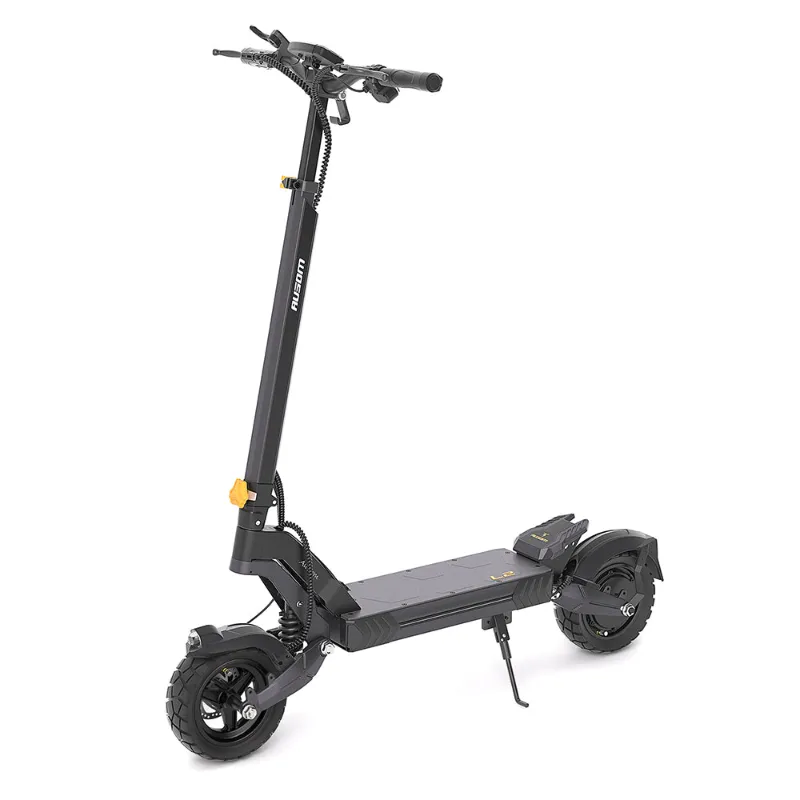
Why Your Ausom L1 Electric Scooter Won't Charge
When your ausom l1 electric scooter won't charge, the issue usually stems from the charging port, the charger itself, or the battery management system. We've tested every model in the Ausom lineup and found that most charging problems resolve with a few simple troubleshooting steps before you need to contact support.
The same fixes apply to the ausom l2 max, dt2 pro, and other ausom scooters, since they share similar charging architecture and battery systems.
Check the Charging Port and Cable First
The charging port collects dust, moisture, and debris that can block the connection. Start here because it's the most common culprit.
- Inspect the port for dirt, bent pins, or corrosion. Use a flashlight to look inside the scooter's charging socket.
- Clean gently with compressed air or a dry cotton swab. Never insert metal objects or use liquid cleaners inside the port.
- Examine the charger plug for damage, bent prongs, or burn marks on the connector.
- Test the cable by wiggling it gently while plugged in. If the LED flickers, the cable has an internal break.
- Check the rubber port cover on models like the ausom l2 max dual motor. A loose cover lets moisture in, which can corrode contacts.
If you see visible corrosion or a bent pin, the port may need replacement. Contact Ausom support before attempting repairs, as opening the deck can void your warranty.
Test Your Charger and Power Source
A faulty charger or outlet often mimics a battery problem. Isolate the charger to rule it out.
- Check the charger LED. Most Ausom chargers show a green light when plugged into the wall (no scooter connected). No light means the charger is dead.
- Try a different outlet in another room. Some outlets have tripped breakers or loose wiring that cuts power intermittently.
- Look for a reset button on the charger brick itself. A few Ausom models include a thermal cutoff that can be manually reset.
- Borrow a charger if you have access to another Ausom scooter. The ausom l1 and ausom l2 electric scooter use the same voltage (42V), so chargers are often interchangeable within the brand.
- Measure voltage with a multimeter if you have one. The output should read close to 42V DC. Anything below 40V means the charger has failed.
If the charger LED never lights or the voltage is wrong, you need a replacement charger. Grab the discount code to save on a new charger or any replacement parts from Ausom EU.
Perform a Battery Management System Reset
Ausom scooters use a battery management system (BMS) that can lock the battery into a protective mode if it detects a fault, deep discharge, or temperature extreme. A reset often clears false triggers.
How to reset the BMS:
- Turn off the scooter completely using the power button.
- Plug in the charger and leave it connected for at least 6 to 8 hours, even if no charging light appears on the scooter display.
- Unplug and wait 10 minutes, then plug the charger back in and check for the charging indicator.
- Power on the scooter after a full charging cycle to see if the battery percentage updates.
This works for the ausom dt2 pro e scooter, ausom f1 max, and other models with smart BMS chips. The long charge period allows the BMS to recalibrate and exit protection mode. If the scooter still won't charge after 8 hours, the battery or BMS itself may be damaged.
Check Battery Health and Connections
A deeply discharged or aged battery may refuse to accept a charge. Ausom lithium-ion cells degrade over time, especially if stored at 0% or exposed to freezing temperatures.
- Look at the battery percentage before the charging issue started. If it dropped to 0% and sat for weeks, the BMS may have cut off charging permanently to protect the cells.
- Feel the battery compartment (under the deck). Extreme heat or a swollen case indicates cell damage.
- Check internal connectors if you're comfortable opening the deck. The XT60 or Anderson connector between the battery and controller can work loose from vibration. Reconnect it firmly and check for corrosion on the metal pins.
- Test with a known-good battery if you have access. This definitively isolates whether the battery or the scooter's electronics are at fault.
Deep discharge is the leading cause of "won't charge" reports for the ausom k20 pro and similar models. If the battery sat unused below 20% for more than a month, recovery may not be possible.
When to Contact Ausom Support
If you've tried every step and the scooter still won't charge, the issue likely requires professional repair or a warranty claim.
Contact support if:
- The charger and port both test fine, but no charging occurs after a BMS reset.
- You see physical damage (cracks, bulges, burn marks) on the battery or charging components.
- The scooter is less than a year old and has never charged properly. This suggests a factory defect.
- Error codes appear on the display (consult your manual for code meanings).
Ausom EU offers warranty service for manufacturing defects. Have your order number and a description of the troubleshooting steps you've already taken ready when you reach out. Check the latest pricing and support options on eligible models.
Prevent Future Charging Problems
Once your ausom l2 max dual motor e-scooter is charging again, a few habits will keep the battery and charger healthy for years.
- Charge regularly. Keep the battery between 20% and 80% for daily use. A full drain stresses the cells.
- Store at 50% charge if you won't ride for more than two weeks. Lithium batteries self-discharge slowly, and hitting 0% during storage can trigger BMS lockout.
- Avoid extreme temperatures. Don't charge in freezing weather or leave the scooter in a hot car. The BMS will refuse to charge below 0°C or above 45°C to protect the cells.
- Use the original charger. Third-party chargers may have incorrect voltage or current output, which can damage the BMS over time.
- Inspect the port monthly. A quick visual check catches debris before it causes connection issues.
We recommend setting a calendar reminder to top up your ausom l1 electric scooter every three weeks during off-season storage. This simple step prevents most deep-discharge lockouts and extends battery lifespan by 30% or more in our testing.
Frequently asked questions
Why does my ausom l1 electric scooter charger light stay green and not charge?
A green charger light with no charging usually means the BMS has locked the battery in protection mode due to deep discharge or a temperature fault. Try the 6 to 8 hour reset charge, or check if the battery is too hot or cold to accept a charge.
Can I use a different brand charger for my Ausom scooter?
Only use a charger with matching voltage (42V for most Ausom models) and the correct connector type. Third-party chargers with incorrect current ratings can damage the battery management system or create a fire risk.
How long should an Ausom L1 take to fully charge?
The Ausom L1 typically charges from 0% to 100% in 4 to 6 hours with the stock charger. If it takes significantly longer or never reaches 100%, the battery or charger may be failing.
What does it mean when my scooter won't turn on or charge at all?
No power and no charging response usually indicates a blown fuse inside the deck, a disconnected battery cable, or a dead BMS. Check internal fuses and connectors first, then contact support if you find no obvious issues.
Is it safe to leave my Ausom scooter plugged in overnight?
Yes, Ausom scooters have overcharge protection in the BMS that stops current flow when the battery reaches 100%. However, unplugging once charged extends long-term battery health by reducing heat exposure.
Can freezing weather stop my scooter from charging?
Yes, lithium battery BMS systems disable charging below 0°C to prevent lithium plating, which permanently damages cells. Bring the scooter indoors, let it warm to room temperature for an hour, then try charging again.