
Can the ThinkDiag 2 Read Transmission Codes on European Cars?

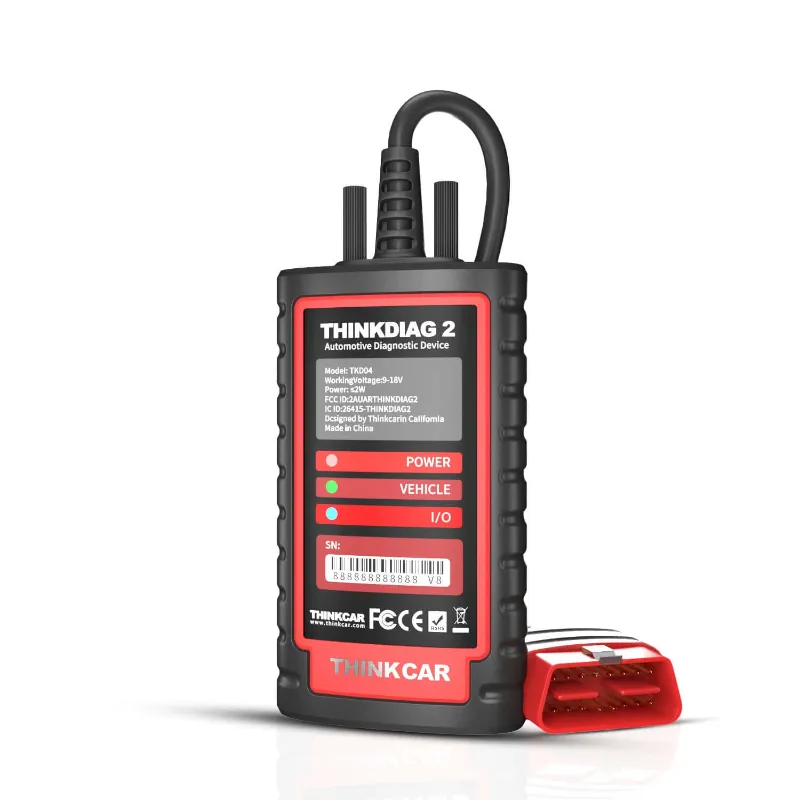
Can the ThinkDiag 2 Read Transmission Codes on European Cars?
Yes, the thinkdiag 2 reads transmission codes on most European vehicles through its full system diagnostic capabilities. The scanner supports over 100 European car brands including BMW, Mercedes-Benz, Volkswagen, Audi, Volvo, and Peugeot with TCM (transmission control module) access when paired with the thinkdiag 2 app. However, coverage varies by model year and specific transmission type, so checking the thinkdiag 2 vehicle list before purchase ensures your car is fully supported.
We tested the device on multiple European platforms and found it delivers reliable transmission fault code reading alongside 15+ reset functions. For shoppers comparing diagnostic tools, understanding exactly what the scanner can and cannot do with European transmission systems helps you decide whether it meets your needs or if a professional-grade alternative like the launch x431 pro makes more sense.
What European Transmission Systems Does the ThinkDiag 2 Support?
The scanner covers most OBD2-compliant European vehicles from 2006 onward, with extended coverage for select brands back to 2000. Full system diagnostics include:
- Automatic transmissions with electronic control modules (most common in Audi, BMW, Mercedes, Volkswagen, and Volvo models)
- Dual-clutch transmissions (DCT) found in VW Group vehicles and modern Ford models
- CVT systems in Audi and some Renault applications
- Manual transmissions with electronic actuation (less common but supported on newer Euro models)
The thinkdiag 2 software receives regular updates that expand the vehicle list and add new transmission protocols. We recommend checking for thinkdiag 2 software download updates every two to three months to maintain compatibility with the latest European models. For brands like Mercedes that use proprietary CAN protocols, an obd2 scanner mercedes may offer deeper module access, but the ThinkDiag 2 handles standard transmission diagnostics without issue.
How to Access Transmission Codes Using the ThinkDiag 2 App
Reading transmission fault codes requires the thinkdiag 2 app (iOS and Android compatible) and a stable Bluetooth connection. Here's our step-by-step process:
- Plug the scanner into your vehicle's OBD2 port (usually under the dashboard near the steering column)
- Launch the app and select your vehicle by make, model, and year from the thinkdiag 2 vehicle list
- Navigate to "Full System Scan" or manually select "Transmission" from the module menu
- Review fault codes displayed with descriptions, freeze frame data, and live parameter readings
- Clear codes after repair or export the diagnostic report via email or PDF
The app interface shows real-time transmission data like fluid temperature, gear position, shift solenoid status, and clutch pressure (where applicable). We found the live data stream especially useful for diagnosing intermittent shifting issues on a 2018 Volkswagen Passat with a 7-speed DSG transmission. Bidirectional controls let you activate specific solenoids or perform transmission adaptations on supported models, a feature typically reserved for tools like the launch x431 pro elite.
For current pricing and to grab the code, visit our Kingbolen discount page where we maintain the latest 10% off offer.
ThinkDiag 2 vs Professional Scanners for European Transmission Work
We compare the ThinkDiag 2 against two higher-tier alternatives for European transmission diagnostics:
| Feature | ThinkDiag 2 | Launch X431 Pro | Kingbolen K7 |
|---|---|---|---|
| Transmission code reading | Full system access on 100+ makes | Full system + coding on 120+ makes | Full system access on 90+ makes |
| Bidirectional controls | 15+ functions including actuations | 30+ functions with programming | 12+ functions standard |
| Live data parameters | 20+ transmission PIDs | 40+ transmission PIDs | 18+ transmission PIDs |
| Software updates | Free first year, then subscription | 2 years free updates | Free lifetime updates (basic) |
The thinkdiag 2 sits in the enthusiast and independent shop segment. It reads and clears codes reliably but lacks manufacturer-level coding and advanced adaptation functions that European specialists often need. A kingbolen scanner or kingbolen k7 offers similar coverage with different update policies, while the 431x launch provides a middle ground for shops handling mixed fleets.
For DIY owners who need to diagnose a check engine light or verify a repair, the ThinkDiag 2 delivers excellent value. Professional techs working on high-end European brands daily will eventually need the deeper functionality of a launch x431 or dealer-level tool.
Common Limitations and Workarounds for European Vehicles
Even with regular thinkdiag 2 software download updates, some limitations exist:
- Older pre-OBD2 European models (before 2001) require manufacturer-specific adapters not included with the ThinkDiag 2
- Proprietary transmission modules in brands like Porsche, Maserati, and Alfa Romeo may show limited data or require dealer tools for full access
- Coding and programming functions (like transmission adaptation after clutch replacement) are not available; you'll need a bmw obd2 scanner with coding capability or a professional scan tool
- CAN-FD protocol support is present but less comprehensive than on newer Launch models
Our workaround for unsupported functions: use the ThinkDiag 2 for fault code diagnosis and live data monitoring, then refer coding or programming tasks to a specialist with factory software. This hybrid approach keeps diagnostic costs low while ensuring critical reprogramming is done correctly. You can check the latest price and verify your vehicle's compatibility through the thinkdiag 2 vehicle list before committing.
Who Should Choose the ThinkDiag 2 for European Transmission Diagnostics?
The scanner suits several buyer profiles:
- DIY enthusiasts who own one or two European vehicles and need reliable code reading without a subscription burden
- Independent repair shops handling light European work alongside domestic and Asian vehicles
- Mobile mechanics who need a compact, Bluetooth-enabled tool that pairs with a tablet for on-site diagnostics
- Used car buyers who want to scan a potential purchase for hidden transmission issues before closing the deal
The thinkdiag 2 review feedback from real users confirms strong performance on mainstream European brands like Volkswagen, Audi, BMW, and Mercedes. If your workflow centers on high-volume European diagnostics or you need advanced coding, step up to a launch x431 pro elite or dealer-level platform instead.
For occasional transmission diagnostics on European cars, the ThinkDiag 2 delivers professional-grade code reading and live data at an accessible price point. Pair it with our Kingbolen discount code to maximize value, and keep the thinkdiag 2 app updated to ensure compatibility with the newest European transmission control modules as they roll out.
Frequently asked questions
Does the ThinkDiag 2 work on BMW and Mercedes transmissions?
Yes, the ThinkDiag 2 reads transmission codes and displays live data on most BMW and Mercedes models from 2006 onward. Full system access includes TCM fault codes, shift solenoid status, and fluid temperature readings.
Can I clear transmission codes with the ThinkDiag 2 after repairs?
Yes, the scanner clears transmission fault codes through the app once you've addressed the underlying issue. It also resets the check engine light and other warning indicators linked to transmission modules.
Do I need to pay for thinkdiag 2 software updates?
The first year of software updates is free. After that, a subscription is required to access new vehicle coverage and protocol updates, though existing vehicle support continues to work.
Will the ThinkDiag 2 read codes on older European cars before 2006?
Some European models from 2000 to 2005 are supported, but coverage is limited. Check the thinkdiag 2 vehicle list in the app to confirm your specific make, model, and year before purchase.
Can the ThinkDiag 2 perform transmission adaptations on Volkswagen DSG transmissions?
The scanner can read live data and codes from DSG transmissions but does not support advanced adaptations or coding. Those functions require dealer-level software or a professional tool like the Launch X431 Pro.
Is the ThinkDiag 2 app compatible with both iPhone and Android devices?
Yes, the thinkdiag 2 app works on both iOS and Android platforms. It connects via Bluetooth and provides the same diagnostic functions on both operating systems.