
How to Clean and Maintain Your Kica Handheld Fan

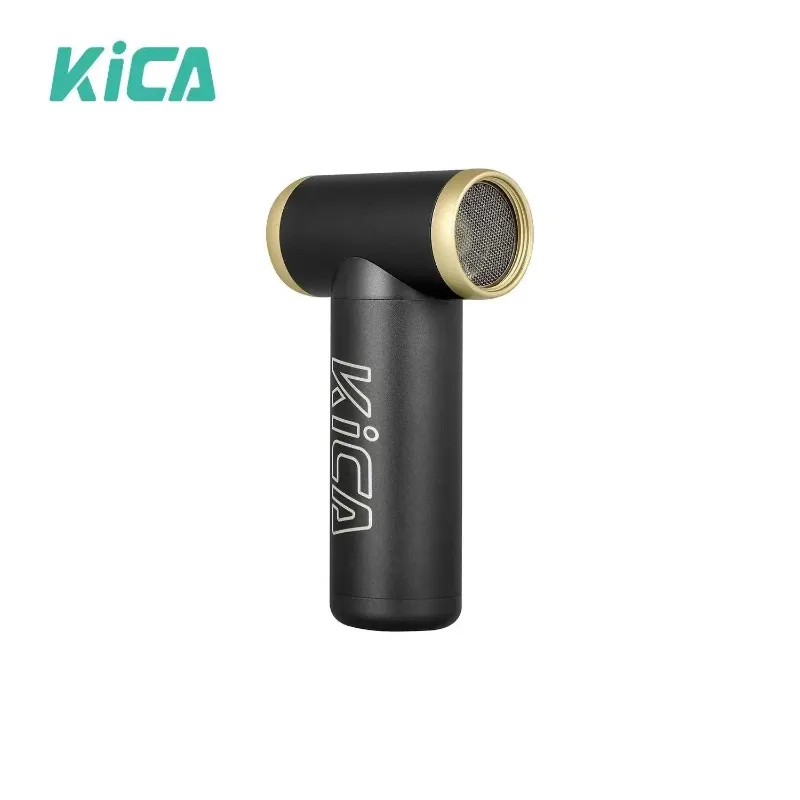
The best way to clean a kica jet fan is to blow dust out of the intake vents with compressed air, wipe the housing with a barely damp microfiber cloth, and let it dry fully before charging or storing it. A handheld jet fan moves a surprising amount of air, and that air carries dust, lint, pet hair, and pocket debris straight into the motor housing. Ten minutes of care every few weeks keeps airflow strong, battery life healthy, and the warranty intact.
Below is the routine we use in our own testing rotation for the kica jet fan, the kica jetfan 2, and the kica jet fan max. The steps are the same across the lineup, with a couple of model-specific notes along the way.
Why Cleaning Your Kica Jet Fan Actually Matters
Jet fans pull air through narrow intake slots and push it through a tight impeller housing. Unlike a desk fan with visible blades you can wipe, the working parts of a kica jet fan are sealed inside. That is good for safety and bad for neglect: dust builds up where you cannot see it.
- Reduced airflow. A clogged impeller cannot reach its rated airspeed, so the "max" setting quietly becomes a mid setting.
- Motor strain. Debris in the intake path makes the motor work harder, which raises heat and shortens run time.
- Battery wear. Heat is the enemy of lithium cells. A dirty fan runs hotter and its battery ages faster.
- Button and port problems. Lint packed around the power button or USB-C port causes unreliable charging and accidental presses.
If you use your fan daily at the workbench, in the garden, or for camera and keyboard dusting, check it every two to three weeks. Occasional users can get away with a monthly look-over. If you are still choosing a model, our kica jet fan review notes cover how the versions differ, and you can check the latest price with our code applied.
What You Need Before You Start
Nothing exotic. Every item here costs a few dollars or is already in a drawer:
- Soft bristle brush (a clean paintbrush or toothbrush works)
- Compressed air can or a small hand blower
- Microfiber cloth
- Isopropyl alcohol (70 percent or higher) and cotton swabs
- A toothpick or plastic pick, never a metal one
Avoid solvents like acetone, window spray, or bleach-based cleaners. They cloud the plastic housing and can damage the rubberized coatings on models like the kica and the kitsa Mini 3.
How to Clean the Air Vents and Impeller
This is the core of kica jet fan maintenance. Do it with the fan powered off.
- Blow out the intakes first. Hold the fan with the intake vents facing away from you and give each side a two-second burst of compressed air from a few inches back. You will usually see a puff of gray dust. Do not hold the nozzle right against the plastic; the propellant can chill and crack it.
- Spin the impeller clean. Set the fan to its lowest speed for a few seconds, then off. If the sound is uneven or airflow still seems weak, brush the intake slots with the soft brush while a friend holds a paper towel behind the exhaust to catch debris.
- Pick out stubborn lint. Use the toothpick gently along the vent slots. Never poke deep toward the motor, and never rotate the impeller by forcing it against its direction of spin.
- Listen afterward. A clean jet fan runs smooth and quiet at every speed. Rattling or a whine means something is still caught in the impeller path.
The impeller on the kica jet fan sits close to the intake, so short bursts of air are more effective than one long blast. For a closer look at the internal layout, the official KiCA Jet Fan product page shows exploded views of the impeller housing for each generation.
Cleaning the Housing, Buttons, and Charging Port
- Wipe the shell. Dampen the microfiber cloth lightly with water or a drop of isopropyl alcohol and wipe the whole housing. Follow with a dry pass.
- Clear the buttons. Dip a cotton swab in alcohol, squeeze it nearly dry, and work around the power and speed buttons in small circles. Sticky residue from sunscreen or hand cream is common on the kica jet fan max because people carry it outdoors.
- Clean the USB-C port. Power off, then scrape lint from the port with the plastic pick using gentle, short strokes. Lint compressed by repeated plugging is the number one cause of "my fan will not charge." Finish with one dry puff of compressed air.
- Check the accessories. Nozzles and concentrator tips can go in warm soapy water. Dry them completely before reattaching.
Battery Care: Charging, Storage, and Heat
Lithium battery care matters more than cosmetic cleaning for long-term lifespan.
- Avoid full drains. Recharge around the 20 percent mark instead of running the battery flat every time.
- Store around half charge. If the fan will sit unused for a month or more, leave it at roughly half and store it cool and dry. A fan left fully charged in a hot car ages its battery quickly.
- Skip overnight charging habitually. These fans have charging protection, but heat and time still add up. Unplug when the indicator shows full.
- Use a sensible charger. A standard USB-C phone charger is fine. Avoid cheap unbranded adapters.
If you want a second unit so neither one gets hammered every single day, the compact kica or the kitsa Mini 3 make good everyday companions to a bigger jet fan. Our discount page lists the current code that works across the range.
Quick Comparison: Care Notes by Model
| Model | Best for | Cleaning note |
|---|---|---|
| kica jet fan | Everyday cleaning and drying tasks | Short air bursts work best on the tight intake slots |
| kica jetfan 2 | Second-generation power and kit accessories | Clean each nozzle separately after wet jobs |
| kica jet fan max | Highest airflow for heavy use | Check button crevices often if carried outdoors |
| kica / kitsa Mini 3 | Pocket-sized daily carry | Pocket lint builds fast; check the port weekly |
Whichever generation you own, the routine above applies. If you are deciding between them, the independent KICA Jet Fan Max & 2S Review covers real-world airflow and battery results across models.
What Never to Do
A few mistakes will void a warranty or kill a fan outright:
- Never run water through the vents. These are not waterproof devices. A damp cloth on the outside only.
- Never disassemble the housing. Opening the case can expose the lithium cell and usually voids the warranty. External cleaning is enough.
- Never use compressed air with the fan running. Counterproductive, and spinning the impeller past its design speed is hard on the bearings.
- Never store it wet. After cleaning nozzles that touched water, let everything air dry for a few hours.
How Often to Clean, at a Glance
- Weekly if pocket-carried: wipe the shell, check the port for lint.
- Every two to three weeks with regular use: air out the vents and impeller path.
- Monthly: full routine, including buttons, port, and accessories.
- Before seasonal storage: half-charge, clean, store cool and dry.
That is the whole system. A kica jet fan is built to take daily abuse, and the difference between a fan that lasts one summer and one that lasts years is almost always a microfiber cloth and two minutes with a brush.
Frequently asked questions
Can I open my kica jet fan to clean the impeller inside?
Do not disassemble it. Blow compressed air through the intake vents, brush the slots with a soft brush, and pick visible lint out with a plastic toothpick. The impeller is sealed by design, and opening the housing can void your warranty.
How do I clean a kica jet fan without damaging it?
Blow it out with compressed air or a hand blower, then wipe the housing with a barely damp microfiber cloth. Never run water through the vents or submerge it; these fans are not waterproof.
Why is my kica jet fan not charging even with a good cable?
Usually it is compressed lint in the USB-C port. Power the fan off and clear the port gently with a plastic pick, then try a different cable and charger before assuming a fault.
How should I store my jet fan over the winter?
Leave it at roughly half charge, clean the vents first, and store it in a cool, dry drawer rather than a hot car or garage. Top it up every couple of months during long storage.
Does the kitsa Mini 3 need different care than the bigger jet fans?
Check the intake vents and port weekly if it rides in a pocket, and give it the full cleaning routine monthly. Pocket lint is the fastest way to clog a mini fan.
Is the cleaning routine the same for the kica jetfan 2 and the max?
Yes, and the steps are nearly identical across the whole lineup. The larger models like the max have more intake area to cover, while the minis need more frequent port cleaning because of pocket carry.