
How to Install Halo Lights on Your Vehicle: A Step-by-Step Guide

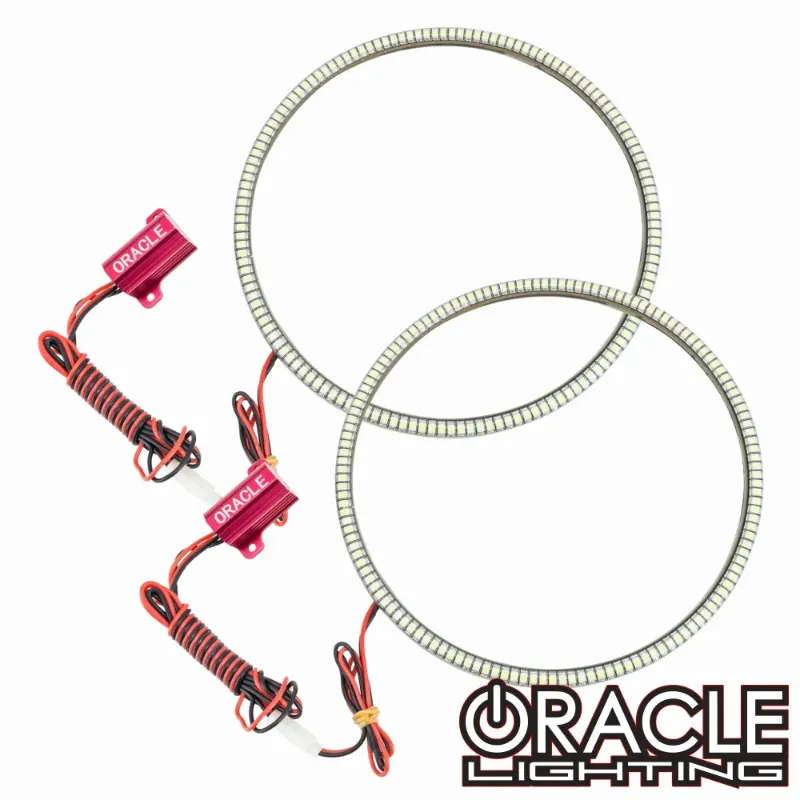
Halo lights give your vehicle a distinctive, modern look by creating a glowing ring around your headlights or fog lights. We've installed dozens of kits across different makes and models, and the process is more straightforward than it appears once you understand the wiring and mounting approach.
Whether you're upgrading jeep headlights, ram 1500 headlights, or 350z headlights, the core installation principles remain consistent. Most oracle lighting kits include pre-wired rings, controller modules, and all necessary hardware, so you won't need specialized tools beyond basic automotive hand tools.
What You Need Before Installing Halo Lights
Gather everything before you start to avoid mid-project runs to the parts store. You'll need a socket set, wire strippers, electrical tape or heat-shrink tubing, a trim removal tool, and a multimeter for testing connections.
Most quality halo lights kits include the rings themselves, a control box, mounting hardware, and detailed wiring diagrams. Check your kit contents against the manual before opening the headlight housing. If you're working with sealed beam headlights, you may need a headlight housing separator tool or an oven to soften the adhesive.
For certain vehicles like trucks, you might also consider complementary lighting like wheel lights for trucks to create a cohesive custom look, though we recommend completing the halo installation first.
Removing and Preparing Your Headlight Assembly
Start by disconnecting your battery's negative terminal to prevent shorts. Remove the headlight assembly according to your vehicle's service manual, which typically involves removing a few bolts and unplugging the main harness. Most assemblies pull straight out once the fasteners are clear.
If your headlights are sealed units, you'll need to separate the lens from the housing. Place the assembly in an oven at 200-225°F for 8-10 minutes to soften the butyl sealant, then carefully pry the lens away with a flathead screwdriver wrapped in tape. Work slowly and evenly around the perimeter.
Clean the inside of the lens and reflector bowl with isopropyl alcohol to ensure proper adhesion for the halo rings. Any dust or moisture trapped inside will show once reassembled, so take your time here.
Mounting the Halo Rings Inside the Housing
Test-fit the rings before applying any adhesive. The rings should sit flush against the mounting surface inside the projector shroud or reflector bowl. Most oracle lighting kits use 3M VHB tape pre-applied to the ring backs, but some require silicone adhesive for curved surfaces.
Position the ring so the wiring exit point aligns with your planned wire route to the back of the housing. Mark the position with a marker, then remove the protective backing and press firmly for 30 seconds. If your kit includes multiple rings per side, ensure they're evenly spaced.
For vehicles with separate high and low beam housings, decide whether you want halos on both or just the low beams. We typically install them only on low beams for a cleaner look, but halo lights truck builds often use dual rings for maximum impact.
Wiring Your Halo Lights Properly
Route the wiring from each ring through existing housing openings or carefully drill a small hole if necessary. Use a rubber grommet to protect the wire from sharp edges. The wiring should exit near the factory bulb connector for easy access.
Most kits connect to your parking lights or daytime running lights, so the halos illuminate whenever the vehicle is on. Identify the positive wire on your parking light circuit with a multimeter, then splice the halo's positive lead using a quick-splice connector or solder and heat-shrink. Ground the negative lead to a clean metal point on the chassis or headlight mounting bracket.
If your kit includes a Bluetooth controller or color-changing module, mount it behind the bumper or in the fender well where it's protected from water and heat. Secure all wiring with zip ties and keep it away from moving parts or hot exhaust components. Before sealing everything, test the connection by temporarily reconnecting the battery and turning on your parking lights.
Sealing and Reinstalling the Assembly
Once you've confirmed the halos light up correctly, disconnect the battery again and reseal the headlight housing. Apply a fresh bead of butyl sealant or headlight sealant around the lens perimeter, press it firmly onto the housing, and clamp it while the adhesive cures. Most sealants need 24 hours to reach full strength.
After the sealant cures, reinstall the headlight assembly by reversing the removal steps. Reconnect the factory wiring harness, secure the mounting bolts, and reconnect the battery. Test all functions including high beams, low beams, turn signals, and your new halo lights to ensure nothing was disrupted during installation.
If you're also upgrading your bulbs, now is the perfect time to install a d3s headlight bulb or h1 led globes for brighter output that complements the halo glow. For signal bulbs, a 1157 led bulb upgrade creates a sharper, more modern look.
Adjusting and Fine-Tuning Your New Setup
After installation, aim your headlights properly using a level surface and a wall 25 feet away. The hotspot should be slightly below and to the right of center when facing the wall. Most vehicles have adjustment screws accessible from the engine bay.
Check for moisture inside the housing over the next few days. A small amount of condensation that clears quickly is normal, but persistent fogging means your seal needs attention. If you see moisture, remove the assembly and reseal with fresh adhesive.
For the best pricing on complete kits and to see which configurations work with your specific vehicle, check our Oracle Lighting discount code for current offers. We regularly test new products and update our recommendations based on real-world installation experience and long-term durability.
Common Mistakes to Avoid
Don't skip the cleaning step before mounting rings. Oil from your fingers or dust particles will prevent proper adhesion and the rings may sag or fall over time. Always use isopropyl alcohol and let it dry completely.
Avoid over-tightening the lens during reassembly. Excessive clamping pressure can crack the lens or distort the beam pattern. Firm, even pressure around the perimeter is enough for a proper seal.
Never tap into your high beam circuit unless your kit specifically supports it. The higher amperage can damage LED halos designed for parking light circuits. Always verify your wiring with a multimeter before making permanent connections, and grab the latest code to save on quality components that include proper circuit protection.
Frequently asked questions
Can I install halo lights without removing my headlights?
No, you need to open the headlight housing to mount the rings inside. External stick-on halos look cheap and don't create the integrated glow that proper installation delivers.
Do halo lights work with HID or LED headlight bulbs?
Yes, halo rings are independent of your main headlight bulbs and work with halogen, HID, or LED setups. The halos run on a separate low-power circuit that doesn't interfere with your primary lighting.
How long does a halo light installation take?
Expect 3-4 hours for your first install, including removal, mounting, wiring, sealing, and reinstallation. Experienced installers can complete it in under 2 hours per side.
Are halo lights legal for street use?
Laws vary by location, but halos wired to parking lights are generally legal since they're low-intensity accent lighting. Avoid wiring them to flash or strobe, which is illegal in most jurisdictions.
Will installing halos void my vehicle warranty?
Modifying your headlights can affect warranty coverage for lighting-related issues, but it won't void your entire vehicle warranty. Document your installation and use quality components to minimize risk.
Can I install color-changing halo lights?
Yes, RGB halo kits let you switch colors via Bluetooth or a controller. Installation is identical to single-color rings, but you'll mount the control module where you can access it for adjustments.