
How to Program Your Baofeng Radio: Complete Setup Guide for UV-5R and UV-10

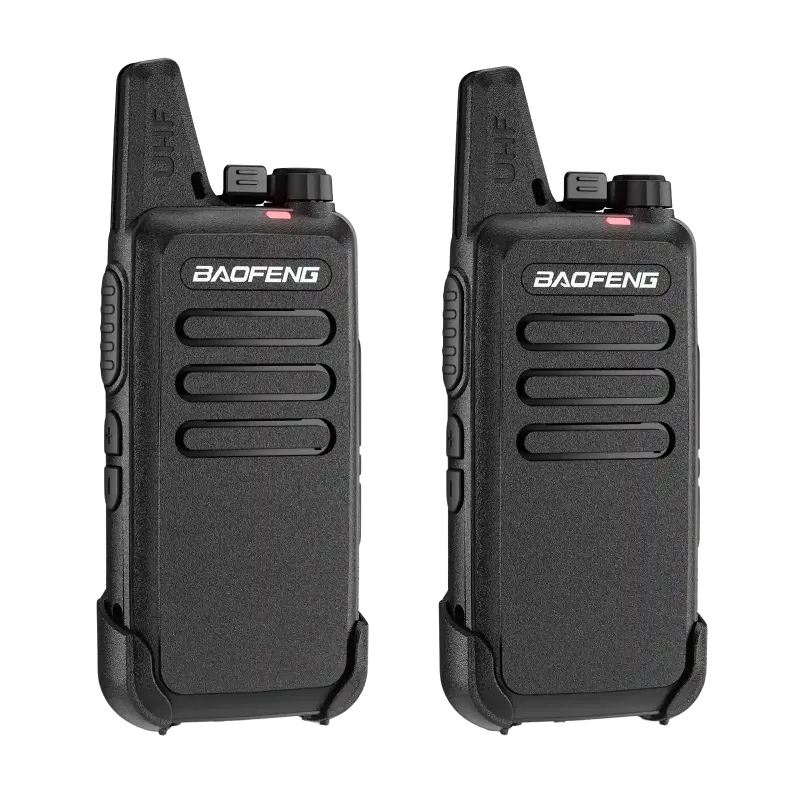
Getting Started with Baofeng Radio Programming
Programming your baofeng radio antenna begins with securing the antenna to the SMA-Female connector, powering on your radio, and accessing the menu to enter frequencies manually or through PC software. Most Baofeng models including the baofeng uv-5r and uv10 ship with a basic rubber duck antenna that works for short-range communication, but upgrading to a higher-gain option dramatically improves reception and transmission distance. Before you start programming channels, make sure your antenna is hand-tight and you understand whether you need simplex or repeater settings for your area.
We tested programming workflows across multiple Baofeng models to identify the fastest methods for beginners and experienced operators alike. The setup process takes about 15 minutes once you know the right steps.
Understanding Baofeng Antenna Types and Upgrades
Every Baofeng radio uses an SMA-Female connector on the radio body, which means you need an SMA-Male antenna. The stock antenna that comes with your uv5r radio is a dual-band design covering VHF (136–174 MHz) and UHF (400–520 MHz), but it prioritizes compact size over performance.
If you want better range, consider these baofeng antenna upgrade paths:
- Longer whip antennas (15–18 inches) provide 3–5 dB more gain than the stock 5-inch antenna, extending range by 30 to 50 percent in open terrain
- Nagoya NA-771 or NA-320A antennas are popular aftermarket choices that fit the baofeng uv-5r antenna type and work across both VHF and UHF bands
- Tactical antennas with foldable segments work well if you carry your baofeng walkie talkie on a vest or backpack
- High-gain roll-up antennas offer portability for emergency kits and can be deployed when stationary
The best antenna for baofeng uv-5r depends on your use case: longer antennas excel in rural or emergency situations, while compact models suit urban environments with nearby repeaters. Check the latest pricing and our discount code to save on antenna upgrades when you order.
Manual Programming Through the Radio Keypad
You can program channels directly on the radio without a computer by following this sequence:
- Power on your Baofeng and press the MENU button
- Scroll to Menu 27 (MEM-CH) to select a memory channel slot (1–128)
- Press MENU again, then enter your desired receive frequency using the keypad
- Press MENU to confirm, then scroll to Menu 28 (DEL-CH) if you need to clear a slot first
- For repeater operation, set the offset direction in Menu 25 (SFT-D) and offset frequency in Menu 26 (OFFSET)
- Assign a CTCSS or DCS tone in Menu 11 (R-CTCS) and Menu 13 (T-CTCS) if your repeater or group requires it
- Press EXIT twice to save and return to frequency mode
Manual entry works for a handful of channels, but becomes tedious beyond ten. The process is identical on the baofeng uv-5r mini, baofeng bf-888s, and most other models, though menu numbers occasionally vary.
Programming with CHIRP Software for Faster Setup
CHIRP is free, open-source software that lets you program dozens of channels in a spreadsheet-style interface, then upload everything to your radio in seconds. It supports the baofeng uv-5r, uv-10, baofeng dm32, and nearly every other Baofeng model.
Setup steps:
- Download CHIRP from the official site and install the driver package for your operating system
- Connect your Baofeng to your computer using a USB programming cable (ensure it has a genuine Prolific or FTDI chip; counterfeit cables cause errors)
- Turn on the radio, then launch CHIRP and select Radio > Download from Radio
- Choose your model from the vendor list; CHIRP will read your current channel memory
- Edit the frequency, tone, offset, and name fields in the spreadsheet, or import a CSV file with repeater coordinates from RepeaterBook
- Click Radio > Upload to Radio to write your changes
We recommend organizing channels by type: place simplex calling frequencies in slots 1–10, local repeaters in 11–30, and NOAA weather channels in 120–128. Baofeng software also includes official tools, but CHIRP offers broader compatibility and a more intuitive interface for bulk edits.
For the best long range antenna for baofeng uv-5r performance, pair CHIRP programming with proper repeater offsets and high-gain antennas so your signal reaches distant machines without clipping.
Common Baofeng Programming Mistakes and Fixes
Even experienced operators run into these issues when setting up a new radio:
- No transmission (TX) on a frequency: Verify you disabled any busy channel lockout in Menu 19 (BCL) and confirmed the frequency is legal for your license class
- Can hear others but they can't hear you: Double-check your transmit tone (T-CTCS or T-DCS) matches the repeater or group requirement; receive and transmit tones often differ
- Repeater not responding: Ensure your offset direction (+ or –) and offset frequency (typically 0.600 MHz for VHF, 5.000 MHz for UHF) match published repeater specs
- Interference or static on receive: Switch to narrow band (NFM) in Menu 5 (W/N) for most amateur and commercial channels; wide band is only needed for specific public safety frequencies
- Programming cable not recognized: Reinstall the driver, try a different USB port, or test the cable on another radio to confirm it works
If you encounter persistent issues, grab the discount code and consider upgrading to a newer model like the ar-5rm or uv10, both of which offer improved firmware stability and easier menu navigation.
Optimizing Antenna Performance After Programming
Once your channels are loaded, maximize your range by adjusting antenna position and settings:
- Extend your antenna fully and position it vertically; antennas radiate strongest perpendicular to their length
- Avoid touching the antenna while transmitting, as your body absorbs RF energy and reduces effective radiated power
- Use high power (5W) for long-distance contacts, but switch to low power (1W) to conserve battery and reduce interference when talking locally
- Test with a friend on simplex before relying on repeaters; this confirms your radio and baofeng antenna long range setup are working correctly
For specialized uses like GMRS or commercial frequencies, verify your radio is type-accepted for that service. The baofeng 25th anniversary hidden reddit edition and Baofeng 9g models unlock additional features through firmware tweaks, but always operate within your local regulations.
Store your programmed configuration as a CHIRP backup file so you can restore settings quickly if you reset the radio or upgrade to a new unit. We save separate files for hiking, event coordination, and emergency preparedness, each with appropriate channels and power levels pre-configured.
Frequently asked questions
What is the baofeng uv-5r antenna type and can I use any SMA antenna?
The UV-5R uses an SMA-Female connector on the radio body, so you need any SMA-Male antenna. Most dual-band antennas designed for 136–174 MHz (VHF) and 400–520 MHz (UHF) will fit, but verify the connector gender before ordering to avoid adapters.
Do I need a computer to program my Baofeng radio?
No, you can program channels manually through the keypad and menu system. However, using CHIRP software with a USB programming cable is much faster for loading more than ten channels and lets you back up your configuration.
Will a longer antenna always improve my Baofeng range?
Longer antennas generally offer better gain and range in open areas, but they can be less convenient to carry and may perform worse indoors or in dense urban environments where a compact antenna with good multipath handling is more effective.
Why can I hear a repeater but it won't repeat my transmission?
The most common cause is incorrect transmit tone (CTCSS/DCS) or wrong offset frequency. Verify the repeater's published specs and ensure your offset direction (+ or –) and tone match exactly, then confirm you're using high power mode.
Can I use the same antenna on a UV-5R and UV-10?
Yes, both models use the same SMA-Female connector and cover the same VHF/UHF frequency ranges, so any antenna that fits one will fit the other. This makes it easy to share upgraded antennas across multiple Baofeng radios.
How do I reset my Baofeng if I made programming mistakes?
Turn off the radio, then hold down both PTT and the top side key while turning it back on. This performs a factory reset and clears all programmed channels, though you'll need to reprogram everything from scratch or restore a CHIRP backup.