
How to Troubleshoot Road Top CarPlay Audio, Connection, and Screen Issues

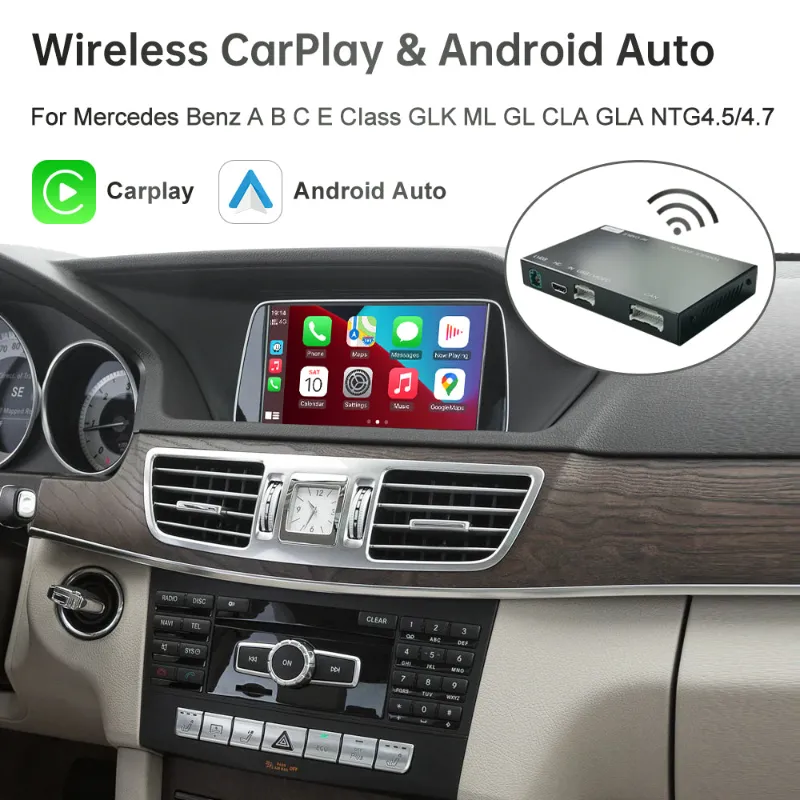
Road Top 0&3 troubleshooting usually comes down to three areas: audio routing, phone connection order, and screen signal settings. In this guide, we’ll walk through the practical checks we use before assuming a Road Top CarPlay unit is faulty, including model-specific notes for Road Top 0&3, road top mercedes, rx-es road top, road top bmw-i3, and Toyota, Lexus, Ford, Porsche, and BMW installs.
If you are still comparing kits, start with the exact fitment page for Road Top 0&3 or check the store coupon page before you buy or replace anything so you can grab the code if it applies.
Road Top 0&3 Quick Checks Before You Reset Anything
Before changing firmware, factory settings, or wiring, do the simple checks first. Most CarPlay problems are caused by one missed input setting or a phone that is still paired to the original car Bluetooth.
Use this first-pass checklist:
- Restart the phone, then restart the car completely.
- Turn the car off, lock it, and wait long enough for the infotainment system to fully sleep.
- Confirm the Road Top box or screen is selected as the active source.
- Forget old Bluetooth pairings for the car, then pair only the Road Top device.
- Try a different cable if you are using wired CarPlay or Android Auto.
- Disable VPN apps temporarily if CarPlay connects but drops quickly.
- Check whether your phone connects reliably in another vehicle.
For wireless CarPlay, the phone usually uses both Bluetooth and Wi-Fi. Bluetooth starts the handshake, then Wi-Fi carries the CarPlay session. Apple’s own overview of CarPlay setup and behavior is useful background if you want to understand why deleting only one connection does not always fix the issue.
If the problem started after a phone update, do not rush into a full module reset. First remove the Road Top device from the phone’s Bluetooth list and Wi-Fi list, then pair again from a clean state.
Fixing No Sound, Low Volume, or Audio From the Wrong Speakers
Audio issues are the most common complaint with Road Top-style retrofit kits. The screen may look perfect while the sound is silent, delayed, distorted, or coming through the wrong path.
Start by identifying how your kit sends audio:
| Setup Type | Common Audio Path | What To Check First |
|---|---|---|
| Retrofit MMI box | AUX or original media input | Car source must be set correctly |
| Standalone screen | Built-in speaker, FM, Bluetooth, or AUX | Match output mode to your preference |
| Factory-style integration | OEM amplifier and head unit | Confirm coding or dip settings |
For a road top mercedes install, the original COMAND or Audio system often needs to sit on the correct AUX or media input while the Road Top interface handles the CarPlay screen. If the visuals work but sound does not, switch the factory system through each media source before changing wiring.
For road top mercedes and similar retrofit units, also check:
- The phone volume while CarPlay is actively playing music.
- The car volume after the AUX input is selected.
- Whether navigation prompts are muted inside Apple Maps, Google Maps, or Waze.
- Whether calls are routed to the factory Bluetooth instead of the CarPlay kit.
- Whether the Road Top menu has separate volume controls for media, calls, and prompts.
If call audio works but music does not, the issue is usually source selection or app output. If music works but calls are silent, remove the original car Bluetooth pairing from the phone and test again with only the Road Top pairing active.
Solving Wireless CarPlay Connection Drops
A wireless carplay screen is convenient, but it depends on a clean pairing state. If the screen connects once and then fails the next day, treat it like a pairing conflict rather than a broken unit.
Try this reset sequence:
- Delete the Road Top Bluetooth connection from the phone.
- Delete the Road Top Wi-Fi network from the phone.
- Delete the phone from the Road Top paired-device list.
- Restart the phone.
- Restart the vehicle and wait for the Road Top interface to boot.
- Pair again from the Road Top CarPlay menu, not from the phone settings first.
Keep the phone close to the screen or module during pairing. Do not connect the phone to home Wi-Fi, a hotspot, or another in-car Wi-Fi network while pairing.
For road top bmw-i3 owners, connection stability can depend on how quickly the iDrive system wakes and hands off to the aftermarket interface. Owner threads like this BMW i3 Road Top discussion show why it is worth comparing symptoms with the same platform before assuming every Road Top kit behaves the same way.
If the phone connects but drops after a few minutes, check for:
- Low Power Mode on iPhone.
- Battery saver mode on Android.
- VPN or private relay settings.
- Competing Bluetooth devices, especially watches and OBD adapters.
- Aftermarket dash cams or hotspots using nearby Wi-Fi channels.
For wired testing, use a data-capable cable, not a charge-only cable. A short cable is usually more reliable than a long one routed through the console.
Screen Problems: Black Display, Flicker, Wrong Size, or Touch Offset
Screen issues usually point to power, video mode, resolution, or touch calibration. The right fix depends on whether you are using an add-on display, an MMI retrofit, or a replacement-style HD screen.
For BMW shoppers, the road top bmw 3 hdscreen is a different kind of purchase than a hidden MMI box because the display itself becomes part of the upgrade. That makes screen size, resolution support, mounting, and factory camera compatibility more important than they are with a simple interface module.
Use this comparison before troubleshooting:
| Symptom | Likely Cause | First Fix |
|---|---|---|
| Black screen | Wrong input or no power | Check source, fuse, and harness seating |
| Flicker | Video format mismatch | Review display settings or dip switches |
| Stretched image | Resolution mismatch | Select the correct screen profile |
| Touch offset | Calibration mismatch | Run touch calibration if available |
For rx-es road top, lexus apple carplay, and carplay toyota installs, pay close attention to factory camera behavior. If the reverse camera works but CarPlay is black, the screen has power and the issue is more likely video input or CarPlay boot. If CarPlay works but the reverse camera does not, inspect camera trigger wiring or the reverse setting in the Road Top menu.
For porsche pcm setups, the original system generation matters. PCM naming can cover different layouts and software behavior, so match your vehicle year and dashboard system carefully before ordering or changing settings. When in doubt, check the product page and check the latest price from the store page rather than relying on old forum posts or screenshots.
Model-Specific Notes for BMW, Mercedes, Toyota, Lexus, Ford, and Porsche
Road Top sells several fitment-focused products, and troubleshooting is easier when you think in terms of the original infotainment system, not just the phone.
| Product Search Term | Buyer Intent | Troubleshooting Priority |
|---|---|---|
| road top bmw-i3 | Add CarPlay to BMW i3 | Wake timing and iDrive source behavior |
| road top mercedes | Add CarPlay to Mercedes COMAND/Audio | AUX source and call routing |
| ford sync 2 | Upgrade older Ford infotainment | USB, audio input, and factory controls |
| android car toyota | Add Android Auto or Android-style screen | Fitment, camera, and steering controls |
For ford sync 2, check whether the factory USB input is still involved or whether the Road Top kit uses its own USB lead. Many connection problems are actually cable path problems, especially when a console USB port remains connected to the factory Sync system instead of the aftermarket interface.
For android car toyota and road top glacla searches, verify the exact dashboard shape and factory screen type before buying. Similar model names can hide different harnesses, camera plugs, or audio paths. For Lexus and Toyota, lexus apple carplay and carplay toyota shoppers should also check whether their factory joystick, touchpad, or steering wheel controls are expected to work after the upgrade.
For porsche pcm, write down your PCM version, screen size, and whether the car has factory camera or amplifier options. Those details matter more than the broad Porsche model name.
When To Update Firmware, Contact Support, or Replace a Part
Firmware should be a later step, not the first step. A rushed update can create new issues if it is the wrong file for the hardware version.
Escalate only after you have documented:
- Vehicle year, trim, and factory infotainment version.
- Road Top product name or order page.
- Phone model and software version.
- Whether the issue happens with wired and wireless connection.
- Photos of settings screens, wiring, and error messages.
- A short video showing the failure from startup.
Contact support if the unit repeatedly reboots, never powers on, loses settings every drive, or fails with multiple phones after a clean pairing reset. Those symptoms can point to power, ground, firmware, or hardware problems.
Before ordering a replacement, compare the cost and fitment against the specific Road Top product you need and check the current code. If your current issue is caused by an incorrect harness or wrong model selection, buying the same style again will not solve it.
Our Practical Troubleshooting Order
We recommend working from simple to invasive. This saves time and protects the install.
Use this order:
- Confirm the car source, Road Top input, and phone volume.
- Delete Bluetooth and Wi-Fi pairings, then pair again cleanly.
- Test wired CarPlay or Android Auto with a known data cable.
- Check Road Top audio output, call routing, and prompt volume.
- Inspect harness seating, USB routing, and camera connections.
- Confirm screen profile, video format, and touch calibration.
- Gather evidence before requesting firmware or replacement support.
The pattern matters: if audio fails but the display works, focus on source and routing. If the display fails but audio plays, focus on video and screen settings. If both fail, start with power, harnesses, and the boot process.
That method will solve most Road Top 0&3 and related retrofit issues without guesswork, and it gives support the exact information they need if the unit really does need a firmware file or replacement part.
Frequently asked questions
Why does my Road Top CarPlay screen show correctly but have no sound?
Start with audio routing before changing firmware. Make sure the factory system is on the correct AUX or media input, confirm the phone is not still routing calls to the original car Bluetooth, and check separate media, call, and navigation volume controls if the Road Top menu offers them.
Can reconnecting Bluetooth fix Road Top 0&3 connection problems?
Yes, if the issue is caused by a stale pairing or a conflict between the original car Bluetooth and the Road Top connection. Delete the Road Top Bluetooth and Wi-Fi entries from the phone, remove the phone from the Road Top device list, restart both, then pair again from the CarPlay menu.
Should I switch from wireless to wired CarPlay if it keeps dropping?
Not always. Use wired mode as a diagnostic step with a data-capable cable, because it helps separate wireless pairing problems from deeper hardware, power, or screen issues.
Why does my reverse camera stop working after a Road Top install?
That usually points to camera trigger wiring, a reverse setting, or a compatibility setting rather than a general CarPlay failure. If CarPlay works normally outside reverse, focus on the camera path and vehicle-specific settings first.
When should I update Road Top firmware?
Only update firmware after checking source selection, pairings, cables, harnesses, and screen settings. Ask support for the correct file for your exact hardware version, because the wrong firmware can create more problems.
Are road top mercedes, ford sync 2, and carplay toyota kits interchangeable?
Fitment depends on the original infotainment system, screen style, camera setup, and controls. Confirm your exact model year, factory system, and dashboard layout before ordering any Road Top kit.