
Why Won't My Cowin Bluetooth Headphones Charge? Common Fixes Explained

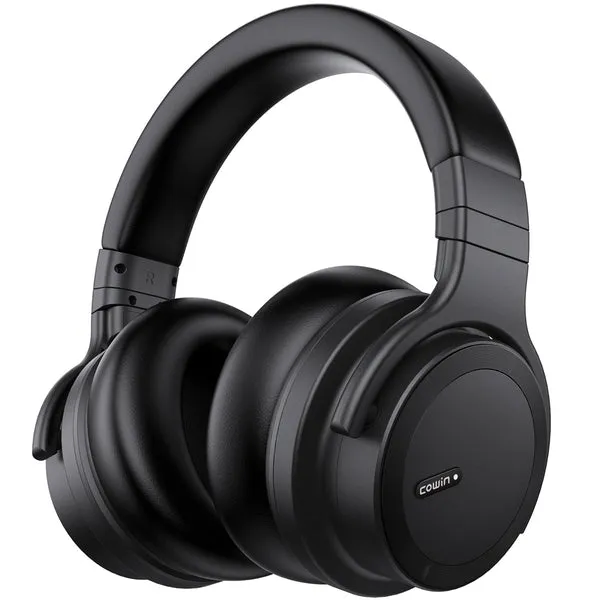
If your headphones bluetooth suddenly refuse to charge, the problem is almost always one of a handful of simple, fixable causes. Cowin builds some of the most reliable cowin headphones on the market, but no wireless headphone is immune to charging gremlins. This guide walks through every common fault, from the cable to the firmware, so you can diagnose and fix the issue yourself.
Why Your Headphones Bluetooth Stop Charging: The Most Common Causes
Before you disassemble anything or order a replacement, run through this checklist. In our testing, the vast majority of charging failures trace back to one of these five root causes.
- Faulty or incompatible cable. Many bluetooth wireless headphones use Micro-USB or USB-C. A cable that charges your phone may still be a "power-only" cable that cannot negotiate a proper charge with headphone firmware.
- Dirty or damaged charging port. Pocket lint, earwax residue, and dust pack into the port and break the electrical contact.
- Completely depleted battery. A deeply discharged lithium cell sometimes needs 10-20 minutes on charge before the LED indicator lights up at all.
- Incorrect power source voltage. Fast chargers and USB hubs can deliver unstable current. Headphone charging circuits are designed for a standard 5 V / 1 A supply.
- Firmware or software glitch. A mid-charge firmware update or an unexpected power cut can leave the charging logic in a locked state.
Step-by-Step Fixes to Try at Home
Work through these in order. Each step takes only a minute or two and costs nothing.
- Swap the cable first. Use the cable that shipped in the box, or a known-good cable from another device. Even premium-looking cables fail.
- Clean the port. Power off the headphones. Use a dry wooden toothpick or a soft brush to dislodge debris. Never use metal tools or compressed air at close range.
- Change the power source. Plug directly into a laptop USB port or a standard 5 V wall adapter. Avoid USB hubs, fast-charge bricks above 12 W, and wireless charging pads (obviously not applicable here, but a common mistake with multi-device chargers).
- Trickle-charge a dead battery. Leave the headphones plugged in for 20-30 minutes before checking the indicator. A totally flat cell needs time to recover enough voltage to register.
- Perform a hard reset. Most Cowin models reset by holding the power button for 10+ seconds. Check your specific model's manual, since the exact sequence varies.
- Update or reinstall firmware. If Cowin has released a firmware update for your model, install it via the Cowin app. Corrupted firmware is rare but real.
- Inspect for physical damage. If the port wiggles or feels loose, internal solder joints may have fractured. This is the one scenario that genuinely requires a repair or warranty claim.
How to Keep Cowin Headphones Charging Reliably Long-Term
Prevention beats troubleshooting every time. These habits protect the battery and port on any pair of noise cancelling wireless headphones or blue headphones you own.
- Store headphones in a case or on a hook so the charging port faces up and stays clear of debris.
- Charge at room temperature. Lithium batteries charge poorly below 0°C and degrade faster above 35°C.
- Do not leave headphones on charge for days at a time. Charging to 100% and then maintaining that level stresses the cell.
- Use the original cable or a reputable brand. According to PCMag's roundup of the best wireless headphones, build quality and accessory quality are two of the top factors separating long-lasting models from short-lived ones.
- Unplug before the battery hits 0%. Repeated deep discharges shorten overall battery lifespan significantly.
Comparing Cowin Models: Which Ones Are Easiest to Charge?
Not all Cowin headphones use the same charging port or battery management system. Here is a quick reference for the most popular styles available in the store.
| Product | Port Type | Typical Charge Time | Best For |
|---|---|---|---|
| cowin headphones | Micro-USB / USB-C | ~2 hours | Everyday wireless listening |
| bluetooth wireless headphones | USB-C | ~1.5-2 hours | Office and commute use |
| noise cancelling wireless headphones | USB-C | ~2-2.5 hours | Travel and focus work |
| yellow headphones | Micro-USB | ~2 hours | Kids and casual listeners |
If you are unsure which port type your model uses, check the bottom of the earcup or the quick-start card in the box.
When to Contact Cowin Support (or Claim Your Warranty)
Some charging faults are not DIY-fixable. Contact Cowin support if:
- The charging port is visibly cracked or bent.
- The battery swells (a puffy earcup is a safety sign, stop using the headphones immediately).
- The headphones get unusually hot during charging.
- None of the steps above produce any response from the LED indicator after 30+ minutes on a confirmed-good cable and adapter.
Cowin backs its products with a manufacturer warranty, so keep your proof of purchase. You can also check the latest price and grab the discount code before buying a replacement pair if your current ones are out of warranty.
Is It Time to Upgrade Instead?
If your headphones are several years old and the battery holds very little charge even when it does charge successfully, a replacement cell or a new pair often makes more financial sense than a repair. HP's guide to Bluetooth headsets for work outlines what to look for in a durable wireless model, including battery life ratings and charging standards to prioritise.
Cowin's current lineup covers a wide range of use cases. The purple headphones are a popular lifestyle pick, while the blue headphones suit listeners who want a bold look alongside solid audio. Whatever you choose, grab the 10% off sitewide code to make the upgrade more affordable.
A charging fault in your headphones bluetooth is frustrating, but it is rarely permanent. Work through the cable, port, and power-source checks first, and you will resolve most issues in under ten minutes without spending a cent.
Frequently asked questions
Why do my Cowin headphones bluetooth show no light when I plug them in?
A completely drained battery often shows no LED response for the first 10-20 minutes on charge. Try a different cable and a standard 5 V wall adapter, then wait at least 20 minutes before assuming the charging circuit has failed.
Can I use any USB-C cable to charge my Cowin headphones?
Not always. Some USB-C cables are power-only and lack the data pins that headphone firmware uses to regulate charging. Stick with the cable that came in the box or a cable verified to support both data and power.
Will a fast charger damage my wireless headphones bluetooth?
It can. Most Cowin headphones are designed for a standard 5 V / 1 A input. A high-wattage fast-charge brick may deliver unstable voltage, which can stress the battery management circuit over time. Use a basic wall adapter when possible.
How do I reset Cowin headphones when they won't charge?
On most Cowin models, hold the power button for 10 seconds or more until the LED flashes to confirm a reset. The exact sequence can vary by model, so check the quick-start guide or Cowin's support page for your specific pair.
How long should a full charge last on Cowin noise cancelling wireless headphones?
Battery life varies by model and usage, including volume level and whether noise cancellation is active. Check the product page for your specific pair for the manufacturer's rated playback hours rather than relying on a general figure.
Where can I find a discount before buying replacement Cowin headphones?
We maintain an up-to-date code on our Cowinaudio coupon page, which currently lists a sitewide discount. Visit the page to copy the latest code before checkout.