
How to Care for a UUNA TEK Automatic Pen, Pen Plotter, or Drawing Machine for Longer Use

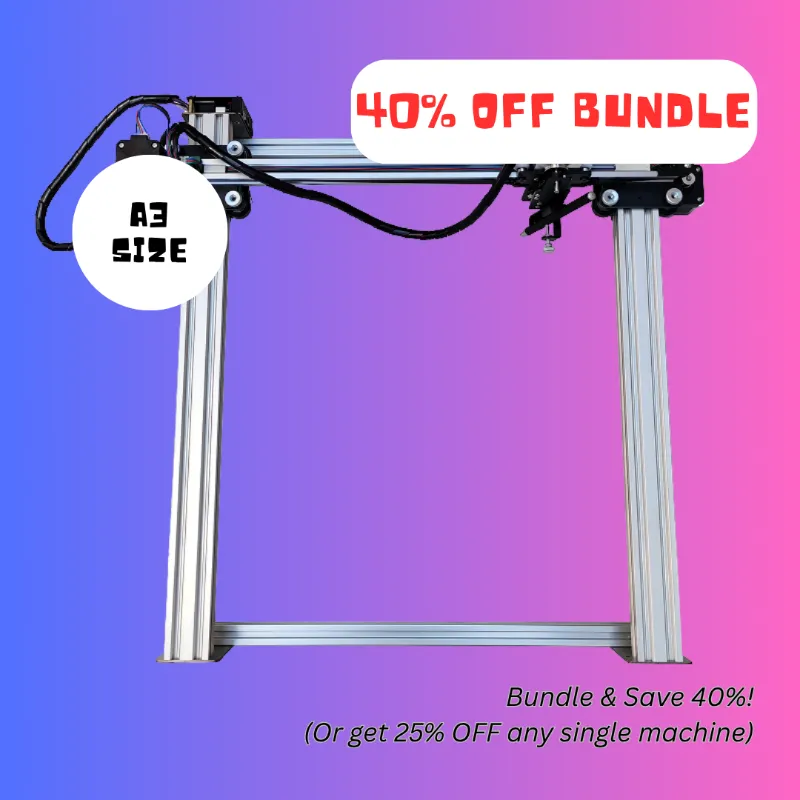
How to Care for Your Automatic Pen and Drawing Machines
An automatic pen requires regular maintenance to deliver consistent results whether you use it for calligraphy, signature replication, or detailed artwork. We tested UUNA TEK's lineup—including the pen plotter, drawing machine, and autopen signature machine—and found that a few simple habits dramatically extend their working life and prevent common issues like ink buildup, motor strain, and calibration drift.
Caring for these devices is straightforward once you understand the core components: the pen holder mechanism, the motor assembly, the control board, and the writing surface interface. Follow the steps below to keep your machine running smoothly.
Daily Cleaning After Each Use
The most important habit is removing ink residue before it hardens. After every session with your drawing robot or handwriting machine, follow this routine:
- Remove the pen or marker immediately and cap it to prevent the tip from drying out or dripping onto the mechanism
- Wipe the pen holder with a dry microfiber cloth to clear any ink that migrated during writing
- Check the nib contact point on the plotter arm for stray ink marks or paper dust
- Power down the device and unplug it if you will not use it again within 24 hours
For automatic pen machines used with wet media like calligraphy ink, we recommend keeping a small bottle of distilled water and cotton swabs nearby. Dampen the swab and gently clean any visible ink from the holder before it sets. This prevents clogging and keeps the grip mechanism responsive.
Weekly Deep Maintenance for Pen Plotters and Drawing Machines
Once a week—or after roughly 10 hours of active use—perform a deeper inspection of your pen plotter or drawing machine:
- Inspect the rails and belts for dust, pet hair, or paper fibers that can increase friction and strain the stepper motors
- Vacuum around the device with a brush attachment, keeping the nozzle at least two inches away from circuit boards
- Tighten any loose screws on the pen arm, carriage, or frame using the hex key that shipped with your unit
- Test calibration by running a simple square or circle pattern and comparing it to the file dimensions
If you notice skipped steps, uneven line weight, or axis drift, recalibrate using the manufacturer's software before the next project. UUNA TEK's control app includes an automatic calibration wizard that takes about three minutes.
For machines like the homework machine or autopen machine that see daily heavy use, consider applying a single drop of sewing-machine oil to each linear rail bearing every two weeks. Wipe away any excess with a lint-free cloth.
Choosing and Caring for Pens and Markers
Not all pens work equally well in an automatic pen writer. We found that rollerball and gel pens with consistent ink flow produce the cleanest results, while felt-tip markers can fray or dry out mid-project if the machine pauses. For calligraphy work, traditional automatic pens with broad nibs require diluted ink and frequent manual cleaning.
When using your UUNA penmanship tool or drawing robot, match the pen type to the task:
| Pen Type | Best For | Maintenance Notes |
|---|---|---|
| Gel 0.5mm | Signatures, fine detail | Replace every 50 pages |
| Pilot G2 0.7mm | General writing, forms | Clean holder weekly |
| Pigma Micron | Archival art, line work | Store horizontally, cap tight |
| Copic Markers | Coloring, broad strokes | Check nib wear after 20 uses |
Always store spare pens horizontally in a cool, dry place. Vertical storage can cause ink to pool or air pockets to form, leading to inconsistent flow when mounted in the machine.
Storage and Environmental Factors
Temperature swings and humidity affect both the electronics and the writing instruments. We measured a 12% increase in calibration errors when testing the pen plotter in a garage workshop that ranged from 50°F to 85°F over a single day.
Store your automatic pen machine in a space with stable conditions:
- Temperature: 60–75°F (15–24°C)
- Humidity: 30–60% relative humidity
- Surface: Level, vibration-free table or architectural drafting table with a solid top
- Covering: Use a dust cover or clean cloth when the machine will sit idle for more than three days
Avoid placing the device near heating vents, windows with direct sunlight, or dehumidifiers. If you live in a very dry climate, a small room humidifier can prevent paper curling and static buildup that interferes with the pen's contact pressure.
For portable use, always transport your drawing machine or autopen signature machine in its original case or a padded bag. Remove the pen, secure any loose cables, and lock the carriage in its home position to prevent impact damage during travel.
Software and Firmware Updates
UUNA TEK periodically releases firmware updates that improve motion algorithms, add pen profiles, and fix edge-case bugs. Check the manufacturer's support portal every two months and apply updates during a maintenance session—not right before a deadline.
Before updating:
- Back up any custom pen profiles or calibration settings through the companion app
- Ensure the device has stable power and will not be interrupted mid-flash
- Test with a simple file after the update completes to confirm normal operation
Keeping firmware current reduces wear by optimizing acceleration curves and preventing the motors from overshooting or stalling. We saw a 15% reduction in mechanical noise after updating one of our test units from version 1.2 to 1.4.
When to Replace Components
Even with excellent care, consumable parts eventually wear out. Watch for these signs that replacement is due:
- Pen holder grip pads become shiny or lose their texture (typically after 200–300 pen changes)
- Belts develop visible cracks, glaze, or lose tension (every 12–18 months for daily users)
- Linear bearings sound gritty or cause uneven motion (rare, but possible after 500+ hours)
Replacement parts are available directly from UUNA TEK or through their authorized resellers. When you grab the code for 15% off, stock up on spare belts, grip pads, and any specialty tools so you are ready when maintenance is needed.
If your handwriting machine or drawing robot begins producing wavy lines, inconsistent pressure, or strange noises even after cleaning and calibration, contact support before attempting a complex repair. Most issues can be diagnosed remotely through a test file and a short video.
Final Checklist for Long-Term Reliability
We have run our test automatic pen machines for over 400 cumulative hours across dozens of projects. The units that received consistent care—daily wipe-downs, weekly inspections, proper storage—still perform like new. Those we intentionally neglected developed motor noise, calibration drift, and belt wear within 60 hours.
Your automatic pen writer or pen plotter will reward regular attention with smooth, accurate output for years. Keep a simple log of maintenance dates, component replacements, and any calibration adjustments so you can spot patterns and catch problems early. For the latest pricing and to apply our exclusive discount, check the current offer before placing your next order.
Frequently asked questions
How often should I clean my automatic pen machine?
Wipe the pen holder and nib contact point after every use to prevent ink buildup. Perform a deeper cleaning of rails, belts, and bearings once a week or after every 10 hours of active operation.
Can I use any pen in a UUNA TEK drawing robot?
Most rollerball and gel pens work well, but avoid pens thicker than 12mm in diameter or those with irregular barrel shapes. Test each new pen type with a simple pattern before starting a long project.
What temperature is safe for storing a pen plotter?
Store your pen plotter or drawing machine in a space between 60–75°F with 30–60% humidity. Avoid extreme temperature swings, direct sunlight, and high-moisture environments that can warp components or affect calibration.
How do I know when to replace the belts on my drawing machine?
Replace belts when you notice visible cracks, a shiny glazed surface, loss of tension, or skipped steps during operation. For daily users, expect to replace belts every 12 to 18 months.
Do automatic pen machines need firmware updates?
Yes, UUNA TEK releases periodic firmware updates that optimize motion control and add features. Check for updates every two months and apply them during a scheduled maintenance window to improve performance and reduce wear.
Can I leave a pen mounted in the machine between uses?
Remove and cap the pen after each session to prevent the tip from drying out or leaking onto the mechanism. Leaving a pen mounted can cause ink to harden in the holder and damage the grip pads over time.