
How to Set Up a UUNA TEK Drawing Robot for Clean Pen Plotter Results

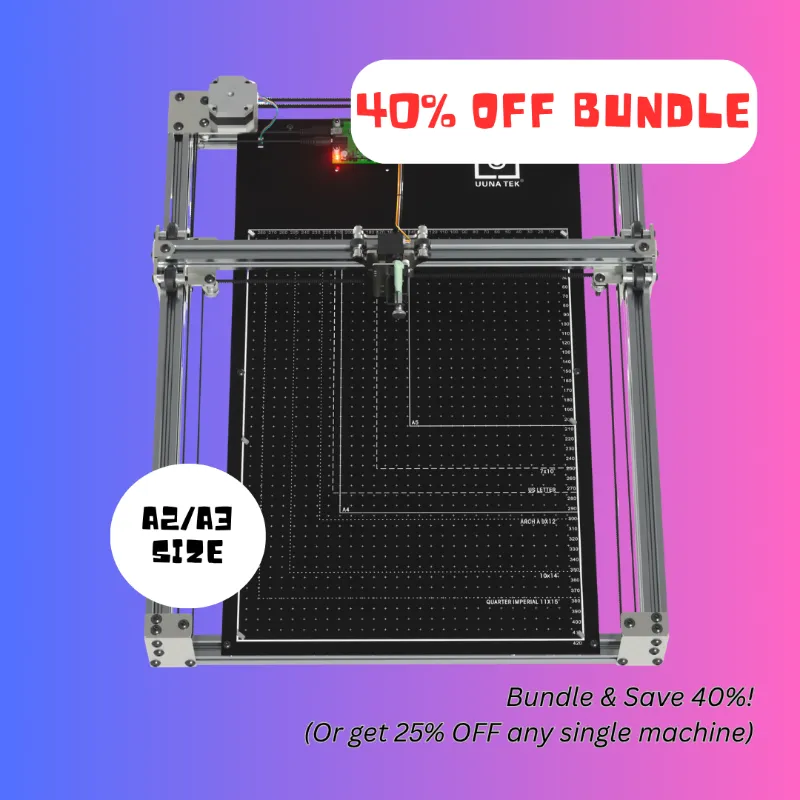
A drawing robot is easiest to set up cleanly when you treat it like a small pen plotter: level the surface, secure the paper, test the pen pressure, then run a short calibration file before your real artwork. For UUNA TEK shoppers, the key products to compare are the drawing robot, pen plotter, UUNA penmanship tools, and related handwriting machines, because each one solves a slightly different writing or line-art problem. If you are checking the current drawing robot price or want to buy with our UUNA TEK code, start by opening the store page and check the latest price before you choose a model.
Drawing Robot Setup: Start With the Surface, Paper, and Pen
Clean output starts before the machine moves. A drawing machine can only draw as accurately as the surface, paper, and pen setup allow, so we always treat the first few minutes as alignment time rather than rushing straight into a final plot.
Use this setup order:
- Put the machine on a flat, stable desk or drafting surface.
- Keep the frame square to the paper edge.
- Tape or clip the paper so it cannot lift or shift.
- Fit the pen firmly without forcing the holder.
- Run a small test shape near a corner of the page.
- Adjust pressure only after you see the first test marks.
For most users, a smooth paper surface gives the most predictable line. Textured paper can look beautiful, but it may increase drag, cause skipped lines, or make a fine-tip pen stutter. If your first test has broken strokes, try a smoother sheet before assuming the machine is misaligned.
Pen choice matters too. Gel pens, fineliners, ballpoints, technical pens, and markers all behave differently. Start with a reliable everyday pen, then experiment once the machine is calibrated.
UUNA TEK Drawing Machine vs Pen Plotter vs Handwriting Tools
UUNA TEK sells products that overlap, but they are not all aimed at the same buyer. Some shoppers want an art-focused drawing robot machine, while others need a handwriting machine, an autopen signature machine, or a practical layout tool for drafting-style work.
| Product Type | Best For | Setup Priority |
|---|---|---|
| Drawing robot or drawing machine | Line art, sketches, creative plots | Paper grip and pen pressure |
| Pen plotter | Precise repeated line work | Calibration and file cleanup |
| Handwriting machine or UUNA penmanship tool | Natural-looking writing practice or repeated text | Pen angle and spacing |
| Autopen machine or automatic pen | Repeated signatures or written marks | Consistency and approved use |
The autopen machine and autopen signature machine are best understood as repeatability tools, not freehand art machines. The automatic pen category is about controlled pen movement, so buyers should think carefully about permitted use, document rules, and whether a signature process is appropriate for their situation.
The UUNA penmanship and handwriting machine side of the store fits people who want legible, repeated writing with a more human feel. By contrast, a pen plotter or i draw style drawing tool is usually better for vector artwork, diagrams, cards, labels, and clean outlines.
Files, Lines, and Calibration for Cleaner Pen Plotter Results
A pen plotter does not think like a printer. It follows paths, so messy source files often become messy drawings. Before you send a design to the machine, simplify the artwork and remove details that are too small for the pen tip or paper size.
Check these file basics:
- Convert text to paths if the software requires it.
- Remove duplicate lines that would draw over the same area twice.
- Use simple vector shapes for the first test.
- Avoid tiny details until you know the machine’s line tolerance.
- Keep margins clear so clips, tape, or rollers do not interfere.
Calibration should start with something boring: a square, a circle, and a few short lines. If those shapes look clean, your real artwork has a much better chance. If the circle has flat spots, the pen may be dragging. If the square corners look rounded or overdrawn, the speed, pressure, or pen holder may need adjustment.
This is also where a drawing robot project for school, hobby robotics, or art class can benefit from simple test files. For general background on small art-making robots, the Science Buddies guide to an art bot that creates art is useful because it shows how motion, vibration, and mark-making interact, even though UUNA TEK’s machines are more controlled than a wobbly classroom bot.
Pen Pressure, Speed, and Materials That Matter
Most poor plots come from three causes: too much pressure, loose paper, or a pen that is not suited to the material. The fix is usually simple, but you need to change one variable at a time.
Start with pen pressure. Too little pressure creates faint or broken marks. Too much pressure can dig into paper, slow the head movement, and create blobs at corners. The right setting usually looks boring during the test: consistent ink, no scraping sound, and no visible paper buckling.
Then look at speed. Faster movement can be useful for rough drafts, but slower movement often helps with heavier pens, absorbent paper, or detailed curves. If you see ink pooling, try a faster-drying pen or reduce dwell-heavy areas in the artwork.
Material pairing guide:
| Material | Good Match | Watch For |
|---|---|---|
| Smooth copy paper | Ballpoint or gel pen | Paper shifting if not taped |
| Cardstock | Fineliner or marker | Extra drag from thicker stock |
| Coated paper | Permanent or quick-dry pen | Smearing before ink sets |
| Textured paper | Flexible tip or marker | Broken lines on raised fibers |
If you are buying specifically for cards, labels, or repeated design work, compare the drawing machine with the pen plotter category before ordering. For current pricing, bundles, or the active UUNA TEK discount, grab the code rather than relying on old marketplace screenshots.
Who Should Buy a UUNA TEK Drawing Robot
A drawing robot suits people who want repeatable pen-based output without hand-drawing every line. It is not the same as a printer, and that is the point. The result has real pen texture, slight ink variation, and a handmade look that printed ink often lacks.
It is a strong fit for:
- Artists who want to turn vector sketches into physical line art.
- Card makers who need repeatable handwritten-style layouts.
- Teachers planning a drawing robot for kids activity with supervision.
- Students building a drawing robot project around motion and plotting.
- Small studios creating labels, inserts, envelopes, or thank-you cards.
- Designers who like pen plotter aesthetics and controlled repetition.
It may not be ideal if you need full-color photos, fast bulk printing, or zero setup. A plotter rewards patient setup. If you prefer instant results, a standard printer is usually easier.
Searchers comparing rivgot drawing robot, drawing robot amazon, drawing robot temu, or montessori drawing robot listings should focus less on the marketplace name and more on support, software workflow, pen compatibility, and replacement parts. A cheaper listing is not helpful if the setup instructions are vague or the machine cannot hold the pen you actually want to use.
Drafting, Architecture, and Workspace Tips
For larger line work, the workspace matters as much as the machine. An architectural drafting table, architect table, or stable flat desk can help keep the drawing area level and comfortable, especially if you are plotting plans, templates, or oversized artwork.
A good workstation should give you:
- Enough room for the full machine footprint and paper travel.
- A stable surface that does not wobble during movement.
- Side clearance for cables and pen changes.
- Strong lighting so you can spot skips early.
- Storage for pens, tape, test paper, and cleaning cloths.
If your setup is for architectural-style layouts, keep your files clean and line weights intentional. Drafting work benefits from consistent pens, labeled test sheets, and repeatable settings. Keep one notebook or document for the pen, paper, speed, and pressure combinations that worked, because that saves time when you return to the same material later.
Creative buyers may also enjoy looking at robotic drawing examples such as Ai SketchBot for broader context on how machine-made portrait and sketch systems translate images into lines. It is not a replacement for setup practice, but it helps explain why source quality and line simplification matter.
Care, Storage, and Troubleshooting Before You Plot Again
Once you get clean results, preserve the setup. Dust, dried ink, loose pen holders, and curled paper can all cause problems the next time you use the machine.
Basic care habits:
- Remove the pen after use so the tip does not dry in the holder.
- Wipe the contact area and paper dust from the work surface.
- Store pens horizontally or according to the pen maker’s guidance.
- Keep cables loose enough that they do not pull on the moving head.
- Re-run a small calibration test after moving the machine.
Common fixes are straightforward:
| Problem | Likely Cause | First Fix |
|---|---|---|
| Skipped lines | Pen not contacting evenly | Lower pressure slightly or change paper |
| Blobs at corners | Pen pauses too long or ink flows heavily | Try a faster-drying pen |
| Crooked output | Paper shifted or frame misaligned | Re-square the sheet and tape edges |
| Scratchy marks | Too much pressure or rough paper | Reduce pressure and test smoother stock |
Before your final plot, do one last small sample on the same material. If you are ready to buy, compare the exact UUNA TEK product page with our coupon page so you can confirm the model, accessories, and current offer in one place: see the UUNA TEK deal.
Frequently asked questions
Which UUNA TEK product is best for clean line art?
Start with the drawing robot or pen plotter if your goal is line art, cards, labels, or vector-style drawings. Choose a handwriting machine or UUNA penmanship tool if your main need is repeated written text rather than artwork.
Can I use my own pens with a UUNA TEK drawing robot?
Yes, but you need to use a compatible pen size and test the ink on your paper first. Some pens drag, smear, or skip more than others, so run a small calibration file before committing to a final piece.
How is an autopen machine different from a pen plotter?
An autopen machine is usually meant for repeated writing or signatures, while a pen plotter is usually chosen for drawings, diagrams, and vector line work. Buyers should also consider whether autopen use is allowed for their documents or workflow.
Why are my pen plotter lines skipping or smearing?
Most messy results come from loose paper, too much pen pressure, unsuitable paper, or duplicate lines in the artwork file. Fix one variable at a time so you can see what actually improves the plot.
Do I need an architectural drafting table for UUNA TEK machines?
A stable desk is enough for many small projects, but an architectural drafting table or architect table can help with larger sheets and longer sessions. The main goal is a flat, wobble-free surface with enough clearance around the machine.
Where can I check the current UUNA TEK code or price?
Check the UUNA TEK coupon page before ordering so you can confirm the current offer and product availability. We avoid quoting stale pricing because store offers can change.