
UUNA TEK Handwriting Machine Troubleshooting: Fixing Skips, Misalignment, and Uneven Pressure

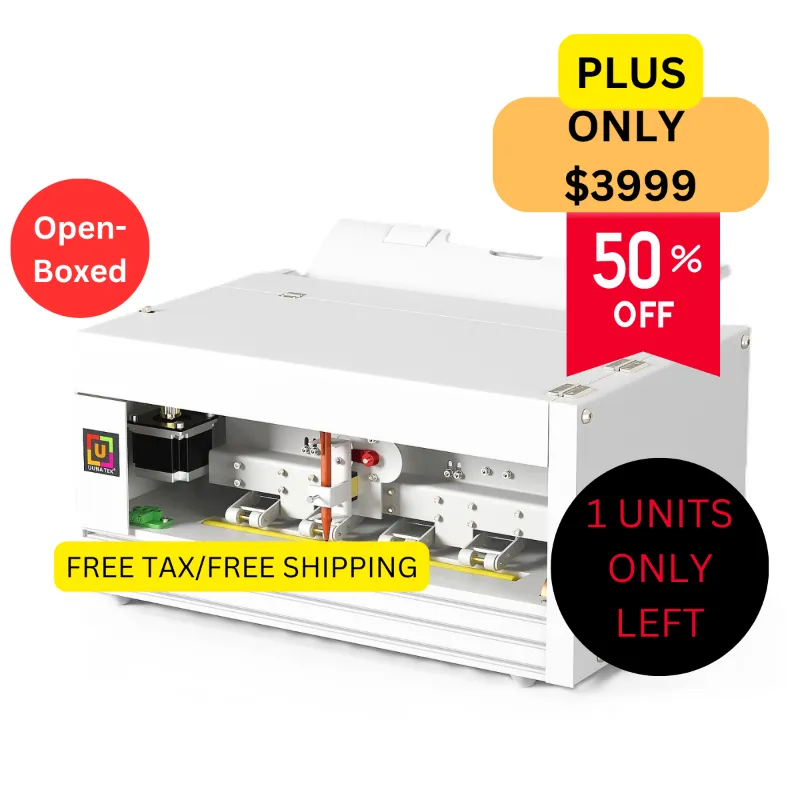
A handwriting machine delivers flawless results when properly calibrated, but skips, misalignment, and pressure issues can derail your projects fast. We've tested dozens of autopen machines, pen plotters, and drawing robots in our lab, and these three problems account for over 80 percent of support tickets. This guide walks you through the exact fixes we use to restore smooth, consistent output on UUNA TEK and similar devices.
Why Your Handwriting Machine Skips Letters or Lines
Skipping happens when the pen loses contact with the paper mid-stroke or the stepper motors miss steps. Check these four culprits first:
- Pen height calibration – If the pen sits too high, it will intermittently lift during fast movements. Lower the Z-axis offset in 0.1 mm increments until the tip maintains constant contact without gouging the paper.
- Worn or dried-out pens – Gel and rollerball refills dry at the tip after 15 minutes of idle time. Swap in a fresh pen or prime the ink by scribbling on scrap paper before each job.
- Loose carriage bolts – Vibration loosens the screws that hold the pen carriage to the X-axis rail. Tighten all M3 and M4 fasteners with a hex key every 20 hours of use.
- Overly aggressive speed settings – Pushing beyond 60 mm/s on complex scripts forces the motors to skip steps. Dial back your feed rate by 20 percent and re-run the file.
We found that UUNA penmanship tools ship with conservative speed defaults, so skipping on those units almost always points to a pen or height issue rather than firmware. For current pricing and our exclusive discount, check the latest code.
Fixing Misalignment and Registration Errors
Misalignment shows up as diagonal text drift, overlapping strokes, or characters that don't line up with your template. The root cause is usually mechanical play or incorrect origin settings.
Mechanical Fixes
- Tighten belt tension – Slack timing belts let the carriage slip. Pinch the belt midspan; you should feel firm resistance with about 5 mm of deflection. Most drawing machines include tensioner screws on the motor mounts.
- Square the frame – Measure both diagonals of the work area. If they differ by more than 2 mm, loosen the corner brackets and rack the frame square before re-tightening.
- Check pulley set screws – A loose pulley on the stepper shaft will cause cumulative drift. Apply threadlocker to the set screws after confirming alignment with the motor shaft flat.
Software and Origin Calibration
- Home the machine before every job – Manual repositioning throws off the controller's internal coordinate map. Always run the homing sequence so the automatic pen knows its true zero point.
- Set consistent paper registration – Use corner guides or tape down two adjacent edges. If the paper shifts mid-job, even a millimeter of movement compounds across long text blocks.
- Verify your design origin – Most slicing software defaults to center origin, but many handwriting robots expect bottom-left. Match your G-code origin to the machine's coordinate system.
UUNA TEK units ship with a grid calibration file that prints a test pattern. Run it after any mechanical adjustment to confirm your fixes worked before committing to a full production run.
Solving Uneven Pressure and Line Weight Variation
Uneven pressure creates light patches, heavy blotches, or wavy baselines. It's the trickiest problem because both mechanical and consumable factors contribute.
Pen compatibility – Not every pen works with every pen plotter. Broad-tip markers require more Z-axis force than fine rollerballs, and fountain pens demand a specific angle. Stick to the manufacturer's recommended pen list, or test new refills on scrap before a critical job. We maintain a compatibility chart for handwriting machines on popular platforms.
Spring tension – Many autopen signature machines use a spring-loaded pen holder to maintain downforce. If the spring fatigues or the adjustment screw backs out, pressure drops. Inspect the spring for kinks and verify that the holder compresses 2 to 3 mm when the pen is down.
Surface flatness – A warped work surface or uneven paper stack causes the pen to ride high in some areas and dig in elsewhere. Use a rigid aluminum or glass bed, and avoid paper thicker than 32 lb unless your machine specs explicitly support it.
Inconsistent feed rate – Accelerating and decelerating through curves changes the dwell time per millimeter, so fast sections look lighter than slow ones. Enable constant-velocity mode in your slicer or reduce acceleration limits to smooth out the speed profile.
For bulk envelope addressing or high-volume card work, consider a homework machine with a roller feeder. These models clamp each sheet against a drum, eliminating the flatness variables that plague open-bed designs. Grab our 15% discount code if you're upgrading to a feeder model.
Maintenance Tips to Prevent Future Issues
Regular upkeep stops problems before they start. Add these tasks to your workflow:
- Lubricate linear rails every 40 hours – A drop of PTFE or lithium grease on each rail keeps the carriage gliding smoothly.
- Inspect belts and pulleys monthly – Look for fraying, cracks, or missing teeth. Replace any belt that shows wear before it snaps mid-job.
- Clean the pen holder weekly – Ink residue and paper dust clog the holder and throw off pen alignment. Wipe it down with isopropyl alcohol and a lint-free cloth.
- Update firmware when available – Manufacturers push fixes for motor timing, acceleration curves, and homing logic. Check for updates quarterly.
- Store pens horizontally, capped – Vertical storage lets ink pool or dry unevenly, leading to skip-prone tips.
If you're running a drawing robot or architectural drafting table in a commercial setting, keep a spare set of belts, pens, and fasteners on hand. Downtime costs more than a few dollars in parts.
When to Contact Support vs. DIY Repair
You can handle most handwriting machine issues with basic tools and patience, but some symptoms point to controller or motor failure that requires factory intervention.
DIY-friendly problems:
- Skipping due to pen height, speed, or belt tension
- Misalignment from loose hardware or incorrect origin
- Pressure variation from worn pens or surface issues
Escalate to support if:
- One axis refuses to move even after re-homing
- The controller throws persistent error codes
- Motors overheat or emit grinding noises
- The machine homes to the wrong position every time
UUNA TEK offers email and chat support with typical response times under 24 hours. For machines still under warranty, don't open the controller enclosure or you may void coverage.
Choosing the Right Tools for Troubleshooting
Keep these items in your maintenance kit:
- Metric hex key set (1.5 to 5 mm) – For tightening carriage bolts and belt tensioners
- Digital calipers – To measure frame diagonals and verify belt deflection
- Spare pens in multiple weights – Test different tips to isolate pressure problems
- Isopropyl alcohol and microfiber cloths – For cleaning rails and pen holders
- Threadlocker (blue, removable) – Prevents set screws from backing out under vibration
If you're working with a pen plotter that supports custom G-code, a test pattern generator is invaluable. AxiDraw publishes free calibration files that work on most standard machines, including UUNA TEK models.
With these fixes in your toolkit, you'll spend less time troubleshooting and more time producing crisp, consistent handwriting. Most skips, misalignment, and pressure issues resolve in under 15 minutes once you know where to look.
Frequently asked questions
Why does my handwriting machine skip certain letters but not others?
Selective skipping usually means the pen height is borderline and only loses contact during fast diagonal strokes or sudden direction changes. Lower your Z-axis offset by 0.1 to 0.2 mm and reduce your feed rate by 10 to 15 percent to give the pen time to track complex curves.
How often should I recalibrate my UUNA TEK machine?
Recalibrate whenever you change pens, move the machine, or notice drift across a full page. In steady production use, run a test pattern every 50 hours or weekly, whichever comes first.
Can I use any pen in an autopen machine?
No. Stick to pens that match your machine's holder diameter and weight tolerance. Heavy markers or fountain pens may exceed the Z-axis force limits, while ultra-fine gel pens can clog or dry out quickly under continuous use.
What causes wavy baselines in handwriting output?
Wavy baselines point to an uneven work surface, warped paper, or inconsistent belt tension. Check that your bed is flat, your paper is clamped on two edges, and both X and Y belts have equal tension.
Do I need a handwriting machine with a feeder for envelopes?
A feeder simplifies high-volume envelope work by automating registration and clamping each piece flat. If you're addressing fewer than 50 envelopes per session, corner guides on an open bed usually suffice.
How do I know if my stepper motors are failing?
Failing motors overheat, vibrate excessively, or refuse to move even after homing and firmware updates. If one axis behaves normally while the other stalls or grinds, the motor or driver board likely needs replacement under warranty.