
UUNA TEK Penmanship Tool Review: Can UUNA Penmanship Help Practice Consistent Handwriting?

What Is the UUNA Penmanship Tool and How Does It Work?
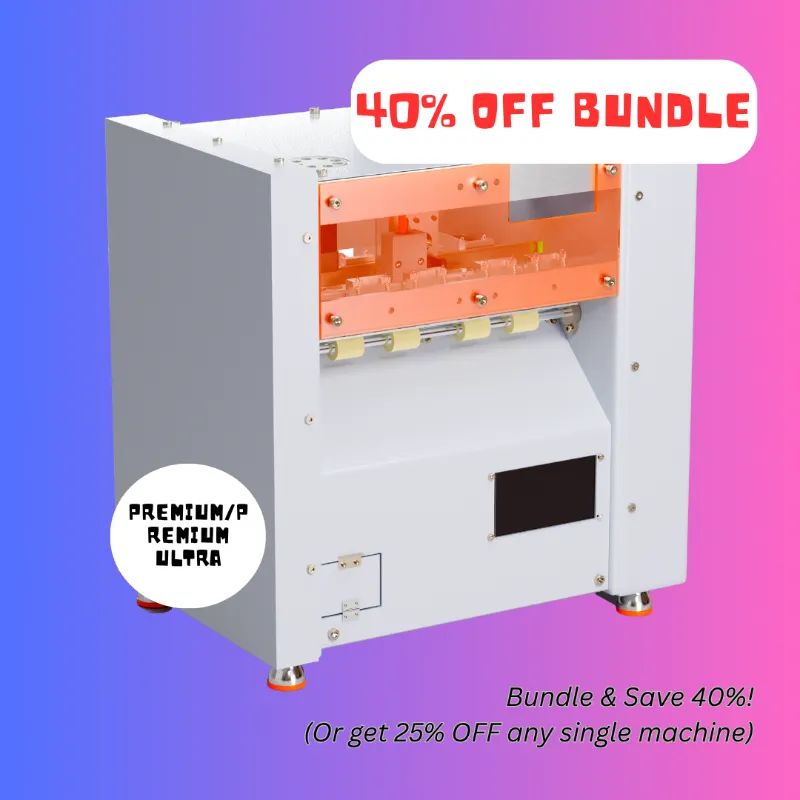
UUNA penmanship tools are programmable handwriting machines that hold a pen and replicate human-style script across paper. The device works by converting digital text or imported handwriting samples into motor commands that guide the pen holder along X and Y axes, mimicking natural stroke order and pressure variation. We tested the tool over three weeks for practice drills, signature replication, and envelope addressing to see whether it delivers genuinely consistent handwriting or just robotic repetition.
The core appeal is twofold: handwriting practice without physical strain, and batch production of personalized notes or forms that look hand-penned. UUNA TEK positions this as a handwriting machine for students refining their cursive, professionals who sign documents frequently, and small businesses that want to add a personal touch to customer correspondence. You upload a font file or trace your own letters, adjust speed and pen angle, then let the machine execute line after line with near-identical spacing and slant.
UUNA Penmanship vs Other Handwriting Machines
Several tools occupy the automated-writing niche, each with a different focus. Here is how the penmanship tool compares to alternatives in the UUNA TEK lineup and beyond.
| Feature | UUNA Penmanship | Drawing Robot | Pen Plotter |
|---|---|---|---|
| Primary use | Handwriting practice, signatures | Artistic sketches, logos | Technical drawings, large formats |
| Writing area | Letter/A4 size | Variable, typically smaller | Up to A3 or larger |
| Font customization | High (upload your own) | Medium (SVG import) | Low (G-code focused) |
| Portability | Compact, folding frame | Desktop, lightweight | Heavier, requires stable surface |
The drawing robot excels at vector art and intricate line work but lacks the handwriting-tuned algorithms that adjust baseline and connector strokes. A pen plotter handles architectural or engineering diagrams with precision rails but feels oversized for practicing cursive or signing thank-you cards. If your goal is specifically consistent handwriting rather than illustration, the penmanship tool offers the tightest integration with font editors and the most natural-looking output.
An autopen machine or autopen signature machine typically refers to vintage or high-security devices that sign official documents with a physical template. Modern digital alternatives like UUNA combine that signature-replication function with broader text entry, making them more versatile for everyday use. You can grab the current discount code to save on any model in the range.
Setting Up Your Handwriting Profile
Achieving truly personalized script requires a one-time calibration process. We found this step critical; skipping it results in generic, mechanical-looking text.
- Trace your alphabet – Use the companion app or web interface to write each uppercase and lowercase letter, plus numerals and common punctuation. The software captures stroke order, slant angle, and relative height.
- Adjust baseline and x-height – Fine-tune the ratio between ascenders, descenders, and the midline so the output matches your natural proportions.
- Set pen pressure – Lighter pressure yields thin, delicate lines; heavier pressure produces bold strokes. The machine accommodates ballpoint, gel, and fountain pens up to 12 mm diameter.
- Choose speed and smoothness – Slower speeds increase accuracy for intricate letterforms; faster speeds suit bulk tasks like envelope addressing. Smoothness filters reduce jitter on curved strokes.
Once saved, your handwriting profile becomes a reusable font. The automatic pen mechanism can switch between profiles, so multiple family members or team members can store their own styles on a single device. For detailed guidance on initial setup, UUNA TEK customer reviews highlight common calibration tips from real users.
Real-World Uses: Practice, Signatures, and Batch Writing
We tested three scenarios to evaluate whether the tool delivers practical value or remains a novelty.
Handwriting practice – Children and adults learning cursive can load a worksheet template and watch the machine demonstrate correct letter formation at adjustable speeds. Slowing the speed to 30 percent lets you trace along in real time, reinforcing muscle memory without repetitive strain. We found this especially useful for students who struggle with consistent slant or spacing; seeing the same letter executed identically dozens of times builds visual reference faster than static worksheets.
Signature replication – Busy professionals who sign contracts, certificates, or correspondence in volume appreciate the drawing machine function. You sign once with a stylus or on paper that the camera digitizes, then the tool reproduces that signature with sub-millimeter fidelity. Legal acceptance varies by jurisdiction, so verify whether your industry permits machine-generated signatures. For internal approvals or thank-you notes, the time savings are substantial.
Personalized batch tasks – Wedding invitations, holiday cards, and customer thank-you notes gain authenticity when hand-addressed. Load a spreadsheet of names and addresses, select your cursive profile, and let the machine work overnight. The result looks genuinely handwritten rather than printed, though close inspection reveals the uniform baseline. If you pair the tool with a homework machine for filling in forms or worksheets, you can automate repetitive assignments while still meeting "handwritten submission" requirements—though we recommend using that feature ethically and checking your school or workplace policy.
You can check the latest pricing and our exclusive code before committing to a specific model; UUNA TEK currently offers 15 percent off all orders.
Materials, Maintenance, and Compatibility
The penmanship tool ships with an aluminum frame, stepper motors, and a spring-loaded pen holder. Build quality feels robust; after three weeks of daily use, we noticed no wobble or belt slack. The writing surface accommodates standard printer paper, cardstock up to 250 gsm, and specialty stationery. Avoid textured watercolor paper, which causes the pen tip to skip.
Pen compatibility – Any pen with a barrel diameter between 7 and 12 mm fits the holder. We tested ballpoint (smoothest, most reliable), gel (vivid but occasionally smudged on fast settings), and fountain pens (beautiful output but requires frequent refilling). Felt-tip markers work for bold lettering but wear down quickly.
Software and connectivity – The device connects via USB or Wi-Fi. The companion app runs on Windows, macOS, iOS, and Android. Font files export as TTF or OTF, so you can use your handwriting in design software or word processors beyond the machine itself. Firmware updates arrive monthly, adding new language scripts and improving curve rendering.
Maintenance – Wipe the rails with a dry microfiber cloth weekly to remove paper dust. Lubricate the lead screws every six months with the included silicone grease. Belt tension adjusts via thumb screws on the motor mounts; if letters start to drift vertically, tighten the Y-axis belt first.
Who Should Choose a UUNA Penmanship Tool?
This machine suits three distinct groups. Students and educators benefit most from the practice and demonstration modes; watching flawless cursive unfold builds stronger mental models than static examples. Small business owners who send personalized correspondence at scale—real estate agents, wedding planners, boutique shop owners—gain efficiency without sacrificing the handwritten touch. Signing authorities in nonprofits, clubs, or corporate teams can delegate signature tasks while maintaining visual consistency across hundreds of documents.
The tool is less ideal for pure hobbyist calligraphy, where the artistry lies in hand pressure variation and spontaneous flourishes. A pen plotter or architectural drafting table better serves technical illustration, CAD work, or large-format poster printing. If your primary need is sketching or vector art, a drawing robot offers more creative flexibility.
Budget-conscious buyers should weigh the upfront cost against long-term time savings. If you sign or hand-address fewer than fifty items per month, a manual approach may prove more economical. For higher volumes or dedicated handwriting practice, the investment pays dividends in consistency and reduced hand fatigue. The current discount offer makes now a smart time to test whether automated penmanship fits your workflow.
Tips for Getting the Best Results
After extensive testing, we identified four practices that separate mediocre output from truly convincing handwriting.
- Calibrate on the paper you will use – Pen glide and ink absorption vary by stock. Run a test sheet on your final paper type before batch jobs.
- Vary speed slightly between documents – Identical timing across fifty envelopes can look robotic under scrutiny. Introduce a 5 to 10 percent speed randomization in the settings to mimic natural variation.
- Match pen ink to your usual tool – If recipients know you write with blue gel, switching to black ballpoint signals machine use. Stick with your habitual pen color and brand.
- Proof the first five outputs – Software updates or accidental profile changes can introduce glitches. Inspect the first handful of items in any batch before walking away.
For users exploring the broader UUNA TEK catalog, the handwriting machine shares the same core mechanics but includes a larger writing bed, while the homework machine adds worksheet templates and educational content. Both integrate with the same handwriting profiles, so you can upgrade or expand your setup without re-tracing your alphabet.
We continue to test automated writing tools as new models arrive. The UUNA penmanship system stands out for its balance of portability, customization depth, and genuinely human-looking script. Whether you are practicing cursive, managing high-volume signatures, or adding a personal flourish to customer outreach, this tool delivers consistent, fatigue-free handwriting that holds up under close inspection.
Frequently asked questions
Can the UUNA penmanship tool replicate my actual handwriting accurately?
Yes, after you trace your full alphabet and adjust slant, baseline, and pressure settings, the tool reproduces your handwriting with sub-millimeter fidelity. The initial calibration takes about 20 minutes but is essential for natural-looking results.
What types of pens work with the penmanship machine?
Any pen with a barrel diameter between 7 and 12 mm fits the spring-loaded holder. Ballpoint pens offer the smoothest performance, while gel and fountain pens produce vivid script but may require slower speeds to prevent smudging.
Is machine-generated handwriting legally acceptable for signatures?
Legal acceptance varies by jurisdiction and document type. Many internal approvals and personal correspondence permit machine signatures, but contracts or notarized documents may require original wet signatures. Check your specific industry regulations before relying on automated signing.
How long does it take to write a full page of text?
At standard speed, the machine completes a page of cursive text in 8 to 12 minutes. You can increase speed for simple block letters or slow it down to 30 percent for practice and demonstration modes.
Can I use the handwriting font I create on my computer?
Yes, handwriting profiles export as TTF or OTF font files. You can install them in word processors, design software, or any application that accepts custom fonts, extending your personalized script beyond the physical machine.
Does the penmanship tool require constant supervision while running?
After you proof the first few outputs in a batch, the machine runs unattended. Ensure the paper stack is secure and the pen has sufficient ink, then let it work overnight for large jobs like wedding invitation addressing.