
How to Clean and Maintain Your Desk Mat Without Damaging the Design

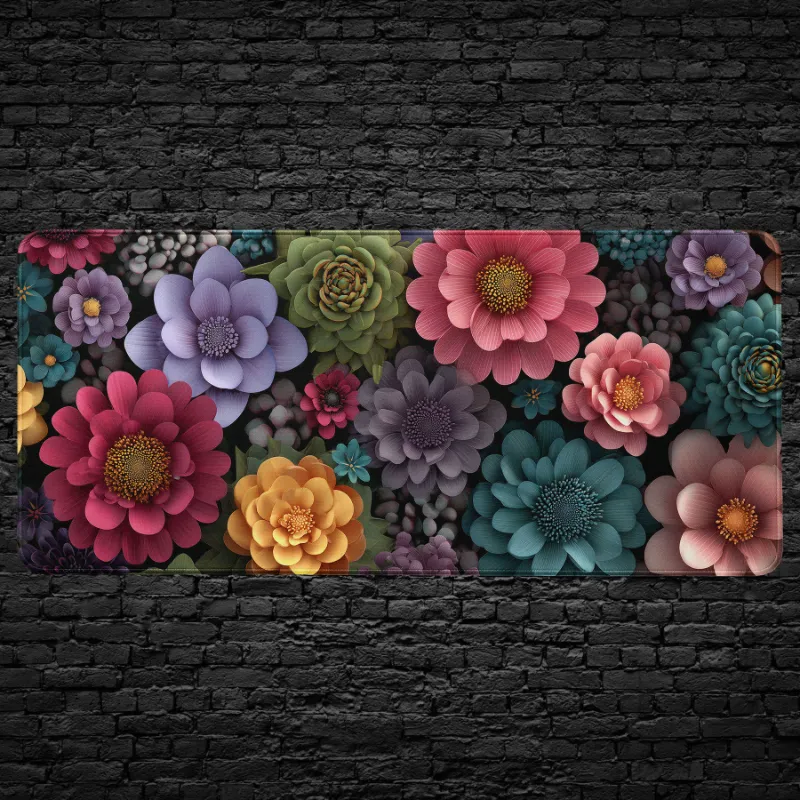
How to Clean and Maintain Your Desk Mat Without Damaging the Design
A mosaic desk mat stays vibrant and functional for years when cleaned with the right techniques. Most printed desk mats feature detailed artwork that can fade, peel, or warp if scrubbed too hard or soaked in harsh chemicals, so we focus on gentle cleaning methods that preserve both the surface texture and the visual design.
Whether you own a mosaic desk mat, graffiti desk, or floral desk mat, the cleaning approach is similar across most fabric-topped and rubber-backed mats. Below we walk through daily maintenance, deep cleaning, and long-term care tips to keep your desk mat looking new.
Weekly Surface Cleaning for Printed Desk Mats
Regular dusting prevents dirt from embedding into the fabric weave and keeps colors sharp. We recommend a quick weekly routine:
- Shake or vacuum loose debris using the upholstery attachment on low suction to avoid pulling at stitched edges.
- Wipe with a damp microfiber cloth using plain water or a 50/50 mix of water and white vinegar. Microfiber lifts oils and dust without abrading the print.
- Spot-treat fresh spills immediately by blotting (never rubbing) with a clean, damp cloth to prevent stains from setting into designs like the anime desk or samurai mouse pad.
- Air-dry flat on a clean surface or draped over a chair back. Never fold a wet mat, as creases can damage the rubber backing.
For mats with intricate patterns like the desk doodle or flower mouse pad, avoid scrubbing motions that can blur fine line work or fade lighter ink zones.
Deep Cleaning Without Fading the Design
Deep cleaning once every four to six weeks removes body oils, coffee rings, and embedded dust. The goal is to clean thoroughly while minimizing water exposure and mechanical stress.
Hand-washing method:
- Fill a basin or bathtub with lukewarm water (never hot, which can loosen adhesive layers).
- Add a few drops of mild dish soap or liquid laundry detergent. Skip bleach, fabric softener, and stain removers with enzymes or brighteners.
- Submerge the mat and gently press the soapy water through the fabric. Use your palms to smooth the surface rather than scrubbing with a brush.
- Rinse under cool running water until the water runs clear and no soap residue remains.
- Press excess water out with a towel (do not wring or twist).
- Lay flat or hang over a shower rod to air-dry completely before returning it to your desk.
Machine-washing caution: We avoid machine washing printed mats like the desk graffiti and fishfish keyboard mini mat because agitators and spin cycles can crack rubber backing and cause prints to flake. If you must machine wash, use a front-load washer on a delicate cycle inside a mesh laundry bag, cold water only, and skip the dryer entirely.
For current pricing and to grab the discount code, visit the CruArt coupon page where our 10% off sitewide offer applies to all desk mats.
Materials Matter: Fabric vs Coated Surfaces
Most CruArt mats use a fabric top layer with sublimation or screen-printed designs and a rubber or neoprene base for grip. This combination requires different care than solid silicone or hard plastic mats.
| Material Type | Cleaning Safe | Avoid |
|---|---|---|
| Fabric-topped (mosaic, graffiti, floral) | Damp cloth, mild soap, air-dry | Hot water, bleach, dryer heat |
| Rubber-backed | Lukewarm hand-wash | Prolonged soaking, direct sunlight |
| Stitched edges | Gentle blotting | Scrubbing seams, pulling threads |
Coated or laminated mats tolerate water better but can still crack if dried with high heat. Always check the care tag if included, and when in doubt, air-dry flat.
Protecting the Print During Daily Use
Prevention reduces how often you need to deep clean and extends the life of bold designs like the mouse pad computer monster.
- Keep drinks and food at a distance or use coasters. Coffee and soda can leave sticky residue that attracts dust.
- Wash your hands before extended typing or gaming sessions to minimize oil transfer onto the mat surface.
- Rotate the mat every few months if you notice uneven wear under your keyboard or mouse. This spreads friction across the entire print.
- Store rolled (print-side out) in a cool, dry place if you swap mats seasonally. Rolling print-side out prevents creases from pressing into the design.
Avoid placing your mat in direct sunlight for hours each day, as UV exposure gradually fades vibrant colors on any printed fabric product.
Dealing with Stubborn Stains and Odors
Ink, food grease, and pet accidents require targeted treatment before a full wash.
For ink or marker stains: Dab rubbing alcohol (70% isopropyl) onto a cotton ball and gently blot the stain from the outside in. Test on a hidden corner first to ensure the print ink does not react.
For grease or oil: Sprinkle baking soda or cornstarch on the spot, let it sit for 15 minutes to absorb the oil, then vacuum and wipe with a damp cloth.
For odors: Mix one part white vinegar with three parts water in a spray bottle, lightly mist the mat, and air-dry. Vinegar neutralizes odors without leaving a scent once dry.
If a stain persists after two attempts, further scrubbing risks damaging the print. At that point, check the latest price on a replacement mat rather than risking permanent design damage.
When to Replace vs Continue Maintaining
Even with perfect care, desk mats eventually show wear. Replace your mat if you notice:
- Fraying or lifting at stitched edges that exposes the rubber core.
- Cracking or peeling rubber backing that no longer grips your desk.
- Faded or blurred print zones that obscure the original design.
- Permanent odors or stains that survive multiple deep cleans.
Most fabric-topped mats last one to three years with regular cleaning. High-traffic users (gamers, designers working 8+ hours daily) may need replacement sooner, while casual users can extend lifespan with monthly deep cleans and weekly surface wipes.
We test and review every CruArt mat on our list, and proper maintenance keeps designs like the mosaic desk mat looking gallery-fresh long past the first year of daily use.
Frequently asked questions
Can I machine wash my mosaic desk mat?
We do not recommend machine washing printed desk mats because spin cycles and agitators can crack the rubber backing and cause the design to peel. Hand washing in lukewarm water with mild soap is safer and preserves the print quality.
How often should I deep clean a printed desk mat?
Deep clean your desk mat every four to six weeks if you use it daily. Light users can extend this to every two to three months. Weekly surface wipes with a damp cloth prevent dirt buildup between deep cleans.
Will rubbing alcohol damage the printed design?
Rubbing alcohol can remove ink stains but may also affect some print inks. Always test on a hidden corner first, and use it sparingly by dabbing rather than soaking the fabric.
What causes desk mat colors to fade over time?
Direct sunlight, hot water during cleaning, and harsh chemical cleaners are the main culprits. UV exposure breaks down fabric dyes, while heat and bleach can strip printed layers. Air-dry in shade and use mild soap to preserve colors.
Can I put my desk mat in the dryer?
No. Dryer heat can warp the rubber backing, crack adhesive layers, and cause prints to flake or peel. Always air-dry your desk mat flat or draped over a rack away from direct heat sources.
How do I remove coffee stains from a fabric desk mat?
Blot fresh coffee spills immediately with a damp cloth. For set-in stains, hand-wash the mat in lukewarm soapy water and gently press the stained area. Avoid scrubbing, which can blur the printed design.