

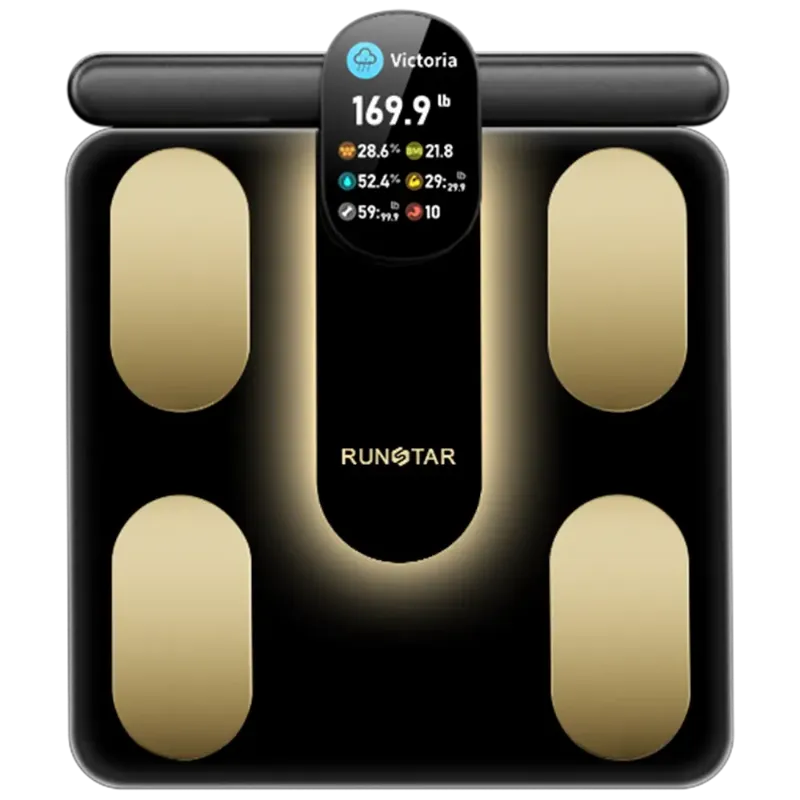
A runstar scale typically lasts three to five years of daily use, and the first thing to fail is almost never the screen. It is the reading itself: a drift of a few hundred grams, a body fat number that jumps around, or Bluetooth pairing that stops working after a phone update. This guide walks through the real failure points, how to test your own scale in five minutes, and which RunStar model is the sensible replacement when the hardware finally gives up.
What actually ends a RunStar scale's life
There are four wear points on any digital bathroom scale, and they fail in roughly this order:
- Load cells and platform flex. The strain gauges under the glass or plastic platform carry your full weight every single day. They are the most expensive part of the scale and the most common cause of drifting readings.
- Battery contacts and leakage. Old cells left in a humid bathroom corrode the terminals. This mimics a dead scale but is usually a five minute fix.
- Steam and moisture ingress. Bathrooms are the worst possible environment for electronics. Condensation on the glass is normal; condensation inside the housing is not.
- The app layer, not the hardware. A phone upgrade or an app update can break pairing on a scale that is mechanically perfect. This one gets blamed on the scale far more often than it deserves.
Most people replace the whole unit when only the cheapest of those four is the real problem. Diagnose before you buy.
Signs your runstar scale needs replacing
- Back-to-back weigh-ins on the same hard floor vary by more than a couple of hundred grams.
- The display flashes a zero or an error code with nothing on the platform.
- Body composition metrics swing wildly while your weight stays flat.
- The app no longer discovers the scale after a phone or operating system update, and re-pairing does not help.
- Cracks at the corners of the platform, or feet that no longer sit level.
Weight drifting slightly is normal over a season. Weight drifting *within the same minute* is a hardware signal.
Test RunStar scale accuracy in five minutes
Before you spend anything, run this check. It separates a battery problem from a dead load cell.
- Move the scale to a hard, level floor. Carpet and rugs are the single biggest cause of repeatable error, even on a scale that works perfectly.
- Weigh something with a known, stable weight, such as a sealed bag of flour or a dumbbell you trust. Note the difference from the stated weight.
- Step on and off three times in a row. The three readings should match closely. If they spread out, the load cells are suspect.
- Compare against a second scale, ideally the one at your gym, on the same day and before eating.
If your scale passes all four and the numbers still look wrong, the issue is usually technique and floor surface, not the device. If it fails, clean the battery contacts, fit fresh cells, and repeat once. Persistent failure after that means the sensors are done.
Battery and power: fix the cheap things first
Battery life on a digital scale is measured in months, not years, and every symptom of a dying battery looks exactly like a dying scale. Faint or slow-to-appear digits, results that will not save to the app, and the scale taking several attempts to wake are all classic low-power behaviour.
- Fit fresh cells of the same type specified in your manual. Mixed old and new cells cause erratic readings.
- Check the terminals for white or green corrosion and clean them gently.
- Remove the batteries if the scale lives somewhere damp and you only use it occasionally.
- Do not leave it on a charging cable indefinitely if it is not a rechargeable model.
If you are already shopping for a replacement, check the latest price before you commit, since the sitewide offer usually beats buying accessories separately.
RunStar product lineup comparison
The right replacement depends on how you weigh, not on how many features exist. Here is how the main models differ in practice.
| Model | Best for | Most likely reason to upgrade |
|---|---|---|
| runstar scale | One person weighing daily, weight only | Drifting readings after years of bathroom humidity |
| runstar smart scale | Tracking body composition metrics over time | Wanting app history instead of memory |
| runstar 8e smartscan pro | Households sharing one device | More user profiles and cleaner syncing |
| star4 | Simple, reliable daily readings | Adding smart tracking for the first time |
If you have never used an app with a scale, jumping straight to the most connected model is usually wasted money. If you already track trends and your old unit keeps dropping the sync, the app side is exactly what you are paying to fix.
Smart app setup, phone compatibility and multiple user profiles
A large share of "my scale broke" complaints are really setup problems. Before replacing anything:
- Forget the device in your phone's Bluetooth settings, then reinstall the app and pair again from scratch.
- Check phone compatibility on the product page. Older operating systems and some heavily customised Android builds handle Bluetooth differently.
- Set up separate user profiles if more than one person weighs in. Shared profiles quietly merge two people's data, which makes the body composition metrics look wrong.
- Keep the phone in range during the weigh-in. Stepping off before the sync finishes is a common cause of missing entries.
If a RunStar smart scale still will not pair after a clean reinstall, the Bluetooth module has likely failed. That is a genuine hardware fault and a legitimate replacement reason.
When to replace a blood pressure monitor instead
Blood pressure monitors wear on a different schedule to a bathroom scale. The cuff fabric stretches, the tube develops small cracks, and the pump gets slower. Blood pressure monitor use also depends heavily on fit: an arm cuff that is too small or worn out will read high no matter how good the electronics are.
- Recheck your cuff size and placement before assuming the monitor is faulty.
- Replace a cuff that has lost elasticity or will not hold pressure.
- Compare a reading against one taken at a clinic on the same day if you are unsure.
Scales and monitors are different categories with different lifespans, so do not replace both at once out of frustration.
Shipping, returns, warranty and support
Read three things before you order a replacement: the warranty length, the return window, and whether a faulty unit is repaired or replaced. Keep the original box and packaging for the first month, since most returns go smoother with it. If the scale was a gift or bought elsewhere, check whether the warranty transfers before you rely on it.
If you are buying direct, grab the code first and keep the order confirmation. Support queries move much faster with a receipt and a serial number.
So should you replace it or keep it?
- Keep it if a fresh battery, a clean floor and a re-pair fix the problem. That covers most cases.
- Replace it if readings vary within the same weigh-in, the platform is cracked, or the app never finds the device again.
- Upgrade deliberately if you want app history, multiple user profiles or body composition tracking, and pick the model that solves that one thing rather than the most expensive one on the page.
A scale is a measuring tool. When you stop trusting the number, it has stopped doing its job, and at that point the honest answer is a new one.
Once you have picked your model, see the current offer and order it in the size and finish you actually want for your bathroom.
 Shopping at RunStar? See today's verified RunStar discount code
Frequently asked questions
How often should I replace a runstar scale?
Most people get three to five years from daily use before readings start drifting. If a fresh set of batteries and a firm, level floor do not fix the inconsistency, the load cells are worn and replacement is the practical answer.
Why does my runstar scale give different readings back to back?
That is usually a floor or load-cell problem rather than a weight problem. Move it to a hard, level surface, then weigh the same object three times in a row. Readings that spread out on a hard floor point to failing sensors.
Can I fix a RunStar scale that stopped syncing to my phone?
Often yes. Forget the device in your phone's Bluetooth settings, reinstall the app and pair again from scratch, and confirm your phone's operating system is supported. If it still will not connect, the Bluetooth module has failed and the scale needs replacing.
Is the runstar smart scale worth upgrading to from a basic bathroom scale?
It is worth it if you want trend history and body composition metrics rather than a single number each morning. If you only ever look at your weight, a simpler model with a solid platform is the better buy.
Do I need a new scale if my body fat percentage suddenly changed?
Not necessarily. Body composition readings are sensitive to hydration, time of day and whether the correct user profile was selected. Check that your profile is not shared with another household member before you blame the hardware.
How many user profiles does a RunStar scale support for a family?
It varies by model, so check the product page for the specific unit you are considering. Households with three or more regular users should choose a model that clearly separates profiles, since shared profiles corrupt the trend data.