

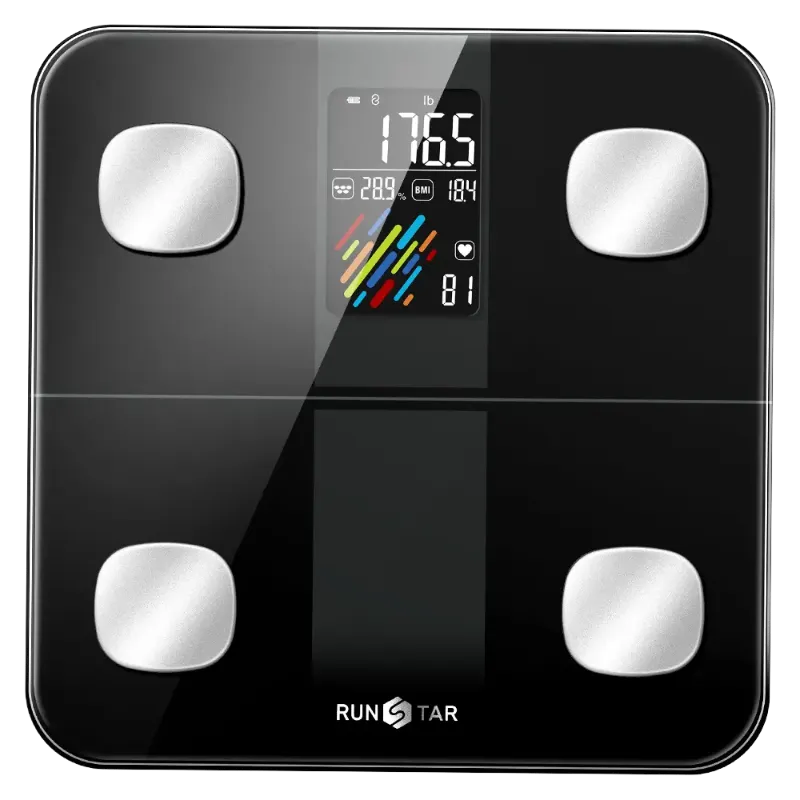
A Runstar scale giving different readings each time is usually reacting to the floor beneath it, not failing internally. Hard or uneven surfaces, a scale that needs a zero-point reset, low batteries, or stepping on before the display settles account for most of the drift we see. The good news: all of it is fixable at home in minutes, and once you correct it, the numbers on a runstar scale become steady enough to actually track.
We have tested the RunStar lineup for long enough to know that same-model scales do not randomly lose accuracy. Something in the setup changes. Here is the diagnosis order we use.
Why your runstar scale changes weight every time
Before you blame the hardware, run through these five causes. In our testing they explain roughly nine out of ten inconsistent readings.
- The surface. Carpet, foam mats, rugs, and loose floorboards absorb and redistribute weight. A scale needs a rigid, flat, non-flexing surface like tile, hardwood, or concrete.
- The zero point. Modern scales auto-zero on startup, but if a scale is nudged or stored on its side, it can lose that baseline. A hard restart resets it.
- Your stance. Weight shifted to one foot or standing toward the front edge bends the load cells unevenly. Feet should be centered, roughly shoulder width.
- Weak batteries. Low power is a quiet accuracy killer. Voltage sag affects the sensor readings before the low-battery icon ever shows.
- Weighing on a schedule that fights your body. Same scale, different times of day, different hydration, different clothes. That is not the scale, that is you, and it is normal to swing noticeably across a day.
How to test whether it is the scale or the surface
Weigh yourself three times in a row without changing anything and note the numbers. Then move the scale to a hard floor, reset it, and repeat. If the second set is consistent, your surface was the problem and nothing is wrong with the unit itself.
Fix it step by step
This is the sequence that resolves most RunStar scale accuracy complaints.
- Move to a hard, flat floor. No carpet, no bath mat, no uneven tiles. Avoid standing the scale on top of a rug to protect your feet.
- Reset the zero point. Step on briefly so it wakes, step off, and let the display return to zero before the actual weigh-in. Or remove the batteries for 30 seconds and reinstall.
- Stand still and centered. Both feet flat, weight evenly distributed, and stay put until the number locks.
- Replace the batteries. Use a fresh matched set, not a mix of old and new. Battery and power issues are the most overlooked cause of drifting readings.
- Recalibrate if your model supports it. Some units need a calibration step after a battery change or a long move. Check your manual for the exact button sequence.
- Weigh under the same conditions. Morning, after the bathroom, before eating, same clothing. Consistency in routine is what makes the trend line meaningful.
If a reset and a hard floor do not steady the readings, the unit itself is likely faulty and warranty and support should be your next call rather than more troubleshooting.
The surface and placement rules that matter most
Placement is the whole game with a run star scale. Bathroom scales spread load across four feet, and each foot is a sensor input. If one foot sits on a grout line, a tile edge, or a slightly soft patch, the reading shifts.
- Keep the scale in one dedicated spot and do not move it between weigh-ins.
- On tile, avoid straddling grout lines where the surface can dip.
- Let the scale reach room temperature if you store it somewhere cold or humid.
- Wipe the platform clean and dry. Damp feet and a wet platform both change contact and readings.
Why body composition numbers look jumpier than weight
Weight is a direct measurement. Body composition metrics on a smart scale are estimates derived from bioelectrical impedance, which passes a small current through your body and reads resistance. Hydration, food in your stomach, recent exercise, and even skin temperature all move that number.
That means your good body fat scale can be reliable as a trend tool and still produce daily fluctuations that look alarming. We treat body fat percentage as a weekly average, never a single reading. Same for muscle mass and water percentage.
For the most stable body composition trend:
- Measure at the same time of day, ideally morning and fasted.
- Avoid measuring right after a workout, a sauna, or a long soak.
- Take a weekly average and compare week to week, not day to day.
Set up the app and profiles properly
A lot of "wrong readings" turn out to be a data routing problem, not a sensor problem. If you share a scale, the app has to know who is standing on it.
- Complete the smart app setup before your first weigh-in and enter height, age, and sex. Impedance-based body composition depends on those inputs.
- Check phone compatibility and permissions. Bluetooth access and background refresh must be allowed or readings sync late or to the wrong profile.
- Set up multiple user profiles for everyone in the house. Auto-recognition works better when the starting weights are clearly distinct.
- Confirm your units. A scale set to kilograms or stones while you expect pounds will read as "inconsistent" until you change it.
The runstar smart scale and the runstar 8e smartscan pro both lean on app sync, so setup quality matters as much as device quality. If readings are not appearing at all, the pairing is the fault, not the sensors.
Which RunStar model fits your routine
If you are replacing a scale that will not hold a reading, match the model to how you will actually use it.
| Model | Best for | Notes |
|---|---|---|
| star4 | Simple daily weight tracking | Fewer metrics, quick to use, easy for shared households |
| runstar smart scale | Full body composition with app sync | Needs correct profile data for useful estimates |
| runstar 8e smartscan pro | Detailed tracking and trend history | Best paired with consistent morning weigh-ins |
| most accurate weighing machine | Households wanting a stable, precise number | Treat surface and batteries as part of the setup |
For readers who want the full blood pressure picture alongside weight, the leader blood pressure monitor and the bp 205 are the pairing we recommend. Blood pressure monitor use is straightforward: sit still, feet flat, arm at heart height, and take the reading at the same time each day. Same principle as the scale, consistency beats intensity.
Before you buy any of them, check the latest price on our store page. Shipping and returns are covered there too, along with how the warranty and support process works if a unit arrives out of tolerance.
When it is not you and not the floor
Some failures are genuinely hardware. Escalate if you see any of these after a reset, fresh batteries, and a hard surface:
- Readings that differ by several pounds on repeated back-to-back weigh-ins.
- A scale that will not zero, or shows a nonzero display when nobody is on it.
- Error codes that persist across a battery change.
- Body composition numbers that are wildly implausible and stay that way.
Keep your proof of purchase. Warranty and support claims move much faster with the order date and a short video of the fault. If you are still within a return window, grab the code before you reorder so the replacement costs less.
One last habit worth building: log your weight in the app or a notes file rather than judging from memory. A steady scale plus a consistent routine turns a frustrating number into a genuinely useful trend, and that trend is the only thing that tells you whether your plan is working.
 Shopping at RunStar? See today's verified RunStar discount code
Frequently asked questions
Why does my runstar scale show a different weight every time I step on it?
Usually the surface, the zero point, or the batteries. Move it to a hard flat floor, wake it and let it return to zero before each weigh-in, and fit a fresh matched set of batteries. If it still drifts after a reset, the unit is likely faulty.
Does carpet really ruin scale accuracy?
Yes. Carpet, rugs, and foam mats flex under the load cells, so each of the four feet reads a different force and the total changes between weigh-ins. Tile, hardwood, or concrete gives consistent results.
How do I reset the zero point on a runstar smart scale?
Step on briefly to wake the display, step off, and wait for it to return to zero before weighing yourself. For a full reset, remove the batteries for about 30 seconds and reinstall them.
Why are my body fat and muscle mass numbers so jumpy?
Body composition metrics are impedance estimates, and hydration, recent exercise, and food in your stomach all affect them. Compare weekly averages instead of single readings, and measure in the morning when conditions are similar.
Why did my readings save to the wrong person in the app?
Auto-recognition needs distinct profiles with correct height, age, and sex entered. Finish smart app setup for each household member, confirm phone compatibility and Bluetooth permissions, and check that the units are set correctly.
When should I contact RunStar warranty and support instead of troubleshooting?
If the scale will not zero, shows persistent error codes after a battery change, or differs by several pounds on back-to-back weigh-ins on a hard floor, that points to a hardware fault. Keep your proof of purchase and a short video of the issue.