
Tempered Glass vs Cloth Mouse Pads: Which Surface Is Better for Gaming?

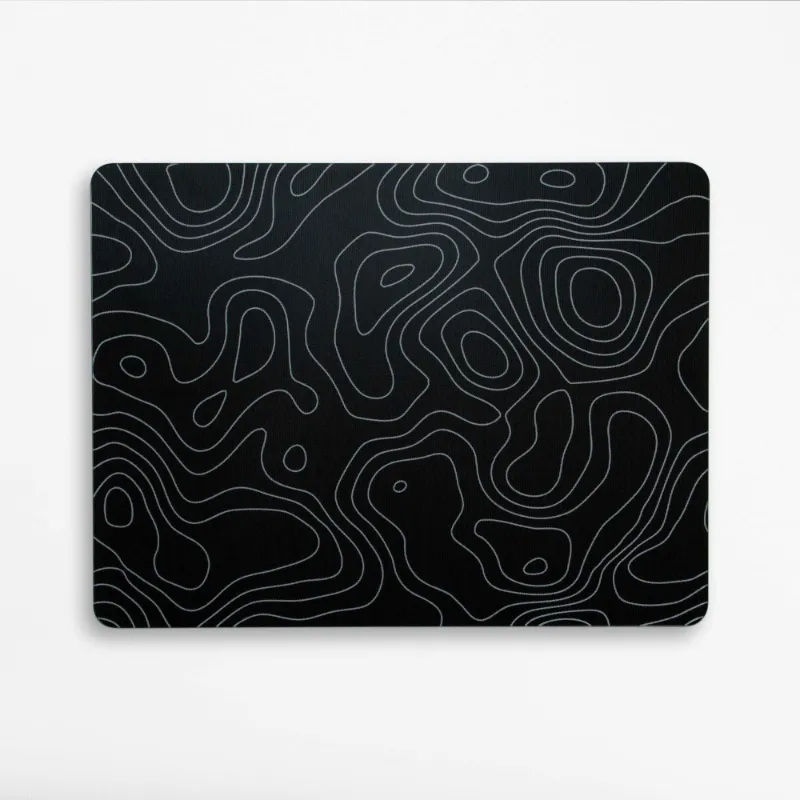
A tempered glass mouse pad offers unmatched speed and glide consistency, making it ideal for low-sensitivity gamers who need precise, friction-free tracking. Cloth pads remain the go-to for players who prioritize stopping power and wrist comfort. The choice hinges on your play style, sensor compatibility, and whether you value raw speed over tactile control.
What Makes a Gaming Glass Mouse Pad Different
Glass surfaces are machined from hardened or tempered glass, delivering a perfectly flat, non-porous plane that repels moisture and resists wear. Unlike cloth, which compresses and shifts under pressure, the best glass mousepad maintains uniform friction across every millimeter. Brands like Skypad and Razer have pushed the category forward with ultra-thin designs and scratch-resistant coatings. Razer has just announced the world's thinnest glass mouse pad, proving that premium materials are gaining traction among enthusiasts.
The rigidity also means your sensor reads a stable surface with zero texture variance. That consistency translates to predictable micro-adjustments in tactical shooters and pixel-perfect edits in design work. However, glass requires PTFE or similar low-friction feet on your mouse; stock rubber feet will drag and wear unevenly.
Cloth Mouse Pads: Control and Comfort
Cloth remains the standard for a reason. The woven surface provides natural stopping power, letting you brake and flick without overshooting your target. Most esports pros still compete on cloth because the tactile feedback helps them anchor their aim during high-stress plays.
Cloth pads also cushion your wrist over marathon sessions. The slight give absorbs impact and reduces strain compared to the hard, unyielding feel of glass. If you rest your forearm on the pad or play at medium to high sensitivity, cloth feels more forgiving.
Maintenance is straightforward: machine wash or spot-clean with mild soap. Lifespan depends on weave quality, but expect 12 to 24 months before the surface slows or frays. Budget options start under $15, while premium stitched-edge pads climb to $40.
Speed, Glide, and Stopping Power Compared
| Feature | Tempered Glass | Cloth |
|---|---|---|
| Glide speed | Extremely fast, near-zero friction | Moderate to fast, texture-dependent |
| Stopping power | Low; requires active braking | High; natural grip for flicks |
| Consistency | Perfect across entire surface | Wears unevenly over time |
| Wrist comfort | Hard, may cause fatigue | Soft, cushioned feel |
Glass excels when you need to cover large distances with minimal effort. Low-DPI players who sweep their entire arm benefit from the effortless glide. Cloth wins if you rely on micro-corrections and want a surface that "catches" your mouse for instant stops.
Humidity affects cloth significantly. Sweat and ambient moisture slow the weave, creating drag that shifts mid-session. Glass ignores environmental factors, delivering identical performance whether you are in a dry office or a humid summer LAN.
Who Should Choose a Tempered Glass Mouse Pad
Glass suits players who have already dialed in their muscle memory at low sensitivity and want to eliminate friction as a variable. If you play tactical shooters like Valorant or CS2 with 400 DPI and large swipes, a gaming glass mouse pad removes the resistance that fatigues your arm over long practice blocks.
Content creators and designers also appreciate the precision. Pen-tablet workflows and detail-oriented photo editing benefit from a surface that does not introduce micro-bumps or drag.
You will need to budget for premium mouse feet. Check the latest price on glass-compatible PTFE skates if your current mouse ships with rubber or hybrid feet. Also confirm your sensor handles glass; most modern PixArt and Razer sensors track flawlessly, but older budget mice may struggle with the reflective surface.
Maintenance and Durability
Glass is nearly indestructible under normal use. Wipe it down with a microfiber cloth and glass cleaner to remove oils and dust. The surface will not compress, pill, or slow over time. Scratches are rare unless you drag sharp objects across it, and tempered variants resist shattering.
Cloth demands more attention. Oils from your skin migrate into the weave, gradually increasing friction. Washing resets performance, but repeated cycles weaken the stitching and fade prints. Store it flat to prevent curling.
Edge durability also differs. Stitched cloth edges fray after heavy use, while glass edges are either polished smooth or wrapped in a protective bumper. If you frequently reposition your pad or pack it for travel, glass holds up better long-term.
Pairing Your Pad with the Right Setup
Your peripheral stack matters. A tempered glass mouse pad pairs naturally with a high-refresh monitor and a lightweight mouse. The speed lets you exploit every hertz of responsiveness without fighting drag.
If you have invested in a premium mechanical keyboard like the m67 jadestone keyboard or the eweadn deep68, a glass pad completes the aesthetic with a clean, minimalist desktop. Backlit setups also shine through transparent or frosted glass, adding a subtle glow beneath your mouse.
Keycap choice influences your workflow too. Tactile feedback from xvx topography keycaps or the smooth glide of pudding keycaps can complement the precision you gain from a glass surface. We have tested dozens of keycap profiles, and the combination of a responsive board with a zero-friction pad reduces input lag across your entire chain. Grab the code to save on compatible gear when you upgrade.
Making the Final Choice
Tempered glass mouse pads deliver speed, consistency, and longevity that cloth cannot match. They cost more upfront and demand compatible mouse feet, but they eliminate friction and environmental variables. Cloth remains the safer choice for players who value control, comfort, and immediate compatibility with any mouse.
Test both if possible. Many retailers and gaming peripheral stores offer return windows, so you can evaluate glide and comfort in your actual play environment. Your sensitivity, grip style, and game genre will determine which surface feels like an upgrade versus a lateral move.
Neither surface is objectively better. Glass rewards players who have mastered low-sens aim and want to remove physical resistance. Cloth serves everyone else, especially those who rely on stopping power and wrist cushioning. Identify your priority, match it to the material, and your aim will thank you.
Frequently asked questions
Does a tempered glass mouse pad work with any gaming mouse?
Most modern gaming mice with PixArt, Razer, or Logitech HERO sensors track perfectly on glass. Older or budget mice may experience jitter or lift-off issues due to reflective surfaces, so check your sensor specs or test before committing.
How do I clean a glass mouse pad without scratching it?
Use a microfiber cloth and standard glass cleaner or isopropyl alcohol. Spray the cleaner on the cloth, not directly on the glass, and wipe in circular motions. Avoid abrasive sponges or paper towels that can leave micro-scratches.
Will a glass surface wear out my mouse feet faster than cloth?
Glass is harder than cloth, so PTFE or ceramic feet will wear slightly faster. However, the difference is minimal with quality feet, and the consistent glide often extends the usable life of your mouse overall by reducing uneven friction.
Can I use a cloth mouse pad if I have a high DPI setting?
Yes. Cloth pads excel at high DPI because the natural stopping power helps you make micro-corrections without overshooting. Glass becomes harder to control at high sensitivity unless you have exceptional muscle memory.
Are glass mouse pads too loud for office or streaming use?
Glass can produce a faint scraping sound when you move the mouse quickly, especially with hard feet. Cloth is nearly silent. If noise is a concern for recording or shared spaces, cloth remains the quieter option.
Do I need a special mousepad for a lightweight gaming mouse?
Lightweight mice benefit from both surfaces. Glass maximizes their speed and responsiveness, while cloth prevents them from sliding uncontrollably during flicks. Your play style matters more than the mouse weight.