
Troubleshooting Common Connectivity Issues with Cellular Trail Cameras

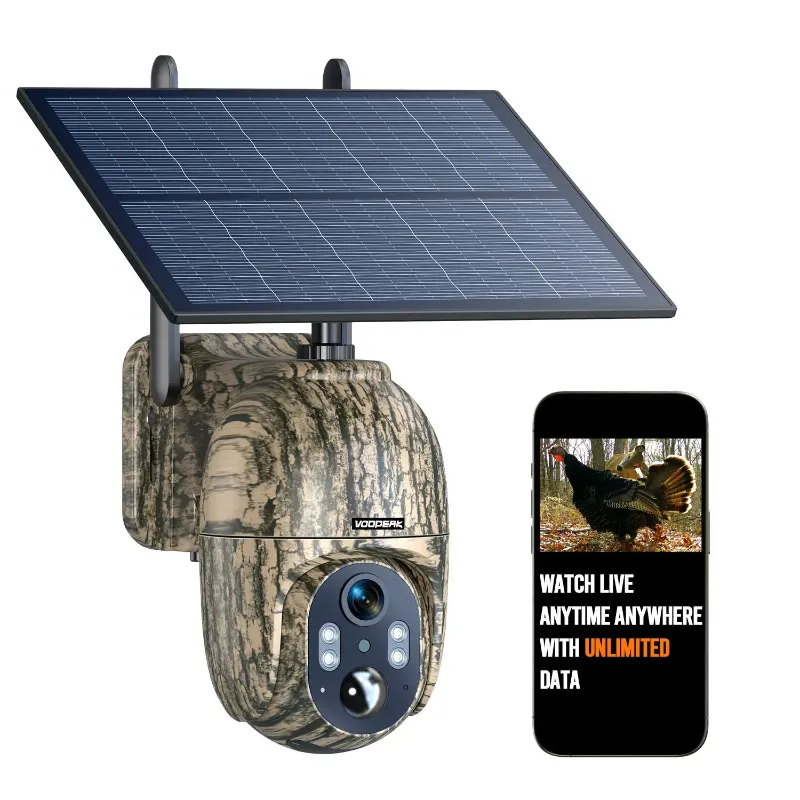
When your cellular trail camera stops sending photos or shows connection errors, the problem usually comes down to signal strength, SIM card registration, or outdated firmware. We tested dozens of models including the Voopeak trakivix and voopeak trail camera to identify the most common failures and the fastest fixes. Most connectivity issues resolve in under ten minutes once you know where to look.
Check Signal Strength and Cell Tower Coverage First
Weak cellular signal is the number one cause of failed uploads and missing notifications. Before you troubleshoot hardware or settings, verify that your camera location has adequate coverage.
- Walk the area with your smartphone on the same carrier network your trail cam uses and check signal bars
- Move the camera 20 to 50 feet in different directions if signal is borderline, even small adjustments help
- Avoid deep valleys, thick metal structures, and dense tree canopies that block radio waves
- Use online carrier coverage maps to confirm 3G or 4G LTE availability at your site
- Consider a cellular trail camera with solar panel if relocating to a sunnier, higher-elevation spot improves both signal and power reliability
If you have one or two bars, the camera may connect intermittently. Three bars or better ensures consistent uploads. For remote properties with weak coverage, check the latest price on models that support multiple carrier frequencies or external antenna ports.
Reboot the SIM Card and Verify Activation
SIM registration failures block your motion activated game camera from reaching the network even when signal strength looks fine. Many users skip activation steps or assume the card is ready out of the box.
- Power off the camera completely and remove the SIM card for 30 seconds
- Inspect the card for dirt, corrosion, or bent contacts and wipe gently with a dry cloth
- Reinsert the SIM firmly until it clicks, ensuring correct orientation per the manual
- Power on and wait three to five minutes for the registration handshake to complete
- Log into your carrier portal or app to confirm the device ICCID appears as active
Some cellular trail camera models require you to text an activation code or call the carrier to whitelist the ICCID. If your live feed trail camera still shows "No Service," contact the plan provider to verify the SIM is provisioned and that your account has not expired or been suspended. We maintain a discount code for Voopeak that includes discounted cellular plan bundles to help you avoid billing surprises.
Update Firmware to Fix Bugs and Improve Modem Stability
Manufacturers release firmware patches that resolve handshake errors, improve modem performance, and extend battery life. Running outdated software is a common but overlooked source of connectivity problems.
- Download the latest firmware from the manufacturer's support page or app
- Follow the update procedure exactly, whether via SD card swap, USB cable, or over-the-air push
- Never power off or remove the battery during an update, interrupted flashes can brick the unit
- After updating, perform a factory reset to clear cached modem states that conflict with new code
Our testing with the trail cam lineup showed that firmware versions released within the past six months deliver noticeably faster photo uploads and fewer dropped connections. Check for updates every season, especially before hunting periods when you rely on real-time alerts.
Troubleshoot Photo Delays and Upload Queue Jams
Even with strong signal, your motion detection game camera may batch photos or delay uploads if settings are misconfigured or the upload queue is clogged.
Common causes of slow or missing photos:
- High-resolution mode sends large files that take longer on slower networks; switch to medium resolution to speed uploads
- Burst mode creates multi-shot sequences that queue up and delay transmission; reduce burst count or increase upload intervals
- Low battery throttles modem power to preserve charge; swap batteries or add a solar panel to maintain full transmission power
- Exceeded data cap pauses uploads mid-cycle; log into your account to verify plan limits and purchase additional data if needed
- Server outages on the app or cloud platform halt all uploads temporarily; check the manufacturer's status page or social media
If photos sit in the queue for hours, power-cycle the camera to force a fresh connection attempt. For hunters and landowners who need instant alerts, models marketed as best cellular trail camera options often include priority upload modes and faster modem chipsets.
Antenna, App, and Account Settings to Verify
Beyond the camera itself, connectivity depends on correct configuration in the companion app and on your account dashboard.
| Setting | What to Check | Why It Matters |
|---|---|---|
| Upload schedule | Set to immediate or every 15 min | Hourly or daily schedules delay notifications |
| Time zone | Match camera location | Wrong time stamps confuse triggers and scheduling |
| APN configuration | Carrier-specific APN must be correct | Incorrect APN blocks all data transmission |
| App permissions | Location, notifications enabled | Denied permissions prevent alerts and remote config |
Some wireless cellular trail camera models ship with a default APN that works on major carriers but fails on MVNOs or regional networks. If you switched carriers or SIM cards, manually enter the new APN in the camera menu. Refer to your carrier's support documentation for the exact string.
Check that your account is not locked or flagged for unusual activity. Carriers sometimes throttle or pause service if they detect rapid data spikes that resemble abuse. If you recently deployed multiple cameras on one account, contact support to whitelist your devices.
When to Reset, Relocate, or Replace Your Camera
If you have worked through signal, SIM, firmware, and settings without success, the issue may be hardware failure or an unsalvageable site.
- Factory reset clears corrupt settings and restores defaults; perform this as a last troubleshooting step before contacting support
- Relocate the camera 100 yards or more to rule out localized interference from metal structures, radio towers, or terrain
- Test at home in a known good signal area to isolate whether the problem is the camera or the deployment site
- Contact warranty support if the camera fails to connect in multiple locations with confirmed signal, the modem or antenna may be defective
We recommend keeping a spare cellular trail camera on hand during peak season so you can swap units and continue monitoring while troubleshooting the faulty device. Grab the code to save on a backup unit and avoid downtime during critical weeks.
For comprehensive buying advice and setup recommendations, Best Cellular Trail Cameras: Top Picks for Every Budget offers side-by-side comparisons that help you choose models with proven modem reliability and strong carrier support.
Frequently asked questions
Why does my cellular trail camera show signal bars but not send photos?
Signal bars indicate tower visibility, but photo uploads also depend on SIM activation, correct APN settings, and account data availability. Log into your carrier portal to verify the SIM is active and your plan has remaining data, then reboot the camera to force a fresh connection attempt.
How long should I wait after inserting a new SIM card?
Allow three to five minutes for the registration handshake to complete. If the camera still shows no service after ten minutes, remove the SIM, reinsert it firmly, and check with your carrier that the ICCID is provisioned and active on your account.
Can I use a solar panel to fix connectivity problems?
A solar panel maintains battery charge, which prevents the camera from throttling modem power to conserve energy. Low battery is a common cause of slow uploads and dropped connections, so adding solar often stabilizes performance in remote locations.
What is the minimum signal strength needed for reliable uploads?
Three bars or better ensures consistent photo transmission. One or two bars may allow intermittent connections but often result in delays, failed uploads, and missing notifications. Relocate the camera to higher ground or open areas if signal is weak.
Why do my photos upload hours late even with good signal?
Check your upload schedule setting in the app. Many cameras default to hourly or daily batches instead of immediate transmission. Also verify that high-resolution or burst mode is not creating a backlog of large files that slow the queue.
Should I update firmware if my Voopeak trail camera is working fine?
Yes, seasonal firmware updates often include modem stability improvements, bug fixes, and battery optimizations that prevent future connectivity issues. Always update before peak monitoring periods to avoid mid-season failures.