
How to Maintain and Clean Waterproof Headphones After Pool or Ocean Use

Why Waterproof Headphones Need Post-Swim Care
Waterproof headphones survive pool and ocean exposure, but they still need consistent cleaning to prevent performance issues. Chlorine from pools corrodes metal contacts and degrades seals over time, while salt water leaves crystalline deposits that jam buttons and charging ports. Even fresh water carries minerals that build up inside speaker grills and around the audio driver. We've tested dozens of swimming headphones and bone conducting headphones, and the models that last longest all share one thing: owners who rinse and dry them properly after every session.
Skip the rinse a few times and you'll notice reduced volume, sticky buttons, or charging problems. The good news is that a two-minute cleaning routine after each swim extends the lifespan of your gear by years.
Immediate Rinse Protocol After Pool or Ocean Use
The single most important step happens within minutes of leaving the water. Fresh tap water flushes away chlorine, salt, and minerals before they dry into stubborn residue.
- Hold each earpiece under lukewarm running water for 15 to 20 seconds, rotating to reach all surfaces
- Gently shake out excess water from speaker grills and any crevices
- Wipe down the frame or headband with a soft microfiber cloth to remove surface buildup
- Pay extra attention to charging ports and buttons, running water directly over them to dislodge trapped salt or sand
For bone induction earphones and other open-ear designs, rinse the transducer pads thoroughly since chlorine accelerates the breakdown of silicone contact surfaces. If you've been swimming in the ocean, a second rinse after five minutes helps catch any salt that seeped deeper into joints or hinges.
We recommend keeping a small spray bottle of distilled water in your swim bag for quick field rinses when a tap isn't nearby. Check current pricing and grab our discount code to save on replacement seals and accessories.
Deep Cleaning for Stubborn Buildup
Weekly deep cleans handle the residue that daily rinses miss, especially if you swim frequently or in heavily chlorinated pools.
What you'll need:
- Mild dish soap or dedicated electronics cleaner
- Soft-bristle toothbrush (retired, clean)
- Distilled water
- Lint-free microfiber towels
Step-by-step process:
- Mix a few drops of mild soap with distilled water in a small bowl
- Dip the toothbrush and gently scrub around buttons, charging ports, speaker grills, and seams where the headband meets the earpieces
- Rinse thoroughly under running water to remove all soap residue, which can leave a film that attracts more dirt
- Inspect the charging contacts for green or white corrosion; if present, dampen a cotton swab with distilled white vinegar and gently wipe the contacts, then rinse again
- Dry completely before charging or storing
For underwater headphones and earbuds for swimming with removable tips or attachments, pull those off and clean them separately. Silicone tips trap oils and bacteria, so a weekly soak in warm soapy water keeps them hygienic. According to testing from TechRadar's waterproof headphone roundup, models with fewer seams and moving parts require less intensive cleaning.
Drying and Storage Best Practices
How you dry and store your gear matters as much as how you clean it. Trapped moisture breeds mold inside the audio driver housing and accelerates seal degradation.
Proper drying technique:
- Pat dry with a microfiber towel immediately after rinsing
- Leave the headphones in a well-ventilated area for at least two hours before storing or charging
- Position earpieces speaker-side down on a clean towel so gravity pulls remaining water out of the grills
- Avoid direct sunlight or heat sources like radiators, which warp plastic components and dry out rubber seals
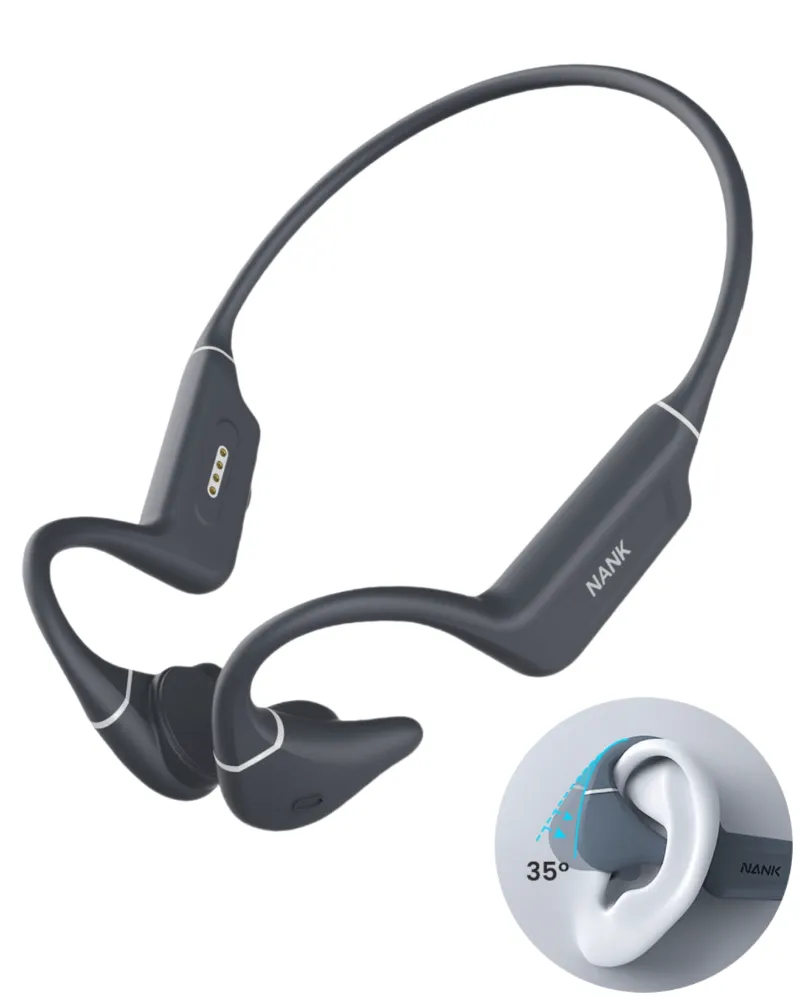
For conduction headphones and wraparound designs, prop them open on a drying rack so air circulates around the entire frame. We've found that storing damp headphones in a closed case or bag creates a humid environment that fogs the charging contacts and promotes corrosion within 48 hours.
Storage tips:
- Store in a breathable mesh pouch rather than an airtight hard case
- Keep away from extreme temperatures (car dashboards, freezing garages)
- If your model includes a swimbuds bone conduction 2 wearable mp3 player with onboard storage, periodically power it on to keep the battery healthy even during off-season breaks
Protecting Seals and Gaskets
The rubber seals and gaskets that keep water out are the most vulnerable components on any waterproof device. Chlorine and salt attack rubber aggressively, causing it to crack, shrink, or lose flexibility.
Seal maintenance checklist:
- Apply a thin layer of silicone grease (available at dive shops) to charging port covers and removable gaskets every few weeks
- Inspect seals visually before each swim for cracks, tears, or stiffness
- Avoid pulling or stretching rubber port covers more than necessary
- Replace worn seals immediately rather than risking a leak that damages internal electronics
Many best waterproof headphones for swimming ship with spare gaskets precisely because these parts wear out faster than the electronics. If your model supports user-replaceable seals, visit our discount page for accessory availability and pricing.
Troubleshooting Common Post-Swim Issues
Even with diligent care, you may encounter occasional problems. Here's how we diagnose and fix the most frequent post-swim complaints.
| Symptom | Likely Cause | Fix |
|---|---|---|
| Muffled or quiet audio | Water trapped in speaker grill | Shake vigorously, blow gently into grill, let air-dry for 4+ hours |
| Charging port won't connect | Corrosion or debris on contacts | Clean contacts with cotton swab and distilled vinegar, rinse, dry completely |
| Sticky or unresponsive buttons | Salt or mineral buildup | Deep clean with toothbrush and soapy water, work buttons repeatedly while rinsing |
| Intermittent Bluetooth | Moisture inside electronics | Power off, dry for 24 hours in a room with silica gel packets |
For persistent audio issues even after drying, the problem may be internal water intrusion rather than surface moisture. Models with higher IPX ratings (IPX8 vs IPX7) handle submersion better, and bone conduction designs like bone conducting headphones often avoid the speaker-grill clogging that plagues traditional earbuds.
If you're shopping for a replacement or upgrade, reviews from Headphones Addict's certified IPX roundup highlight which models tolerate harsh water conditions with minimal maintenance.
Long-Term Care for Maximum Lifespan
Beyond the post-swim routine, a few seasonal habits keep your investment performing for years.
- Firmware updates: Many Bluetooth models receive updates that improve battery management and connectivity; check the manufacturer app quarterly
- Battery care: Avoid letting the battery fully discharge for extended periods; charge to 50-60% before long storage
- Annual seal replacement: Even if seals look fine, proactive replacement every 12 months prevents surprise leaks
- Alternate between sets: If you swim daily, rotating between two pairs of waterproof headphones gives each set more drying and recovery time
We also recommend periodically testing the waterproof rating in a bowl of fresh water (never saltwater for testing) to catch seal failures before they happen during a swim. Hold the headphones submerged for two minutes, then check for water inside the charging port or speaker housing.
Proper maintenance transforms waterproof headphones from a seasonal accessory into a multi-year training partner. A consistent rinse-dry-store routine costs you two minutes per session but saves you from premature replacements and frustrating mid-workout failures.
Frequently asked questions
How soon after swimming should I rinse my waterproof headphones?
Rinse within five to ten minutes of leaving the water. Chlorine and salt begin corroding contacts and seals as soon as they dry, so immediate rinsing prevents the most damage.
Can I use soap to clean waterproof headphones?
Yes, mild dish soap works well for weekly deep cleans. Avoid harsh detergents, alcohol, or acetone, which degrade rubber seals and plastic housings. Always rinse thoroughly to remove all soap residue.
How long should I let my swimming headphones dry before charging?
Wait at least two hours in a well-ventilated area. Charging damp headphones risks short circuits and corrosion on the charging contacts.
Do bone conducting headphones need different cleaning than earbuds?
Bone conducting headphones require extra attention to the transducer pads, which contact your skin and trap oils. Otherwise, the rinse and dry process is identical to traditional swimming earbuds.
What causes white buildup on my headphones after ocean swimming?
That's crystallized salt. It jams buttons, clogs grills, and corrodes metal contacts. A thorough freshwater rinse immediately after ocean use prevents salt from drying onto surfaces.
How often should I replace the seals on waterproof headphones?
Inspect seals before each swim and replace them annually or as soon as you notice cracks, stiffness, or loss of flexibility. Proactive replacement prevents leaks that damage internal electronics.