
7 Signs It's Time to Upgrade to an Electric Standing Desk

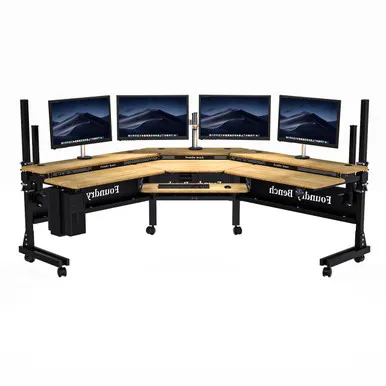
An electric standing desk is worth upgrading to the moment your current setup starts working against your body: aching lower back, a desk that won't adjust smoothly, clutter with nowhere to live, or a workday that keeps you pinned to a chair. If any of the seven signs below sound familiar, it's time to stop patching and upgrade.
1. Your Back and Neck Hurt by the End of the Day
This is the number one reason people switch. Sitting for eight-plus hours compresses your spine, shortens your hip flexors, and pushes your head forward until your neck screams by mid-afternoon.
A good electric standing desk lets you alternate between sitting and standing with the press of a button, which is the behavior change that actually matters. The CDC's own workplace research found sit-stand workstations reduce seated time and musculoskeletal complaints. If you've been stretching every hour and still hurting, the problem is the desk, not you.
Signs it's the desk and not your posture:
- You feel stiff within the first two hours of work
- You tilt your laptop or monitor upward to see it
- You've bought a second cushion, footrest, or chair in the last year
2. Your Current Desk Doesn't Adjust (or Adjusts Badly)
Maybe you bought a fixed-height desk years ago, or a hand-crank model that takes two minutes of grinding to raise. Crank and fixed desks fail the practical test: if adjusting is annoying, you won't do it, and the health benefit disappears.
An electric standing desk with adjustable height solves this with memory presets. Tap once, and the desk moves to your saved sitting or standing position in seconds. That friction-free switching is what separates desks people actually use from desks that stay at one height forever. Our electric standing desk adjustable height option handles this with dual motors and programmable presets.
3. You're Out of Storage and Working on Piles
If your keyboard shares the surface with a stapler, three notebooks, a water bottle, and yesterday's mail, you don't need better discipline. You need an adjustable standing desk with storage.
Look for:
- Drawers under the desktop so daily items disappear from view
- Cable channels and grommets so chargers stop sliding off the back
- A deep desktop (30+ inches) so a monitor sits far enough from your eyes
An electric standing desk with drawers is one of our most requested configurations at VersaTables for exactly this reason, and it pairs well with a wall-mounted laptop wall mount if you want a second screen completely off the desktop.
4. Your Desk Wobbles or Sags Under Your Gear
Dual monitors, a monitor arm, a dock, a lamp, and a laptop add up fast. If your current desk racks side-to-side when you type or bows under the load, it's both annoying and slowly damaging your equipment.
Frame quality matters more than desktop looks. Check for:
- A steel frame rated for your full setup, with margin to spare
- Crossbars or a three-stage frame on taller settings
- Anti-collision and wobble compensation at standing height
If you're comparing brands and wondering how the big names stack up, we keep our long-term impressions alongside our buying guides, and The 6 best standing desks we've ever tested for 2026 is a useful independent reference point for frame stability claims.
5. Your Workday Changed, But Your Furniture Didn't
Remote and hybrid work turned a sometimes-desk into your primary workstation. Furniture that was fine for evening email fails at 40 hours a week. This is when buyers start searching for the best electric standing desk rather than the cheapest one, and it's the right instinct.
The honest answer to "what's the best adjustable standing desk" is the one that fits your hours, your gear, and your floor plan:
| Your situation | What to prioritize |
|---|---|
| Full-time remote work | Motor reliability, warranty, memory presets |
| Two monitors + dock | Load capacity and desktop depth |
| Small apartment | Compact frame or a wall-mounted setup |
| Creative work | A drafting table or drawing desk table with tilt |
6. You're Tired by 2 PM and Blame the Coffee
Energy crashes mid-afternoon are often circadian and movement related, not caffeine related. Alternating sitting and standing keeps blood moving and helps many people push through the slump without a third coffee.
You don't need to stand all day. In fact, you shouldn't. The target most ergonomists suggest is simple: change position every 30 to 60 minutes. An electric standing desk makes that rhythm effortless because the cost of switching is one button press.
7. You're Rebuilding a Room and the Desk Is the Bottleneck
If you're redoing a home office, a shared workspace, or a family study area, the desk determines everything else: chair height, monitor position, lighting, and cable routing. For households and schools, our sturdy school desk options fit study corners, while teams outfitting meeting rooms should look at our conference table line instead of forcing a single desk to do that job.
For shared spaces, one often-missed upgrade is cable and monitor clutter control. A hidden monitor desk with an integrated lift lets the screen disappear when the space needs to do double duty as a dining table or guest room desk.
How to Pick the Right Upgrade
Once you've decided, keep the checklist short:
- Load capacity above your current gear, not equal to it
- Height range that fits your sitting and standing elbow heights
- Memory presets so switching actually happens
- Storage if surface clutter is part of your problem
- Warranty on motors and frame, because that's what fails first
VersaTables builds desks in the USA with steel frames designed for daily commercial use, which is why our sit-stand line holds up where budget flat-pack frames don't. Current pricing and our 6% off all orders offer live on the store page, so grab the code before you check out, and check the latest price on the configuration you want.
One upgrade, seven signs. If three or more of these describe your current desk, you already have your answer.
Frequently asked questions
How often should I switch between sitting and standing?
Most people adjust best by changing position every 30 to 60 minutes rather than standing all day. Memory presets make that rhythm easy, because switching takes seconds.
Can an electric standing desk hold two monitors and a laptop dock?
Yes. Dual monitors, a dock, a lamp, and accessories add up quickly, so choose a frame with load capacity above your current setup, not equal to it.
Is an electric standing desk with drawers worth it over a plain desktop?
An electric standing desk with drawers adds under-desktop storage and cable channels, which clears surface clutter that fixed desks force you to work around.
Is a motorized desk better than a manual crank model?
Crank desks work, but slow, annoying adjustments mean most people stop using them. Electric motors with memory presets remove that friction, which is what makes sit-stand habits stick.
What height should an electric standing desk be set to?
For standing work, measure from the floor to your elbows with arms bent at 90 degrees, then confirm the desk's height range covers both that and your seated elbow height.
Does VersaTables make options for schools and meeting rooms?
For shared rooms or study corners, our school desk line works well, while our conference table range is built for meeting spaces. Each is designed for its intended load and use.