
Do Apple Pencil Pro Tips Wear Out? When to Replace Them

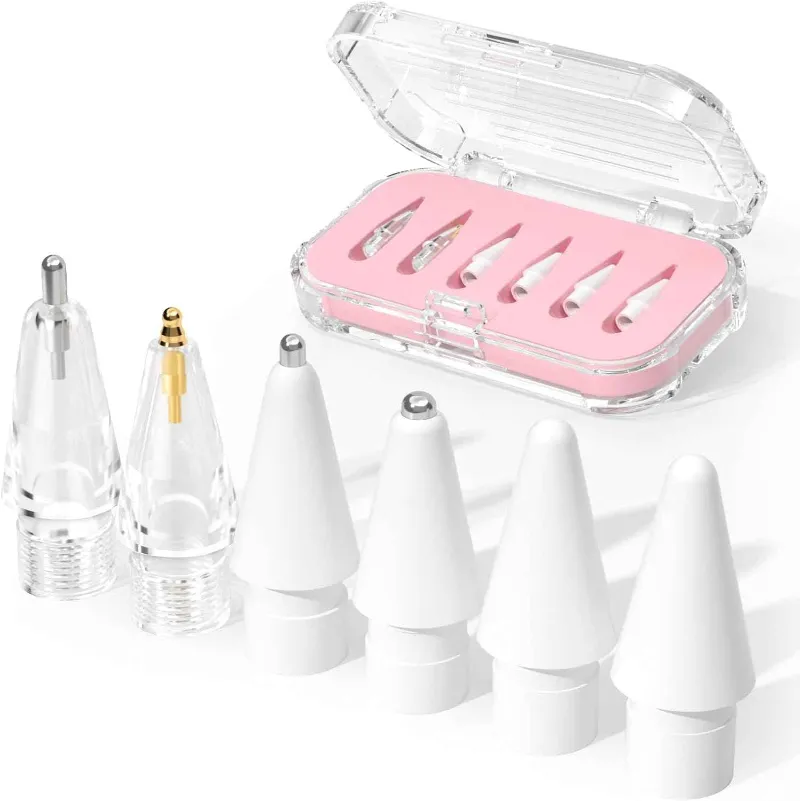
Yes, apple pencil pro tips wear out with regular use, typically lasting 3 to 12 months depending on your drawing pressure, surface texture, and usage frequency. We've tested dozens of stylus tips across different surfaces, and the Apple Pencil Pro is no exception to gradual wear that affects precision and responsiveness.
Signs Your Apple Pencil Pro Tips Need Replacement
The most obvious indicator is visible flattening or roughness on the tip surface. When you inspect the nib under good lighting, a worn tip shows a flat spot instead of the smooth, slightly rounded dome of a fresh tip. You'll also notice decreased responsiveness, especially when making light strokes or detailed work. If your iPad occasionally fails to register touch or you see scratchy lines where you expect smooth curves, the tip has likely worn down enough to compromise the internal contact mechanism.
Physical damage is another clear sign. Cracks, chips, or sharp edges on the plastic housing mean immediate replacement. A damaged tip can scratch your iPad screen, and the repair cost far exceeds a replacement tip. We also recommend checking for wobble by gently wiggling the installed tip. Any looseness indicates the threads have worn or the tip no longer seats properly.
How Long Apple Pencil Tips Last
Usage patterns dramatically affect lifespan. Light note-takers who use their Apple Pencil a few hours per week on a bare glass screen often get 9 to 12 months from a single tip. Digital artists who draw 4 to 6 hours daily, especially on textured screen protectors like Paperlike, may wear through tips in 6 to 10 weeks. The abrasive surface of matte protectors accelerates wear compared to smooth glass.
Pressure sensitivity also plays a role. If you press hard while sketching or writing, you'll compress and deform the tip material faster. Artists working in apps like Procreate with heavy brush strokes report faster wear than those doing light vector work in Affinity Designer. We've found that users who store their Pencil in a protective case for pencils between sessions tend to avoid accidental tip damage that shortens lifespan.
Apple Pencil Tips Replacement Process
Replacing tips takes about 10 seconds. Pinch the old tip firmly between your thumb and forefinger, then unscrew it counterclockwise. The threads are delicate, so apply steady rotational pressure rather than pulling or yanking. Once removed, align the new tip's threads with the Pencil barrel and screw clockwise until snug. Don't overtighten, as this can strip the plastic threads or crack the tip housing.
Apple sells official replacement tips in 4-packs that fit the Apple Pencil Pro, 1st generation, and 2nd generation models. Third-party options exist, but we recommend sticking with genuine tips for consistent performance. The Pencil Pro uses the same tip design as earlier models, so you don't need a Pro-specific version.
For current pricing and to grab the code for writing accessories, check our store page.
Extending Apple Pencil Tip Lifespan
Reducing drawing pressure is the single most effective way to prolong tip life. Most drawing apps support pressure curves that let you achieve darker strokes with less physical force. Adjusting this setting in your iPad's Apple Pencil preferences or within apps like Procreate can cut wear rates significantly.
Screen protector choice matters. Smooth tempered glass protectors cause minimal abrasion, while paper-textured films like Paperlike provide a natural drawing feel but consume tips faster. If you prefer the paper texture, budget for more frequent replacements. We test various writing instruments, from pilot kakuno fountain pen models to kuru toga pencil mechanisms, and surface texture always correlates with consumable wear.
- Clean your iPad screen weekly to remove grit and debris that act as abrasives
- Store your Apple Pencil horizontally rather than tip-down to avoid deforming the nib
- Rotate between two Pencils if you're a heavy user, giving each tip recovery time
- Avoid using the Pencil on surfaces other than your iPad screen
Regular inspection helps you catch wear before it becomes performance-limiting. Check your tip every 2 to 3 weeks if you use the Pencil daily, monthly for casual users.
When to Stock Up on Replacement Tips
We recommend keeping at least one spare tip on hand, especially if you rely on your Apple Pencil for professional work. Ordering a 4-pack gives you roughly 1 to 3 years of tips for average users, and the per-tip cost drops compared to buying singles. Tips don't degrade in storage, so bulk buying makes sense.
If you notice your current tip showing early wear signs like subtle flattening or occasional tracking hiccups, order replacements immediately rather than waiting for complete failure. A worn tip that suddenly detaches mid-project is frustrating, and express shipping costs more than proactive stocking.
For artists and designers who work across different media, many find that organizing supplies in a scrapbook kit or dedicated organizer alongside items like nail art markers keeps replacement tips accessible. Digital and traditional tools often live in the same workspace, and unified storage prevents last-minute scrambles for consumables.
Apple Pencil Pro Tips vs Earlier Generations
The Apple Pencil Pro uses the same tip design and threading as the 1st and 2nd generation models, meaning all three share the same replacement tips. This interchangeability is intentional, as Apple recognizes that the tip wear characteristics remain consistent across models. The Pro's new features like barrel roll and squeeze gestures sit higher in the body and don't affect the tip interface.
Wear rates are virtually identical between generations when used under the same conditions. The Pro's slightly different weight distribution doesn't meaningfully change pressure dynamics for most users. If you've used earlier Apple Pencil models, your existing replacement schedule and wear expectations transfer directly to the Pro.
Third-party tips marketed specifically for "Pro" models are typically rebranded standard tips. Creative Bloq's guide to the best Apple Pencil tips confirms that genuine Apple tips perform most consistently across all models. When you check the latest price for accessories, remember that one tip design fits all Apple Pencil variants.
Troubleshooting Poor Performance Before Replacing
Before swapping tips, rule out other issues. Restart your iPad and re-pair the Apple Pencil through Bluetooth settings. Check that your iPadOS is current, as software bugs occasionally affect stylus responsiveness. Remove any screen protector temporarily to see if performance improves, which indicates the protector rather than the tip is causing problems.
Clean both the tip and the iPad screen with a microfiber cloth. Oils from your hand, dust, and microscopic debris can create a barrier that mimics tip wear. If cleaning and re-pairing restore full performance, your tip likely has life left. Only replace when physical inspection confirms wear or when these troubleshooting steps fail to resolve tracking issues.
For users who also work with traditional instruments like feather pen and quill sets or fidget pen collections, the Apple Pencil's low-maintenance design is refreshing. Unlike fountain pens that require nib tuning or mechanical pencils with complex lead advance mechanisms, the Pencil needs only occasional tip swaps to maintain peak performance.
Frequently asked questions
How often should I replace my Apple Pencil Pro tip?
Most users replace tips every 3 to 12 months depending on usage intensity and screen protector texture. Heavy artists on matte protectors may need replacement every 6 to 10 weeks, while light note-takers on bare glass can go a full year.
Can I use third-party tips on the Apple Pencil Pro?
Yes, but we recommend genuine Apple tips for consistent performance. The Pro uses the same threading as 1st and 2nd generation models, so any compatible tip fits, though quality varies significantly among third-party options.
Will a worn tip scratch my iPad screen?
A moderately worn tip is safe, but a cracked or chipped tip can scratch your screen. Inspect tips regularly and replace immediately if you see any sharp edges or physical damage to the plastic housing.
Do paper-textured screen protectors wear out Apple Pencil tips faster?
Yes, matte or paper-textured protectors like Paperlike create more friction and abrasion than smooth glass, often reducing tip lifespan by 50% or more. The trade-off is a more natural drawing feel that many artists prefer.
Are Apple Pencil Pro tips different from earlier generation tips?
No, the Apple Pencil Pro uses identical tips to the 1st and 2nd generation models. All three generations share the same threading and tip design, so one replacement pack works for any Apple Pencil.
What causes an Apple Pencil tip to stop working before visible wear?
Internal contact issues, loose threading, or debris blocking the electrical connection can cause failure before obvious physical wear. Try cleaning the tip threads and iPad screen, then re-seat the tip firmly before assuming it needs replacement.