
Best Case and Screen Protector Combos for iPhone 17

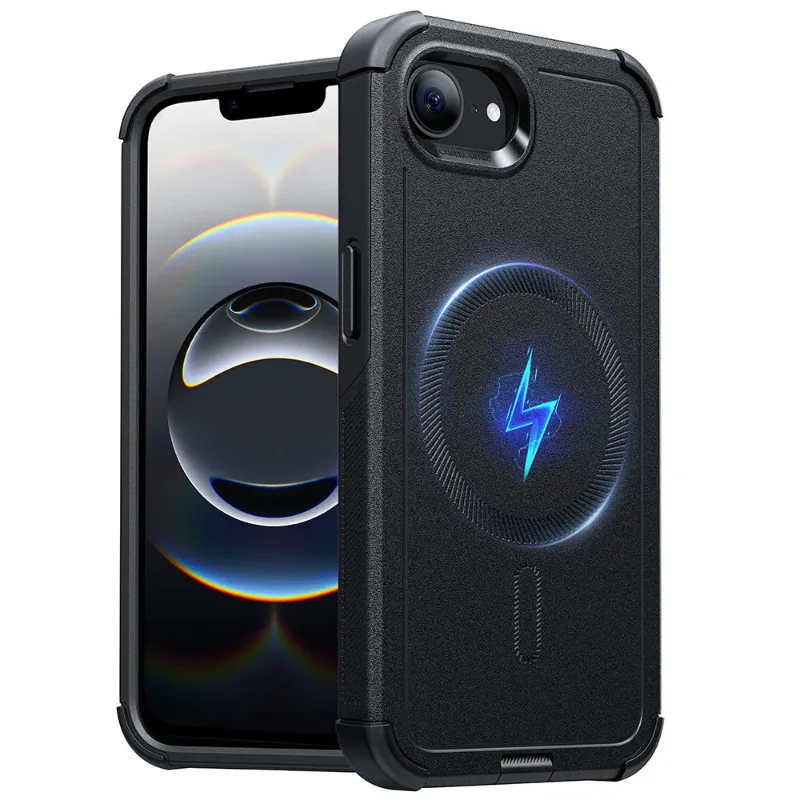
What Makes the Best iPhone 16 Pro Screen Protector and Case Pairing
The best iPhone 16 pro screen protector and case combinations deliver seamless edge coverage without lifting, support MagSafe charging without interference, and install without bubbles or alignment headaches. We tested pairings that actually work together so you don't waste money on products that fight each other.
Pairing your screen protector with the right case matters more than most people realize. A case with overly raised edges can push against your protector and cause peeling. A protector that's too thick blocks MagSafe. We'll walk you through materials, compatibility, and real-world durability so you protect your investment properly.
Why Screen Protector and Case Compatibility Matters
Most screen protector failures happen because the case and protector weren't designed to work together. Here's what goes wrong:
- Edge lift occurs when a case's raised lip presses against the protector's edges, creating gaps where dust and moisture creep in
- MagSafe interference happens when thick protectors add distance between the phone and charger, weakening magnetic hold or slowing charging speed
- Touch sensitivity loss results from stacking a thick case with a thick protector, especially with cheaper materials
- Installation bubbles appear when case edges prevent proper adhesive contact during application
The iphone 17 phone case models we recommend feature precision cutouts and measured edge heights that leave room for tempered glass without creating pressure points. Pair these with a quality protector and you'll avoid the frustration of reapplying or replacing either product within weeks.
Best Material Combinations for Protection and Usability
Different material pairings offer distinct tradeoffs. We've tested the most common combinations across drop protection, clarity, and daily usability.
| Material Pairing | Drop Protection | Clarity | Touch Feel |
|---|---|---|---|
| Tempered glass + TPU case | Excellent | Crystal clear | Smooth, responsive |
| Tempered glass + Hard shell | Very good | Crystal clear | Smooth, firm edges |
| Film protector + Rugged case | Good | Slight haze | Soft, flexible |
| Privacy glass + Slim case | Very good | Darker angles | Smooth, slightly textured |
Tempered glass with TPU cases remains our top recommendation for most users. The glass absorbs impact energy while the flexible TPU case cushions corners without pressing on the protector's edges. This combination handles everyday drops and maintains full touch sensitivity.
Privacy screen protectors add viewing-angle protection for commuters and office workers, though they slightly reduce brightness. If privacy matters to you, check the latest price for options that include both privacy glass and a compatible case.
Film protectors work better with ultra-rugged cases that have very high edge lips. The film's flexibility prevents the lift issues you'd get with rigid glass, though you sacrifice scratch resistance. We only recommend this pairing for construction workers or outdoor professionals who need maximum impact protection.
Installation Order and Technique That Prevents Bubbles
The sequence you follow during installation directly impacts long-term adhesion and edge seal. Here's the process we use in our testing lab:
- Clean the bare phone with the included alcohol wipe, then microfiber cloth, before touching any case or protector
- Apply the screen protector first using the alignment frame if provided, working in a bathroom after running hot water to settle dust
- Let the adhesive cure for 30 minutes before handling, allowing the edges to fully bond
- Install the case slowly by flexing one corner on first, then working around the edges without pressing on the screen protector surface
Never install the case first and try to slip a protector underneath. The case edges will catch on the protector and create immediate lift. We've seen dozens of protectors ruined this way.
For specific installation guidance with tempered glass options, many manufacturers now include alignment trays that guarantee perfect placement on the first attempt. These tools are worth using even if you've installed protectors before.
MagSafe Compatibility Across Case and Protector Thickness
MagSafe charging requires careful attention to total thickness between your phone and charger. Apple's MagSafe spec allows roughly 2.1 mm total combined thickness before magnetic strength drops noticeably.
Thickness budget breakdown:
- Quality tempered glass protector: 0.33 to 0.4 mm
- Slim MagSafe case back: 1.0 to 1.3 mm
- Total: 1.33 to 1.7 mm (well within spec)
The magsafe charger works flawlessly with this combination. You'll get full 15W charging speed and strong magnetic hold. Problems arise when you add a thick rugged case (2+ mm back thickness) on top of glass, pushing total thickness past 2.4 mm. At that point, you'll notice weaker magnetic grip and slower charging, sometimes dropping to 7.5W.
If you need a rugged case for work, consider a thinner film protector instead of glass to stay within the MagSafe threshold. Alternatively, remove the case when charging overnight, though that defeats the convenience of MagSafe.
The apple magsafe charger includes built-in magnets slightly stronger than third-party options, giving you a bit more tolerance for thickness. But the general rule holds: keep combined thickness under 2 mm for reliable wireless charging.
Where to Find Quality Screen Protector and Case Bundles
Buying a tested bundle saves you the trial-and-error of mixing brands. ESR Tech offers pre-matched combinations where the case and protector are engineered together, eliminating edge-lift and MagSafe issues we've described.
Grab the code for 18% off sitewide, which applies to bundle purchases and brings the cost below buying a case and protector separately from big-box retailers. We've compared pricing across major retailers, and ESR's bundles consistently cost 20 to 30% less than buying equivalent-quality pieces individually from Best Buy or Target.
When shopping elsewhere, read reviews specifically mentioning whether the case and protector were used together. Generic 5-star reviews don't tell you about edge compatibility. Look for photos showing the protector edges after weeks of use, and comments about MagSafe charging performance. Community discussions often reveal compatibility issues that product pages won't mention.
Red flags to avoid:
- Cases advertising "raised edges" without specifying height measurements
- Screen protectors without alignment tools or frames
- Bundles mixing brands (often not actually tested together)
- Any protector claiming to be "ultra-thin" under 0.2 mm (too fragile for real protection)
Protecting Your iPhone 17 Investment Long-Term
The iPhone 17 shares similar dimensions with the iPhone 16 Pro, which means many accessories bridge both generations. An iphone 16e case often fits the base iPhone 17 model with identical button and camera cutouts, though you should verify dimensions before purchasing.
Replace your screen protector every 8 to 12 months even without visible damage. The oleophobic coating that repels fingerprints degrades over time, and micro-scratches accumulate in the adhesive layer, reducing clarity and touch response. Cases typically last 18 to 24 months before corner cushioning compresses and edges loosen.
Clean both products weekly with a damp microfiber cloth, never glass cleaner or alcohol wipes after installation. Harsh chemicals break down the protector's coating and case materials. For additional device protection options, consider keeping a backup protector on hand so you're never without coverage after a drop or crack.
When you upgrade your phone, don't assume your old case and protector will fit the new model. Camera bump sizes and button placements shift slightly between generations, and a poor fit compromises protection completely. Budget for new accessories with each phone upgrade to maintain full coverage and functionality.
Frequently asked questions
Will any iPhone 16 Pro screen protector fit with my case?
Not always. Cases with overly raised edges can press against screen protector edges and cause lifting. Look for cases specifically tested with tempered glass, or buy a matched bundle where both products are engineered together.
Can I install my case before applying the screen protector?
Never install the case first. Always apply the screen protector to the bare phone, let it cure for 30 minutes, then install the case. Installing the case first causes edge lift and traps bubbles under the protector.
Does a screen protector slow down MagSafe charging?
A quality 0.33 to 0.4 mm tempered glass protector won't affect MagSafe charging. Problems occur when total thickness (case plus protector) exceeds 2.1 mm, weakening magnetic hold and reducing charging speed to 7.5W or lower.
How often should I replace my screen protector and case?
Replace your screen protector every 8 to 12 months as the coating degrades and micro-scratches accumulate. Cases typically last 18 to 24 months before corner cushioning compresses and edges loosen enough to reduce protection.
Are privacy screen protectors compatible with all cases?
Privacy screen protectors usually have the same thickness as standard tempered glass, so they're compatible with most cases. Just verify the case has precision cutouts and doesn't press on the protector edges, which matters more with privacy glass since edge lift is more visible.
Will my iPhone 16 Pro accessories fit the iPhone 17?
It depends on the model. Some iPhone 17 variants share dimensions with iPhone 16 models, but camera bump sizes and button placements often shift between generations. Always verify fit specifications before assuming cross-compatibility.