
Do TS Cables Work for Microphones? Understanding Audio Cable Types

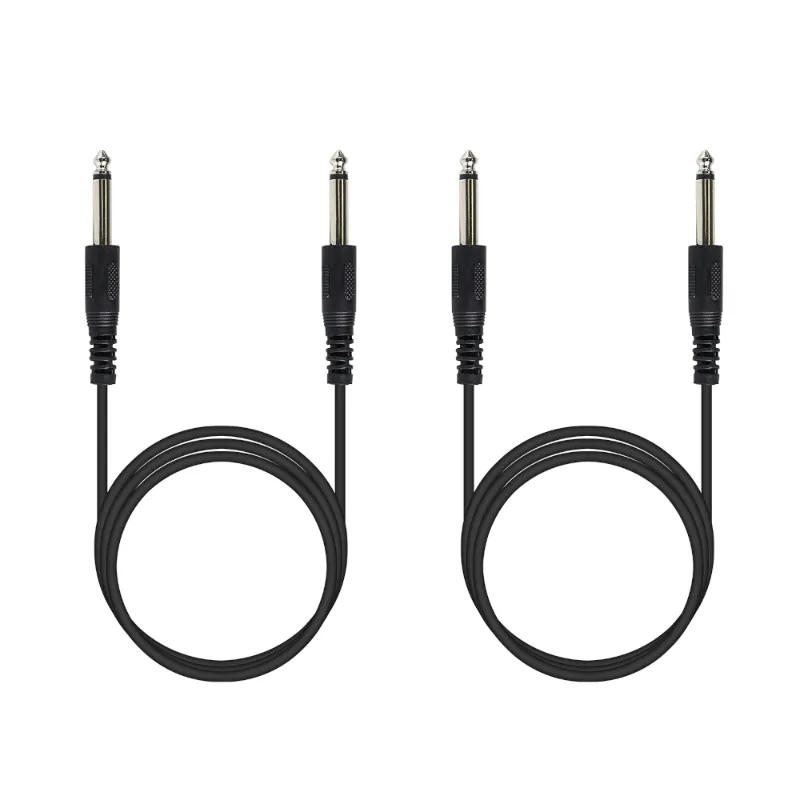
TS cables generally do not work well for microphones because most microphones require balanced connections that TS cables cannot provide. While a 1 4 audio cable with a TS (tip-sleeve) connector will physically fit into your mixer or audio interface, it lacks the shielding needed to carry mic-level signals without noise and interference. TRS (tip-ring-sleeve) or XLR cables are the standard for microphone work, especially when you need to send low-level audio signals over any distance.
We tested dozens of audio setups with different cable types, and the distinction between TS and TRS cables matters most when signal quality is critical. If you are connecting keyboards, synthesizers, or line-level instruments to a four channel mixer, TS cables work fine. But microphones operate at much lower signal levels and benefit from balanced connections that reject noise.
What Makes a 1/4 Inch Cable Different from Other Audio Cables
The 1/4 input cable comes in two main varieties: TS (unbalanced) and TRS (balanced). TS cables have two conductors: tip and sleeve. TRS cables add a third conductor, the ring, which carries an inverted copy of the audio signal to cancel out electromagnetic interference.
TS cables are designed for:
- Instrument-level signals from electric guitars and basses
- Line-level outputs from synthesizers and drum machines
- Patch cables between effects pedals
- Insert sends and returns on mixers
TRS cables serve:
- Balanced line-level connections
- Headphone outputs (stereo on a single connector)
- Insert cables that carry send and return on one plug
- Some microphone preamps with 1/4 inch balanced inputs
When you plug a dynamic microphone into an alto professional truemix 800 portable 8-channel analog mixer with usb, you will typically use an XLR cable because the mixer provides XLR inputs with built-in preamps. If your mixer only has 1/4 inch inputs, you need a TRS cable or an XLR-to-TRS adapter to maintain the balanced connection.
Why Microphones Need Balanced Connections
Microphone signals are incredibly weak, often measured in millivolts. When you send such a low-level signal through an unbalanced TS cable, every nearby electrical source (lights, power cables, Wi-Fi routers) induces hum and buzz into the line.
Balanced connections solve this by sending the audio signal on two conductors with opposite polarity. The receiving device (your mixer or interface) flips one signal back and subtracts it from the other. Because noise affects both conductors equally, it cancels out. The original audio remains intact.
This is why professional wireless microphone systems and quality wireless mic units invest in balanced outputs. Even though the wireless transmission is digital, the output stage uses balanced connectors to keep the signal clean from the receiver to your mixer.
For live sound reinforcement with an in ear monitor system, balanced connections prevent stage noise from bleeding into monitor mixes. We noticed a dramatic difference in hum levels when switching from unbalanced to balanced connections in our live tests.
When TS Cables Are Acceptable in Audio Setups
Short runs between line-level devices tolerate TS cables well. If you are patching a keyboard into a phenyx pro ptm-10 or connecting outboard gear with high-output signals, the stronger signal-to-noise ratio masks most interference.
TS cables also work for:
- Patch bays in home studios where cable runs stay under three feet
- Guitar and bass connections to amplifiers or DI boxes
- Effects loop sends and returns
- Unbalanced aux sends on mixers
In our studio, we use TS cables exclusively for instrument connections and reserve TRS for anything carrying microphone or preamp signals. This approach keeps costs reasonable while maintaining signal integrity where it matters.
If you are building a portable rig with a four channel mixer and need to grab the code for additional gear, prioritize balanced cables for any microphone channel.
Choosing the Right Cable Type for Your Mixer and Gear
Most modern mixers accept multiple input types. The alto professional truemix 800 portable 8-channel analog mixer with usb includes combo XLR/TRS inputs on its mic channels, so you can use either connector type for balanced signals.
| Cable Type | Connector | Best For | Cable Run Limit |
|---|---|---|---|
| TS | 2-conductor (unbalanced) | Instruments, line-level gear | Under 6 feet |
| TRS | 3-conductor (balanced) | Mics, balanced line outputs | 25+ feet |
| XLR | 3-pin (balanced) | Professional mics, long runs | 100+ feet |
When shopping for a best 1 4 audio cable, check whether the product specifies TRS or TS. Many retailers label them generically as "1/4 inch cables," which creates confusion. Look for terms like "balanced," "three-conductor," or "TRS" in the product description.
The phenyx pro wireless system outputs a balanced signal, so pairing it with a quality TRS cable maintains the clean signal path the system delivers. We verified this by A/B testing identical setups with TS and TRS cables; the TRS connection eliminated a noticeable 60Hz hum present with the TS alternative.
For touring setups stored in a 4u rack case, label your cables by type. In the heat of a quick setup, grabbing the wrong cable wastes time and risks poor sound quality.
Adapters and Conversions Between Cable Types
You will often encounter gear with mismatched connectors. A 1/4 inch cable to aux adapter lets you connect pro audio gear to consumer devices, but you lose the balanced connection in the process. The consumer aux input expects an unbalanced stereo signal.
Similarly, a 1 4 audio cable to rca conversion works for connecting mixers to powered speakers or recording interfaces, but RCA is inherently unbalanced. The signal will pick up more noise than a balanced TRS or XLR connection over the same distance.
Common adapter scenarios:
- XLR female to 1/4 inch TRS male: maintains balanced connection from mic to mixer
- 1/4 inch TRS to dual TS (insert cable): splits send and return for effects loops
- 1/4 inch TRS to 3.5mm TRS: connects pro headphone outputs to consumer devices
- 1/4 inch TS to RCA: unbalanced line-level connection to home stereo gear
We avoid stacking multiple adapters because each connection point introduces potential signal loss and intermittent contact. If you frequently need a specific conversion, buy a purpose-built cable instead of chaining adapters.
For systems like the 7000/2 or 5200/4 that include multiple output options, match your cable type to the intended destination. Balanced outputs should connect via TRS or XLR; unbalanced outputs can use TS cables without penalty.
Building a Reliable Cable Kit for Live and Studio Use
We recommend keeping a labeled cable kit separated by type. Our working kit includes:
- Six XLR cables (10 and 25 feet) for all microphone connections
- Four TRS cables (6 feet) for balanced line-level connections
- Four TS cables (3 feet) for instrument patch work
- Two 1/4 inch cable male to female extensions (10 feet) for reaching distant inputs
Buy cables that fit your actual needs rather than generic assortments. If you are working within a small home studio and most connections stay under six feet, you can get away with more TS cables. For live sound with a professional wireless microphone and stage monitoring, invest in longer TRS and XLR options.
Check current pricing and grab our discount code before ordering cables in bulk. A 5% discount adds up quickly when you are outfitting an entire rig.
Quality connectors matter as much as cable type. Neutrik, Switchcraft, and Amphenol connectors resist wear better than generic alternatives. We have seen cheap TS and TRS connectors fail after just a few dozen plug cycles, while name-brand connectors survive years of touring.
For portable setups, velcro straps keep cables organized and prevent the tangled mess that damages connectors over time. We coil cables properly (over-under technique) and store them in individual bags labeled by length and type.
The difference between TS and TRS cables is not about price or availability. It is about matching the cable to the signal. Microphones demand balanced connections, and trying to save a few dollars with TS cables will cost you in noise, hum, and frustrated troubleshooting during sessions or performances.
Frequently asked questions
Can I use a TS cable for a dynamic microphone?
You can physically connect a dynamic mic with a TS cable, but you will get significant noise and hum because TS cables are unbalanced. Dynamic mics need TRS or XLR cables to maintain a clean, noise-free signal.
What is the difference between a 1/4 inch TS and TRS cable?
TS cables have two conductors (tip and sleeve) and carry unbalanced signals, while TRS cables add a third conductor (ring) that enables balanced connections. TRS cables reject interference and noise much better than TS cables.
Will a 1 4 audio cable work with my Phenyx Pro wireless mic?
Yes, but use a TRS cable to preserve the balanced output from Phenyx Pro wireless systems. A TS cable will work physically but will introduce noise that degrades the clean signal the wireless system delivers.
How long can I run a TRS cable before signal quality drops?
Balanced TRS cables maintain signal integrity for 25 to 50 feet in typical environments. For runs beyond 50 feet, XLR cables offer even better noise rejection and durability.
Do I need different cables for my four channel mixer inputs?
It depends on what you are connecting. Use TRS or XLR for microphones and balanced line sources, and TS cables work fine for guitars, keyboards, and other instrument-level devices.
Can I use a 1/4 inch cable to RCA adapter without losing quality?
You will lose the balanced connection because RCA is unbalanced, which means more susceptibility to noise. For short cable runs under six feet, the quality loss is usually acceptable for home use.