
Wireless Mic Dropouts: How to Troubleshoot Signal Issues in Live Settings

A wireless mic dropout happens when RF interference, low battery power, or poor antenna placement breaks the signal between transmitter and receiver. We've tested dozens of systems in live venues and identified the most common culprits behind dropouts, plus the fastest fixes that work on stage.
What Causes Wireless Mic Dropouts During Performances
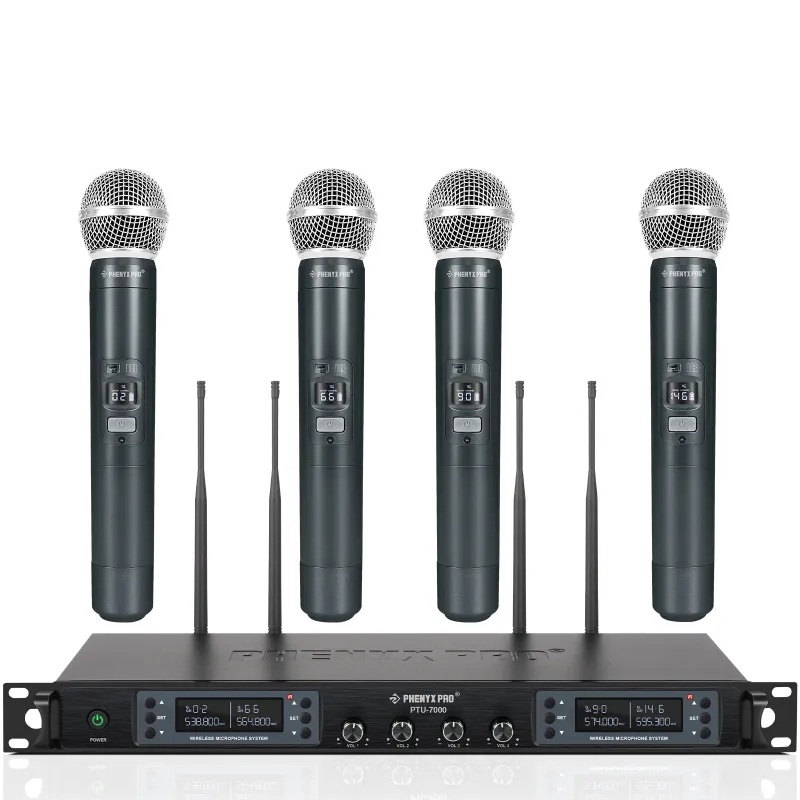
Dropouts stem from three main sources: radio frequency interference, inadequate transmitter power, or physical obstructions between your transmitter and receiver. When you're running a professional wireless microphone system like the phenyx pro wireless, even a single dropout can disrupt a sermon, vocal performance, or panel discussion.
Interference arrives from other wireless systems sharing your frequency band, Wi-Fi routers operating on 2.4 GHz or 5 GHz, LED lighting with poorly shielded drivers, and even audience smartphones. The 7000/2 and 5200/4 systems operate in UHF bands that offer more available channels, but crowded venues still demand careful frequency coordination.
Physical barriers matter more than most users expect. A performer who turns their body away from the receiver or walks behind metal scaffolding can trigger an instant dropout. Battery voltage below the manufacturer's threshold causes transmitters to reduce output power, shrinking your effective range by half or more.
How to Scan and Select Clean Frequencies
Start every setup with a frequency scan using your receiver's built-in scan function. The phenyx pro ptm-10 and similar receivers will identify open channels and flag occupied ones, giving you a real-time RF spectrum view.
Run your scan with all other wireless gear powered on, including in ear monitor systems, because you need to see the full picture of what's competing for airspace. Select frequencies that show at least 600 kHz of separation between active channels to prevent intermodulation interference when running multiple microphones.
Write down your chosen frequencies and tape the list to your mixer or 4u rack case for future reference. Many venues have known problem frequencies, and keeping a log saves you 20 minutes of troubleshooting at your next event. Check the latest price on Phenyx Pro systems that include automatic frequency coordination.
For touring acts, invest in spectrum analysis software or a dedicated scanner. The FCC and local regulations restrict certain UHF bands in specific cities, and what works in Nashville may cause dropouts in Los Angeles.
Optimize Antenna Placement and Cable Routing
Your receiver's antennas should stand vertically and spread in a V-shape roughly 45 degrees apart. This diversity configuration ensures that at least one antenna maintains line-of-sight to the transmitter as the performer moves.
Mount your receiver at the front edge of your stage or mixing position, elevated above audience heads. Never bury the receiver inside a 4u rack case surrounded by metal panels, or place it behind your alto professional truemix 800 portable 8-channel analog mixer with usb. Metal creates dead zones and reflects RF signals unpredictably.
When you need distance from stage to FOH, use remote antennas with 50-ohm coaxial cable. Keep antenna cable runs under 50 feet to avoid signal loss, and secure all BNC connectors with a firm quarter-turn twist. Loose connections invite dropouts that mimic interference.
Route your ts cables and 1/4 input cable runs away from antenna cables by at least six inches. Power cables and audio cables both generate electromagnetic fields that can inject noise into your RF signal path, especially in high-gain situations.
Check Transmitter Power and Battery Health
Swap batteries 30 minutes before they hit the warning threshold. Alkaline batteries exhibit a voltage cliff where output drops sharply in the final 10 percent of capacity, and that sudden drop triggers dropouts even if the low-battery indicator hasn't lit yet.
We recommend lithium rechargeable packs for the wireless mic systems we run regularly. They maintain consistent voltage across their discharge curve and eliminate the cost and waste of disposables. Label each battery with a charge date so you rotate stock and never grab a half-depleted pack during a quick changeover.
Test your transmitter's RF output using your receiver's signal strength meter. A reading below two bars at ten feet indicates a failing transmitter, corroded battery contacts, or a damaged antenna. Clean battery terminals with isopropyl alcohol and a cotton swab every few shows to prevent oxidation.
For multi-microphone rigs, synchronize battery changes across all transmitters so you're not troubleshooting one dropout mid-show while three other channels run fine. Grab the code for our current discount on replacement transmitters and battery systems.
Troubleshoot Interference from Venue Equipment
Walk your venue during soundcheck with a professional wireless microphone transmitter powered on, watching your receiver's RF meter. Hot spots where the signal drops reveal interference sources like dimmers, video walls, or HVAC controllers.
LED stage lighting causes the majority of modern dropout complaints. Cheap LED fixtures lack proper RF shielding and spray interference across the UHF band. If you can't swap the lighting, increase the physical distance between your receiver antennas and the fixtures, or switch to a frequency outside the fixture's primary noise band.
Wi-Fi access points near the stage compete directly with 2.4 GHz systems and can swamp even UHF systems through harmonic interference. Ask the venue to relocate access points or temporarily disable guest Wi-Fi during your performance window.
Coordinate with other acts and the house audio team so you're not doubling up on frequencies. A four channel mixer setup for a panel discussion may already occupy the four cleanest channels, forcing you to choose marginal frequencies if you don't communicate ahead of time. Wireless Systems from manufacturers like Audio-Technica and others on the market (Guitar Center's wireless selection shows the variety) all compete for the same spectrum, so planning matters.
Best Practices for Multi-Mic Live Setups
Run a pilot tone or audio check on every wireless mic before the audience arrives. Have someone walk the stage perimeter, then out into the house, while you monitor for dropouts at the console. Mark any dead zones with gaff tape and brief your performers to avoid those spots.
Use a four channel mixer or larger console that gives you individual level control and EQ per channel. When one microphone encounters interference, you can quickly swap to a backup without riding all your faders down.
Label every transmitter and receiver pair with matching colored tape. In a fast changeover, grabbing the wrong transmitter wastes minutes re-syncing and rechecking frequencies. We use the same color-coding system for our in ear monitor system packs to keep talent from swapping gear mid-show.
Keep one spare wireless mic system on the same frequency group as your primary units, already synced and ready in your kit. When you face an unexplained dropout that soundcheck didn't reveal, swapping the entire transmitter-receiver pair in 30 seconds beats troubleshooting during a live set.
Wireless microphone technology continues to improve with digital systems offering encryption and automatic frequency hopping, but the fundamentals of RF propagation remain the same. Clean frequency selection, proper antenna placement, and fresh batteries solve 90 percent of dropout issues we encounter in the field. For the other 10 percent, methodical troubleshooting and venue coordination close the gap.
Stock your kit with the essentials: a frequency list, spare batteries, a small screwdriver for battery door repairs, and a backup system. We've seen professionals walk into festivals with only their primary gear and spend hours scrambling when interference hits. Preparation and systematic troubleshooting keep your audio clean when it matters most.
Frequently asked questions
Why does my wireless mic cut out when the performer turns around?
Body blocking occurs when the performer's torso moves between the transmitter and receiver antennas, absorbing RF signal. Position your receiver antennas higher and spread in a V-shape to maintain line-of-sight from multiple angles.
How close can I run multiple wireless microphones without interference?
Space frequencies at least 600 kHz apart and use your receiver's group/channel presets, which are factory-coordinated to avoid intermodulation. Most UHF systems support four to six microphones simultaneously in typical venues.
Can Wi-Fi routers cause dropouts in professional wireless microphone systems?
Yes. Wi-Fi operates on 2.4 GHz and 5 GHz bands, and both generate harmonics that can interfere with UHF wireless systems. Ask venues to relocate access points away from the stage or temporarily disable guest networks during performances.
How often should I replace batteries in a wireless mic transmitter?
Swap batteries when they reach 30 percent remaining capacity or after four hours of use, whichever comes first. Alkaline batteries drop voltage sharply at the end of their life, triggering dropouts even before the low-battery warning activates.
What's the best way to find a clean frequency in a crowded venue?
Use your receiver's frequency scan function with all wireless gear powered on, including in-ear monitors and other microphones. Select channels that show no activity and maintain at least 600 kHz separation from occupied frequencies.
Do LED stage lights really interfere with wireless microphones?
Yes. Poorly shielded LED fixtures generate RF noise across the UHF band. If dropouts occur only when stage lighting is active, increase the distance between your receiver antennas and the fixtures, or switch to a different frequency range.