
5 Things to Know Before Buying a Cheap Chromebook

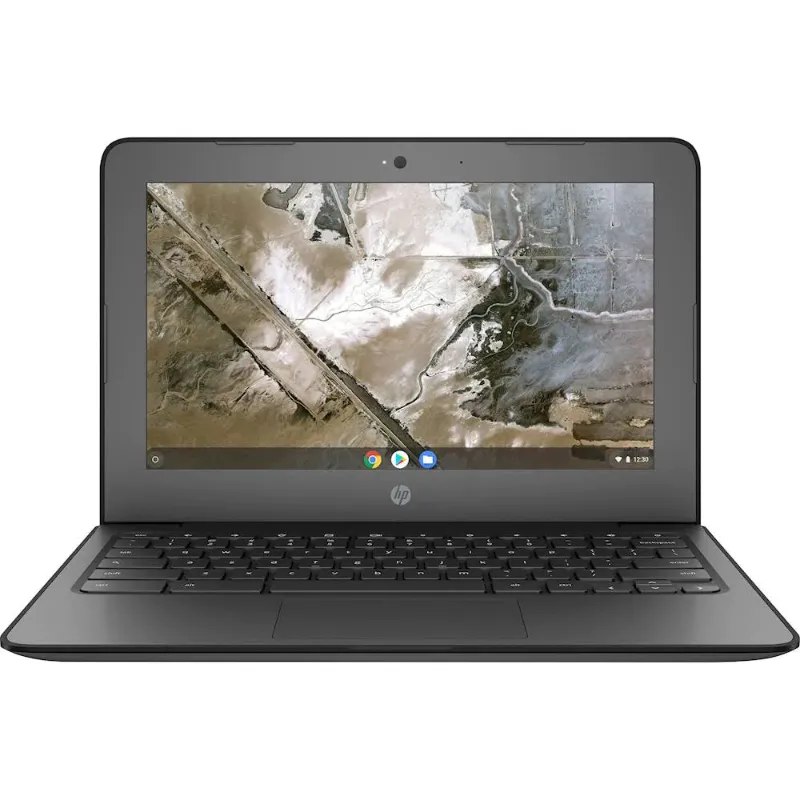
Buying a cheap Chromebook is mostly a good idea, but the biggest mistake buyers make is grabbing the lowest-priced listing without checking what hardware is actually inside. Before you spend anything, read the dell chromebook specifications on the listing itself: processor, RAM, storage, screen size, and whether the model is new or refurbished. Those four details decide whether a budget Chromebook laptop feels fast and lasts years or frustrates you in a month.
Here are the five things we check on every budget model before we recommend it, using the Dell Chromebooks we test most often as examples.
Start With the Dell Chromebook Specifications, Not the Price
Two Chromebooks can look identical in photos and cost the same while performing very differently. The dell chromebook specifications that matter most on a budget model are:
- Processor: Intel Celeron chips (like the N4020 or N3060) handle browsing, Google Docs, and streaming fine. An i3 chip is a genuine upgrade if you keep many tabs open.
- RAM: 4GB is the realistic floor. If a listing does not state RAM, treat that as a red flag.
- Storage: 16GB is tight but workable on ChromeOS since most files live in the cloud. 32GB gives breathing room for Android apps and offline files.
- Screen: 11.6-inch is standard on education models; a 1366 x 768 panel is normal at this price.
- Ports and Wi-Fi: USB-C charging is a big convenience win on newer models.
Dell publishes the full hardware breakdown for its current education line in the official Dell Chromebook 3100 setup and specifications manual, and it is worth five minutes of reading even if you end up buying a different model. Once you know what "good enough" looks like, you can judge any deal in seconds. Our own listing pages for the dell chromebook specifications pull this data into plain language if the manufacturer documentation feels dense.
Know Which Dell Chromebook You Are Actually Buying
The word "Dell Chromebook" covers nearly a decade of models, and the differences between them are bigger than any discount. A dell chromebook old listing usually means a retired education unit like the 3180 or 11 3120. Those can still be fine for a kid's homework machine, but check the ChromeOS auto-update expiration date before buying, because support ends at a fixed date per model.
The Dell Chromebook 11 3180 is one of the most common refurbished units on the market, and independent testing of the Dell Chromebook 11 3180's specs and performance shows it holds up for basic use. If a listing only says "dell 11.6 chromebook" with no model number, ask the seller for it. The model number tells you the processor, the update deadline, and roughly what the machine is worth.
Why the Dell 3100 Line Is the Sweet Spot
For most buyers right now, the dell 3100 family is where budget and usable lifespan meet. It is rugged (drop-tested, spill-resistant keyboard), it runs a modern Celeron, and it will receive ChromeOS updates for years longer than older models. Reviews of the dell chromebook 3100 specs consistently highlight the same strengths we see in our testing: solid build, reliable trackpad, and honest performance for schoolwork.
Two variants are worth knowing:
| Model | Best for | Form factor |
|---|---|---|
| Dell Chromebook 3100 clamshell | Homework, browsing, email | Traditional laptop |
| Chromebook 3100 2 in 1 | Media, drawing, younger kids | 360-degree hinge tablet mode |
The chromebook 3100 2 in 1 costs more than the clamshell, so only pay the premium if the touch screen and tent mode matter to you. For a straightforward student laptop, the standard 3100 is the cheapest chromebook we are comfortable recommending without caveats.
When a Dell Chromebook i3 Is Worth the Extra Money
Most budget Chromebooks use Celeron processors, which are fine for one person with 5 to 10 tabs open. If you are a heavy tab hoarder, run Android apps alongside the browser, or want the machine to stay snappy for years, a dell chromebook i3 model is the single best upgrade you can buy. The jump from a Celeron to an i3 is more noticeable day to day than doubling the storage ever will be.
Our rule of thumb:
- Casual browsing and schoolwork: Celeron, 4GB RAM.
- All-day use, many tabs, light multitasking: i3, 4GB or 8GB RAM.
- Anything beyond that: you are leaving Chromebook territory, and a used Windows laptop may serve you better.
Check the Screen Size Against How You Will Use It
An 11.6-inch screen is the default on budget education Chromebooks like the hp chromebook 11 g8 ee and most Dell 11-inch units. It keeps the machine light and cheap, but it is genuinely small for spreadsheets or split-screen work. If the Chromebook is your only computer, consider whether a 13 or 14-inch model is worth the modest price increase. If it is a companion device or a child's first laptop, 11.6 inches is the right size and far easier to carry in a backpack.
Also check the keyboard layout. Education models often have simplified keyboards with fewer shortcut keys, which some adults find annoying but kids never notice.
Buying Smart: Refurbished, Single Units, and Bulk
Cheap Chromebooks come from three channels, and each has a different risk profile:
- Refurbished single units: best value for one buyer. Buy from sellers who state battery health and include a warranty of at least 90 days.
- New budget models: worth it when the price gap to refurbished is small, because you get a full battery and the longest update window.
- Bulk computers: ideal for classrooms, small offices, or family hand-me-downs. Buying in quantity usually drops the per-unit price well below single-unit retail, and matching units make management and repairs simpler.
Whatever channel you choose, check our current coupon code before checkout, because a percentage-off offer on an already cheap Chromebook is real money saved. We keep that page updated whenever the store's 5% off all orders deal is active.
Our Bottom Line
Read the specifications before the price, confirm the model number, and match the processor tier to how you actually work. A Dell 3100 handles most people's needs at a low price, an i3 model buys peace of mind for heavier users, and an older 11-inch unit is fine for light duty if the update date has not passed. Check the current pricing and grab the discount code before you buy, and you will end up with a machine that feels like a better deal than it already was.
Frequently asked questions
What are the minimum dell chromebook specifications I should accept for a student?
4GB is the realistic minimum for smooth browsing and schoolwork, and 32GB of storage is more comfortable than 16GB once you install Android apps. Avoid listings that do not state RAM at all.
Is a refurbished Dell Chromebook a good buy?
Usually yes, as long as the seller states battery health, discloses the model number, and includes at least a 90-day warranty. Refurbished education models like the Dell 3100 offer strong value because they are built to survive rough handling.
How long will a dell chromebook old model keep receiving updates?
It depends on the exact model, since Google ends ChromeOS updates at a fixed date for each device. Always check the auto-update expiration for the specific model number in the listing before you buy an older unit.
Should I buy the Dell 3100 clamshell or the chromebook 3100 2 in 1?
Choose the clamshell if the laptop is mainly for typing and browsing. Pick the 2 in 1 if you want a touch screen, tent mode for video, or a device for younger kids who draw and tap more than they type.
Is a dell chromebook i3 worth the extra cost over a Celeron model?
If you keep many browser tabs open, run Android apps alongside the browser, or want the machine to stay responsive for several years, the i3 upgrade is worth it. For light browsing and document editing, a Celeron model is enough.
Where can I compare the dell chromebook 3100 specs and pricing in one place?
Start with the dell chromebook specifications listing page, where we break down processor, RAM, storage, and screen size in plain language, then check the store's coupon page for the current discount before checkout.