
Dell 3100 vs. HP Chromebook 11 G8: Which One Fits Your Needs?

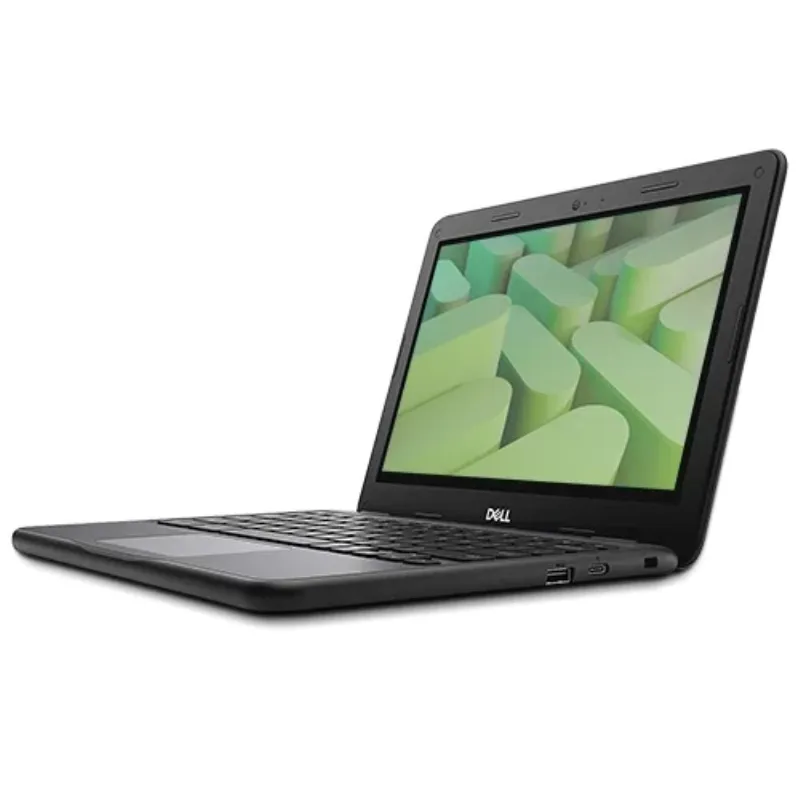
If you want the short answer: the Dell 3100 is the better all-around rugged classroom Chromebook with stronger durability credentials and more configuration options, while the HP Chromebook 11 G8 EE wins on a lighter frame and often a lower price. Both are 11.6 inch education machines built for daily rough handling, so your decision mostly comes down to budget, condition (new or refurbished), and whether you need a 2-in-1 form factor.
We have tested and handled both machines at our test bench, and we have also refurbished and resold both in volume. Below we break down the dell chromebook specifications, real-world differences, and who each machine suits best.
Dell Chromebook Specifications at a Glance
Before comparing, it helps to see what you are actually buying. The Dell 3100 series (including the chromebook 3100 2 in 1) and the hp chromebook 11 g8 ee share a lot of DNA, but the details matter. For the official numbers straight from the source, Dell's own Chromebook 3100 Setup and Specifications manual covers dimensions, weight, and port layouts, and LaptopMedia's Dell Chromebook 11 3100 overview collects specs, tests, and pricing context.
Typical configurations you will see on both:
- Display: 11.6 inch anti-glare panels, usually 1366 x 768 resolution
- Processors: Intel Celeron class chips (N4020/N4120 on the Dell 3100, similar Celerons on the HP)
- RAM: commonly 4 GB, with 8 GB appearing on higher trims and some refurbished listings
- Storage: 16 GB to 64 GB eMMC, expandable via microSD on both
- Ports: USB-C with charging, USB-A, HDMI, and a microSD slot
- Battery: all-day class, roughly 10 to 12 hours on a fresh unit depending on usage
If you want to browse the exact units we stock and verify each listing's config, our dell chromebook specifications page lists every detail per machine.
Dell 3100 vs. HP Chromebook 11 G8: Head-to-Head
Here is how the two compare where it actually counts for a student, a parent, or an IT buyer.
| Feature | Dell 3100 | HP Chromebook 11 G8 EE |
|---|---|---|
| Durability | Spill-resistant keyboard, rubber-trimmed edges, tested for drops | Corning Gorilla Glass option, tested for drops and spills |
| Form factors | Clamshell plus a 2-in-1 variant | Clamshell only |
| Weight | Slightly heavier due to rugged trim | Noticeably lighter for its class |
| Configurations | Celeron options, 2-in-1, multiple RAM/storage skus | Fewer skus, simpler buying decision |
| Refurb market | Very deep supply, wide price range | Good supply, often slightly cheaper |
Two honest takeaways from our testing: the Dell's rubberized bumpers and reinforced ports make it the one we hand to younger kids, and the HP's lighter chassis is the one that teachers tend to prefer carrying between rooms.
Which Dell 3100 Model Should You Pick?
The Dell 3100 family is bigger than people expect, and picking the wrong variant is the most common mistake we see. Here is the quick map:
- Standard clamshell: The dell 3100 is the default pick for students. Rugged, boring in the best way, and easy to repair.
- Touchscreen flip: The chromebook 3100 2 in 1 converts to tablet mode for drawing apps, reading, and media. Worth the premium if your school uses annotation-heavy software.
- Higher-performance option: If you need more headroom for Android apps and multiple tabs, the dell chromebook i3 listings step up from the base Celeron.
- Other Dell sizes: The dell chromebook 3400 offers a different chassis size if 11.6 inches feels cramped, and the dell 11.6 chromebook category is the place to compare every small Dell we carry.
- Older units: The dell chromebook old listings are where the deep bargains live. Check the update window before buying anything older, which we cover below.
For classic bargain hunting, the dell -11-cc11260-11-6- chromebook is one of those compact 11.6 inch units that keeps showing up at strong refurbished prices.
When the HP Chromebook 11 G8 EE Is the Smarter Buy
The HP earns its place in three scenarios. First, if weight matters: a lighter chromebook laptop in a backpack every day genuinely adds up for younger students. Second, if you want the simplest purchase possible, HP's single-config approach means fewer decisions and less chance of overpaying for specs you will not use. Third, on price: in the refurbished market the HP often undercuts the Dell by a small margin, and for basic browsing and Docs work that is the smarter allocation of budget.
If price is your number one filter across all brands, start at our cheapest chromebook category rather than fixing on one model. You will sometimes find a different 11.6 inch machine beats both of these on value on a given week.
Buying Refurbished: What to Check Before You Pay
Both the Dell 3100 and the HP 11 G8 are education fleet machines, which means huge refurb supply and quality that varies wildly between sellers. Here is our checklist:
- ChromeOS update window: Google supports each model for a fixed period from its release. Check the current ChromeOS end-of-support schedule before buying any education Chromebook, and be especially careful with a dell chromebook old listing.
- Battery health: Education units live on carts, so batteries cycle constantly. Ask for a health percentage, not just "tested."
- Keyboard and hinge condition: These are the first failure points on classroom machines. Photos or a video of the hinge at full open and closed.
- Grade honestly interpreted: Grade A refurbs should look near new. Grade B will have cosmetic wear, which is fine for kids.
- Return window: At minimum 30 days. Chromebooks rarely fail slowly, so if it is going to fail, it usually shows early.
If you are outfitting a classroom, a team, or a whole family, our bulk computers category is where per-unit pricing improves most, and we are happy to mix Dell and HP units in one order.
Where to Buy and How to Save
Both machines are priced well below their original education-contract rates on the refurbished market, and our inventory shifts weekly as fleet lots come in. Rather than quoting a number here that could be stale by tomorrow, check the latest price on each listing and grab the code before checkout. Our current offer takes 5% off all orders, and it stacks on top of the already-reduced refurb pricing. That code applies to everything on the site, including the dell 3100, the hp chromebook 11 g8 ee, and any bulk computers order, so check the latest price for the model you land on.
Our Verdict
Buy the Dell 3100 if durability is your top priority, you want the 2-in-1 option, or you are buying for younger students who treat hardware roughly. Buy the HP Chromebook 11 G8 EE if you want the lightest option at the lowest price and your use is straightforward browsing, Docs, and video calls. Both are dependable, repairable, education-proven machines, and honestly, the refurb quality of the seller matters more than the logo on the lid. That is the part we obsess over so you do not have to.
Frequently asked questions
Is the Dell 3100 or the HP Chromebook 11 G8 EE lighter?
The HP 11 G8 EE is noticeably lighter, which makes it the better pick for younger students carrying a bag all day. The Dell 3100's added rugged trim costs some weight but buys drop and spill protection.
What are the most important dell chromebook specifications to check before buying a refurb?
Key dell chromebook specifications to verify are the processor (Celeron class), RAM (4 GB is the common floor, 8 GB is more comfortable), storage size, battery health on refurbs, and the remaining ChromeOS update window.
Does the Dell 3100 come in a 2-in-1 version?
Yes. The 2-in-1 version flips into tablet mode for drawing, reading, and annotation-heavy apps. It usually costs a bit more than the standard clamshell Dell 3100.
Is a dell chromebook old enough to be off support still worth buying?
It is a solid budget buy if the battery is healthy, the keyboard and hinges are intact, and the ChromeOS update window is still long enough for your needs. Always check the support schedule before buying any older education Chromebook.
How much RAM do these education Chromebooks ship with?
Typically 4 GB on base models with 8 GB available on higher trims and some refurbished listings. For heavy tab use or Android apps, lean toward 8 GB.
Do you have a discount code for the Dell 3100 or HP Chromebook 11 G8?
Our current offer is 5% off all orders at Chromebooks R Us. The code works on every listing, including refurbished Dells, HPs, and bulk orders. Grab the code on our coupon page before checkout.