

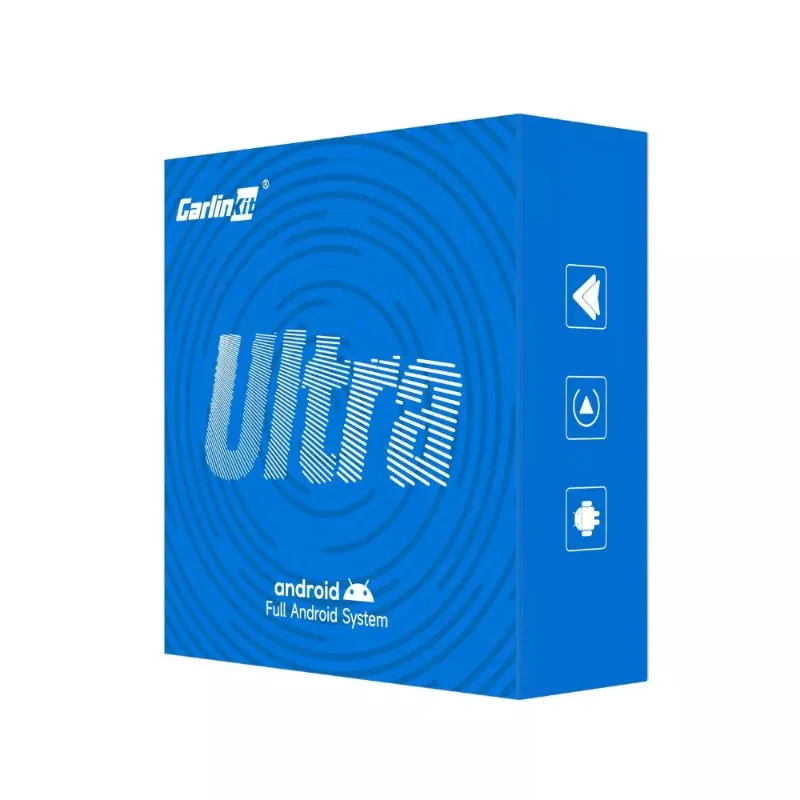
What the Carlinkit Tbox Ultra 2 Actually Does
The carlinkit tbox ultra 2 is an Android-powered CarPlay AI box, which means it does two jobs at once: it connects your phone wirelessly and it runs its own apps on your factory screen, so video, navigation and streaming do not depend on your phone staying awake. If all you want is a clean wired to wireless upgrade, a carlinkit 5 adapter does that for far less money and far less fuss.
We test these boxes in real cars, not on a bench, so this guide is about what changes once the thing is plugged in: which screen you end up looking at, which cable survives the centre console, and where the setup usually goes wrong.
What an AI box adds over a plain adapter
- Built-in Android apps so the box can run streaming and navigation itself, not just mirror your phone.
- Video on the factory screen for passengers, which a standard CarPlay adapter will not do.
- Its own Wi-Fi and Bluetooth pairing, separate from your phone's connection.
- A second interface you switch into, alongside the normal CarPlay view.
AI Box Versus Adapter: Pick the Right Tool
The honest answer to "AI box versus adapter" is that they solve different problems. An adapter fixes a cable problem. An AI box adds a device.
| What you want | Carlinkit Tbox Ultra 2 (AI box) | Carlinkit 5 (adapter) |
|---|---|---|
| Wireless CarPlay | Yes | Yes |
| Built-in Android apps and video | Yes | No |
| Things to install | Box plus power and video wiring | Plug into the existing USB port |
| Best for | Rear seat screens, long trips, shared cars | Daily driving, rental cars, quick upgrades |
If your car already has a good wired CarPlay connection and you just want the cable gone, buy the adapter. If you want the screen to do something while the car is parked, or you have passengers who want their own content, the carlinkit carplay ai box range is the category to shop in. You can check the latest price on both before deciding, since the gap between them is bigger than most people expect.
The Adapter Line-Up: Carlinkit 5, T2C, Mini 5 SE and Mini Ultra
AutoKit stocks several adapters and they are not interchangeable, even though the names look similar.
- Carlinkit 5 and Carlinkit 5. are the full-size wireless adapters, the ones to pick for a fixed install in your own car.
- Carlinkit T2C is the USB-C flavour, aimed at cars and phones that have already dropped USB-A.
- Carlinkit Mini 5 SE and Carlink Mini Ultra are the compact versions. They hide better behind a trim panel and suit cars where the USB port lives somewhere awkward.
- Car link kit bundles the adapter with the cable you need, which saves the classic mistake of buying a charge-only lead.
Our rule of thumb: measure the space around the port before you buy. A Mini 5 SE in a tight console beats a full-size adapter you have to unplug every time you park.
Cables, USB C Compatibility and Android Auto Wireless
Most "the adapter does not work" reports we see are cable problems wearing a disguise. The lead has to carry data, not just power, and it has to be short enough not to wobble in the port.
The usb c to usb c cable for carplay is the right choice for USB-C ports and newer phones, while the cable usb android auto is what you want when the car side is still USB-A. Three things matter more than brand:
- Data-rated, not charge-only. Charge-only leads power the adapter and nothing else.
- Under about a metre. Long, thin cables drop the connection at exactly the wrong moment.
- A firm connector. Loose USB-C plugs cause reconnects that look like firmware bugs.
Android Auto wireless works the same way, with one addition: your phone needs Wi-Fi and Bluetooth on, and the car's head unit has to support wireless projection or you are back to a cable. USB C cable compatibility is about the port standard on both ends, so check the car end first, then match the phone end.
Setup, Pairing and Firmware Update Guidance
Installation order matters more than any single step. Do it this way and most pairing and connection fixes become unnecessary.
- Park with the ignition on and the car in a state where the screen stays powered.
- Plug the adapter or box into the correct port, not a charging-only socket.
- Let the device boot fully before touching your phone. Fighting it mid-boot is what causes failed pairings.
- Pair Bluetooth first, then accept the CarPlay prompt, then let the device join its own Wi-Fi network if it uses one.
- For an AI box, finish the box's own setup (language, network, apps) before you start switching between interfaces.
On firmware update guidance: update only through the official app or the vendor's own page, only when you are parked, and never in the middle of a trip. If a new version breaks pairing, roll back or wait for the next release rather than reinstalling three times in a row. We keep adapters on the version that works and update deliberately, not on the day an update appears.
Counterfeits, Returns and Delivery Expectations
Cheap clones are the single biggest source of strange behaviour in this category. Spotting counterfeit adapters is usually about small things:
- Packaging with no matching model number or serial.
- A seller page that reuses official photos but lists a different brand name.
- A price far below everyone else's, with no warranty statement.
- Firmware tools that refuse to recognise the device.
Buy from a seller that publishes clear returns and warranty basics. In our experience, the first thing to check after delivery is whether the device pairs and updates normally within the first day, because that is when an exchange is easiest. On delivery expectations, allow extra time around sale periods and always open the box before you cut or bin the packaging.
If you are buying through AutoKit, grab the code before checkout and keep the order confirmation, since that is what a warranty claim asks for. Also worth knowing: the same money buys a much better adapter than it did two years ago, so there is no reason to gamble on a no-name clone.
Who each one suits
- Buy the Carlinkit 5 or Mini 5 SE if you want reliable wireless CarPlay and nothing else.
- Buy the Carlinkit T2C if your car or phone is USB-C only.
- Buy the Carlinkit Tbox Ultra 2 if you want apps and video on the car screen and do not mind a proper install.
- Buy a car link kit if you would rather not research cables at all.
That is the whole decision. Everything after it is cable selection and a patient first setup.
 Shopping at AutoKit CarPlay? See today's verified AutoKit CarPlay discount code
Frequently asked questions
Do I need the Carlinkit Tbox Ultra 2 or just a normal adapter?
If you only want wireless CarPlay, a Carlinkit 5 or Mini 5 SE is the simpler and cheaper buy. The Tbox Ultra 2 is worth it when you want the box to run its own apps and play video on the factory screen rather than just mirroring your phone.
Can I use any USB-C cable with a CarPlay adapter?
No. It has to be a data-rated cable, not a charge-only lead, and short enough to stay firmly seated. Our usb c to usb c cable for carplay is chosen for that reason, and you should match it to whichever port your car actually has.
How do I fix pairing failures after a firmware update?
Delete the device from your phone's Bluetooth and CarPlay lists, then re-pair from scratch with the ignition on and the car parked. If it still fails, roll back or wait for the next release rather than reinstalling repeatedly.
Is Android Auto wireless supported as well as CarPlay?
Wireless projection depends on your head unit and phone, not just the adapter. Check that the car supports wireless natively or that you are buying a device specifically listed for your model, and keep the phone's Wi-Fi and Bluetooth on.
How do I avoid buying a counterfeit adapter?
Buy from a seller that states returns and warranty terms clearly, check the model number matches the listing, and be suspicious of prices far below everyone else's. If the firmware tool will not recognise the device, that is usually the first real clue.
What should I check first when the box arrives?
Open the packaging, confirm the model number, then pair and update it within the first day while the ignition is on. That is when an exchange is quickest if something is wrong.