

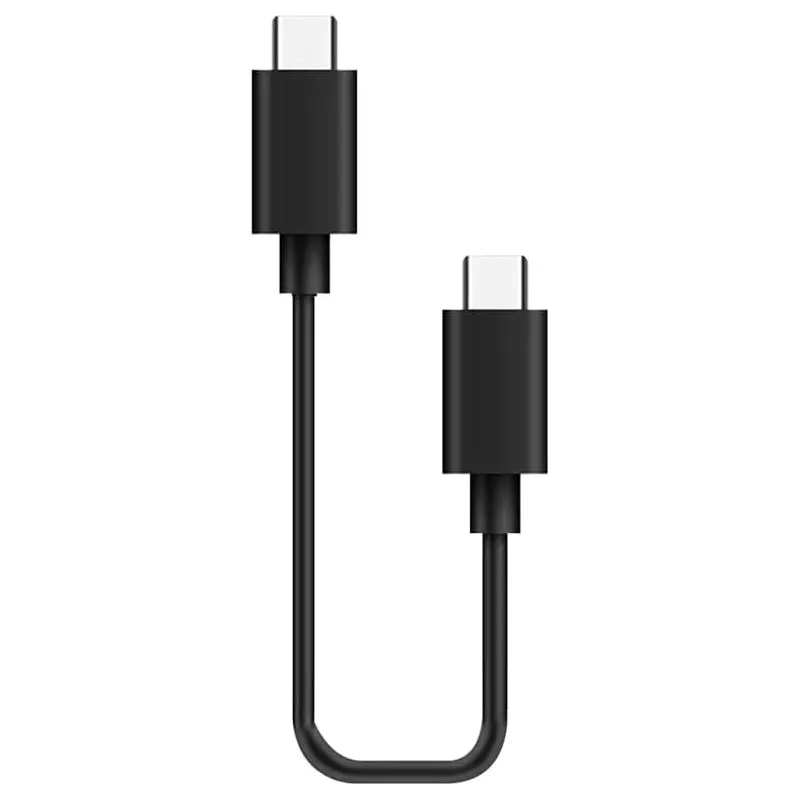
The fastest way to make a usb c to usb c cable for carplay last is to take the load off its connectors: support the plug, stop the tight coil, and keep heat away from the ends. Almost every cable we see fail in testing dies at the strain relief long before the copper inside gives up, so a small cable clip and a better routing habit often outlast an expensive replacement. Whether you run a carlinkit 5, a compact carlinkit mini 5 se, or a plain wired connection, the same rules apply.
Why Your USB C to USB C Cable for CarPlay Fails First
In our testing, cable failures come down to four causes:
- Strain at the plug. The connector shell is glued, not welded. Every time the cable hangs off the port, that joint carries the weight.
- Sharp bends. A tight 90-degree fold behind the console breaks the shield braid and the data pair, which is why a cable can still charge a phone but stop carrying CarPlay.
- Heat. Charging, conversion work, and a hot cabin add up, and warm plugs oxidize faster.
- Crushed runs. Cables routed through seat rails or door seals develop intermittent faults that look exactly like adapter bugs.
The detail that matters most: CarPlay and Android Auto are data-first connections. A cable with a damaged data pair will often charge perfectly while CarPlay drops every few minutes, and that symptom sends people shopping for a new adapter when the cable is the real problem.
Strain Relief: The 3-Inch Rule
Give every connector about three inches of slack before the cable bends. That single habit is the biggest lifespan upgrade you can make.
- Support the plug with an adhesive cable clip or a small bracket near the port.
- Route the run so the cable's weight hangs from the clip, not from the socket.
- Unplug phones by the shell, never by the wire.
- Leave a gentle service loop where the cable transitions from console to floor.
If the cable lives in a tight console with a carlinkit t2c or another compact adapter, the adapter's own short stub is the weakest point. Keep that stub straight and let the longer cable absorb the movement.
Heat, Coils, and Routing in a Real Car
Heat ages cables faster than mileage does.
- Do not coil a cable tightly around a warm adapter. Loop it loosely instead.
- Keep runs away from the transmission tunnel in summer and away from heater ducts in winter.
- Do not leave a cable plugged into a powered port in a hot, parked car for days. Contacts oxidize and the plug shell softens.
- If a plug is uncomfortable to hold after an hour, something in the chain is working too hard. Check for a half-seated plug or a worn socket first.
USB C Cable Compatibility: Match the Cable to the Setup
Not every USB-C cable behaves the same in a car. Thin charging-only cables with two power wires cannot carry CarPlay reliably, so buy a cable sold for data, not just fast charging.
| Setup | Cable to use | Care priority |
|---|---|---|
| Phone to factory USB port | Data-rated USB-C to USB-C | Strain relief at the phone end |
| Phone to carlinkit 5 or mini adapter | Short data-rated USB-C | No coils, keep the run straight |
| Adapter box in the console | Longer data-rated cable with a service loop | Heat and routing |
| Android phone, wired | cable usb android auto | Plug seating and cleaning |
Buying one good cable is cheaper than replacing three cheap ones. Our usb c to usb c cable for carplay is the one we test against our own adapters, and it removes cable doubt from the equation in a single step.
On the wired to wireless upgrade: if you move to a wireless CarPlay adapter setup, keep a known-good cable in the car anyway. Many installations still depend on a stable, data-rated cable between the adapter and the head unit, and that cable gets forgotten until it fails. The same is true of an Android Auto wireless connection, which is only as solid as the physical link underneath it.
Cleaning and Inspection Routine
Once a month, two minutes:
- Unplug everything and look into the phone port with a light. Pocket lint compacts into a felt-like pad that stops the plug seating fully.
- Blow the port out with dry air, or lift lint with a wooden toothpick. Never use metal.
- Wipe the connector shell and contacts with a dry, lint-free cloth. Skip solvents and skip contact cleaners.
- Flex the cable gently along its length and feel for a stiff spot. A stiff spot means a broken conductor inside.
- Check for plug wobble. A wobbly plug in a firm port means a worn connector, and it will keep dropping CarPlay.
When CarPlay Drops, Fix the Cable Before the Adapter
Pairing and connection fixes should start at the physical layer.
- Swap in a different, known-good data cable before you touch any settings.
- Reseat both ends firmly, then test again.
- Forget the device on the phone and re-pair for wireless connections.
- Follow the manufacturer's firmware update guidance and update only through a stable cable and a charged phone.
- Test the phone in another car to separate cable and port faults from adapter faults.
If a new cable fixes it, the old one had a broken data pair. If nothing changes, the adapter is worth a look, and that is when a car link kit or a carlinkit tbox ultra 2 becomes the next step. For a wider view on AI box versus adapter setups, plus current pricing on the range, grab the code before you order.
Buying, Delivery, and Warranty Basics
- Buy data-rated cables from a seller that publishes the spec, not a marketplace listing with no detail.
- Spotting counterfeit adapters is easier than it sounds: check print quality, check the serial number, and check whether the seller honors returns.
- Confirm delivery expectations before a road trip. A cable that arrives after you leave solves nothing.
- Keep the box and the order email. Returns and warranty basics almost always need proof of purchase, and a photo of the fault speeds things up.
- Order a spare. A second cable in the glovebox is the cheapest insurance against a dead connection on a long drive.
When you are ready to compare units, check the latest price on the AutoKit CarPlay page. If you want a compact starting point, the carlink mini ultra and the carlinkit carplay ai box are the two we get asked about most for small consoles, and the carlinkit t-box is the usual pick for a console-mounted box. One more cable tip before you order: keep the usb c to usb c cable for carplay you already own as the backup, since you have now learned exactly how to keep it alive.
 Shopping at AutoKit CarPlay? See today's verified AutoKit CarPlay discount code
Frequently asked questions
Does a longer USB-C cable hurt CarPlay performance?
A data-rated cable of reasonable length is fine, but very long passive runs can drop the connection. Keep the phone-to-adapter run short and use the longer cable between the adapter and the head unit instead.
Can I use my phone's fast-charging cable for CarPlay?
Only if it is data-rated. Many charging-only cables carry power but not the data pair CarPlay needs, which is why the phone charges while the connection keeps dropping.
How do I know when my usb c to usb c cable for carplay is failing?
The classic sign is a phone that charges normally but drops CarPlay every few minutes, plus a stiff spot or a wobbly plug when you flex the cable. A known-good cable swapped in for one drive confirms it.
Do CarLinkit adapters need a specific cable?
They need a data-rated cable rather than a charging-only one. Check the listing spec for data support, and keep the run supported at both ends.
Should I unplug the adapter when the car is off?
Unplugging from a port that stays powered is a good idea in hot weather, since it reduces heat cycling on the plugs. In normal temperatures, well-supported cables handle daily plugging fine.
Will a new cable fix my dropping CarPlay connection?
Often yes, especially if the old cable still charges. If a fresh data-rated cable changes nothing, then test the phone in another car before assuming the adapter is faulty.