

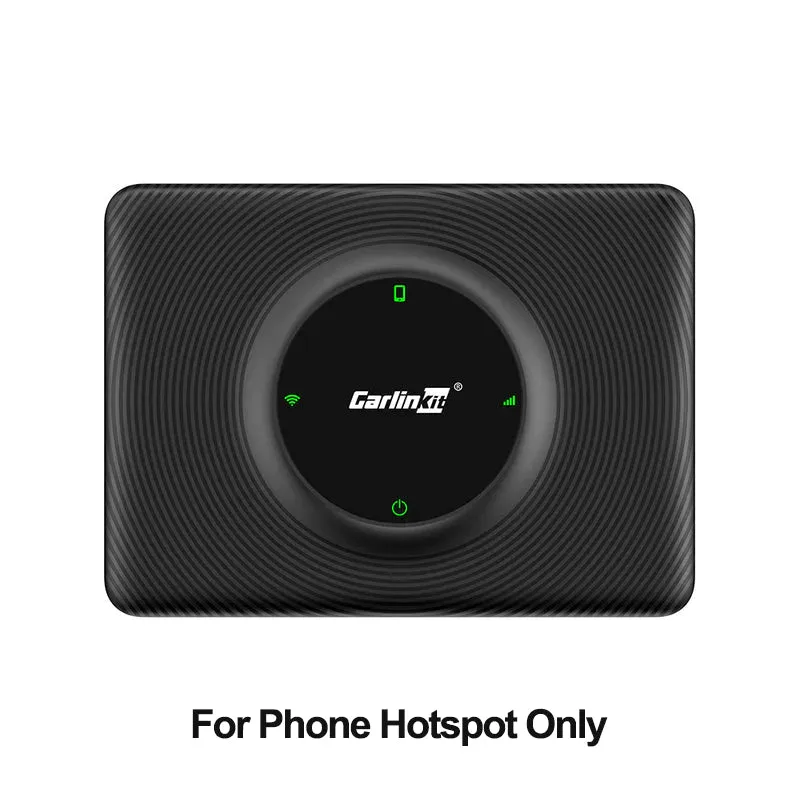
The short answer: the Carlinkit 5 is the safer pick for most drivers, the Carlinkit T2C is the one to choose if you want the newer compact build, and a carlinkit carplay ai box only earns its place if you want a full Android interface rather than plain wireless CarPlay. All three solve the same annoyance, which is having to plug your phone in every time you get in. The difference is how far past that you want to go.
Carlinkit 5 vs Carlinkit T2C at a Glance
| What matters | Carlinkit 5 | Carlinkit T2C |
|---|---|---|
| Main job | Wired to wireless CarPlay | Wired to wireless CarPlay |
| Track record | Longest in the range, huge user base | Newer, smaller, cleaner install |
| Firmware | Mature, most fixes already published | Actively updated |
| Best for | First upgrade, older cars, shared vehicles | Replacing a bulky dongle, tight dash space |
Both are plug-in adapters, so the car keeps its factory screen and you keep the steering wheel buttons and voice controls. Neither needs a garage visit or any coding. Check the latest price before you commit, because the offer moves around.
What the Carlinkit 5 and T2C Actually Do
The adapter sits in the USB or USB-C port your car uses for wired CarPlay and broadcasts a wireless connection your iPhone joins. That is the whole trick. Nothing gets opened up, and unplugging the unit returns the car to standard wired behaviour.
The carlinkit 5 is the model we point most people to. It has been around long enough that almost every "it will not connect" question already has a published answer, and that matters more than it sounds for something you use daily. It is the sensible default for a wired to wireless upgrade on a car that already has factory CarPlay.
The carlinkit t2c is the newer of the two. Same core job, tidier housing, and it is the one to pick if your port sits in a cramped console where a long body gets knocked by a water bottle. Because it is newer, expect the occasional firmware fix rather than a fully settled product. That is normal and easy to live with if you are comfortable updating.
If you want a smaller footprint again, the carlinkit mini 5 se and carlink mini ultra exist for exactly that, and a full car link kit is worth a look when you are kitting out two cars at once.
Wireless CarPlay Adapter Setup: Five Steps That Cover Most Cars
- Start the car and let the head unit boot fully before you touch the adapter.
- Plug the adapter into the CarPlay port. Use the socket the manual labels for phone connection, not a charging-only one.
- Open Bluetooth on your iPhone and pair with the adapter when it appears.
- Accept the CarPlay prompt on the phone and on the screen.
- Let the map draw before you drive off. First connections are always slower than later ones.
Pairing and Connection Fixes
- Delete the adapter from your phone's Bluetooth and CarPlay settings, then pair from scratch.
- Forget the car's own Bluetooth entry so the phone stops competing between two connections.
- Test with a known good cable. Charge-only cables fail constantly, and this is the single most common cause of a dead session.
- Turn the car off, unplug the adapter, wait a few seconds, plug it back in.
AI Box Versus Adapter: Where a Carlinkit CarPlay AI Box Fits
An adapter puts your iPhone on the factory screen without the cable. An AI box goes further and runs its own Android system, so the screen can work with no phone attached at all. That is a different purchase, not an upgrade.
| Point | Wireless adapter | AI box |
|---|---|---|
| Needs your phone | Yes, every drive | No, runs on its own |
| Setup effort | Minutes | Longer, more settings to tune |
| Best for | Everyday CarPlay on the factory screen | Streaming, extra apps, a second screen in the car |
The carlinkit carplay ai box is the one to look at if that right-hand column describes what you actually want. If you are unsure, buy the adapter first. Most people who think they want a box really just want their maps on a bigger screen without a cable.
USB C Cable Compatibility and Android Auto Wireless Connection
Cables get blamed for problems they did not cause, and then sometimes they turn out to be exactly the problem. Two rules cover it:
- Match the connector your car uses. A USB-C to USB-C cable for CarPlay is not the same as a charge cable from a kitchen drawer.
- Short and thick beats long and thin. Very long cables are where data dropouts start.
On an Android phone, look for a cable sold for Android Auto wireless connection work rather than generic charging, because a cable usb android auto spec carries data as well as power and that is what the handshake needs. Keep a spare in the glovebox. We have seen more returns avoided by a second cable than by any settings change.
Firmware Update Guidance, Counterfeit Checks, Returns and Delivery
- Update from the manufacturer's own app or site, and only when you have a real problem. If it works, leave it alone.
- Spotting counterfeit adapters is mostly packaging and price. Serial numbers should be present, printing should be sharp, and a deal far below everyone else is not a deal.
- Buy from a seller with a stated returns window and keep the box for the first month.
- Delivery expectations vary by warehouse, so read the shipping estimate on the product page rather than trusting a marketplace badge.
- Write down the firmware version before you update so you can tell whether a change helped.
For the current offer and code, grab the code before you order.
Who Should Buy Which
- Buy the Carlinkit 5 if this is your first wireless adapter and you want the fewest surprises.
- Buy the Carlinkit T2C if the port is tight, you are replacing a bulky old dongle, or you like being on current firmware.
- Buy the carlinkit tbox ultra 2 if you want a box-style unit with more room to work than a dongle gives you.
- Buy the carlinkit carplay ai box if you want the car screen to work with your phone still in your pocket.
- Skip all of them if your car never had wired CarPlay. There is nothing for the adapter to convert.
Whatever you pick, check the latest price first and read the returns terms before the packaging goes in the bin.
 Shopping at AutoKit CarPlay? See today's verified AutoKit CarPlay discount code
Frequently asked questions
Is the Carlinkit T2C better than the Carlinkit 5?
Not better, just newer. The T2C gives you a tidier, more compact install, while the Carlinkit 5 has a longer track record and more community-tested fixes. Buy the T2C for dash space, the 5 for the safest first experience.
Do I need a carlinkit carplay ai box to get wireless CarPlay?
No. A standard adapter like the Carlinkit 5 or T2C already makes CarPlay wireless. The AI box is for people who want the car screen running its own Android system without a phone connected.
Why does my adapter keep disconnecting mid-drive?
Start with the cable, then the pairing. A charge-only cable or a worn connector causes most dropouts, and a phone still paired to the car's own Bluetooth can fight the adapter for the connection.
Can I use any USB-C cable with a CarPlay or Android Auto adapter?
No. The cable must carry data, not just power. Charging cables from a drawer often fail the handshake, so use a cable sold for CarPlay or Android Auto and keep it as short as the install allows.
How do I avoid buying a counterfeit Carlinkit adapter?
Check for a serial number, sharp printing and sealed packaging, and treat prices far below every other seller as a warning. Order from a seller with a clear returns window so you can send it back if something looks off.
Does the Carlinkit 5 work with Android phones too?
Some Carlinkit models support Android Auto as well as CarPlay, but support varies by version. Check the specific listing before you order rather than assuming, since the adapter has to match your phone platform.