

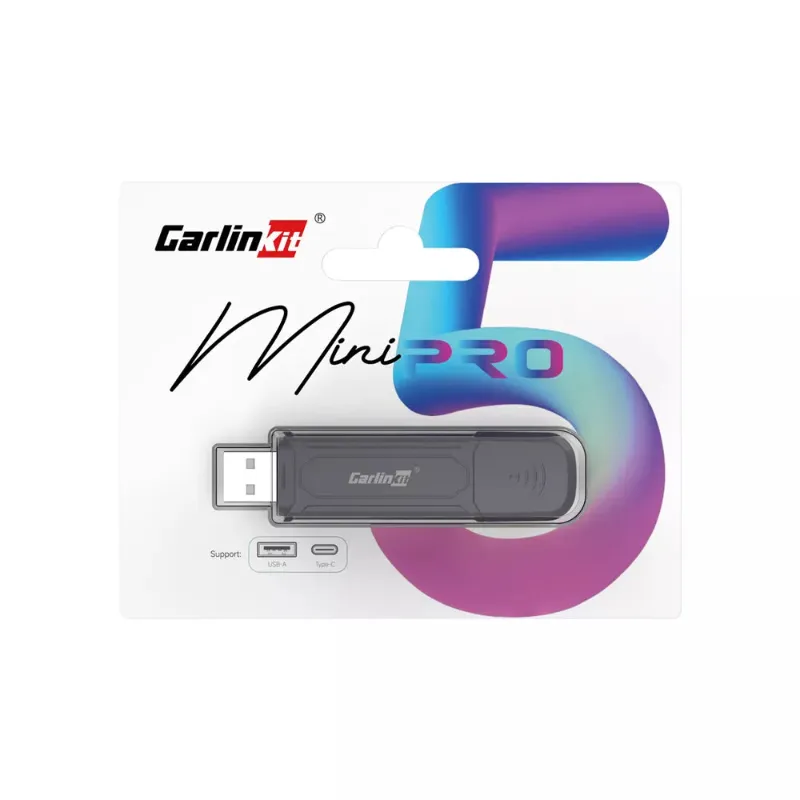
Setting up a carlinkit carplay ai box, or any other Carlinkit wireless adapter, is a five minute job: plug the device into the car's factory CarPlay port, switch on Bluetooth and Wi-Fi on your phone, pair, and accept the prompt that appears on the car screen. The same routine works for the carlinkit 5, the carlinkit t2c, and the carlinkit mini 5 se. We test these units in the same two cars every time, and the failures we see are almost never the box itself. They are the cable, the port, or a phone still holding on to an old pairing.
Start With the Right Port and the Right Model
Every Carlinkit device falls into one of three groups: a compact adapter that turns a wired CarPlay port into a wireless one, a box that runs its own Android layer on the car screen, or a kit that bundles the adapter with the cable you need.
| Device | What it adds | Check first |
|---|---|---|
| Carlinkit 5 / Carlinkit 5. | Wireless CarPlay from a factory wired port | That the socket is the CarPlay port, not a charge-only one |
| Carlinkit T2C | Wireless CarPlay over a USB-C connection | The cable carries data, not just power |
| Carlinkit Mini 5 SE / Carlink Mini Ultra | Compact wireless CarPlay | Physical clearance and no USB hub in between |
| Carlinkit TBox Ultra 2 / Carlinkit T-Box | Android-based box with wireless CarPlay | Android first-run setup and account sign-in |
| Carlinkit CarPlay AI Box | Apps, video, and streaming on the car display | Which apps you actually want, and a data source |
The model name is printed on the underside of the unit. One quirk worth knowing: some listings show up as carlinkit 5. with a trailing dot, which is the same adapter as the Carlinkit 5. If you have not bought yet, check the latest price before you compare sellers.
How to Set Up a Carlinkit 5 or Carlinkit T2C
- Start the car and let the factory head unit finish booting before you plug anything in. Hot-plugging during boot is the most common cause of a failed first pairing.
- Plug the adapter into the USB port that currently runs wired CarPlay.
- On iPhone, open Settings, then Bluetooth, and pair the Carlinkit entry that appears.
- Accept the CarPlay prompt and allow Wi-Fi when iOS asks. The adapter creates its own network, so the phone stays connected to it instead of your home Wi-Fi.
- Wait for the CarPlay home screen. The first connection is the slowest, later ones are quicker.
The Carlinkit T2C is the USB-C variant of the same idea, so the port and the cable decide everything. Use a data-capable usb c to usb c cable for carplay rather than a charging cable from a drawer. Charge-only cables are the single most common reason a wireless-to-wired upgrade appears to fail.
Setting Up Carlinkit Mini 5 SE and Carlink Mini Ultra
The mini adapters follow the same steps with two practical differences. First, they sit closer to the trim, so check you have clearance for the lid or the armrest to close without pressure on the plug. Second, a short adapter on a long extension, or a hub, will drop the connection. Go straight into the car's port.
If two drivers share the car, pair each phone separately and rename the adapter entry so the list reads clearly. Most units remember several phones but only connect to one at a time, so the phone that grabs the connection first usually wins.
AI Box Versus Adapter: Where the Carlinkit CarPlay AI Box Fits
An adapter's only job is wireless CarPlay, and it does that with almost no setup. A carlinkit carplay ai box goes further and runs apps on the car display, which means a longer first boot, its own data connection, and a few minutes of Android configuration before you drive.
Choose the box if passengers watch video on the screen or you want apps the factory system does not offer. Choose a plain adapter or the carlinkit tbox ultra 2 if you want the phone mirrored fast, every time you start the car, with nothing to configure. When we test, the adapter wins on reliability and the AI box wins on features. Buy for the one you will actually use daily.
USB C Cable Compatibility and Android Auto Wireless
Cable choice matters more than most buyers expect:
- Length: keep it short. A long, thin cable loses data integrity before it loses power.
- Rating: look for a data or sync cable, not a charging-only one.
- Condition: a frayed cable that charges fine can still break CarPlay.
- Ports: USB-A to USB-C and USB-C to USB-C are not interchangeable, so match the socket in your car.
Android phones follow the same pattern with one extra step. After pairing over Bluetooth, the phone prompts you to allow Android Auto wireless, and the head unit appears in the Android Auto app list. If you are wiring a phone instead, a cable usb android auto that supports data transfer keeps the connection stable.
Pairing and Connection Fixes
Work through these in order before you assume the unit is faulty:
- Delete the adapter from your phone's Bluetooth list, then pair again from scratch.
- Forget the car in CarPlay settings, not just in Bluetooth.
- Toggle airplane mode for ten seconds to force a clean Wi-Fi handshake.
- Restart the head unit by holding its power button, or by cycling the ignition.
- Turn off Bluetooth on any other paired phone sitting in the car.
- Test with a second, known-good cable before you do anything else.
If a connection drops every few minutes rather than failing outright, it is usually power delivery or a hub, not the firmware.
Firmware Updates, Counterfeit Checks, Returns, and Delivery
Update only through the official source named by the manufacturer, and only when a device is misbehaving. Do not interrupt an update mid-flash, and keep the ignition on accessory power. A stable unit with old firmware is better than a bricked one.
Counterfeit adapters are common on marketplace listings. Look for clean packaging, correct spelling on the label, a serial number that matches the box, and a seller that honours returns. Carlinkit units are not usually sold at prices that look too good to be true. Keep the box and the invoice until you have tested pairing twice, and read the return window before you open anything. Delivery times vary by seller and destination, so confirm the estimate at checkout.
We are honest about the trade-off here: buy from a seller with a real returns process, even if you pay slightly more. Grab the code on the store page to see the current offer and where to buy with our discount. Do that before you order, then set the device up once, properly, on a quiet driveway rather than in traffic.
 Shopping at AutoKit CarPlay? See today's verified AutoKit CarPlay discount code
Frequently asked questions
Do I need a special cable for a Carlinkit wireless CarPlay adapter?
Yes, you need a data-capable cable, not a charge-only one. For USB-C ports use a USB-C to USB-C data cable, and keep it short, because long thin cables drop the data signal even when they still deliver power.
How long should a carlinkit carplay ai box take to start up?
Longer than a plain adapter, because the Android layer has to boot before CarPlay appears. Give it a moment on the first start of the day and avoid unplugging it while it is still loading, which can trigger a failed pairing.
Why does my Carlinkit 5 disconnect after a few minutes?
Usually power delivery or interference. Check the port you are using, remove any USB hub or extension, try a known-good data cable, and turn off Bluetooth on other phones in the car. Only look at firmware after those basics.
Can two phones stay paired to one Carlinkit Mini 5 SE?
Most units remember several phones but only connect to one at a time. If the wrong phone keeps grabbing the connection, switch its Bluetooth off before you start the car.
How do I spot a counterfeit Carlinkit adapter?
Check the label spelling, the serial number against the box, and the packaging quality, then read the seller's returns policy. Prices that sit far below the rest of the market are the clearest warning sign.
Is it safe to install firmware updates myself?
Only use the update method the manufacturer publishes, keep the ignition on accessory power, and never interrupt the flash. If the device is working reliably, there is no need to update for the sake of it.