

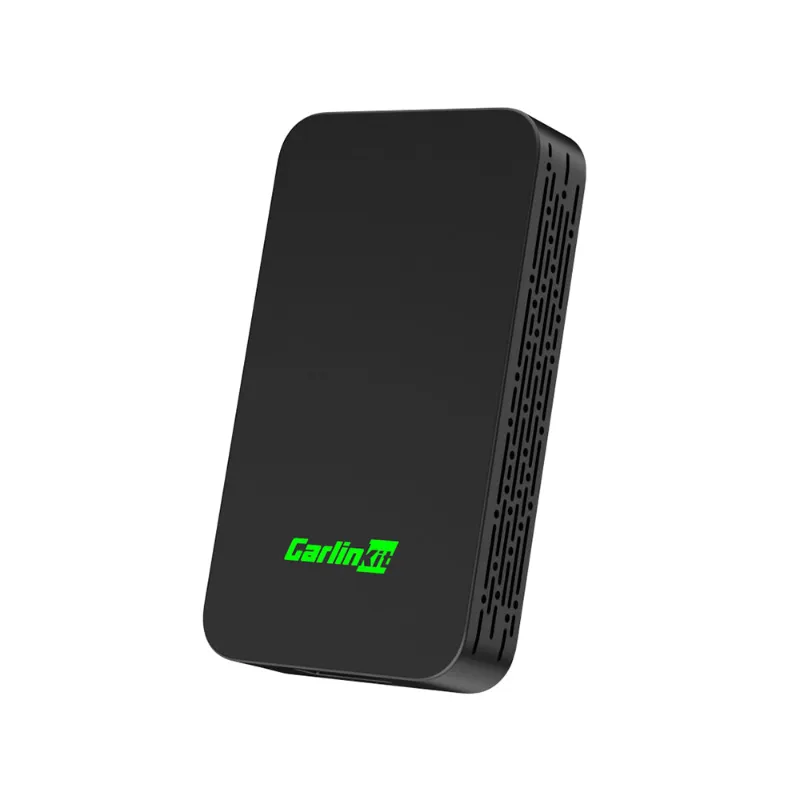
If your Carlinkit 5 keeps disconnecting, the cause is usually power, cable quality or a stale pairing record rather than the adapter itself, and the same rules apply whether you run a simple wireless dongle or a full carlinkit carplay ai box. We test these units on real head units, and the dropouts we see almost always trace back to a handful of repeat offenders. Work through the checks below in order and you will know within an hour whether you have a setup problem or a hardware return.
Why a Carlinkit 5 Drops Wireless CarPlay Mid-Drive
The adapter does two jobs at once: it holds a Bluetooth handshake with your iPhone and runs a Wi-Fi link that streams CarPlay to the screen. Anything that interrupts either radio shows up as a black screen, a frozen map or a reconnect loop.
- Marginal USB power. Shared ports, charger-only sockets and cheap 12V splitters starve the adapter the moment the screen wakes.
- A charge-only or thin USB cable. The adapter needs data lines that stay stable under load, not just voltage.
- Heat soak. A dash-mounted adapter in direct summer sun throttles and resets.
- Stale pairing records. An iOS update or a second phone in the car can knock the saved connection out.
- Two phones competing. CarPlay and Android Auto both want the head unit, and one usually wins by dropping the other.
Pairing and Connection Fixes to Try First
Most "keeps disconnecting" reports are pairing problems, not dead adapters. Clear the old handshake properly instead of just unplugging and hoping.
- On your iPhone, open Settings, General, CarPlay, select the adapter, then forget the car.
- In Bluetooth settings, forget the adapter entry too, then toggle Bluetooth off and back on.
- On the head unit, delete the phone from the saved device list.
- Unplug the adapter for 30 seconds, then reboot the head unit by holding its power or volume button.
- Plug into the data-capable USB port the manual names. Not a charger-only socket, not a USB hub.
- Re-pair with one phone only, screen unlocked, phone within a metre of the dash.
If it reconnects and stays up for a full drive, you have fixed it. If it drops again at the same point on your commute, suspect interference or power rather than software.
Cable and Power: The USB C Cable Compatibility Question
This is the cheapest fix and the one people skip. USB C cable compatibility is not just about the plug shape. A cable that charges a phone at full speed can still fail as a data link under CarPlay's constant stream.
- Use a short, known-good data cable, ideally the one that shipped with your phone or a reputable brand.
- Remove extensions, right-angle pigtails and hub splitters entirely while you test.
- If your car has a USB-C port, use a proper usb c to usb c cable for carplay instead of a USB-A cable with a converter.
- Android users fighting the same battle should start with a data-rated cable usb android auto.
- Test the same adapter and cable in a second car. If it holds there, the problem is your port or wiring.
A wired to wireless upgrade only feels seamless when the physical link is solid. If the adapter reboots when you plug in a second charger, that is a power budget problem, not a firmware bug.
Firmware Update Guidance and Counterfeit Checks
Firmware fixes real bugs, but a failed flash creates bigger ones. Follow the maker's update steps exactly: keep the phone close, keep the ignition on so power does not cut, and never unplug mid-update. If an update fails, retry from a stable power source before you declare the unit dead.
Counterfeit adapters are common on marketplace listings. Warning signs:
- No serial number or QR code on the box, or a serial the official app refuses to recognise.
- Packaging with the wrong model name, or a unit that reports as something else in the app.
- A price that is far below everyone else's for the same model.
Buy from a seller with a real returns process. If you want the current offer, grab the code before you order so you are not overpaying for identical hardware.
Carlinkit CarPlay AI Box vs Adapter: Which One Suits Your Car
A wireless adapter like the carlinkit 5 bridges your phone to the factory screen, so nothing changes except the cable disappears. A carlinkit carplay ai box is a different animal: it runs its own Android system on the head unit, with its own apps and storage. If your dropouts survive every fix above, and what you actually want is streaming apps or offline navigation without your phone, the box is the upgrade path rather than another dongle.
| Option | Best for | What to watch |
|---|---|---|
| Carlinkit 5 or Carlinkit T2C | Drivers who just want wireless CarPlay on the factory screen | Needs a stable data cable and a powered USB port |
| Carlinkit Mini 5 SE or Mini Ultra | Tight dash spaces and second cars | Same cable and power rules, less room to route |
| Carlinkit Tbox Ultra 2 or T-box | Adding apps and a standalone Android layer | Confirm your head unit's touch and audio support first |
| Carlinkit CarPlay AI Box | Streaming, offline navigation, phone-free driving | Higher power draw, so skip weak ports and splitters |
Before you buy a box, confirm how your head unit handles video input and audio routing, because that compatibility matters more than any spec sheet. The carlinkit tbox ultra 2 and the carlinkit carplay ai box are the two we point people to first, and both are worth checking against your car's year and trim.
Returns, Warranty and Delivery Expectations
Test any new adapter inside the return window, on the same drive where your old one failed. Keep the box and the invoice until you are sure it holds. If a unit arrives dead or drops from day one, that is a return, not a firmware project.
- Run the full pairing sequence above before you open a return, because sellers will ask.
- Photograph the serial number and packaging if you suspect a counterfeit.
- Check delivery estimates and warranty terms on the store page before ordering, especially for international shipping.
- Our AutoKit CarPlay discount page lists the current code and offer so you know what you are actually paying.
Wireless CarPlay is reliable once the power and pairing sides are clean. Fix those first, then decide whether your next step is a replacement dongle or a full box.
 Shopping at AutoKit CarPlay? See today's verified AutoKit CarPlay discount code
Frequently asked questions
Why does my Carlinkit 5 disconnect when my phone battery is nearly empty?
Low battery pushes iOS into power saving, which can drop the Wi-Fi link to the adapter. Plug the phone into a charger, remove any thick case, and retest before blaming the dongle.
Does a wireless CarPlay adapter need a special USB cable?
It needs a data-capable cable, not just a charging cable. Keep it short, skip extensions and hubs, and use a proper USB-C to USB-C cable if your car port is USB-C.
Will a firmware update stop my carlinkit carplay ai box from freezing?
Sometimes yes, since many reconnect bugs are fixed in firmware. Update only through the official app or updater, keep the ignition on, and never unplug the unit mid-flash.
Is the Carlinkit T2C or Mini 5 SE more stable than the Carlinkit 5?
They follow the same rules: stability depends more on your car's USB power, the cable and the pairing state than on the model. Pick the form factor that fits your dash, then test it within the return window.
How can I tell if a cheap CarPlay adapter is counterfeit?
Check for a serial number or QR code that the official app accepts, correct branding on the box, and a price in line with other sellers. A missing serial or a rejected one is the clearest red flag.
Can I return an adapter that keeps disconnecting?
Most sellers ask you to complete the pairing and cable checks first, so keep notes on what you tried. Buy from a store with a clear returns process and test the unit inside that window.