
What Does a CarPlay AI Box Actually Do and Is It Worth It?

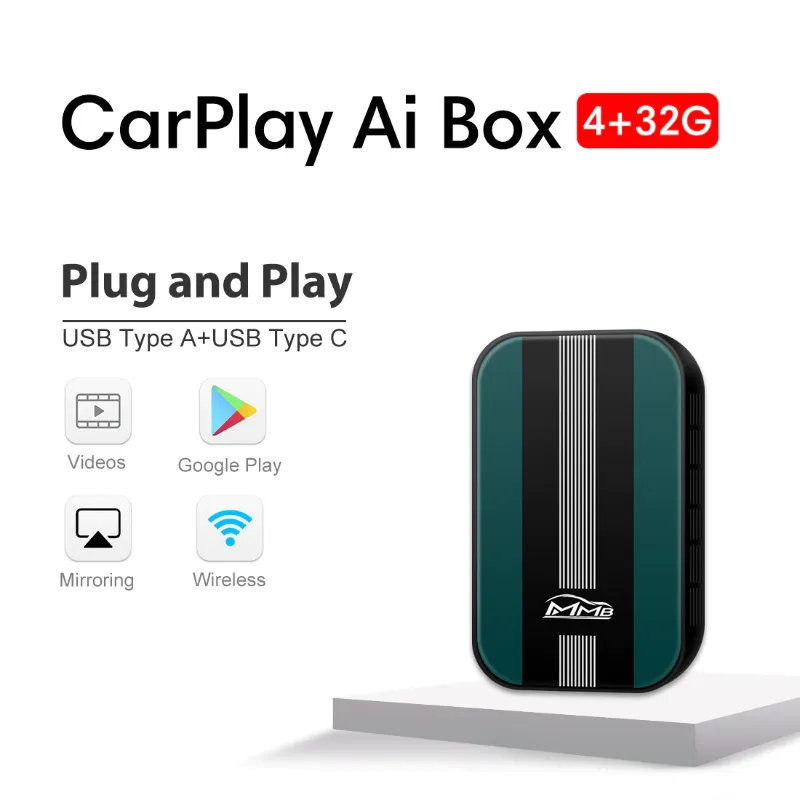
A carplay ai box converts your factory CarPlay screen into a standalone Android device that runs apps, streams video, and browses the web without needing your phone connected. It sits between your car's display and your existing CarPlay setup, giving you the full Android app ecosystem on your dashboard. Whether it's worth the investment depends on how much you value those extra features beyond standard navigation and music.
What a CarPlay AI Box Actually Does
A carplay ai box is a small Android computer that plugs into your car's USB port and intercepts the connection between your phone and the infotainment system. Instead of mirroring your iPhone's limited CarPlay interface, it runs its own operating system with access to the Google Play Store.
That means you can install apps that Apple doesn't allow in CarPlay: Netflix, YouTube, full web browsers, video calls, gaming apps, and alternative navigation tools. The box typically includes its own 4G/5G modem or relies on WiFi hotspot tethering for internet access. Many models ship with Android 14 or Android 15, giving you a tablet-like experience on your car's factory screen.
Most devices support dual-mode operation. You can switch between the Android interface and your standard CarPlay or Android Auto connection with a button press. Some units also include a front camera input for dashcam recording or a front facing camera for video calls when parked.
The hardware varies, but expect a quad-core or octa-core processor, 4GB to 8GB of RAM, and 64GB to 128GB of storage. Higher-end models labeled as "Ultra" or "Max" versions often add better chipsets, more RAM, and additional camera inputs.
How It Differs from a Wireless CarPlay Adapter
People often confuse AI boxes with simpler accessories like a wireless carplay adapter. A wireless adapter only eliminates the cable between your iPhone and your car. It still runs Apple's CarPlay interface with the same app limitations.
Here's the core difference:
| Feature | Wireless CarPlay Adapter | CarPlay AI Box |
|---|---|---|
| Phone required | Yes, always | No, runs standalone |
| Apps available | Only CarPlay-approved | Full Google Play Store |
| Internet | Uses phone data | Built-in 4G/5G or WiFi |
| Video streaming | Not supported | Netflix, YouTube, etc. |
If you just want to ditch the apple carplay cable tether and keep using your iPhone's interface, a wireless carplay dongle is the simpler and cheaper choice. But if you want Android apps running independently on your car screen, the AI box is the tool for that job.
Both can work together, too. Some users pair a wireless adapter for quick iPhone connectivity with an AI box for when they want the expanded Android features. You'll find current bundle pricing when you check our discount code page.
Who Benefits Most from a CarPlay AI Box
Rideshare and delivery drivers get the most utility. Running multiple navigation apps side-by-side (Google Maps + Waze + a rideshare app) or keeping a dispatch app visible while navigating makes their workflow smoother. The ability to stream video or browse during downtime between rides adds entertainment value.
Road trippers and campers appreciate offline map downloads, bigger media libraries stored locally on the box, and the flexibility to use apps that don't have CarPlay versions. Parents on long drives can queue up downloaded shows for kids without draining a phone's battery or data plan.
Tech enthusiasts who want to customize their car's interface with Android launchers, widgets, and automation tools will enjoy the open platform. You can install Carlinkit AI Box CarPlay Max systems that support custom ROMs and sideloading.
Tesla owners switching to another brand sometimes use these boxes to recreate the app-rich experience they're used to, especially in cars with basic infotainment. A carplay tesla adapter can bridge that gap in certain retrofit scenarios.
You probably don't need one if you only use CarPlay for Apple Music and Apple Maps, rarely take long drives, or prefer a distraction-free cockpit. In those cases, a quality apple certified cable for carplay or simple wireless upgrade is enough.
Setup and Compatibility Considerations
Most AI boxes connect through your car's existing carplay usb port. Installation takes about five minutes: plug the box into the USB port, tuck the unit under the dash or in the glovebox, and pair your phone if you want to toggle back to standard CarPlay mode.
Compatibility matters. Your car needs a factory-installed or aftermarket head unit that already supports wired CarPlay. The AI box hijacks that video signal, so if your car doesn't have CarPlay to begin with, the box won't display anything. Check the manufacturer's compatibility list before buying.
Some boxes require an external GPS antenna if your car's system doesn't pass GPS data through the USB connection. Others include a SIM card slot for cellular data, which means you'll need a data plan or rely on your phone's hotspot.
Touch responsiveness can vary. Factory screens weren't designed for Android's gesture navigation, so scrolling and pinch-to-zoom may feel less fluid than on a phone. Wired apple car cable connections for iPhone passthrough generally offer better stability than Bluetooth-only modes.
Heat and power draw are real concerns. These boxes run warm, and prolonged use in hot climates can cause throttling or shutdowns. Make sure your install location has some airflow. Most draw power only when the car is on, but a few models offer standby modes that can drain your battery if you don't drive for weeks.
Real-World Performance and Limitations
In practice, the best carplay ai box models deliver a smooth experience for navigation, music streaming, and light app use. YouTube and Spotify run without hiccups on mid-range hardware. Video calls over Zoom or Google Meet work when parked, though using them while driving is illegal in most places.
Gaming is possible but limited. Casual titles run fine, but expect lag and poor graphics on anything demanding. The bigger issue is safety: the temptation to interact with a full Android system while driving is a distraction risk that standard CarPlay's simplified interface was designed to avoid.
App compatibility isn't universal. Some streaming services detect the Android box environment and block playback, assuming you're trying to bypass mobile-only restrictions. Banking apps and others with strict security checks may refuse to install. Reddit threads on carplay ai box experiences mention these frustrations regularly.
Updates are inconsistent. While many boxes ship with Android 14 or promise Android 15, manufacturers rarely push OS updates after the first few months. Security patches lag behind phone releases, which matters if you're using the box for anything sensitive.
Voice assistants work, but not as seamlessly as Siri through native CarPlay. You can trigger Google Assistant, but steering wheel voice buttons usually still summon Siri or your car's built-in system. Switching between modes mid-drive adds friction.
Battery drain on your phone can be higher if you're using it as a hotspot for the box's internet connection. If you rely on the box's built-in cellular modem, factor in the cost of a monthly data plan.
Is It Worth the Investment?
If you spend hours in your car daily for work, regularly camp or travel in your vehicle, or genuinely need apps that CarPlay blocks, a wireless carplay ai box delivers real value. The ability to run full Android on your dash opens workflows and entertainment that a phone alone can't match in a driving context.
For casual commuters who already have CarPlay and mainly use it for directions and podcasts, the added complexity and cost don't justify the upgrade. You're better served by a wireless carplay adapter to cut the cable clutter, or sticking with your existing apple certified cable for carplay setup.
Pricing sits between budget wireless dongles and premium aftermarket head units. Grab our discount code to get 10% off if you decide the feature set matches your needs. We recommend reading hands-on reviews and checking return policies, since real-world compatibility with your specific car model can vary.
The technology bridges a gap for people who want more than Apple allows but don't want to replace their entire head unit. Just be honest about whether you'll actually use those extra apps or if the novelty will wear off after a week.
Frequently asked questions
Can I still use my iPhone with CarPlay after installing an AI box?
Yes. Most AI boxes let you switch between Android mode and your standard iPhone CarPlay interface with a button or voice command. Your phone connects normally when you want to use Apple's ecosystem.
Does a CarPlay AI box work in any car with a USB port?
No. Your car needs an existing wired CarPlay-compatible head unit. The AI box uses that CarPlay video signal to display Android. If your car doesn't support CarPlay already, the box won't work.
Will streaming Netflix while driving drain my phone battery?
The AI box runs Android independently, so it doesn't drain your iPhone battery for apps. However, if you're using your phone as a WiFi hotspot for the box's internet, that will increase phone battery drain.
Can I use the front camera input for a dashcam?
Yes, if the model includes a camera input. You can connect a front-facing camera for dashcam recording or reverse camera display. Check the specs to confirm your model supports video input and recording.
How does an AI box compare to replacing my car stereo with an Android head unit?
An AI box is cheaper and non-invasive since it plugs into your existing system. An Android head unit offers better integration, faster performance, and larger screens, but requires professional installation and costs significantly more.
Are there monthly fees for using a wireless CarPlay AI box?
Not for the box itself, but if it has a built-in 4G or 5G modem and you want cellular internet, you'll need a separate data plan. Many users avoid this by tethering to their phone's hotspot instead.