
How to Choose Between the OOSSXX PoE Security Camera System and a Wireless Setup for Your Home

PoE or Wireless: The Short Answer
A poe security camera system is the better choice if you want reliable uptime, consistent video quality, and no monthly fees, while a wireless setup makes sense if you rent, can't run cables, or want cameras in spots where wiring is impossible. Both can protect your home well, but they solve different problems, so the right answer depends on your walls, your budget, and how much you want to tinker.
We test both types on real houses, and our recommendation for most homeowners is a wired poe security camera system for the core perimeter (driveway, back door, yard) with wireless filling in any tricky gaps. Here's how to decide which fits your home.
What PoE Actually Means (and Why It Matters)
PoE stands for Power over Ethernet. One Cat5e or Cat6 cable delivers both data and power to each camera, so you don't need a separate outlet at every mounting point. The NVR (recorder) handles storage locally, which is why the best poe security camera system without subscription options are all wired: no cloud fees, no footage locked behind a paywall.
- One cable per camera means fewer failure points than wireless cams juggling WiFi, batteries, and charging
- Local storage on the NVR keeps your footage private and fee-free
- Stable bandwidth means 24/7 recording instead of motion-only clips
- No battery swaps ever, even in winter
The tradeoff is labor. You're running cable through walls, attics, or soffits, which is a weekend project for a handy homeowner or a few hundred dollars for an installer.
Where Wireless Wins
Wireless cameras shine when cable runs are off the table. Renters, apartment dwellers, and anyone with finished walls and no attic access can mount a battery or plug-in cam in ten minutes. They're also great for detached structures, garden sheds, and rental properties you don't want to modify.
The downsides are real, though. Battery cams usually record only on motion, WiFi congestion causes dropouts, and cold weather murders battery life. If your WiFi router sits on one side of the house, expect a weak signal at the opposite corner.
Head-to-Head Comparison
| Factor | PoE System | Wireless |
|---|---|---|
| Installation | Run one cable per camera | Mount and connect to WiFi |
| Reliability | Excellent, hardwired | Good, depends on WiFi |
| Recording | 24/7 to local NVR | Mostly motion clips |
| Subscription | None needed | Often pushed for cloud storage |
| Power | Over the Ethernet cable | Batteries or outlets |
| Best for | Perimeter, driveways, yards | Rentals, gaps, no-cable zones |
If you're comparing specific models, reviews and teardowns like this 4K PoE camera comparison show how much image quality varies between cheap and serious wired cams.
Why We Recommend the OOSSXX PoE Security Camera System
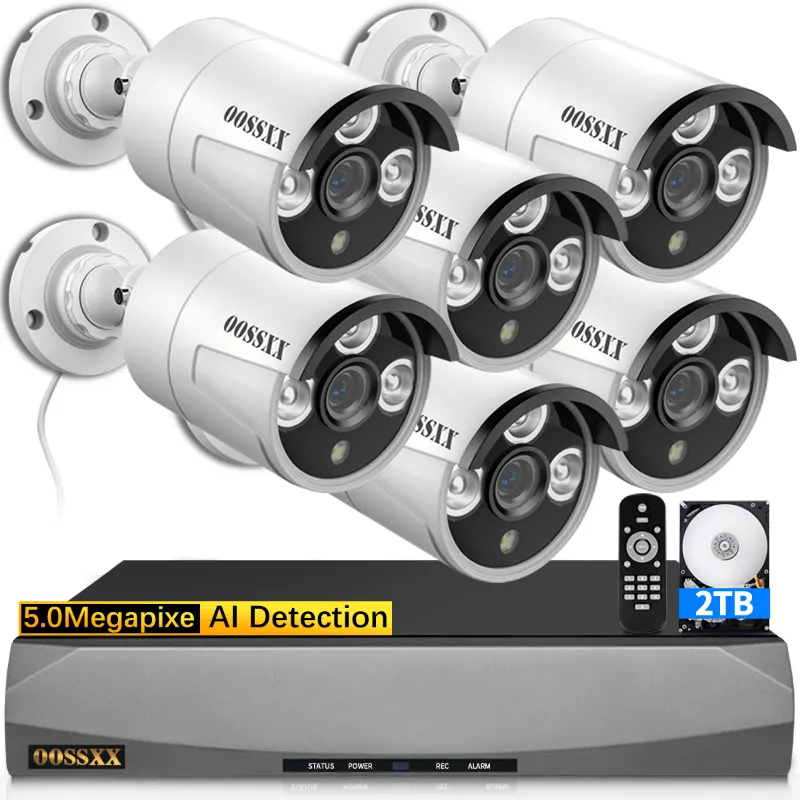
The oossxx security camera lineup hits the sweet spot for homeowners who want wired reliability without enterprise pricing. The kits bundle the NVR, cameras, and cables, so you're not piecing together a system from five different listings.
What stands out in our testing:
- Plug-and-play setup: OOSSXX cameras auto-pair with the NVR, so once the cable is run, you're done
- Local recording with remote viewing: you get phone access through the app without a mandatory cloud plan
- Expandable NVR: add more oossxx camera units later as your coverage needs grow
- Audio on board: if you've been searching for a poe security camera system with audio, these include built-in mics for recording sound alongside video
If you're hunting for the best poe security camera system on a budget, check the latest price and grab the code on our OOSSXX discount page before you buy, because the kits go on sale regularly.
Planning Your Cable Runs: The Part Everyone Underestimates
This is where most DIY installs go sideways, so plan before you buy.
- Walk your perimeter and mark every camera position. Keep runs under about 250 feet to stay within PoE limits.
- Pick cable paths: soffits, attic spaces, and basement ceilings are your friends. Exterior-rated cable or conduit protects runs exposed to weather.
- Use a junction box where cables meet the camera: a security camera junction box hides the connection, protects it from rain, and gives you a clean mount instead of a dangling pigtail.
- Choose the right bracket: a proper security camera mounting bracket lets you angle the lens after installation, which matters more than you'd think for framing driveways and entries.
- Leave service loops: extra slack at each end saves you from re-running cable when you reposition a camera six months later.
Don't Skip Night Coverage
Most break-ins happen in the dark, and built-in IR has limits. Standard infrared reaches a modest distance and washes out beyond that. If your yard is deep or you're covering a long driveway, adding an infrared illuminator 850nm extends what your cameras can actually see at night. For very large or dark properties, an ir flood lamp lights the scene in a spectrum your cameras see clearly but intruders barely notice.
Pair your poe outdoor camera placement with the light coverage: a camera that sees 100 feet but only illuminates 30 feet is wasting half its resolution.
Quick Decision Checklist
- Choose PoE if: you own your home, want 24/7 recording, hate subscriptions, and can run at least some cable
- Choose wireless if: you rent, need cameras up today, or have dead zones where cable can't reach
- Choose both if: you want maximum coverage, like we do. Wired for the perimeter, wireless for the gaps
Where to Buy and What to Pay
Pricing on OOSSXX kits shifts with sales and bundle sizes, so we don't quote numbers here. Check the current price and grab the code on our coupon page before ordering. If you want to see how OOSSXX stacks up against other brands, roundups like this list of the best PoE security camera systems give useful context on features at different price points, and reading poe security camera system reviews from verified buyers will surface real-world issues our testing might not catch.
For most homeowners reading this, the answer is simple: if you can run cable, go wired with the OOSSXX system and never think about subscriptions again. If you can't, wireless still gets the job done where it counts.
Frequently asked questions
Does a PoE security camera system require a subscription?
No. A quality PoE system records to a local NVR, so there are no mandatory monthly fees. You can access footage remotely through the app without paying for cloud storage.
Can I mix wireless cameras with an OOSSXX PoE system?
Yes, many homeowners run both. Use the wired PoE system for permanent perimeter coverage and add wireless cameras in spots where running cable isn't practical.
How far can I run a PoE camera cable?
Standard Ethernet runs support up to about 250 feet before signal and power delivery degrade. For longer distances, you'd need a PoE extender or a switch in between.
Do PoE cameras work during a power outage?
Not on their own, since both the NVR and the cameras draw power from your home's electricity. Plugging the NVR into a UPS battery backup keeps the system recording through short outages.
Do OOSSXX cameras record audio as well as video?
Yes, the OOSSXX cameras include built-in microphones so audio is captured alongside video on the NVR. Check your local laws regarding audio recording before installing.
Can I add more cameras to an OOSSXX NVR later?
Yes, the NVR supports adding compatible OOSSXX cameras up to its channel capacity, so you can expand coverage room by room or corner by corner over time.