
OOSSXX PoE Outdoor Camera Not Connecting? Common Setup and Troubleshooting Fixes

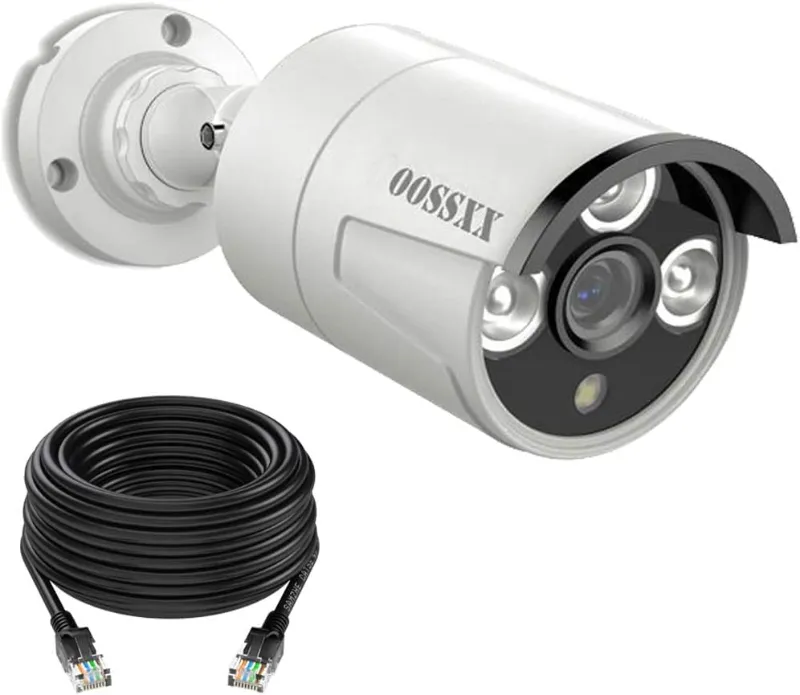
Most OOSSXX poe outdoor camera connection problems come down to one of five things: a power handshake failure, a bad or overstretched Ethernet run, an IP conflict on your network, a camera stuck on a wrong static address, or a cable connector damaged by weather. Work through the fixes below in order and you'll have your camera streaming again in under 30 minutes in most cases.
Why a PoE Outdoor Camera Loses Connection After Setup
PoE sends both power and data over one cable, which is the whole reason we recommend a poe security camera system over Wi-Fi kits. But it also means a single cable fault kills the camera completely. Before you assume the camera is dead, check the basics:
- Confirm power negotiation. The camera's PoE port on the NVR should show a link LED. No LED usually means the port isn't delivering power or the cable has an open pair.
- Reboot in order. Unplug the NVR for 30 seconds, then plug it back in and wait a full two minutes before judging the result. Many OOSSXX cameras re-handshake on boot and come back on their own.
- Test the camera on a short cable. If a 3-meter patch cable works but your 60-meter run doesn't, you have a cabling problem, not a camera problem.
If your setup is older, note that newer kits and accessories (like an upgraded oossxx security camera) can behave differently on the same NVR, so check firmware for both camera and recorder.
Fix 1: Cable Length, Quality, and Connectors
PoE officially supports 100 meters (about 328 feet) per run, but that assumes genuine pure-copper Cat5e or Cat6. Cheap CCA (copper-clad aluminum) cable is the number one cause of cameras that work at 20 meters and die at 50.
- Use pure copper cable only. CCA has higher resistance, so voltage drops below what the camera needs on longer runs.
- Keep runs under 250 feet when possible, even with good cable.
- Replace any RJ45 connector that has been exposed to rain without protection. Water wicking into the connector causes intermittent dropouts that get worse over time.
- Where the cable enters the camera, a security camera junction box protects the connection from moisture and gives you a clean, serviceable termination point. We consider it essential for any outdoor mount.
For longer distances, a PoE extender or repeater is a cheap fix. For a full rundown of how PoE systems compare across brands, see this overview of best PoE security cameras.
Fix 2: IP Conflicts and Network Settings
If your camera appears and disappears, or two channels show the same image, you likely have an IP conflict. OOSSXX NVRs usually auto-assign addresses on their own internal network, but problems appear when you mix in third-party devices.
- Log into the NVR and open the camera or channel management menu.
- Look for two devices sharing the same IP. Change one to an unused address on the same subnet.
- If a camera shows as "offline" but was working before your router changed, delete the channel and re-add it with the search/add function so the NVR rediscover it fresh.
- If you connected the NVR to your home router, reserve the NVR's IP in your router settings so it never shifts after a reboot.
A camera stuck on a static IP from a previous install will not appear on a new NVR. Setting it back to DHCP, or manually assigning an address in the new NVR's subnet, solves it.
Fix 3: Camera Not Pairing with the OOSSXX NVR
OOSSXX kits are typically plug-and-play: camera into a PoE port on the NVR, and it appears. When it doesn't:
- Match the port to the channel. On many kits, PoE port 1 maps to channel 1. A camera on port 3 showing up where you don't expect it is normal, not a fault.
- Re-add manually. Use the NVR's device search, note the camera's IP and serial, and add it manually if auto-discovery fails.
- Reset the camera. Most OOSSXX cameras have a reset button under the housing or on the pigtail. Hold it for 10-15 seconds while powered.
- Update firmware. An NVR updated but camera not (or vice versa) can break the handshake. Update both from the same support page.
One thing that trips people up: not every PoE camera is compatible with every NVR. If you're mixing brands, check standards first. A poe outdoor camera using standard IEEE 802.3af/at PoE will work with a standard PoE switch, while proprietary PoE ports on some NVRs only accept matching cameras. You can compare how other ecosystems like Reolink handle this in their PoE cameras and systems guide.
Fix 4: No Night Vision or Black Video at Night
If the camera connects but night footage is black or washed out, the problem is usually infrared, not the network.
- Make sure night mode is set to auto or IR on, not off or color-only.
- Check for the faint red IR glow on the lens after dark. No glow means the IR LEDs have failed or are disabled.
- IR LEDs reflect off nearby surfaces. A camera mounted tight under an eave or behind glass will bounce IR back into the lens and blind itself. Pull it out from the wall using a security camera mounting bracket so the lens clears the soffit.
- For large yards or long driveways, a dedicated infrared illuminator 850nm extends usable night range well past what built-in LEDs can cover. Pair it with an ir flood lamp if your camera records in color at night and needs visible-light fill.
Fix 5: Intermittent Dropouts and Video Freezing
Random freezes with the camera staying online usually point to bandwidth or electrical noise rather than connection failure.
- Lower the bitrate or resolution on problem channels as a test. If freezing stops, the uplink (Wi-Fi bridge, long cable, or overloaded switch) was the bottleneck.
- Keep Ethernet runs away from power cables, motors, and fluorescent lighting. Crossing at 90 degrees is fine; running parallel for 50 feet is not.
- Check that outdoor runs are surge protected if they cross between buildings. A nearby lightning strike can degrade a port even when the camera survives.
- Note that if you previously compared this kit against a lorex camera, reolink poe camera, or ring poe camera setup, dropouts from cable quality affect all brands equally. The camera brand rarely matters as much as the install.
If dropouts persist on a short, known-good cable, the camera itself may have a failing Ethernet port. That's a warranty issue, and this is the point where we'd check the oossxx camera listing for replacement options or contact support.
When to Replace vs. Repair a Camera
Repair makes sense when the fix is a $5 connector, a junction box, or a settings change. Replace when:
- The camera fails on a short cable with a fresh connector, after a factory reset and firmware update.
- The housing shows water intrusion (condensation behind the lens). Once water is inside, corrosion only spreads.
- The camera is out of warranty and the replacement cost is close to a full new channel on a current kit.
Before buying anything, check our OOSSXX coupon page for the current discount code and latest pricing, since kit prices move often and we don't quote numbers that go stale.
Quick Troubleshooting Checklist
- Reboot NVR, wait two minutes.
- Test camera on a short cable at the NVR.
- Inspect and replace the outdoor RJ45 connector.
- Check for IP conflicts in channel management.
- Factory reset the camera, re-add it manually.
- Update NVR and camera firmware.
- Verify cable is pure copper and under 250 feet.
Nine out of ten OOSSXX connection issues die at step 2 or 3. Work the list top to bottom and you'll know within minutes whether you're dealing with a settings problem, a cabling problem, or a dead camera.
For a deeper technical comparison of camera hardware across price tiers, The Smart Home Hookup's 4K PoE camera comparison is worth a read before you spend money on replacements.
FAQ below. If this guide fixed your camera, or you want our take on the best outdoor poe camera for a specific yard layout, drop a comment. And if you're shopping, grab the code before you check out.
Frequently asked questions
Why does my OOSSXX poe outdoor camera show offline after working fine?
The most common cause is a degraded RJ45 connector or water ingress at the outdoor termination. Test the camera on a short cable at the NVR first. If it works there, replace the outdoor connector and house the connection in a junction box.
How long can the Ethernet cable be for a PoE outdoor camera?
PoE supports up to 100 meters (328 feet), but only with pure copper Cat5e or Cat6. With cheap copper-clad aluminum cable, cameras often fail beyond 30-40 meters, so keep practical runs under 250 feet.
Can I connect an OOSSXX camera to a standard PoE switch?
It depends on whether the camera uses standard IEEE 802.3af/at PoE or a proprietary PoE protocol. Standard-compliant cameras work with any PoE switch; proprietary ones need the matching NVR. Check the camera's spec sheet before mixing brands.
Why is my poe outdoor camera black at night but fine during the day?
Usually the IR LEDs are disabled in settings, the IR is reflecting off a nearby surface like an eave or glass, or the IR LEDs have failed. Move the camera away from the wall with a mounting bracket and confirm the red IR glow after dark.
How do I reset an OOSSXX security camera to factory settings?
With the camera powered, press and hold the reset button for 10-15 seconds. It's usually located on the camera pigtail or under the housing. After the reset, re-add the camera manually through the NVR's device search.
Where can I find the current OOSSXX discount code?
We keep the current code and pricing on our OOSSXX discount page, since offers change regularly. Check it right before checkout rather than relying on an older code.