
eSUN Filament Storage Guide: Preventing Moisture Damage and Extending Shelf Life

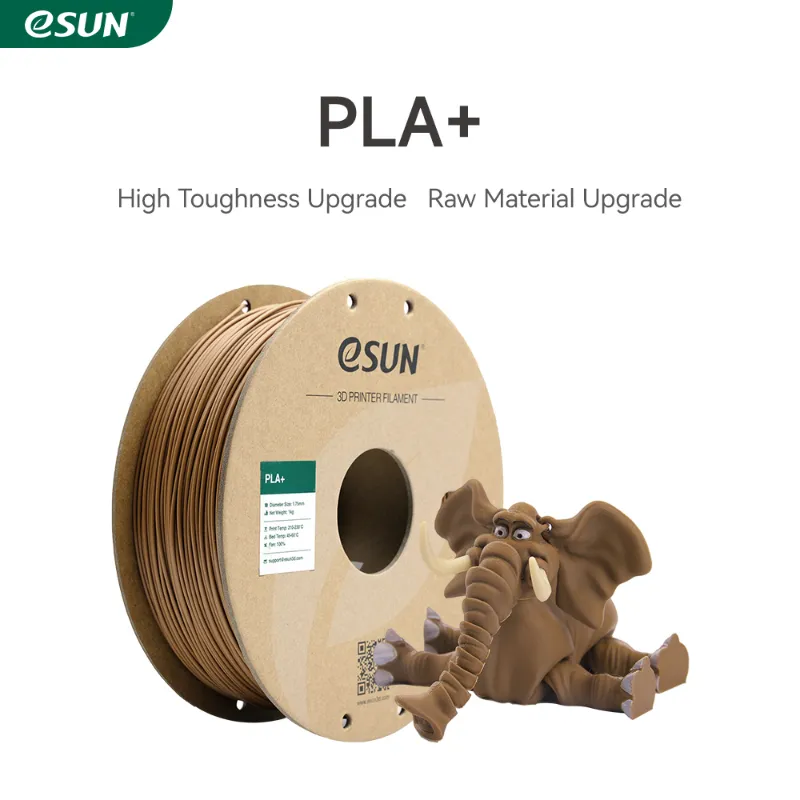
Why eSUN Filament Storage Matters
eSUN filament absorbs moisture from the air, which degrades print quality and causes stringing, bubbling, and layer adhesion problems. We've tested dozens of storage methods and found that proper containment extends shelf life by years while maintaining the consistent extrusion quality eSUN materials are known for.
Moisture affects different filament types at different rates. Hygroscopic materials like TPU, nylon, and PEBA filament absorb water within hours of exposure, while PLA and PETG degrade more slowly over weeks. Even a small amount of absorbed moisture turns to steam during printing, creating voids and surface defects that ruin dimensional accuracy.
How Moisture Damages Different eSUN Filament Types
Different materials require different storage priorities based on their hygroscopic properties:
- PLA and PLA+ filament - Moderately hygroscopic, noticeable quality loss after 2-4 weeks of open-air exposure. PLA+ filament and standard PLA 1.75mm filament develop stringing and surface pitting when wet.
- PETG and CF PETG - Highly hygroscopic, absorbs moisture rapidly within days. CF petg and PETG CF filament require immediate sealed storage after opening.
- TPU and flexible filaments - Extremely hygroscopic, degradation visible within 12-24 hours. TPU Dark Magic TPU 95A filament 1.75mm 1kg and flexible materials need constant desiccant protection.
- Specialty filaments - Silk PLA, marble PLA, and eSUN RGB PLA contain additives that can separate or clump when moisture penetrates the filament structure.
Composite materials with carbon fiber or wood particles are particularly vulnerable because moisture collects at the interface between the polymer matrix and filler material, weakening layer bonds even after drying.
Best Storage Containers and Desiccant Solutions
We recommend a three-tier storage approach based on how frequently you use each spool:
Active printing (currently loaded) Use a dry box that mounts directly to your printer with a feed tube. These boxes maintain 10-20% relative humidity while the spool unwinds, preventing moisture uptake during multi-day prints of 1.75 mm filament 3d printer materials.
Short-term storage (used within 2 weeks) Resealable bags with 20-40 gram silica gel packets work for most PLA-based materials. Vacuum-seal bags add extra protection for PETG and composites. We double-bag hygroscopic materials like TPU.
Long-term storage (archive or backup spools) Airtight storage bins with rechargeable silica gel create a stable low-humidity environment. A single 5-gallon bin holds 6-8 spools with 200-300 grams of desiccant. Add a hygrometer card to monitor conditions and recharge silica when humidity exceeds 20%.
For current deals on storage accessories, check the latest pricing with our discount code.
Drying Wet Filament: Temperature and Time
If your filament has already absorbed moisture, drying restores most of its printing performance. Use these temperature ranges and durations:
| Material | Drying Temp | Duration |
|---|---|---|
| PLA / PLA+ | 40-50°C | 4-6 hours |
| PETG / CF PETG | 65-70°C | 6-8 hours |
| TPU / Flexible | 50-60°C | 4-8 hours |
| Nylon / PEBA | 70-80°C | 8-12 hours |
Food dehydrators, dedicated filament dryers, and heated dry boxes all work. Avoid exceeding the glass transition temperature of your material, which causes the spool to deform or the filament to fuse together. The forum discussion on eSUN PLA+ settings includes community-tested drying parameters.
Always dry filament in a perforated container or with the spool standing upright to allow air circulation. Some users report success with low-temperature ovens, but precise temperature control is critical to avoid damaging the filament.
Signs Your eSUN Filament Needs Drying
Watch for these symptoms during printing:
- Popping or hissing sounds at the nozzle as trapped water vaporizes
- Excessive stringing between parts or travel moves
- Rough, pitted, or fuzzy surface finish instead of smooth layers
- Inconsistent extrusion width or gaps in solid infill
- Brittle prints that snap easily under stress
- Poor layer adhesion causing delamination
If you hear popping with materials like eSUN filament PETG or see steam rising from the nozzle, stop the print immediately and dry the filament before continuing. Printing wet filament wastes material and damages print quality beyond what post-processing can fix.
Storage Best Practices by Filament Type
Standard PLA workflow We keep opened spools of standard PLA in gallon-size bags with 10g silica packets between prints. This simple method works for marble PLA and similar decorative filaments that print frequently enough to use within a month.
PETG and composite storage CF PETG goes into vacuum bags immediately after each print. We store multiple sealed bags in a larger bin with 100g of rechargeable silica gel. This double-barrier approach maintains sub-15% humidity even in humid climates.
TPU and flexible materials These materials live permanently in heated dry boxes. We only remove TPU spools long enough to swap them, then return them to controlled storage within minutes. The moisture uptake rate is too fast for passive storage methods.
Unopened factory packaging eSUN ships most spools in vacuum bags with desiccant. Keep unopened spools in their original packaging until you're ready to print. The factory seal provides better protection than most home storage solutions, and the included desiccant is pre-sized for that specific spool mass.
The 3DJAKE product page for eSUN PLA shows typical factory packaging that includes vacuum sealing and desiccant for long-term storage.
Cost-Effective Storage Solutions
You don't need expensive equipment to store filament properly:
- Silica gel - Buy rechargeable indicating silica in bulk (500g-1kg bags) and recharge in a 120°C oven when the beads turn pink. This costs less than disposable packets.
- Storage bins - Restaurant-grade food storage containers with gasket lids work as well as printer-specific dry boxes at half the price. Look for 10-20 liter bins that fit 4-6 spools.
- Vacuum bags - Generic clothing vacuum bags fit filament spools perfectly and cost significantly less than printer-branded versions.
- Hygrometers - Cheap analog humidity cards (10 for $5) are accurate enough for storage monitoring.
We've stored silk PLA and eSUN RGB PLA for over two years in basic airtight bins with rechargeable silica, with zero quality loss compared to fresh spools. Grab our current discount code to save on bulk filament purchases that benefit from long-term storage.
The key is consistency rather than expensive gear. A $15 bin with $5 of silica outperforms leaving $200 worth of specialty filament exposed to room air.
Frequently asked questions
How long can I store eSUN filament before it goes bad?
In proper airtight storage with desiccant, eSUN filament lasts 2-5 years without quality loss. Opened spools stored in room air degrade within weeks for PETG and days for TPU, while PLA remains printable for 1-2 months before moisture causes noticeable stringing.
Can I store different filament types together in the same container?
Yes, you can store different materials together as long as they have similar drying temperatures. Keep TPU and nylon separate from PLA because they require different humidity levels for optimal storage, and never mix wet and dry spools.
What humidity level is safe for storing 3D printer filament?
Keep storage humidity below 20% for most filaments. PLA tolerates up to 30% for short periods, while PETG, nylon, and TPU need 15% or lower. Use indicating silica gel and recharge it when humidity creeps above your target range.
Do I need to dry brand new eSUN filament right out of the package?
New filament in intact factory vacuum packaging is typically dry and ready to print. If the seal is broken or the desiccant packet has changed color, dry the filament before first use to ensure optimal print quality.
Can I fix prints that failed because of wet filament?
No, prints made with moisture-damaged filament have permanent defects like voids, weak layers, and poor surface finish. You must dry the filament and reprint. Prevention through proper storage saves far more material than attempting to salvage wet-filament prints.
How do I know when silica gel needs recharging?
Indicating silica gel changes from blue or orange to pink when saturated. Recharge it in an oven at 120°C for 2-3 hours until the color returns. Non-indicating silica should be recharged every 2-3 months in humid climates or when your hygrometer shows rising humidity.