

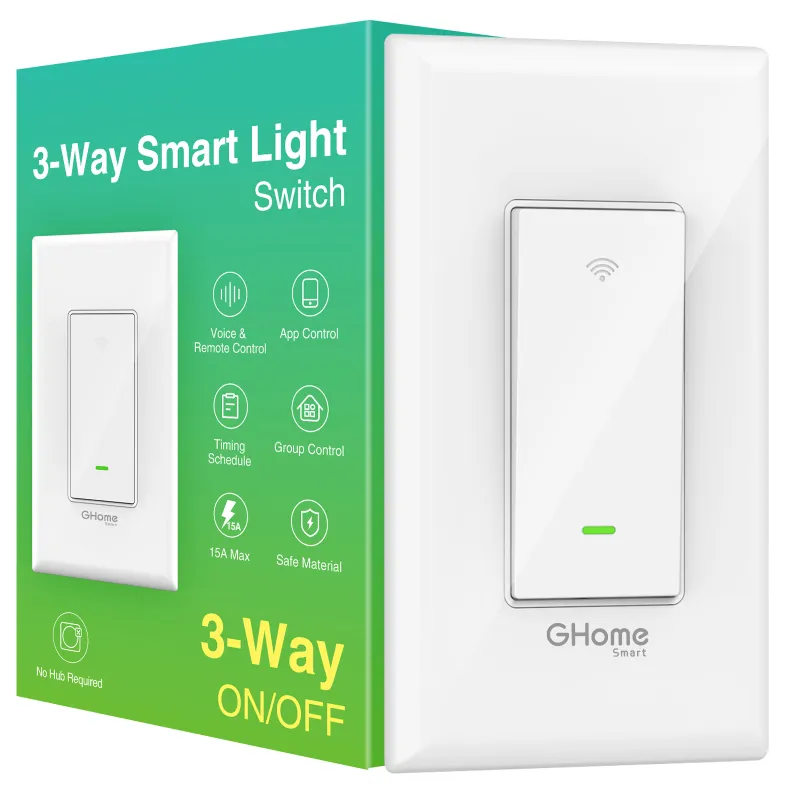
If your smart three way switch only responds from one wall plate, the cause is almost always wiring rather than the switch itself: either the traveler wire is landed on the wrong terminal, the second switch is still a dumb 3-way that cuts power to the smart unit, or there is no neutral wire at the box where you installed it. Fix any of those three and the switch behaves normally from both ends of the circuit.
Below is how we diagnose it in order, from the fastest check to the one that needs a screwdriver and a tester.
The three reasons a smart three way switch works from one side only
Most "it only works from one switch" complaints on the 3 way smart switch come down to one of these:
- Traveler wire landed wrong. A 3-way circuit has two travelers plus a common. If a traveler goes to the common terminal, the smart switch gets power only in one toggle position of the other switch.
- The second switch was never replaced. A smart 3-way needs either a companion/add-on switch or a specific wiring method at the far end. Leaving the old dumb switch in place often means it physically interrupts the line.
- No neutral in the box. Smart switches need a neutral to stay powered for the radio. Many older switch loops have only line, load, and travelers, so the unit powers up but drops out.
- Load and line reversed. Common mistake after a DIY swap, and it produces exactly the "one side only" symptom.
If you can turn the light on from switch A, walk to switch B, and switch B does nothing, that points to travelers. If switch B works but only when switch A is left in one position, that points to common/line confusion.
Traveler wires: how to identify them correctly
Turn the breaker off, pull both switches, and count the wires in each box. A true 3-way has three conductors between the boxes (two travelers and a common), plus ground, plus neutral if the circuit was run with one.
| What you see | What it means | Fix |
|---|---|---|
| Two travelers + common at both boxes | Standard 3-way | Smart switch goes at the box with line; companion at the other |
| Only two wires between boxes | It is a switch loop, not a 3-way | Switch cannot be used as a 3-way here |
| No neutral bundle in the box | Unit loses power when idle | Requires neutral at that box or a different location |
Label the travelers with tape before you disconnect anything. Once they are loose, a multimeter is the only reliable way to tell common from traveler: the common is the wire that is live with the other switch in either position.
Wiring requirements before you buy
Check these before ordering, because they decide whether the install is a 20-minute job or a call to an electrician:
- Neutral wire present at the box where the smart unit goes.
- Ground wire present.
- A 2.4 GHz Wi-Fi network in range. These switches do not join 5 GHz-only networks.
- Enough depth in the box. Smart switches are deeper than dumb ones, and a crowded box can stop the plate sitting flush.
- If you want dimming or a specific plate color, confirm it on the product page rather than assuming.
For a single-pole setup instead of a 3-way, the light switch google variant is the simpler path and pairs with the same app. Prices and the current offer are on the GHome Smart coupon page.
App setup guide and pairing tips
Wiring is only half the job. If the switch works manually but not from the app or voice, the pairing is incomplete.
- Power the switch back on and confirm the indicator does what the manual says (usually a fast blink).
- Put the phone on the 2.4 GHz band before starting the add-device flow.
- Add the device in the app, then assign it to the room the light is actually in. Room assignment is what makes voice commands work.
- Link the app account to your voice assistant, then re-sync devices so the new switch appears.
- Test voice assistant support by name, not by room, on the first try. Once the name resolves, room commands work too.
If pairing fails repeatedly, delete the device from the app, reset the switch at the wall, and start again. A half-paired device often shows as online but ignores commands.
When the problem is not the switch at all
We see people replace a switch when the real fault is elsewhere on the circuit or in another device:
- A dimmer or fan controller on the same circuit can interfere with the smart switch's low-voltage signal. Swap it for a standard switch to test.
- A loose neutral shared with other devices causes flicker and dropouts that look like switch failure.
- The far switch is a motion or occupancy unit that is cutting power. Bypass it temporarily.
While you are tightening up the room, this is also the moment to handle the rest of a basic setup. A smart door sensor or wifi door window sensor covers the entry points, a thermometer with app gives you temperature history for heating and cooling decisions, and a smart surge strip protects the electronics you are plugging into the same room. Sensor pairing tips apply here too: keep them within range of the hub or router, and test each one after pairing rather than trusting the app's status screen.
Who should do this themselves and who should call an electrician
- DIY is reasonable if you have a neutral, you have identified the common wire with a tester, and both boxes are accessible.
- Call an electrician if there is no neutral, if the box is metal with no ground, if you find aluminum wiring, or if the circuit feeds anything you cannot identify.
- Renting? Get permission before changing hardwired switches. Sensor and plug-in devices are the reversible option.
Warranty and support matter here because wiring mistakes are easy to make. Keep the box and the manual until the switch has run a full week without dropouts, and check the store's warranty and support terms plus shipping and returns policy before you start cutting wires.
Bottom line
Diagnose in this order: neutral at the box, traveler and common identification, then app pairing. Nine times out of ten a smart three way switch that only works from one side has a traveler on the common terminal or is fighting a second switch that still cuts the line. Fix the wiring first, then re-pair, and the switch will respond from both ends and from your voice assistant.
For current pricing and the 10% off code, check the latest price before you order a second unit for the far box.
 Shopping at GHome Smart? See today's verified GHome Smart discount code
Frequently asked questions
Can I use a smart three way switch with my existing dumb switch at the other end?
Sometimes, but only if the manufacturer specifies a compatible wiring method and companion switch. In most cases the far switch must be replaced with a companion or add-on unit, or the smart switch will lose power when the dumb switch is toggled.
Does the 3 way smart switch need a neutral wire?
Yes. It needs a neutral at the box where the smart unit is installed so it stays powered while the light is off. Many older switch loops have no neutral, which is the most common reason a switch works manually but drops off the app.
Why does my switch work by hand but not in the app or with voice?
That is a pairing and room-assignment issue, not wiring. Re-add the device on a 2.4 GHz network, assign it to the correct room, then re-sync devices in your voice assistant so it picks up the new name.
How do I tell the common wire from the travelers?
With the breaker off and the wires disconnected, use a multimeter. The common is the wire that reads live regardless of the far switch position. Label the travelers with tape before disconnecting so you do not have to re-identify them.
Can I install this if there is no neutral in the box?
Not safely. Options are running a neutral to that box, installing the switch at a box that already has one, or using a plug-in smart solution instead. An electrician should confirm before you buy.
What is the warranty and return policy if the switch turns out to be faulty?
Check the current terms on the store page before ordering, and keep the packaging and manual until the switch has run a week without dropouts. That makes a return or support claim straightforward if the fault is in the unit.