

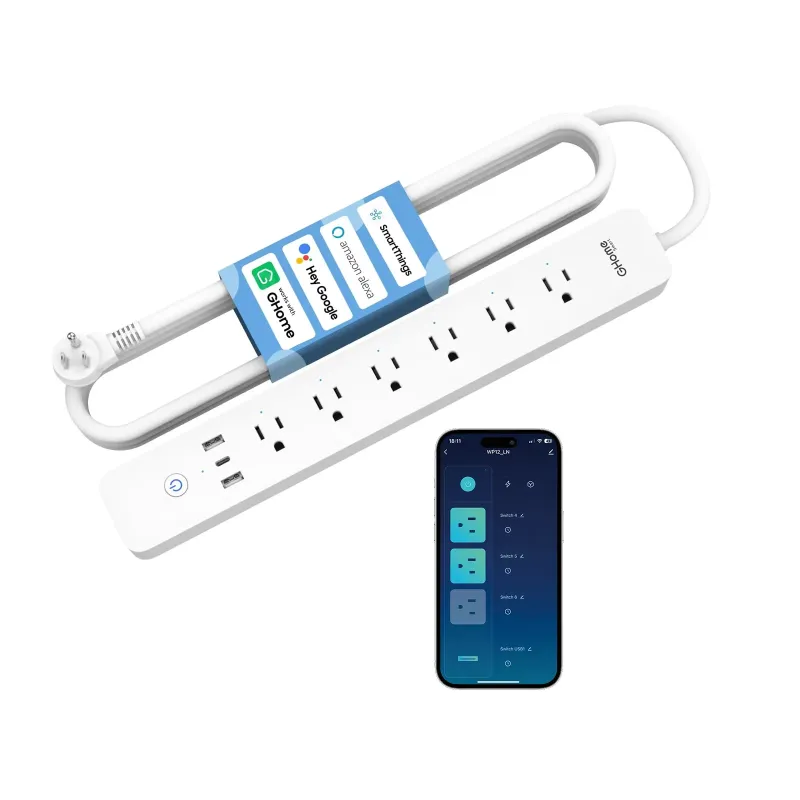
A smart surge strip protects your equipment from voltage spikes and lets you switch outlets individually from an app, while a regular smart power strip only adds remote on and off control with no surge protection. For a home office full of docks, monitors and a router you cannot afford to lose, that difference decides which one you buy. Here is how we think about it when we test these units, and where the smart surge strip sits in a GHome Smart setup.
Smart surge strip vs smart power strip: what actually differs
Both devices are strips with outlets and Wi-Fi. The gap is in two places: what happens to dirty power, and how much control you get over each socket.
| What you get | Smart surge strip | Smart power strip |
|---|---|---|
| Spike and surge protection | Yes, metal oxide varistor circuit | Usually none |
| Per-outlet app control | Yes, on most models | Often all outlets at once |
| Scheduling and timers | Yes | Yes |
| Works with voice assistants | Yes, typically | Yes, typically |
| Best for | Desks, studios, routers, NAS | Lamps, fans, small appliances |
A surge strip stands between the wall and your gear and absorbs short overvoltage events before they reach a power supply. A smart power strip mainly gives you a remote switch. If your desk has a laptop dock, an external drive and a monitor on it, the protection half of that table is the part that matters over the next few years.
Why home office gear benefits from surge protection first
Surges are not only lightning. Motor loads, HVAC cycling and utility switching all produce smaller events that wear on power adapters quietly. Over time that shows up as flaky docks and dead chargers.
- Laptop and dock: the most expensive thing on your desk, and the most sensitive to a bad adapter.
- External drives and NAS: a spike mid-write is a data problem, not just a hardware problem.
- Router and modem: these belong on an always-on outlet, not a switched one, so nobody kills the Wi-Fi by voice command.
- Monitor and speakers: cheap to protect, annoying to replace.
- Printers and desk lamps: fine on a basic strip, but no harm on a surge unit.
Do not trust a marketing badge. Open the listing and read the clamping voltage and the joule rating before you buy, and check whether the protection covers all outlets or only some. We will not quote numbers here because they change between revisions of the same product.
App setup guide, scheduling and voice assistant support
Setup on the smart power strips and surge models we have used follows the same pattern: install the app, create an account, put the strip in pairing mode, join it to 2.4 GHz Wi-Fi, then name every outlet so voice commands make sense. Name outlets for the device, not the position, so "turn off the monitor" works instead of "turn off outlet three".
Three habits that make the difference:
- Leave router and modem on an outlet you never schedule.
- Put the monitor and speakers on a schedule that matches your working hours to cut standby draw.
- Use an away routine that drops non-essential outlets but keeps the network up.
Voice assistant support is worth checking before purchase, specifically whether the strip exposes individual outlets to Google Home or Alexa or just the whole strip. Whole-strip-only control is fine for a lamp, frustrating for a desk.
Power needs, wiring requirements and placement
A smart surge strip needs no wiring, just a grounded wall outlet, which makes it the easiest device in a smart home to install. A few rules:
- Do not daisy chain strips into each other or into an extension lead.
- Respect the total load. Heaters, kettles and space heaters do not belong on a strip at all.
- Keep it off the floor where it will get kicked, and away from carpet that traps heat.
- Check the cord length against your desk layout before ordering.
Battery and power needs are the other half of the picture. If you are adding door and window sensors in the same order, budget for coin cells and know how the app warns you about low battery. Our wifi door sensor and thermometer with app both run on small batteries, so pairing them alongside the strip in one session saves you from hunting through menus twice. For sensor pairing tips, pair devices one at a time, close to the router, then move them into place.
Building the rest of the desk and room setup
The strip is usually the first purchase, not the last. What we see readers add next:
- Smart lighting: a light switch google or 3 way smart switch so the room responds to the same routines as the desk. Wiring requirements differ by switch, so check whether you have a neutral wire before ordering.
- Entry monitoring: a smart door sensor or google home door sensor for home security basics around the office door.
- Access: door locks smartphone control if you want deliveries in while you work, though smart lock compatibility depends on your existing deadbolt.
- Climate: a thermometer with app alerts if the room runs hot around your gear.
Everything runs in one app, which is the real reason to stay within one brand family rather than mixing four ecosystems.
Who each option suits
- Buy the smart surge strip if your desk holds a laptop, dock, drives or audio gear, or if the strip will sit behind a router and a NAS.
- Buy a standard smart power strip if you only want to schedule lamps, fans and holiday lighting, and the devices are cheap to replace.
- Buy neither if you have one lamp and no schedule. A plain switched strip is cheaper.
If you are ordering, grab the code on the store page before checkout, and check the same page for current pricing and bundle offers. Shipping and returns and warranty and support details live there too, so read them before you commit to a multi-device order.
One last point on choosing the right sensor or the right strip: buy for the outlet count you will need in two years, not today. An extra protected outlet is cheaper than a second strip, and it keeps your desk wiring sane.
 Shopping at GHome Smart? See today's verified GHome Smart discount code
Frequently asked questions
Is a smart surge strip the same as a smart power strip?
No. A smart surge strip adds surge and spike protection on top of app and voice control, while a basic smart power strip only switches power remotely. The protection is the part that matters for laptops, docks and network gear.
Do I need surge protection if my gear is on a smart power strip?
If the strip has no surge circuit, your adapters take the full hit from spikes. For a home office with a dock, external drives or a NAS, we would move those devices to a protected unit and keep the basic strip for lamps and fans.
Can I control each outlet on the smart power strips separately?
On many models yes, but not all. Check the listing before buying, and confirm whether individual outlets are exposed to Google Home or Alexa, because whole-strip-only control limits what voice routines can do.
What are the wiring requirements for a smart surge strip?
None beyond a grounded wall outlet. Do not daisy chain it with another strip or extension lead, and keep high-draw appliances like heaters off it entirely.
Will a smart surge strip work with my wifi door sensor and thermometer with app?
Yes, if they run in the same app. Add each device one at a time, name outlets and sensors clearly, then build routines that tie the desk, lighting and entry sensors together.
Where do I find the latest price and discount code?
Check the store coupon page for the current offer, shipping and returns details, and warranty information before you order multiple devices.