

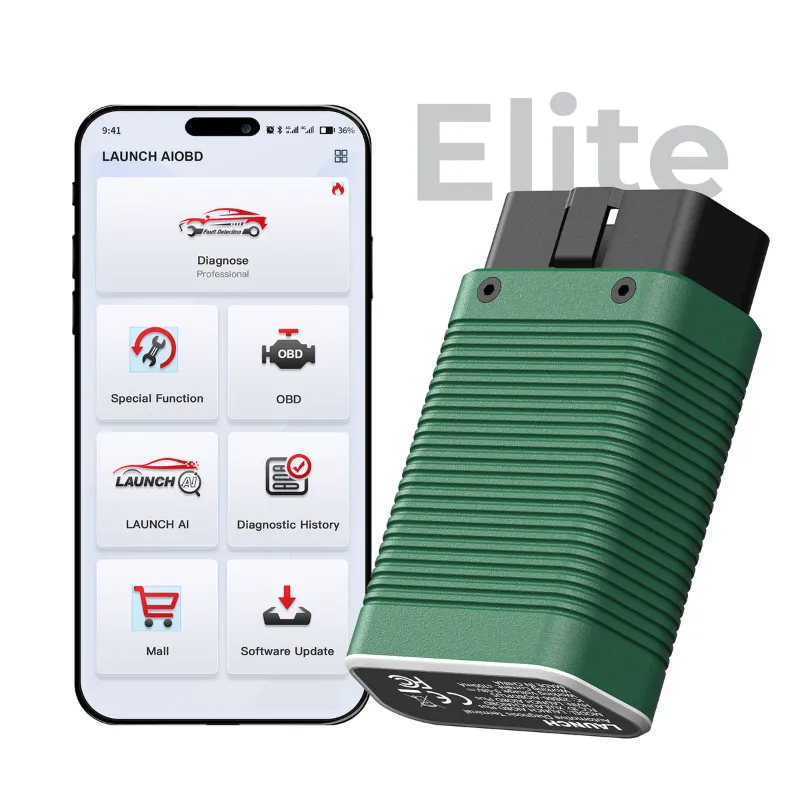
Buy the launch car scanner if you diagnose for a living or keep several vehicles on the road; buy the launch creader elite if your main job is reading and clearing fault codes on one or two cars. The two overlap on basic OBD work and split sharply on live data, service functions and software cost. Here is the version of the decision that takes ten minutes instead of ten days.
Code Reader vs Full Diagnostics: Where the Two Actually Split
The Creader Elite family is a code reader line. It plugs into the OBD-II port, reads and clears engine and emissions codes on supported vehicles, and shows the live data a home mechanic needs for a first diagnosis. That is genuinely enough for most check-engine-light situations, and it is the reason the Creader Elite stays popular with DIY owners.
A full launch car scanner goes deeper. It talks to individual control modules rather than just the engine, graphs live data over time, and runs the guided functions a shop needs: service resets, adaptations and bidirectional tests where the model supports them. Coverage and function lists vary by model, so always read the feature list on the product page rather than assuming.
The short version:
- Code reader (Creader Elite): fast, self-contained, best value for fault-code work on your own car.
- Full scanner (Launch car scanner): module access, live data, service functions, built for repeat use across many vehicles.
Scanner Model Comparison: Side by Side
| Task | Launch Creader Elite | Launch car scanner |
|---|---|---|
| Read and clear fault codes | Engine and emissions on supported models | Engine, ABS, SRS, transmission and body modules where supported |
| Live data | Core parameters, basic display | Multi-parameter graphing and data logging |
| Service resets | Limited or model-dependent | Oil, EPB, steering angle, DPF and similar, model-dependent |
| Software | Standalone, update as offered | Updateable platform, function set can grow |
| Best for | One or two cars, DIY fault finding | Multi-vehicle owners, workshops, repeat diagnosis |
If you want the full spread of launch scanners rather than a binary choice, the range runs from handheld code readers up to multi-system tools, and the step-up points are mostly about module coverage and how often you will use it.
Vehicle Compatibility Check Before You Pay
This is where most returns come from, so do it first:
- Note the exact year, make, model, engine and market of the vehicle.
- Check the product page for the supported-vehicle list or coverage note for that model.
- Confirm the connector type and whether the vehicle uses standard OBD-II or a manufacturer-specific protocol.
- If you own several cars, buy for the oldest or most unusual one, not the newest.
A scanner that is brilliant on a 2018 petrol hatchback can be thin on an older diesel van. Matching the tool to the vehicles you actually own matters more than the badge on the box. If you are unsure, ask before ordering and check the latest offer while you compare.
Software Update Process, Licensing and Subscription Terms
Software is the hidden cost in any scanner comparison, and it is the main reason a cheap tool gets expensive later.
- Update method: most current units update over Wi-Fi or USB from a PC. Register the device first, then run the update before you diagnose anything.
- Licensing: some models include a period of software access, others are sold with a licence tier. Read the terms on the listing so you know what happens at renewal.
- Subscriptions: where a subscription applies, it usually governs access to newer vehicle coverage or advanced functions, not basic code reading.
- Region: software is often tied to a market. A unit bought for one region may not carry another region's vehicle coverage.
Best practice: budget for the second year of software, not just the purchase price. A tool with clear renewal terms is cheaper over five years than one with vague ones.
Setup and First Use: The First Hour
Both devices follow the same opening routine, and doing it in this order avoids most first-day frustration.
- Charge or power the unit, then register it with Launch if registration is required.
- Run the software update before connecting to a car.
- Plug into the OBD-II port, usually under the dash on the driver's side.
- Turn the ignition to on, engine off, and let the tool auto-read the VIN where supported.
- Start with a full system scan, save or screenshot the report, then clear codes only after you have read them.
Keep the first scan report. When a fault returns, comparing the two reports tells you more than the code itself. For a broader look at what to buy in this class, our pick for the best car scanner 2025 covers the models worth comparing at each price point.
Who Each Launch Code Scanner Suits
Buy the Creader Elite if:
- You own one or two cars and want to read codes without paying a shop for a five-minute scan.
- You want a glove-box tool that works without a laptop or subscription.
- You are buying a first scanner and want to learn how diagnostics behave.
Buy the full launch code scanner if:
- You maintain a fleet, a family of cars, or customer vehicles.
- You need service resets after brakes, oil changes or battery work.
- You want live data you can graph and log rather than watch as a single number.
- You would rather buy once and update than buy twice.
Genuine Product Verification, Warranty and Returns
Buy from a seller that states the item is genuine and confirms warranty and repair support in writing. Grey-market units exist, and a scanner without valid software entitlement is a paperweight.
- Genuine check: confirm the seller, box serial and registration path before the first update.
- Warranty: read what is covered and for how long, including whether software counts.
- Returns: confirm the window and condition rules, especially if you opened the box to test it.
- Shipping: check dispatch times if you need the tool for a job this week.
Grab the current 12% off all orders code on our LAUNCH US discount page before checkout, and keep your order confirmation for any warranty claim.
The honest answer to the comparison: a code reader solves the problem in front of you, and a full scanner solves the problems you will meet next year. Buy the one that matches your next twelve months of work, not your worst-case fantasy.
 Shopping at LAUNCH US? See today's verified LAUNCH US discount code
Frequently asked questions
Do I need a launch car scanner if I already own a basic code reader?
Only if you need more than engine and emissions codes. A full scanner adds module-level access, live data graphing and service resets, which matter when you work on several vehicles or do brake, oil and battery jobs yourself.
Will the Launch Creader Elite work on my vehicle?
It depends on year, make, model and market, so check the supported-vehicle list on the product page before ordering. Standard OBD-II vehicles are straightforward, while older or region-specific models need confirming first.
Does the launch code scanner include free software updates?
Update terms differ by model. Some units include a period of software access and others are sold with a licence tier, so read the listing terms and plan for renewal costs rather than assuming updates are permanent.
Can a launch car scanner do service resets like oil light and electronic parking brake?
Many models support oil, EPB, steering angle and similar resets, but the exact function list varies. Check the supported functions for the specific model rather than the brand name.
Where can I buy a genuine Launch scanner with a discount code?
Use our LAUNCH US store page for the current offer and the official product listings, which is the safest route to a genuine unit with warranty cover.
What happens if the scanner does not support my car after it arrives?
Check the return window and condition rules on the store page before opening and testing, then contact support with your VIN details. Returns and refunds are generally easier when the unit is unmodified and the packaging is kept.