

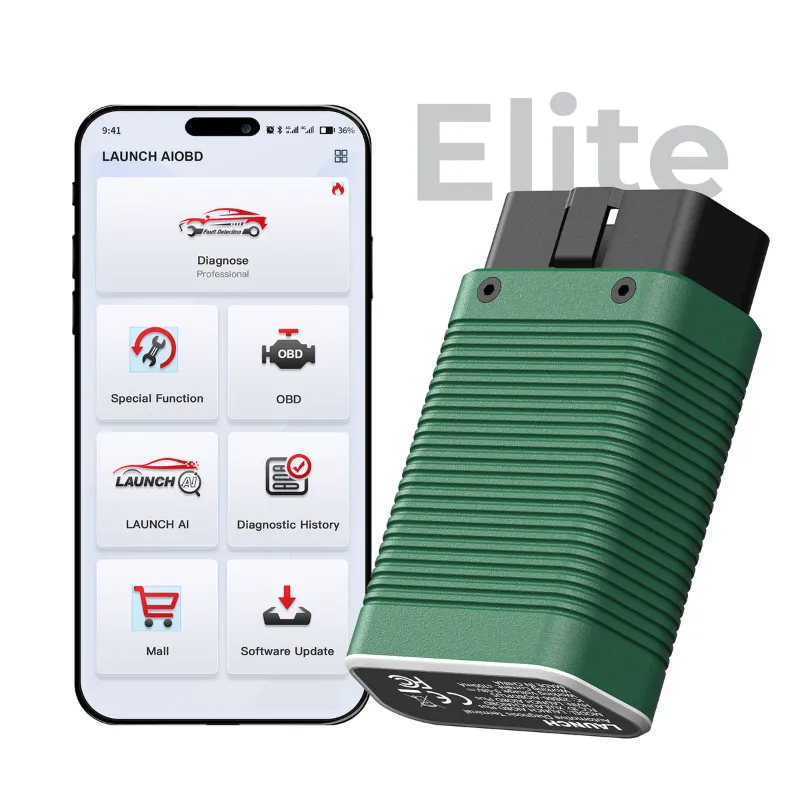
If you mainly need to read and clear fault codes on a car you own, a launch code scanner is enough. You only step up to a full diagnostic scanner when you want live graphing, bidirectional tests, service resets across many brands and coverage of every module in the car. The LAUNCH range covers both ends of that line, from the pocket-sized launch creader elite to the larger workshop-grade launch scanners, so the real question is which side of the line your work sits on.
What a Launch Code Scanner Actually Does
A launch code scanner talks to the control units that store fault codes, translates those codes into plain language and clears them once the repair is done. On most modern cars that covers the engine and emissions-related modules, which is where the check engine light comes from.
- Reads stored, pending and permanent codes
- Shows freeze-frame data captured at the moment the fault triggered
- Displays basic live data such as coolant temperature, fuel trims and sensor voltages
- Clears codes and readiness monitors after a repair
- Reports battery voltage so you can rule out a weak battery before chasing ghosts
What it will not do: command actuators, run bidirectional tests, code new injectors, force a DPF regeneration on every brand, or reach body, chassis and comfort modules. That is where the bigger tools earn their price.
Code Reader vs Full Diagnostics: Where the Line Sits
The code reader versus full diagnostics decision usually comes down to four jobs: live data, actuation, resets and module coverage.
| Job | Launch code scanner | Full launch diagnostic scanner |
|---|---|---|
| Read and clear fault codes | Yes | Yes |
| Live data | Basic parameters | Multi-channel graphing and logging |
| Bidirectional tests | No | Yes, on supported systems |
| Service resets (oil, EPB, steering angle, DPF) | Selected models only | Broad coverage |
| Module access | Engine and emissions | Most modules in the car |
| Typical buyer | Home mechanic, quick checks | Mobile tech, workshop, deep diy work |
If two of the four middle rows matter to you, buy the full tool. If none of them do, a code reader saves money and space in the glovebox.
Which Launch Scanners Fit Which Job
This is the scanner model comparison that matters most, because LAUNCH sells tools at very different depths. The launch code scanner is the entry point: fast code reads, clear results, no learning curve. The launch car scanner line adds broader live data and a friendlier menu for everyday drivers who want to see what the car is doing between faults. The launch creader elite is the sweet spot for most owners, since it pairs code reading with a touchscreen and a wider reset menu.
| Tool | Best for | Why it wins |
|---|---|---|
| Launch code scanner | First scanner, one or two cars | Simple, quick, no subscription friction |
| Launch creader elite | Home mechanic doing resets | Touchscreen plus service functions |
| Full launch scanners | Mobile techs and small shops | Bidirectional tests and deep module access |
If you are still narrowing the field, our best car scanner 2025 shortlist groups the current standouts by use case. Prices move often, so check the latest price before you commit, and remember the store code takes 12% off all orders.
Vehicle Compatibility Check Before You Buy
A compatibility check takes two minutes and prevents the most common return reason: a scanner that covers the engine but not the module the owner actually needed.
- Note the model year, engine code and market of your car, not just the badge.
- Decide which systems you need to reach, engine only or also transmission, ABS, airbag and body modules.
- Confirm the tool lists that coverage for your region, because software packs differ by market.
- Check the connector and protocol, especially on pre-2008 cars and on light commercial vehicles.
- Read the listing notes on special functions, since resets are model-specific.
If a listing is vague about a function you need, ask before ordering. A five-minute message beats a return.
Setup, First Use and the Software Update Process
Setup and first use are simpler than most people expect. Charge the tool, plug it into the OBD-II port under the dash, switch the ignition to run and let it auto-detect the vehicle. Register the device if the model asks for it, then run a full system scan before you touch anything, so you have a baseline.
The software update process is the part owners underestimate. Updates add vehicle coverage and fix bugs, and they are worth doing on a schedule rather than once. Use a stable Wi-Fi connection, keep the battery above half charge, and never interrupt an update midway. Some models bundle updates for a period and then sell renewals, while others include them; licensing and subscription terms vary by tool and region, so confirm the terms on the product page rather than assuming.
Genuine Product, Shipping, Warranty and Returns
Genuine product verification matters with scanners because cloned units often ship with outdated coverage and no update path. Buy from a seller that states the model and region clearly, keep the packaging, and register the device in your own name so warranty and repair support attach to you rather than to the reseller.
On the practical side:
- Confirm shipping and delivery times for your country before ordering, especially near busy periods
- Check the warranty length and what it covers, labour, parts or replacement
- Read the returns and refunds window, and test the tool on your own car inside it
- Keep proof of purchase, since support requests usually ask for it
Our store coupon page lists the current offer and points you to the official listings, which is the simplest way to avoid grey-market stock.
The Straight Answer
Buy a launch code scanner if your goal is to understand a warning light, confirm a repair and stop guessing. Buy full diagnostics if you plan to test components, run calibrations or work on several cars of different brands. Most owners who ask us this question land in the middle, on a creader-style tool that reads codes and handles the common resets. Either way, grab the code first, because 12% off all orders applies to the whole range and it makes the step up to a deeper tool much easier to justify.
 Shopping at LAUNCH US? See today's verified LAUNCH US discount code
Frequently asked questions
Is a launch code scanner enough to deal with a check engine light?
Yes, for diagnosis and confirmation. It reads the stored code, shows the freeze-frame data behind it and clears the code after the repair. What it cannot do is test the suspect component for you, so you still need a multimeter or a bidirectional tool for that step.
Does the launch creader elite handle service resets or just fault codes?
The creader line pairs code reading with a menu of common service functions such as oil and electronic parking brake resets on supported vehicles. Coverage is model-specific, so check the listing for your car before ordering.
How do I run a vehicle compatibility check before buying launch scanners?
Note your model year, engine code and market, then confirm the tool lists that coverage for your region. Also confirm which modules you need to reach, because engine-only coverage is common on entry-level tools.
How often should I run the software update process?
Check for updates every few months rather than once at setup, and always before starting a job that needs a specific function. Use stable Wi-Fi and keep the battery charged, since an interrupted update can leave the tool unstable.
Where can I buy a genuine Launch code scanner with a discount?
Use a seller that states the model and region clearly and registers the device in your name. Our store coupon page lists the current offer, which is 12% off all orders, and links to the official product listings.