

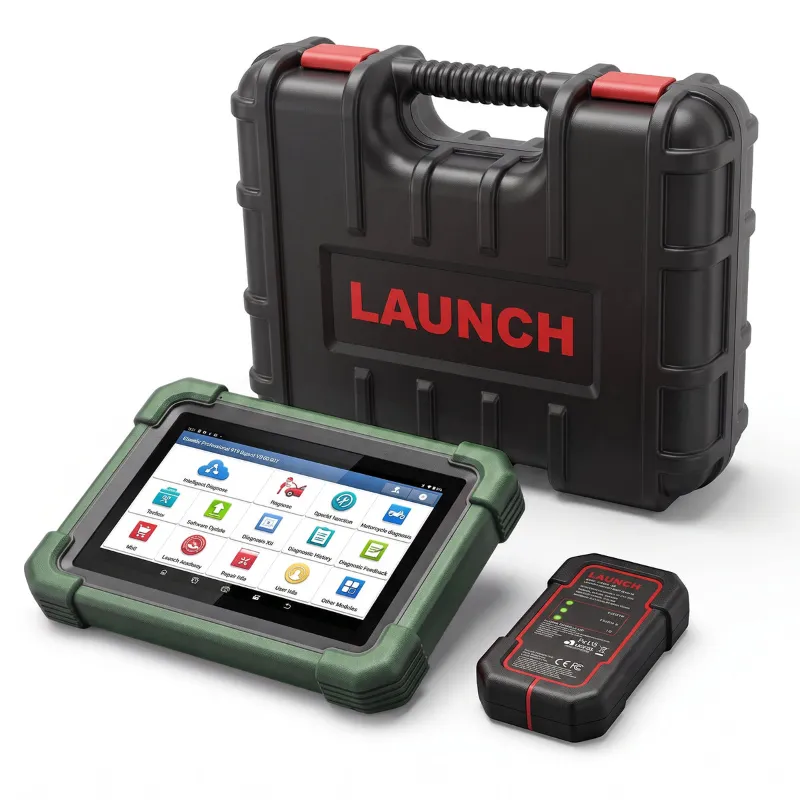
The short answer: you update a launch car scanner through Launch's own update software or the device's built-in update menu, not a phone app store, and the download only finishes cleanly when your licence is active and the connection is stable. Do that and the tool keeps reading newer modules and model years instead of dropping back to generic OBD-II codes. Below is the routine we run on our own Launch scanners, plus how to pick a model whose update path matches how you actually work.
Why the Update Habit Matters on a Launch Car Scanner
A scanner is only as current as the vehicle database inside it. The hardware does not change, but the coverage list does, and that list is what decides whether you see a body control module fault or a shrug.
- New model years and newly added systems, including ADAS modules, TPMS routines and electronic park brake functions
- Coverage expansions for makes that were thin when your unit shipped
- Fixes for slow menus, failed auto-detects and dropped wireless links
- New service and reset functions that were not on the original menu
- Support for newer communication protocols as manufacturers roll them out
If you have ever scanned a two-year-old car and found the tool could not see a module you knew existed, that is usually a stale database, not a broken device. If you are shopping the full launch car scanner range, treat update policy as one of the specs, not an afterthought.
The Software Update Process, Step by Step
The steps below apply whether you are refreshing a full diagnostic tablet, a mid-range unit from the launch scanners line, or a compact launch code scanner. The menu names differ slightly, the order does not.
- Confirm your licence is active. Open the device menu or the update tool and check the subscription status before you start. An expired or half-registered licence is the most common reason an update sits at zero percent.
- Get on a reliable network. Use a home or shop connection you trust. Public Wi-Fi and phone hotspots that drop in and out cause partial downloads, and partial downloads cause strange behaviour later.
- Power it properly. Charge the device before you start, and on tablets leave it plugged into a charger during the install. A unit that dies mid-write is the one scenario that needs a repair ticket.
- Run the update and leave it alone. Do not unplug the cable, close the window or open another app while it writes. Some units reboot once or twice on their own.
- Verify the version, then test on a real car. Check the version number in settings, then run a quick scan on a vehicle you know well. That confirms the new files actually loaded.
Updating the Launch Creader Elite and Smaller Readers
The smaller readers follow the same logic but with less to download. Register the device once, connect to Wi-Fi or the desktop tool, and let it pull the current vehicle list. The launch creader elite is a good example of a unit where the update itself takes a few minutes, so there is no reason to run last year's coverage. If you are unsure where your model sits, read the product page carefully before you buy, because update routes and included subscription windows are not identical across the range.
Firmware, Software and Vehicle Coverage: What Actually Updates
Buyers often use these three words interchangeably. They are different layers, and only one of them is usually what they mean.
| Layer | What it covers | If you skip it |
|---|---|---|
| Firmware | How the device itself runs: boot, menus, connectivity, stability | You keep old bugs and slow behaviour |
| Software | The diagnostic application and its service functions | You miss new routines and fixes |
| Vehicle coverage | The database of makes, models, systems and live data | You scan newer cars only at generic OBD-II level |
In practice, most updates you run are coverage and software. Firmware updates are less frequent and more important, so never interrupt one.
Licensing and Subscription Terms to Check Before You Buy
This is the part shoppers skip and later complain about. Before you buy any code reader or full diagnostic tool, confirm:
- Included update window. How long do free updates last from first registration, and what happens after that?
- Vehicle compatibility check. Does the brand and model list include the cars you actually work on, including any gray-import or late-model exceptions?
- Renewal cost and terms. What does a renewal cover, and is it per device?
- Account requirements. Some tools tie the licence to an account, which matters if you resell the unit.
If the listing is vague, ask before ordering. We link out to the current offer and pricing page rather than quoting numbers here, because subscription terms and bundles change.
Scanner Model Comparison: Which Update Path Fits You
Code reader vs full diagnostics is the real decision. A reader clears codes. A full scanner reads live data, runs bidirectional tests and covers modules beyond the powertrain. Updates matter more on the second type, because the value is in the depth of coverage.
| Model | What it is | Who it suits |
|---|---|---|
| launch creader elite | A focused reader for fault codes and resets | Home mechanics and quick checks |
| launch code scanner | Code-focused diagnostic tool | Drivers who want to read and clear codes themselves |
| Launch scanners line (full diagnostics) | Deeper module access and service functions | Shops and serious DIY work |
There is no single best car scanner 2025 for everyone. The best one is the model whose coverage list matches your driveway and whose update terms you can actually live with. If you want the current top pick from the line, see the best car scanner 2025 listing and check its update terms against the table above.
Setup and First Use After an Update
- Register the device on first boot so the licence is attached to it, not to a session
- Set your time zone and units once, so live data graphs read correctly
- Pair the vehicle and confirm the auto-detect picks the right model year
- Run a full system scan before you trust a quick scan, then save a baseline report per car
- Keep a note of the version number and the date you updated, which saves an hour when you call support
Setup mistakes look like scanner faults. Nine times out of ten they are an unregistered device, a flat battery or a cable that only carries power.
Buying Genuine: Warranty, Shipping and Returns
Counterfeit units exist, and they usually fail at exactly the moment you try to update, because the serial number is not recognised. Buy from a seller who states the warranty and support path in writing, and register the product so genuine product verification is straightforward if you ever need repair support.
Check shipping and delivery times against when you actually need the tool, and read the returns and refunds policy before you open the box. Some retailers require the original packaging and an unregistered device for a return, which conflicts with testing it. If you are ready to order with our code, grab the discount here and confirm the terms on the same page.
The habit that matters is simple: update before every new model year, never interrupt a write, and keep your licence current. That is how a mid-priced Launch tool stays useful for years.
 Shopping at LAUNCH US? See today's verified LAUNCH US discount code
Frequently asked questions
How often should I update my launch car scanner?
We update before each new model year and any time we take on a make we have not scanned before. Coverage and software refreshes are quick, and running them early avoids failed auto-detects in the middle of a job.
Does updating a launch code scanner wipe my saved reports?
Saved scan reports and vehicle records normally survive a software update, but settings and pairing can reset. Back up anything you need and re-pair the vehicle after the update finishes.
What happens if the update stops halfway?
Leave the device connected and powered, then re-run the update tool. Most units recover by restarting the download. If it will not boot, that is a repair support case, which is why we never run a firmware update on a low battery.
Is a launch creader elite enough for module-level diagnostics?
No. The Creader Elite line is built around reading and clearing codes and basic resets. If you need bidirectional tests and body or chassis module access, step up to a full diagnostic scanner in the Launch scanners range.
Do I need an active subscription to update the device?
Usually yes, at least for coverage and software downloads. Included update windows and renewal terms vary by model, so confirm the terms on the product page or the store offer page before ordering.
How do I check vehicle compatibility before buying?
Read the coverage list on the listing and match it to the exact makes, model years and systems you work on. If your car is a gray import or a very late model, ask the seller to confirm before you order.